 Jim Byrne
Explore the key design accelerators in Autodesk Inventor that help address to the top priorities of modern designers and engineers.
Design accelerators in Autodesk Inventor are essential tools to streamline your design process. They are component generators and calculators that aid in creating and validating various mechanical components such as shafts, fasteners, gears, belts, and pulleys. With more than twenty types available, these tools can significantly speed up your design process, allowing you to save time for innovation and improve the performance of your designs.
Put top priorities first with design accelerators
Autodesk Inventor’s design accelerators enable designers and engineers to rapidly generate components that adhere to current industry standards. This integration ensures that components can be sourced easily for production, maintaining both safety and compliance. Let’s dive into the key design accelerators in Autodesk Inventor to address the priorities that today’s designers and engineers put first:
- How can we spend more time innovating?
- How can we improve performance?
- How can we improve time to market?
- How can we improve profitability?
Key design accelerators in Inventor
Enhance Your Engineering Workflows
Precise, powerful, and ready for innovation with Autodesk Inventor.

Shaft generator
The shaft generator simplifies the creation of spinning components. Instead of manually drawing and revolving sketches, users can input values and see instant previews. It allows the addition of various geometries such as chamfers, threads, hex features, and even simple holes, making the process quick and efficient.
Gear generators
Inventor offers three types of gear generators: spur, worm, and bevel gears. These generators include optional calculators to test dimensions, loads, and gear strength, making sure that the gears are suitable for production. Gears can be created as new parts, new features on existing components, or virtual components in assemblies, with motion constraints automatically applied.
Belt chain generator
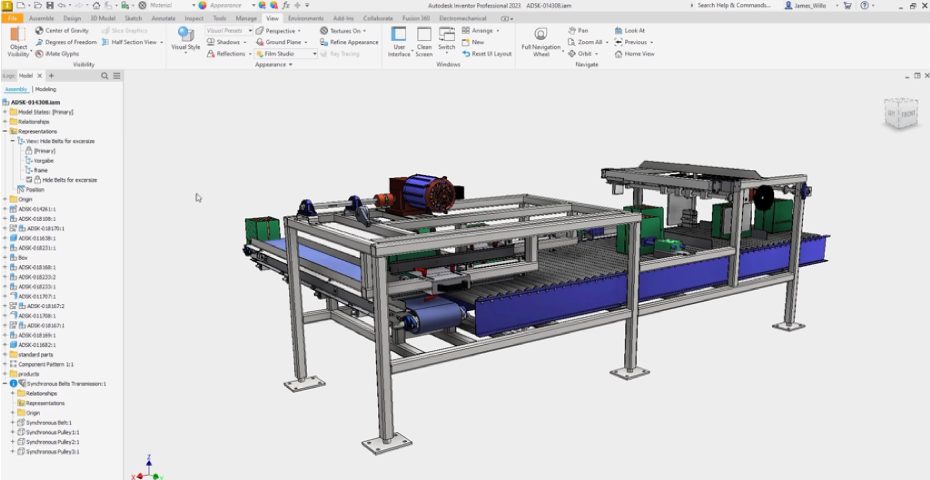
The belt chain generator creates v-belts, synchronous belts, and roller chains, including pulleys and sprockets unless already present in the assembly. It indicates whether the belt is a standard or custom size, streamlining the design process.
Springs
Users can create four types of springs: extension, compression, torsional, and Belleville springs. Calculations based on states for free, preloaded, or fully loaded springs are included, ensuring accuracy in the design.
Bolt connection
The bolt connection tool is highly efficient, allowing users to select fastener locations, types, and automatically includes associative holes for future changes. It offers standard bolt lengths and calculations to check bolt diameter based on the number of bolts and material usage.
Additional design accelerator features
Machinery handbook
The integrated machinery handbook provides formulas and calculations, enhancing the design process with precise engineering data.
Frame generator
The frame generator is a powerful design accelerator tool in the Design ribbon. It simplifies the creation of frames by using line segments and geometry to define frame locations, allowing customization of profiles, sizes, materials, and appearances. The generator ensures quick frame creation, resolves overlaps, and updates all members when frame sketch dimensions change, generating accurate parts lists and lengths. It also offers validation options using beam elements for shear and bending moment analysis.
Enhance efficiency with design accelerators in Inventor
These design accelerator tools in Autodesk Inventor can make your design process more efficient, help you innovate, get your designs to manufacturing faster, and improve profitability through time savings. By leveraging these design accelerators, you can also automate file naming with Autodesk Vault, ensuring organized and streamlined workflows. What are you waiting for? Get started today.