 Casandra Armeanu
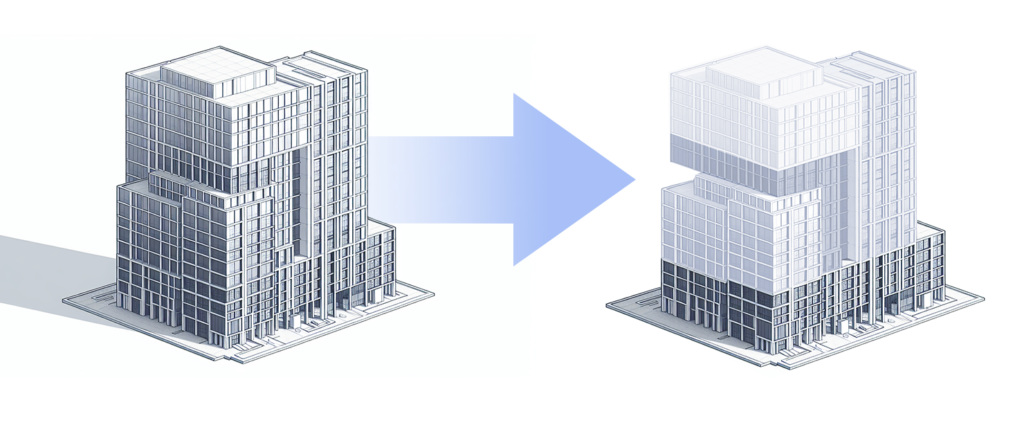
When you open a Revit model, you rarely need the entire project data at once. You may open the last active view or starting screen, navigate to a plan or 3D view to continue design work, open a sheet/schedule to review documentation, or run an automation.
Revit models are becoming larger and more information-rich, bringing together multiple disciplines, detailed geometry, linked content, and extensive product and material data. As their complexity grows, so do the demands on memory, processing power, and hardware costs.
Incremental Model Open, now available as a Tech Preview in Revit 2027.2, introduces a new approach to opening models. Instead of processing the entire model before the first view appears, Revit selects the information needed for the starting view and processes additional model data as the workflow requests it.
A more focused model-open process
Opening a Revit model involves several stages. Revit reads model data, rebuilds element relationships and dependencies, processes external references, generates internal graphics information, and draws the initial view.
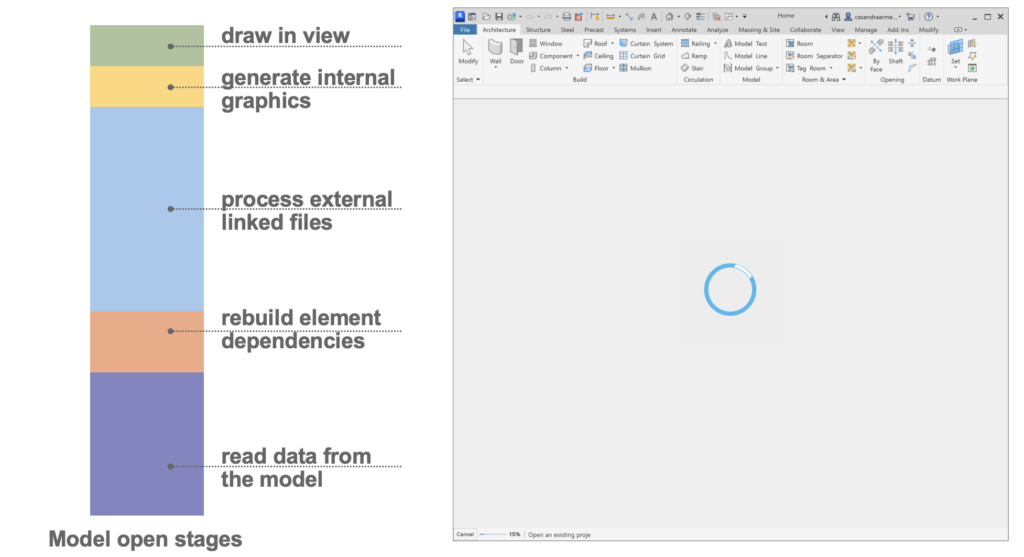
In the traditional process, the entire model is read into memory during startup, including information that may not be required right away. With Incremental Model Open enabled, Revit processes the elements needed for the starting view first. Other information is processed on demand as you navigate the project, open additional views, use tools, or query the model.
This means time to first view gets more closely related to the information required for the first task, rather than simply to the total size and complexity of the project.
Potential benefits for large and complex projects
Incremental Model Open is designed to provide the greatest benefit when a significant portion of opening time is spent reading and processing model data. In initial testing, some models opened up to 1.5–2 times faster and processed 60–80 percent less data at startup. Results can vary according to model structure, linked content, visibility settings, project complexity, and the selected starting view.
Reducing upfront processing can also lower memory use during startup. This can improve the experience of working with large projects and may reduce the need to divide models solely to manage opening performance. Worksets and linked models remain important for collaboration, organization, and discipline coordination; Incremental Model Open is not intended to replace them.
The starting view makes a difference
By default, Revit can return users to the last active view, and teams can also define a starting view that displays project information or notices. From there, users commonly navigate through plans, sections, schedules, sheets, and 3D views to continue design, coordination, and documentation work.
A lightweight starting view generally requires less model information than a large schedule or complex 3D coordination view. With Incremental Model Open, the amount of data required by that first view directly affects opening performance. Lear how to set up a starting view here.
Some longer processing may occur later when you open a data-intensive view, print a large sheet set, or performs another broad operation. Once information has been processed, it remains available for the rest of the Revit session.
From focused tasks to connected and automated workflows
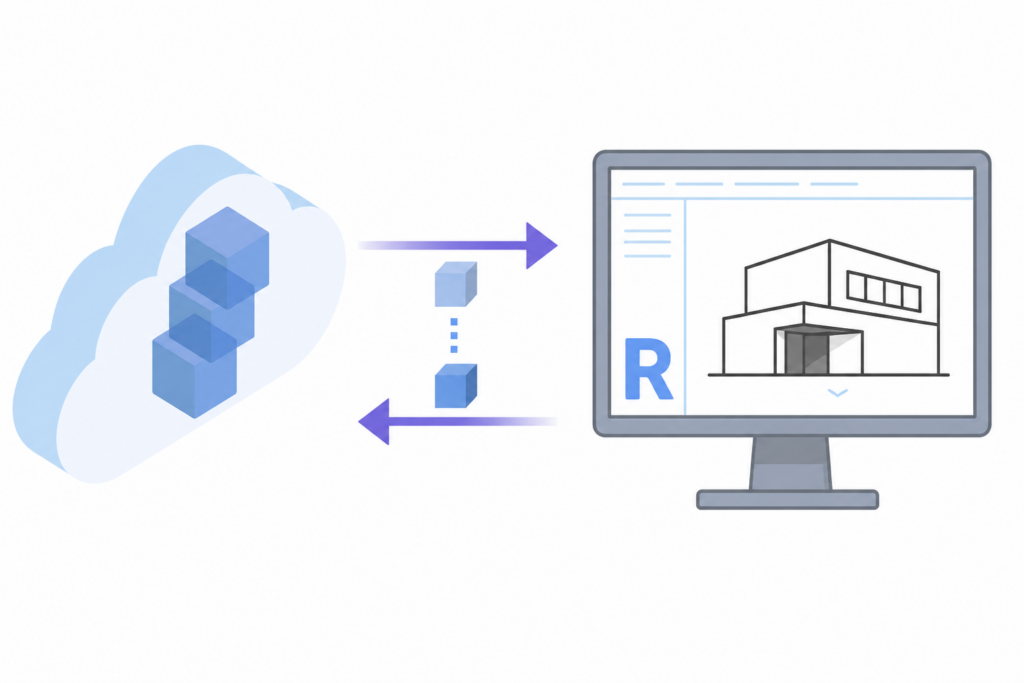
Consider an automation that needs to update a limited group of parameters, check a selected category, or retrieve information about a small set of elements. Preparing the entire project before beginning that focused task can take longer than the task itself.
Incremental Model Open allows Revit to process information when an operation requests it. This creates the potential to reduce startup work for add-ins and Autodesk Platform Services Automation API workflows (previously known as Design Automation). The Automation API provides a headless Revit engine for cloud workflows that create, extract, analyze, and modify Revit data.
The same approach is relevant to Autodesk Assistant and Revit MCP tools. When a request needs only a limited part of a large project, on-demand processing can help avoid preparing information that the task never touches.
This direction also complements the AEC Data Model. While the AEC Data Model makes project data more structured and accessible to connected applications, Incremental Model Open focuses on how Revit itself accesses this data. Together, they enable workflows in which people, automations, and AI tools can work seamlessly with the information they need.
Incremental Model Open Tech Preview
A Tech Preview provides early access to experimental functionality while it is still being evaluated and improved. Incremental Model Open is disabled by default, requires acceptance of the Autodesk Tech Preview Terms and Conditions, and has known limitations. Not every model will see the same improvement.
Several linked-model workflows are not currently supported. See the full list of known limitations here. We’re actively working to address these limitations as we continue developing and refining Incremental Model Open.
The preview does not reduce the time required to download and locally cache a cloud-hosted model.
How to get started
Close any open models, then go to File > Options > General and select Incremental Model Open. Review the Autodesk Tech Preview Terms and Conditions and select Accept.
The option is an application-level setting and cannot be changed while models are open. Once enabled, it remains active for the current Revit session. It can also be enabled through Revit.ini by adding IncrementalOpenDynamic=1 under the [Misc] section before restarting Revit.
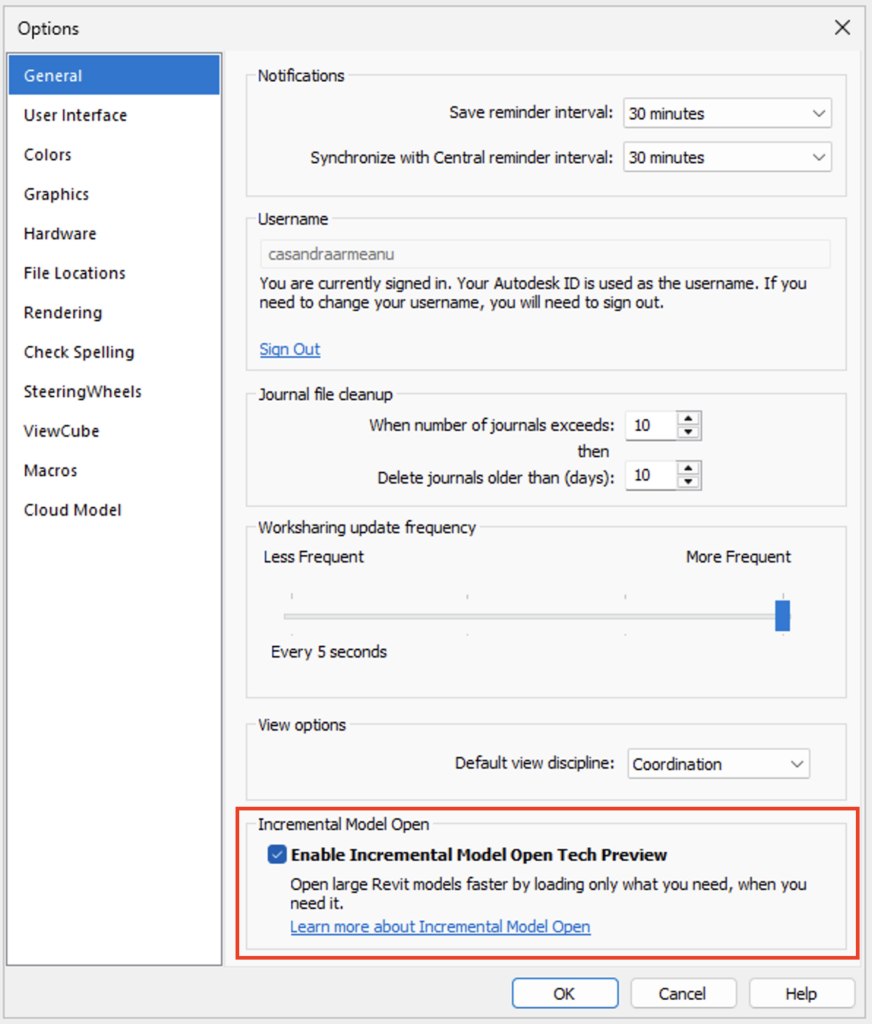
We encourage teams working with large, detailed projects, or exploring Automation API workflows to try the Tech Preview and share their experience.
Looking ahead
Incremental Model Open is the first step in a longer-term strategy to improve Revit performance and scalability. Our goals include reading model data incrementally, working with subsets of a model without downloading and caching the entire model locally, and eventually streaming model data directly from the cloud – Revit Roadmap.
Check out additional details at Incremental Model Open (Tech Preview)