 Minjie Wang
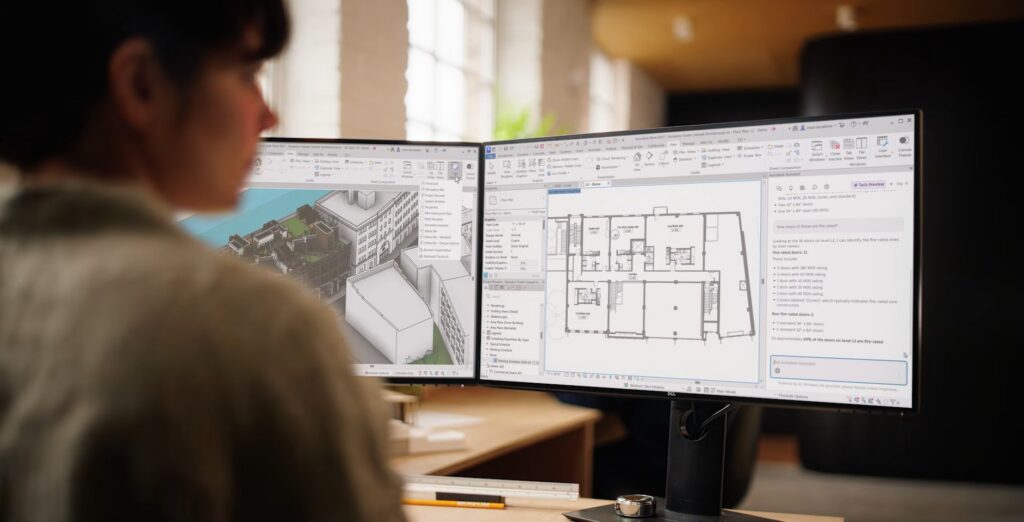
Across every industry, we’re seeing a fundamental shift in how people work with AI. Users are moving from hands-on task execution to higher-level goal setting and decision-making. Instead of driving every command, they define intent, constraints, and desired outcomes. This means users no longer need to focus on “how”; they can focus on what matters most: “what”.
For AEC, this shift creates a powerful opportunity. It has the potential to expand what’s possible, freeing teams to increase capacity, think bigger, and push the boundaries of what our industry can achieve.
At Autodesk, we’re bringing this shift directly into your daily workflows.
Autodesk Assistant
Autodesk Assistant is the AI interface for Design and Make. Whether you need quick answers, want to explore your work, or speed up repetitive tasks, it’s designed to help you work more efficiently while supporting your creative process.
It represents the next major step in Autodesk’s AI evolution, a conversational, generative AI experience that works within the tools you use every day. By bringing AI directly into your workflow, Assistant helps remove friction, simplify tedious tasks, and enables faster, more informed decisions. Think of it as an intuitive entry point into AI, one that enhances how you design, without changing how you think.
Autodesk Assistant in Revit – Available in Tech Preview
With Autodesk Assistant in Revit now available as a Tech Preview, AI is embedded directly into the design environment you use every day, providing early access to a defined set of supported workflows that will continue to improve over time.
Autodesk Assistant introduces a new, conversational way to interact with Revit. Instead of navigating menus or searching for documentation, you can:
- Ask questions about Revit features
- Query and explore your model
- Take action through natural language prompts such as “Create a door schedule sorted by level” or “Create a floor plan for the level L1 and name it “L1-AI”
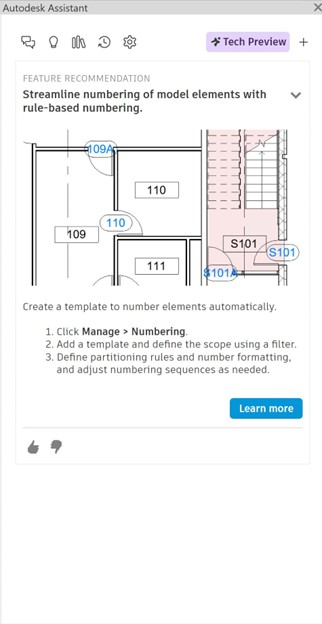
- Receive personalized insights such as the new “Numbering” tool, based on your activities within the documentation workflow.
All through a simple chat interface embedded directly in Revit.
Get instant help from trusted sources
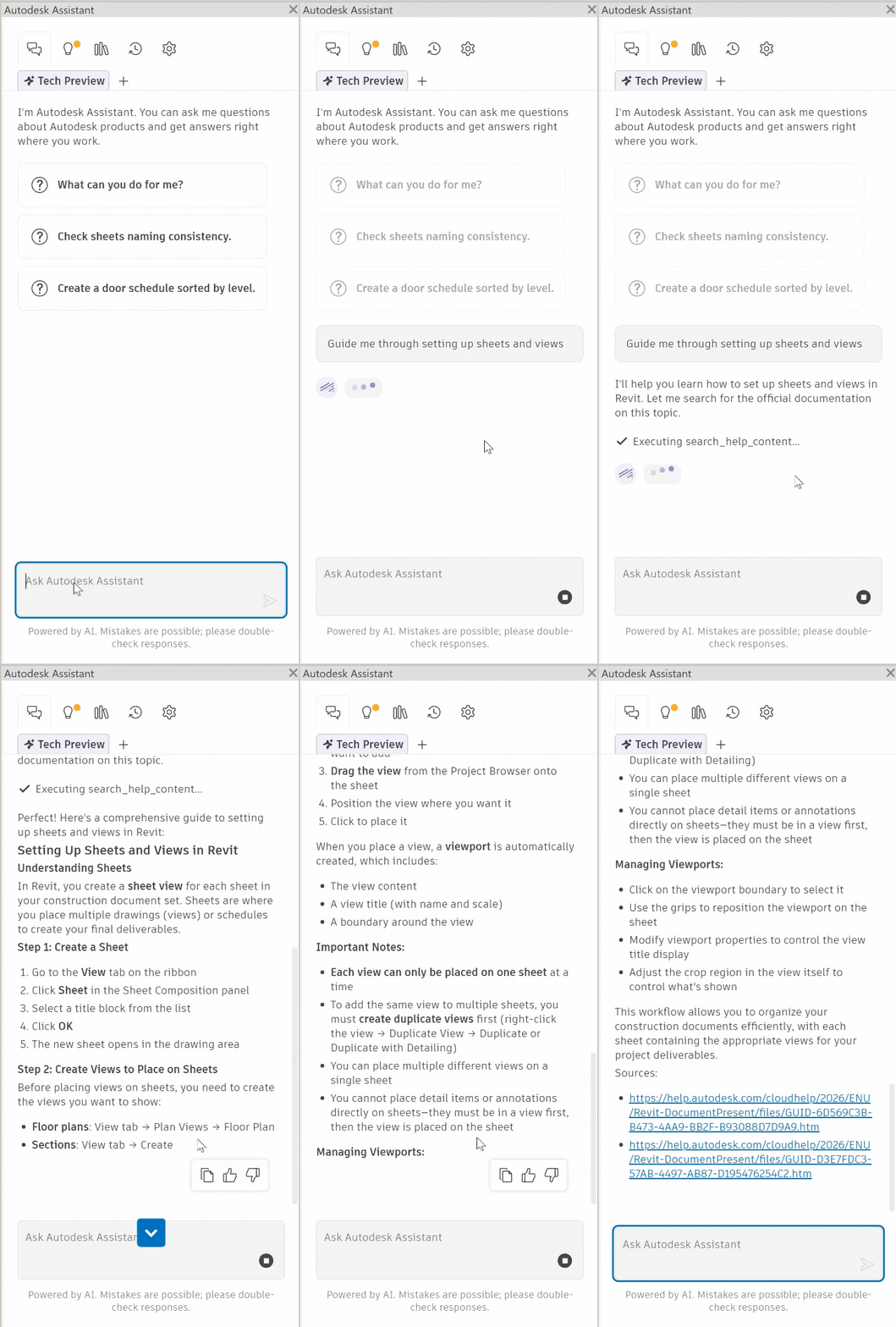
Autodesk Assistant provides contextual answers based on Autodesk’s official documentation, helping you quickly understand tools and workflows without leaving Revit. Whether you’re learning something new or just need a refresher, it gives you the confidence to keep moving. For example, you can ask, “Guide me through setting up sheets and views” and receive clear, step-by-step guidance, best practice and the source links.
Explore and understand your model
You can ask Autodesk Assistant about your current model, design, or project—and get answers right when you need them. Instead of manually searching or counting elements, let Assistant do the work for you. It can analyze your model and deliver context-aware answers, so you can stay focused on design.
Ask questions like:
- “How many structural columns have their Base Level set to L2?”
- “In the ‘L2’ view, count all door and window tags.”
- “Check whether all views on sheets A100–A106 have a view template assigned.”

Turn intent into action
Move beyond questions—turn intent into action.
From modifying elements to generating documentation, Autodesk Assistant helps translate what you want to do into real results.
In the example below, an AI-driven workflow generates a Level 2 floor plan, refines it with the appropriate view template, and automatically tags rooms. That setup is then reused to create equivalent plans for Levels 3 and 4, followed by automated sheet creation, naming, layout, and final PDF export.
Learn and improve with Insights
Autodesk Assistant doesn’t just respond—it helps you continuously improve how you work.
With My Insights, you’ll receive personalized, context-aware suggestions such as:
- Shortcuts to speed up repetitive and tedious tasks
- Features you might not know about
- Best practices based on your workflow
These insights are dynamically triggered based on your usage, helping you build better habits, discover new capabilities, and work more efficiently over time.
Built for real workflows with MCP
Under the hood, Autodesk Assistant is powered by Model Context Protocol (MCP)—enabling more reliable, contextual, and actionable responses.
With MCP, Autodesk Assistant understands your model more deeply and supports real-world workflows such as:
- Model Query—understanding and analyzing Revit model
- Export—project deliverable generation
- Sheet Management & Documentation—organizing project deliverables
- Room Management—architectural space planning and coordination
- Schedules & Data Management—project data organization and reporting
- Element Operations & Manipulation—direct element control and modification
Together, these workflows enable Autodesk Assistant to move beyond answering questions, becoming an active support in your design process.
Trust Principle in Autodesk Assistant
Autodesk is committed to responsible, ethical, and secure AI development, deployment, and use. We follow strict governance and “privacy by design” principles to protect customer data and intellectual property, ensuring data is used only for its intended purpose and shared in limited, approved ways.
Autodesk Assistant uses:
- Your conversation — The questions you ask during your session
- Autodesk product documentation — Official help content from help.autodesk.com
- Your work — In some products, context from your model or design when you ask questions about your work
Your Prompt Library and Chat History are stored in the cloud and linked to your Autodesk account. None of this data, nor any customer privacy data, is used to train LLM models.
Assistant may connect to MCP servers to access additional tools and data sources. These servers are provided by Autodesk and operate according to Autodesk’s trust and privacy standards.
For more information, please refer to: https://help.autodesk.com/view/RVT/2027/ENU/?guid=AA_Trust_Privacy
Looking ahead
This is just the beginning.
AI in Revit isn’t only about solving pain points. It’s about creating new possibilities. It’s not just about the pain relievers, but the gain creators. AI has the potential to expand horizons in how you design and deliver projects.
Our goal is to enhance every part of your design and engineering workflows: the creative, complex work that represents the real value you bring to your projects.
As Autodesk Assistant continues to evolve, we’re focused on helping you do more of what matters most: designing better, moving faster, and pushing the boundaries of what’s possible.
The current tech preview of Autodesk Assistant in Revit is intentionally designed to support a focused set of workflows, rather than every Revit task. We’re using this early stage to gather feedback, learn from real-world use, and continuously improve the experience.
We invite you to join our community forum to explore what’s possible today, share your feedback, and partner with us as we shape the future of AI in Revit.