 Cesar Escalante
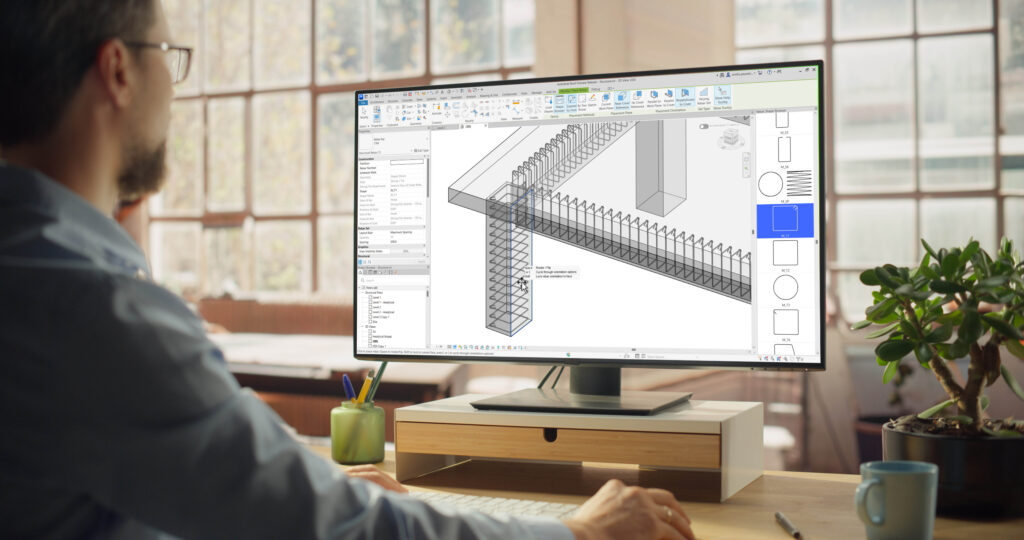
Revit 2027.1 continues the 2027 release focus on connected, higher-performance, and more predictable BIM workflows. For advanced users, the value of this release is in how these updates strengthen your everyday workflows: documenting design intent, coordinating cloud-connected models, validating analysis results, and preparing models for fabrication.
This point release introduces a pack of enhancements across architecture, structure, and MEP workflows, with a practical focus on reducing friction, improving control, and preserving model fidelity.
Architecture and Core Enhancements
Revit 2027.1 improves the day-to-day modeling and documentation experience with refinements that support visual fidelity, connected workflows, annotation quality, and AI-assisted productivity.
Autodesk Assistant for Revit continues to mature as a natural language interface inside the Revit environment. Supported assistant actions are more reliable across common model interaction and documentation tasks, including applying color overrides to elements, tagging elements without duplicates, and refining schedule data through filters.
Assistant activity is now fully traceable in Revit. Every MCP tool logs its execution in the Revit journal, including start time, completion status, and errors. Changes made through MCP tools are also labeled with an AI prefix in the Undo menu, making automated actions easier to identify and review.
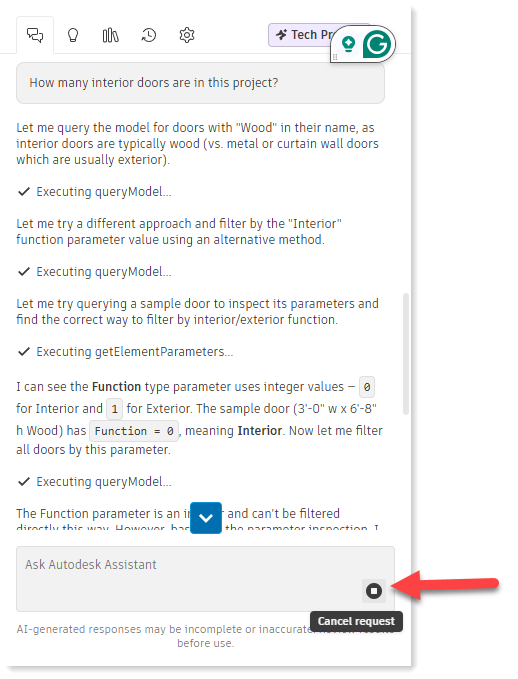
Additional refinements include a Stop button and sorting capabilities in the Prompt Library. Together, these updates help BIM managers and project teams audit Assistant activity, troubleshoot issues, interrupt operations when needed, and reuse prompts more consistently across model interrogation and documentation workflows.
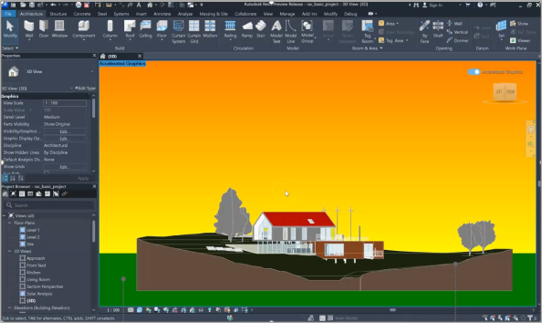
Accelerated Views support Gradient and Sky Background. The support of 3D View Backgrounds provides teams with greater consistency when using accelerated graphics for 3D navigation, design review, and coordination workflows, where both view fidelity and performance matter.
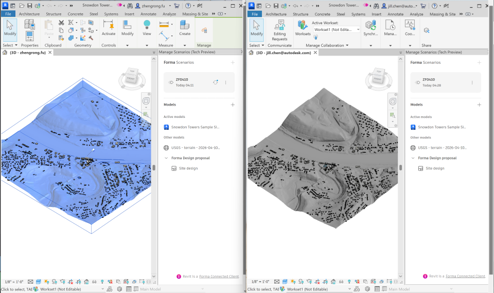
Forma Connected Clients support smoother Worksharing. Multiple users can now work with the same Revit cloud model and reload scenarios without requiring unnecessary permissions. This helps preserve connected context while reducing administrative friction during shared model work.
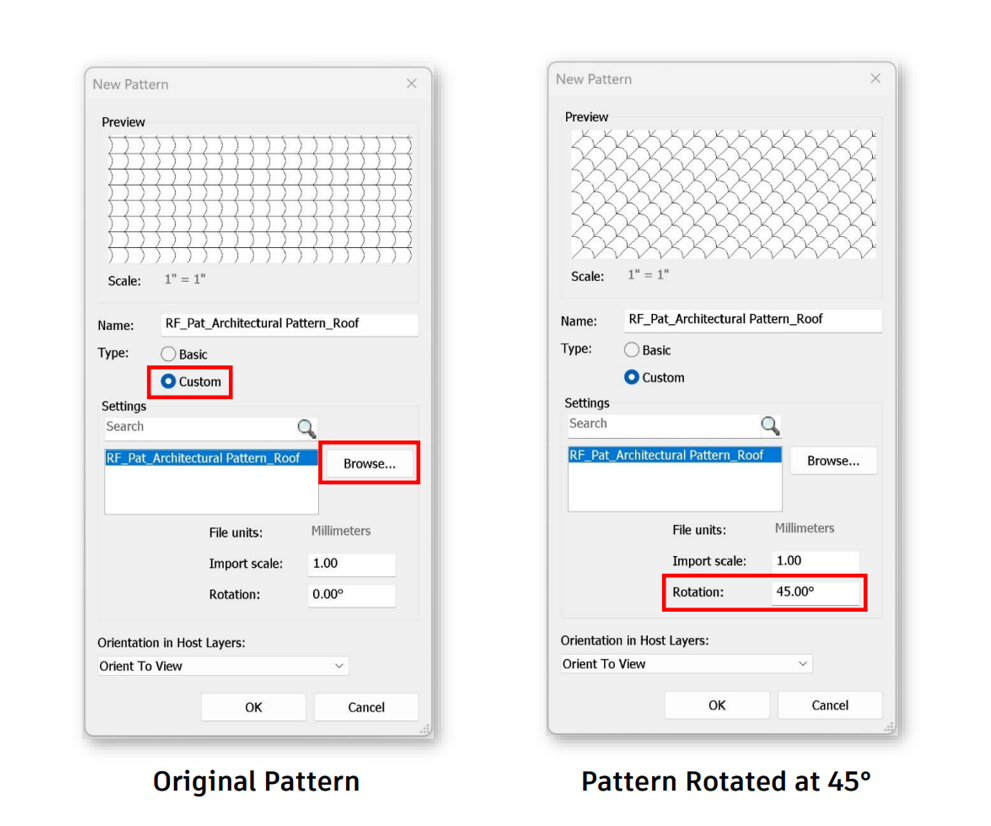
Rotate Fill Pattern Definitions. You can now rotate custom fill patterns in the Manage Fill Patterns dialog and save them as new rotated pattern types. For teams managing graphic standards through templates, this makes it easier to edit pattern definitions across documentation sets.
Structural Design, Analysis, and Fabrication Workflows
The structural enhancements focus on faster analytical model creation, clearer results review, improved reinforcement modeling, and more reliable steel fabrication workflows.
Create faster Analytical Elements at Grids. Model analytical columns at grid intersections, analytical walls along grids between intersections, and analytical beams along grids between columns. This aligns the creation of analytical models with the grid logic already used to model structural models. The result is faster setup, fewer repetitive placement steps, and better consistency.
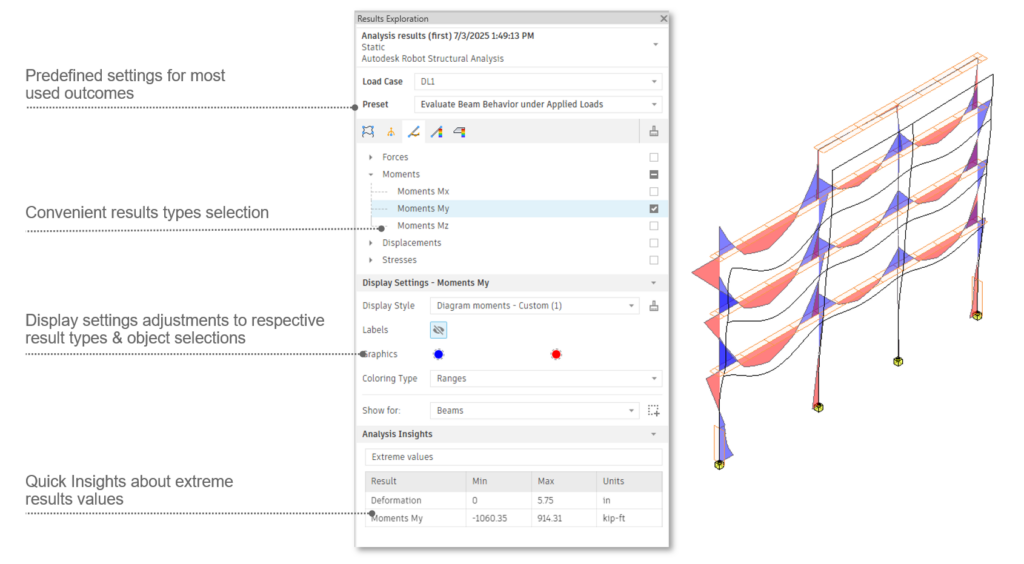
Modernized Analysis Results Exploration Panel. The updated experience includes preset definitions for commonly used result sets, more convenient result type selection, display settings tailored to selected result types and objects, and quick insights into extreme result values. Together, these improvements make it easier to move from analysis output to model-based interpretation, helping engineers identify critical results faster and review structural behavior with greater clarity.
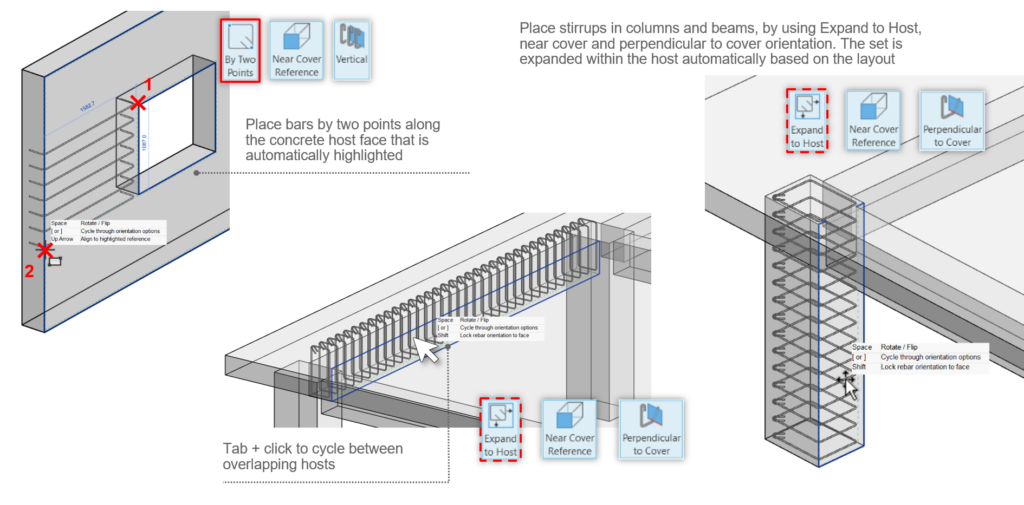
Place Standard Rebar Shapes in 3D Views. Apply shape-driven rebar directly in 3D views using familiar placement methods from 2D, including Expand to Host and By Two Points. Rebar placement responds to highlighted concrete host faces, placement plane options, cursor position, and view orientation. Users can place longitudinal bars, stirrups, and path shape distributions more intuitively in 3D. This is especially valuable for complex concrete conditions where rebar placement requires repeated validation in 3D.
Improved documentation for steel detailing. New annotation enhancements help preserve the reliability of documentation through steel detailing and fabrication.
- Openings on steel columns are kept in place when applying steel connections.
- Hidden lines from member webs break correctly by Geometry or Steel Connection Cuts.
- Dimensions created in the Design phase are also preserved when applying Steel Connections.
The Steel Connections dialogs now support high-DPIimages. The reference image in Steel Connections dialogs now scales properly on high-resolution displays, helping connection graphics remain legible across workstation setups.
Steel framing extensions controls. The Shape-handle extensions for steel framing elements now work when Steel Connections and shortened member ends are applied. This allows detailers to extend members beyond the steel modifier location, providing more direct control over the final geometry after connection logic has been applied.
MEP Design and Fabrication Workflows
For MEP detailers, Revit 2027.1 improves in-canvas modeling controls and adds more direct duct sizing support.
In-Canvas Connector Controls. This enhancement provides MEP detailers with clearer connector information during fabrication, part placement, and selection. Connector controls can now appear in-canvas and display connector Size, Type, and Number. Visibility can be toggled from the Analyze tab. This helps users understand connector behavior during modeling, reducing the need to inspect properties after placement and helping to avoid incorrect connection assumptions.
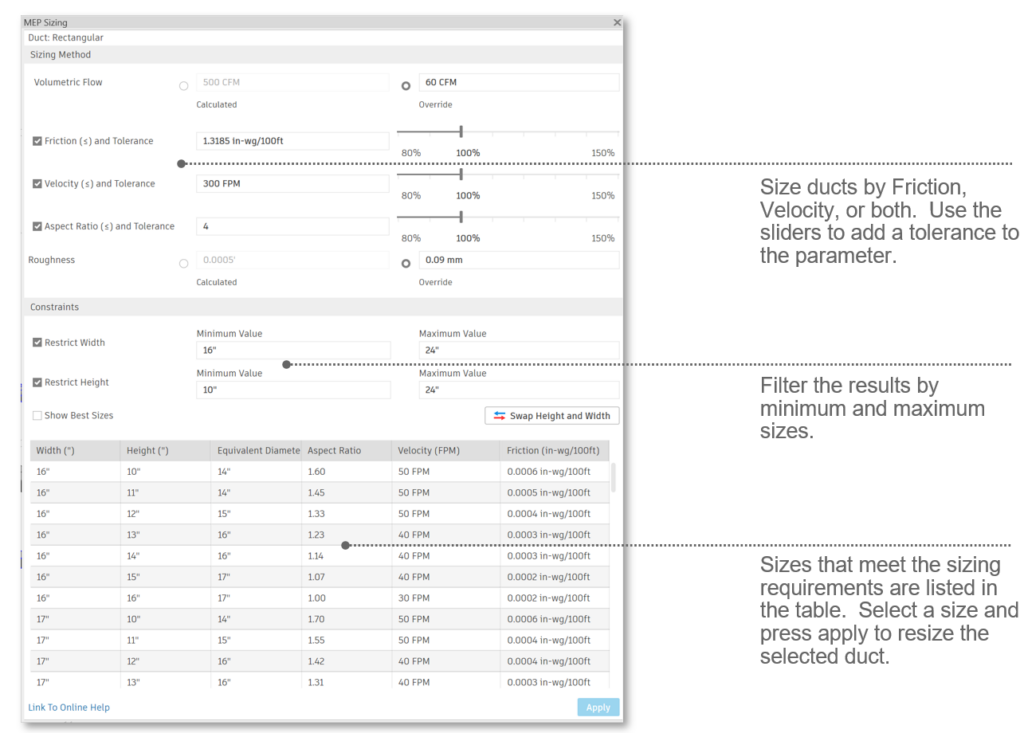
MEP Sizing Calculator. This release introduces a focused workflow for duct sizing that supports both design and fabrication workflows. Users can size ducts by Friction, Velocity, or both; apply tolerances with sliders; filter results by minimum and maximum sizes; review acceptable sizes in a table; and apply a selected size directly to the selected duct. This supports a more iterative and informed sizing workflow inside Revit, reducing reliance on disconnected checks or manual trial-and-error resizing. Note that pipe systems are not yet supported in the MEP Sizing Calculator.
A Practical Update for Advanced Users
Revit 2027.1 is a production-focused release, improving the details that matter in real projects: more controlled AI-assisted workflows, stronger graphics parity, smoother connected cloud models, faster structural analytical modeling, clearer analysis review, more intuitive rebar placement, better steel fabrication continuity, and more direct MEP connector and sizing workflows.
For full documentation on Revit 2027.1, refer to this link. To see what’s coming next, visit our Public Roadmap for upcoming feature plans.
Get started with Revit 2027.1 through the Autodesk Access application on your desktop. And if you’re not yet a subscriber, be sure to check out a free trial of Revit 2027.
Happy Revit-ing!