 Cesar Escalante
Design teams aren’t short on tools. They’re short on time.
Between tighter deadlines, growing model complexity, and constant coordination across disciplines, the real challenge isn’t just designing, it’s keeping everything aligned without slowing down.
Autodesk Revit 2027 responds to that reality. This release brings Autodesk AI into the modeling environment, connects workflows across the cloud, and supports the kinds of tasks that quietly eat up hours each week. The result is a more fluid way of working, one where your tools support progress instead of slowing it down.
And there’s even more in store with Revit 2027, from new integrated workflows with our Forma Industry Cloud to elevated precision modeling, Issues integration, modernized UI, introduction of Forma Carbon Insights, and many other enhancements. Read on to see how Revit 2027 can deliver new impact on your workflow and designs.
AI inside the model, not outside it
One of the biggest shifts in Revit 2027 is the introduction of Autodesk Assistant.
Instead of digging through menus or piecing together workflows manually, you can now interact with your model using natural language. You can ask questions, generate documentation steps, and trigger basic modeling actions—all from within the same place you work.
Assistant can help you interrogate and analyze model data, create and organize views and schedules, edit parameters in context, manage rooms, and provide in-product guidance to complete tasks and resolve issues efficiently.
Because Assistant understands your model context, the answers are relevant to what you’re actually doing. And as you save prompts, repeatable work can become faster and more consistent over time.
This isn’t just help content. It’s assistance that can actually help you move work forward.
From disconnected tools to a connected ecosystem
Revit 2027 expands beyond a single application into a connected environment.
With Forma Data Management Essentials, Forma Site Design, Forma Building Design, and Forma Board now included in Revit subscriptions, teams can move from early site studies to detailed design without stitching together separate tools. What used to require setup and coordination across platforms is now available from day one.
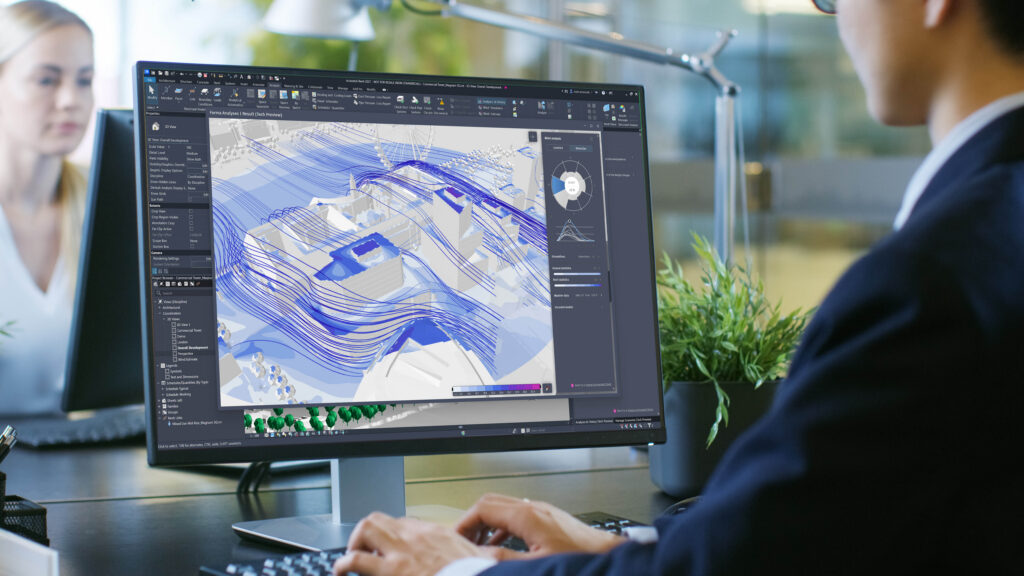
As announced at AU 2025, Revit is our first Forma Connected Client (tech preview) allowing you to access model data from shared, geolocated scenarios. That means data, context, and analysis flow from Forma Site Design without the friction. You can reference shared data quicker, access environmental datasets, and run environmental analyses like wind studies—without leaving your workflow. Join the tech preview to explore these capabilities and help shape what comes next.
Coordination that happens in real time
Coordination is no longer something that waits until the end.
Issues for Revit are no longer an optional extension, but it is integrated with our core product. Teams can create, view, and resolve issues directly inside Revit, fully synchronized with Forma Data Management.
Over time, coordination can become more continuous instead of reactive, helping reduce surprises and keep projects moving.
Automation where it actually matters
Revit 2027 focuses on the repetitive tasks that slow teams down.
Rule-based numbering replaces manual renumbering cycles with support that can adapt as your model changes.
Alongside this, improvements to tagging, annotation controls, and interface behavior reduce small but constant interruptions across production work.
Individually, these are incremental. Together, they give time back to your team.
A faster, more stable foundation
Under the hood, Revit 2027 delivers meaningful performance gains.
Dynamo runs faster and more reliably, supported by updates to .NET 10 and improved computational handling. At the same time, Accelerated Graphics is now production-ready, making large models smoother to navigate and more responsive during everyday tasks.
The experience feels faster—not just in benchmarks, but in how quickly you can move through your work.
What the new improvements in Revit 2027 mean for your role
Architecture: Design with clarity, connection, and carbon insight
Architects must balance design quality with measurable outcomes—especially around sustainability.
Revit 2027 brings carbon analysis directly into the design workflow through Autodesk Forma Carbon Insights (formerly Autodesk Insight). Instead of treating sustainability as a downstream check, you can evaluate embodied and operational carbon within your BIM environment, with clearer visibility into the impact of your decisions. Revit materials now report Carbon parameter making each choice more traceable and measurable.
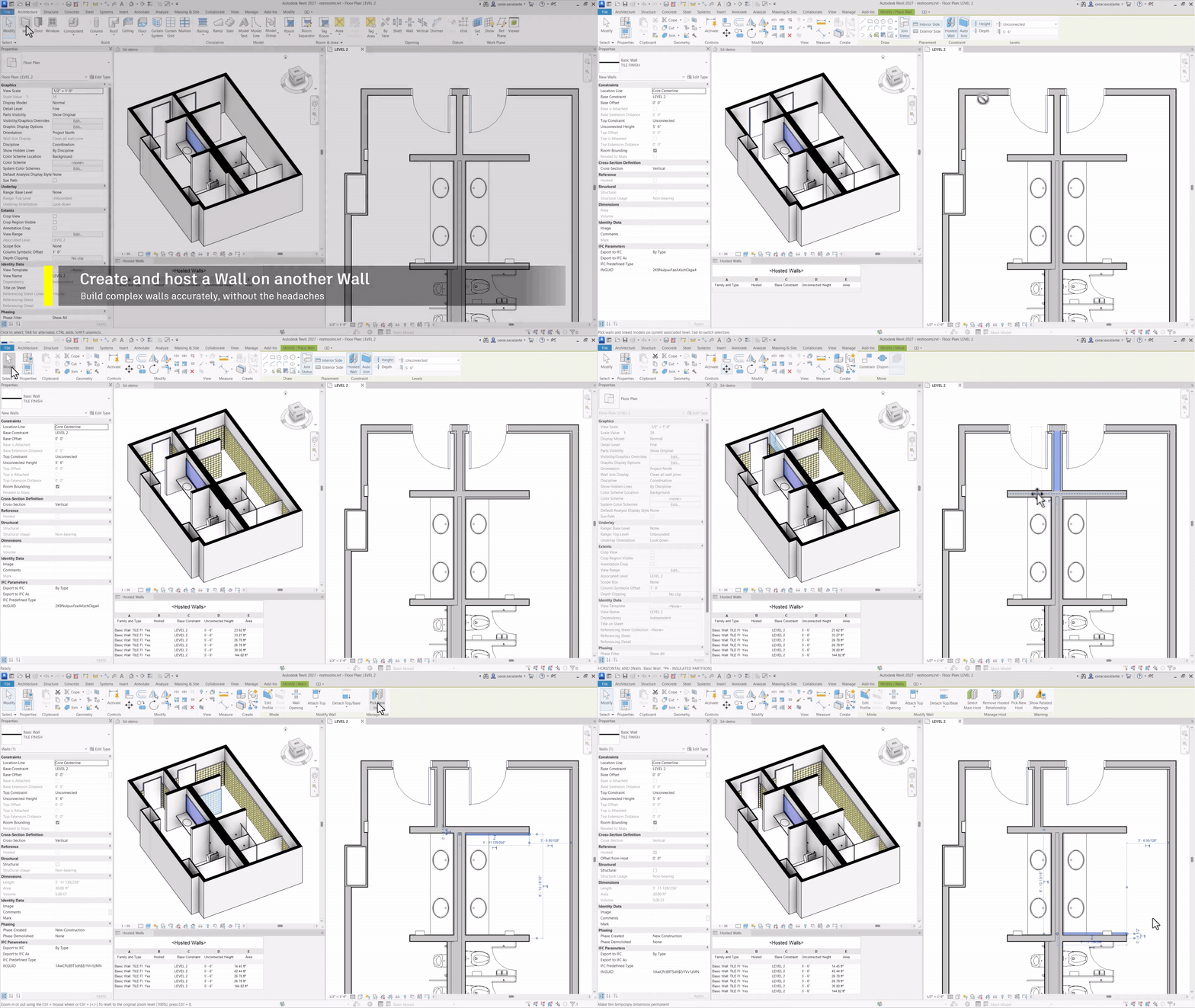
At the same time, improvements to walls, stairs, and design options make modeling more predictable. Walls can now host on other walls; stair/tread numbering are now controlled via type properties; and Design Options views behave more consistently. You can define intent more clearly upfront and avoid downstream adjustments that slow production.
The result is a workflow where design, performance, and documentation can stay aligned from the start.
Structural: Carry design intent through analysis and detailing
Structural workflows often break down when models, analysis, and detailing fall out of sync. Revit 2027 helps to close those gaps.
Analytical modeling introduces structurally aware automation, where the analytical model updates directly from physical changes while preserving connectivity, loads, and boundary conditions. This reduces rework and improves confidence in analysis results.
Rebar detailing gains more control over complex geometry. Reinforcement adapts to host changes, with automated updates to bar distribution, splicing, and spacing through rule-based logic, improving precision and production readiness.
Steel elements behave more predictably across levels of detail, maintaining clean documentation and accurate connections as designs evolve.
Together, these updates create a more continuous structural workflow from analysis through detailing and fabrication, preserving intent and tightening coordination.
MEP: Build systems that perform as designed
For MEP teams, reliability depends on how well analysis, system logic, and detailing stay aligned.
Revit 2027 improves the foundation of energy modeling by generating cleaner analytical geometry and reducing the need for manual cleanup. A more guided setup process helps ensure models are configured correctly from the start, leading to more dependable results.
HVAC workflows now operate on system-level logic, connecting zoning, load calculations, and equipment sizing in a more consistent way. This can help reduce interpretation gaps between analysis and design decisions.
On the production side, fabrication tools are more data-rich and precise, enabling earlier detailing with schedulable parameters and better alignment between design and shop workflows. The outcome is a cohesive MEP workflow where performance, sizing, and constructability can stay aligned, reducing rework and improving production confidence.
A more connected future for collaboration
Across all disciplines, Revit 2027 helps strengthen how teams coordinate through connected data and shared environments.
Incremental data synchronization keeps models up to date without unnecessary overhead. Model Analytics provides visibility into model health, performance, and potential risks.
In addition, shared environments like Forma Board enable teams to review, collaborate, and communicate through a visual collaborative workspace.
Improvements to interoperability, including IFC mapping, data exchange, and improved reality capture workflows further reduce friction when working across platforms and partners.
Coordination becomes less about managing files—and more about working from a shared source of truth.
Get started with Revit 2027 today
Revit 2027 helps teams spend less time fixing, syncing, and coordinating and more time designing, analyzing, and delivering. AI assists inside the model. Data flows more easily across tools. More automation helps prevent repetitive work. Coordination can happen continuously.
To access the latest Revit features, launch the Autodesk Access application on your desktop or visit the Autodesk Account center to install Revit 2027.0.1, which includes several important fixes. If you’re not currently subscribed, you can also explore Revit 2027 with a free trial.
For more in-depth technical information, visit the Revit Help Center and be sure to register for the “What’s New in Revit 2027” webinar on Tuesday, April 14, where our product experts will take a deep dive into the latest updates and answer your questions.
See What’s New in Revit 2027 Live Webinar
Join Autodesk on Tuesday, April 14th, 2026 at 8 am PDT | 11 am EDT | 5 pm CEST