Forma Building Design
Autodesk Forma Building Design: Explore ideas before it’s time for BIM
Shape options quickly, test performance, and move designs directly into Revit.
Built for schematic design exploration
Forma Building Design is a cloud-based design and analysis software for schematic design. Explore more ideas, shape options before complex modelling, and use easy tools to add details to buildings quickly and test building performance live. Then continue into Revit with native BIM geometry.
Built for schematic design exploration
Forma Building Design is a cloud-based design and analysis software for schematic design. Explore more ideas, shape options before complex modelling, and use easy tools to add details to buildings quickly and test building performance live. Then continue into Revit with native BIM geometry.
Schematic design
Add details to buildings in minutes
Design optioneering
Test more what-ifs with less effort
Connected workflows
Move into Revit without starting over
Schematic design
Add details to buildings in minutes
Design optioneering
Test more what-ifs with less effort
Connected workflows
Move into Revit without starting over
Get started with Forma Building Design
Site context
Set up your site faster with automatic contextual data.
Design automations
Create and edit floor plans and modular facades with automations. Customize unit layouts and track unit mix with area metrics.
Integrated analysis
Improve building performance as you design with sun hours, daylight potential for facades and windows, and total carbon analysis.
Direct connection with Revit
Turn your project into a geolocated, native Revit model with site context and families for windows, slabs, and walls.
Forma Board
Stay aligned from day one—compare options, capture design progress, and review collaboratively in a visual workspace.
Already have Revit or AEC Collection? You have Forma Building Design.


Revit
Revit
Forma Building Design is included with Autodesk Revit subscriptions. Autodesk Revit helps architects, engineers, and construction teams design, coordinate, and deliver projects with precision and confidence.
Forma Building Design is included with Autodesk Revit subscriptions. Autodesk Revit helps architects, engineers, and construction teams design, coordinate, and deliver projects with precision and confidence.


Forma Building Design latest news and updates
Discover insights, updates, and learning content.
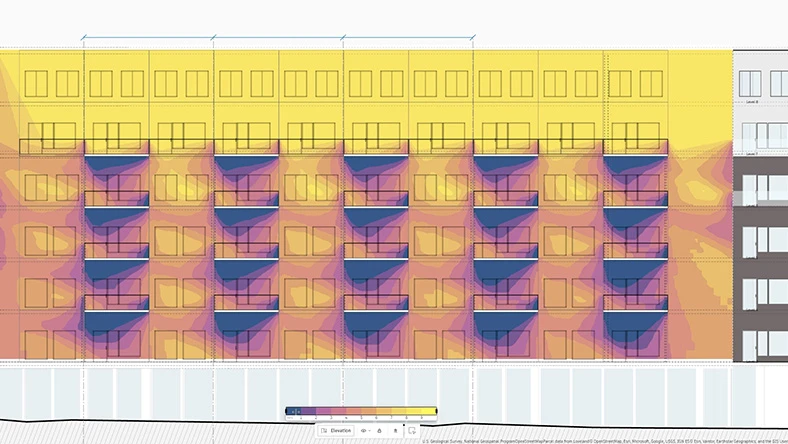
Blog post
Introduction to Forma Building Design
Forma Building Design launches, enabling easier design exploration during schematic design.
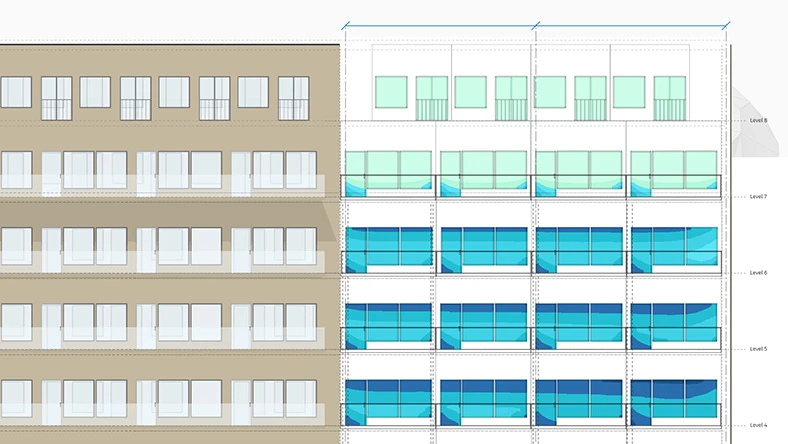
Blog post
How to get started with Forma Building Design
It’s fast and easy to learn the basics of Forma Building Design.
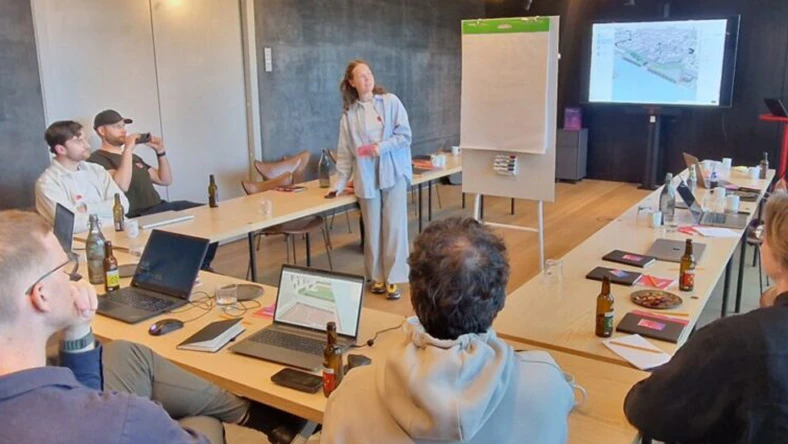
Blog post
Inside Forma Building Design
Explore how architects’ feedback shapes the development of Forma Building Design.
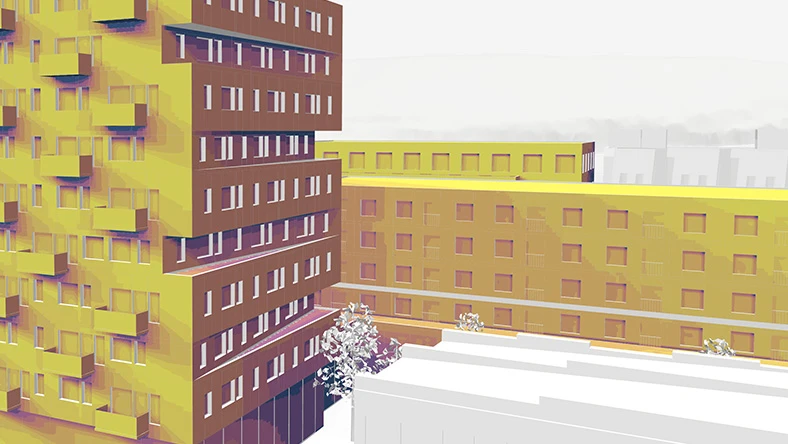
Blog post
Building on a strong AECO foundation
Discover developments shaping the Forma Industry Cloud.
Questions? We have answers.
What is Forma Building Design?
Forma Building Design is a design and analysis software for the schematic design phase. Architects and designers use it to explore more ideas before it’s time for BIM — so they can shape options, test performance, and then move forward with confidence.
Who is Forma Building Design for?
It’s built for architects working on schematic design projects, especially on larger-scale residential and mixed-use urban projects with repetition across facades and floor plans.
What is difference between Forma Site Design and Forma Building Design?
Forma Site Design helps teams understand wider site conditions and optimize the site’s potential for a feasibility study. It suits site planning and site analysis.
Forma Building Design helps teams determine building design direction for specific plots and blocks, including unit mix — so they can explore more ideas before it’s time for BIM and then move forward. It is used for schematic design.
When should I use Forma Building Design vs Revit?
Forma Building Design and Revit are complementary. Use Forma Building Design at early stage of the process — to explore ideas, test performance, and validate direction during schematic design. Then, move designs directly into Revit as geolocated, native Revit models for detailed design development and documentation.
What problem does Forma Building Design solve in schematic design?
Forma Building Design helps teams explore more design options earlier and with greater confidence during schematic design. In schematic design, exploring multiple ideas is essential but often time-consuming and effortful, leading teams to potentially test fewer options and commit too early without full confidence.
How does Forma Building Design help me explore more design options faster?
Forma Building Design helps you add details to buildings in minutes using easy tools and design automations for facades, floor plans, and units — so you can iterate quickly before complex modelling.
What design automations are included in Forma Building Design?
With Forma Building Design you can create and edit floor plans and facades with a few clicks, with updates reflected automatically in plan, elevation, and perspective. You can also customize groups of windows, doors, and balconies.
Can I track unit mix and areas while designing in Forma Building Design?
Yes. Forma Building Design helps you track unit mix with automatic area metrics and schedules, supporting faster decision-making during schematic design.
What performance analysis can I run in Forma Building Design?
Forma Building Design includes integrated analysis so you can test performance while you design, including sun hours, daylight potential for facades and windows, and embodied carbon.
How do I start a project with site context in Forma Building Design?
Forma Building Design includes site context so you can set up your geolocated site faster using automatic contextual data — helping you hit the ground running.
Is Forma Building Design available in the browser?
Yes — teams can access Forma Building Design from the browser without any setup, making it easy to get started quickly.
What is the pricing and availability of Forma Building Design?
Forma Building Design is available through the Architecture, Engineering & Construction Collection, Revit subscriptions, and the Forma for Buildings bundle.
The price of the Architecture, Engineering & Construction Collection subscription is {{price.AECCOL.month}} monthly, {{price.AECCOL.1year}} annually, or {{price.AECCOL.3years}} for 3 years.
Please visit the AEC Collection to learn more.
The price of a Revit subscription is {{price.RVT.month}} monthly, {{price.RVT.1year}} annually, or {{price.RVT.3years}} for 3 years.
Please visit the Revit overview to learn more.
The price of a Forma for Buildings subscription is {{price.FORMBLDDES.month}} monthly, {{price.FORMBLDDES.1year}} annually, or {{price.FORMBLDDES.3years}} for 3 years.
Please visit the Forma for Buildings overview to learn more.
How do I log into Forma Building Design?
If you have an active AEC Collection, Revit, or Forma for Buildings subscription, you can log into Forma Building Design with your Autodesk account. Log in to Forma Building Design here. Not a subscriber? You may be eligible for a free trial. Are you a student or educator? Get free software for students and educators.
How do I convert my Forma Building Design free trial to a paid subscription?
Forma Building Design is available within AEC Collection, Revit and the Forma for Buildings subscriptions. Learn more here. When buying your subscription, enter the same email address and password combination you used to sign in to your trial. Learn more about converting a trial to a paid subscription.
How secure is Forma Building Design?
Visit the Autodesk trust center to understand how we build trust, secure your assets, respond to security incidents, and protect your data.
Products you can trust
From payment flexibility to always-on support, expect excellence.


