 Christa Prokos
Learn how Autodesk Vault supports concurrent design with secure version control, centralized data, and real‑time engineering collaboration.
Optimize Data Management with Autodesk Vault
Secure, organize, and manage your engineering data efficiently.
Product development rarely happens in isolation. Mechanical designers, electrical engineers, manufacturing teams, and external partners often need to work on the same product at the same time. While this concurrency accelerates innovation, it also introduces risk, such as, overwritten files, broken references, duplicate designs, and costly rework.
Concurrent design only works when teams share a single source of truth. That’s where Autodesk Vault plays a critical role.
Autodesk Vault provides centralized product data management (PDM) that allows multiple users to work in parallel while maintaining control over files, versions, and design intent. It enables teams to collaborate safely, scale engineering operations, and move faster, without sacrificing accuracy or traceability.
What is concurrent design and why it breaks without PDM
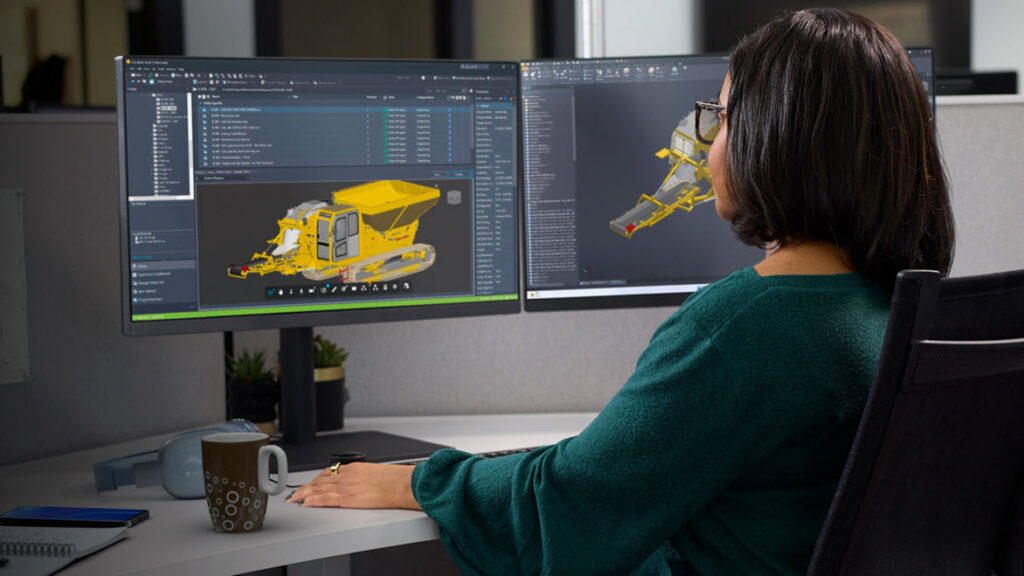
Concurrent design refers to multiple contributors working on related parts, assemblies, or documentation at the same time. In theory, this shortens development cycles. In practice, it often exposes gaps in data management.
Without a structured PDM system, teams face:
- Accidental overwrites and lost work
- Conflicting versions of the same file
- Broken assembly references
- Duplicate parts created unknowingly
- Manual coordination that slows everything down
Autodesk Vault addresses these challenges by managing how files are accessed, edited, and released, so that teams can work concurrently without stepping on each other’s work.
How Autodesk Vault enables safe concurrent design
Autodesk Vault is built to support concurrent engineering through controlled access, automation, and deep CAD integration.
Secure check‑in and check‑out
Vault uses a controlled check‑in/check‑out process to ensure that when a designer is editing a file, others can see its status without overwriting it. This allows multiple users to work on different parts of the same project simultaneously while preserving file integrity.
Version and revision control
Every change in Vault is tracked automatically. Designers can access previous versions, understand design history, and ensure they’re always working from the latest approved data that is critical for parallel workflows where timing matters.
Assembly relationship management
Vault maintains file relationships across parts, assemblies, and drawings. When multiple contributors update related components, Vault preserves references so downstream users aren’t left fixing broken links or rebuilding assemblies.
Scaling concurrent design across teams and locations
As organizations grow, concurrent design extends beyond a single office. Distributed teams need to collaborate without performance bottlenecks or data silos.
Autodesk Vault supports this with:
- Centralized data management that creates a single source of truth
- Multi‑site and remote access options to support global collaboration
- Direct CAD integration with tools like Inventor and AutoCAD, so designers don’t have to leave their design environment to manage data
This allows organizations to scale engineering operations while maintaining consistency, governance, and design intent.
Why concurrent design matters for downstream teams
Concurrent design isn’t just about speed. It’s about enabling better downstream decisions.
When design data is managed centrally in Vault:
- Manufacturing teams receive accurate, up‑to‑date BOMs
- Changes are traceable and auditable
- Duplicate parts are easier to detect and reuse
- Engineering data flows cleanly into change management and PLM workflows when integrated with Fusion Manage
This connection reduces late‑stage surprises and helps organizations move from engineering to production with confidence.
Concurrent design as a foundation for AI and LLM readiness
As AI and large language models become more embedded in engineering workflows, data quality matters more than ever.
LLMs rely on:
- Clear version history
- Structured relationships between files and assemblies
- Consistent metadata and naming
- A reliable system of record
Autodesk Vault provides the structured, authoritative design data required to support AI‑driven insights, automation, and knowledge reuse, making concurrent design not just faster, but future‑ready.
Design together, without losing control
Concurrent design doesn’t have to mean compromise. With Autodesk Vault, teams can collaborate in parallel while maintaining the control, visibility, and traceability required for modern product development.
By combining secure file management, version control, and deep CAD integration, Autodesk Vault enables organizations to move faster, reduce errors, and scale engineering with confidence.