 Trevor English
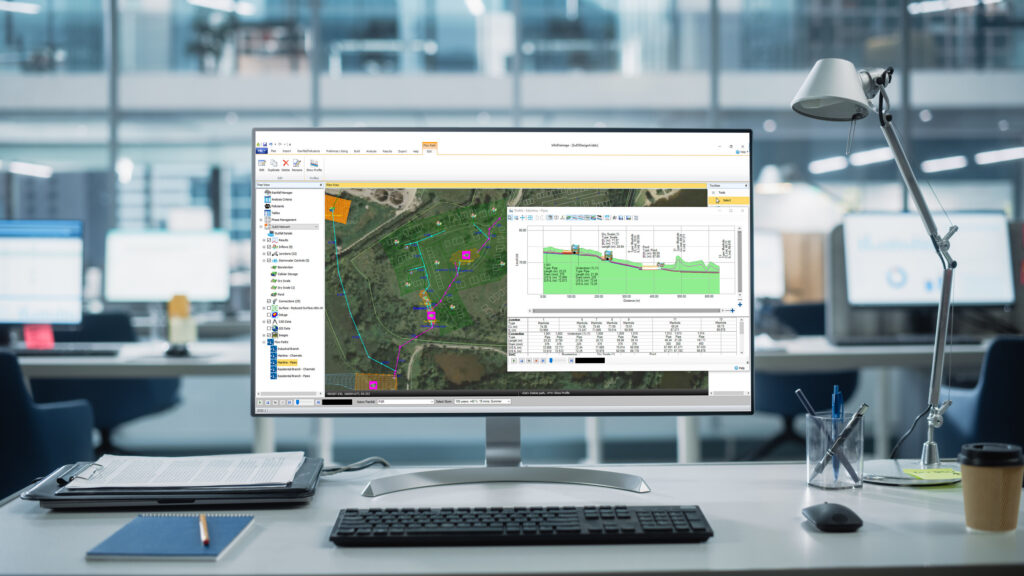
For a long time, drainage design workflows in AEC followed a familiar pattern: pick a tool, learn its limits, and build your process around it. That’s starting to change. With the latest evolution of Autodesk’s water solutions, particularly in Civil 3D 2027 and InfoDrainage, we’re seeing a shift away from the idea of a single “do-it-all” tool toward something more flexible, and frankly, more reflective of how engineers actually work. Drainage design has never really been one thing: it is analysis, iteration, judgment, and communication, all happening at different stages of a project.
What is changing is not just the tools, but the expectation. Teams are under pressure to move faster in early design, evaluate more scenarios, and produce clearer, more consistent deliverables. That is where a design-first approach starts to matter more, and where InfoDrainage offers an increasingly complementary solution, extending drainage design and analysis capabilities beyond the core tools available in Civil 3D.
From “one tool” to connected workflows
If you have been in the Civil 3D ecosystem for a while, you probably remember when drainage analysis meant stepping outside the model, often into separate tools, exports, or add-ons. Since Civil 3D 2026 and continual updates, including the recently announced Civil 3D 2027 release, new drainage objects including ponds, underground storage, and channels, paired with integrated analysis capabilities, mean you can now evaluate system performance directly inside your design model.
You can define catchments, apply rainfall, run analysis, and see results like HGL and EGL (Hydraulic Grade Line and Energy Grade Line) without breaking your workflow. That is a meaningful shift. It brings analysis closer to design, which is where many day-to-day decisions are made.
At the same time, InfoDrainage, Autodesk’s dedicated drainage design and analysis solution, has continued to evolve in a different direction. It is not just about going deeper, it is about working more efficiently. It is built to help you get to a better design faster, especially in the stages where most of the time is traditionally spent iterating, recalculating, and rebuilding spreadsheets.
So instead of converging into a single tool, these two solutions are aligned to provide a complete and holistic workflow. Civil 3D supports the design and evaluation of drainage systems within the model, while InfoDrainage extends these workflows with advanced analysis and design capabilities.
There are a lot of ways to compare tools, including feature lists, workflows, and outputs. In practice, most decisions come down to something simpler. Are you checking a design, or are you actively designing it? That distinction shows up everywhere once you start looking for it. The following video breaks down just when you might use one or the other, and when you need to roundtrip between both.
When you’re checking: Staying inside Civil 3D
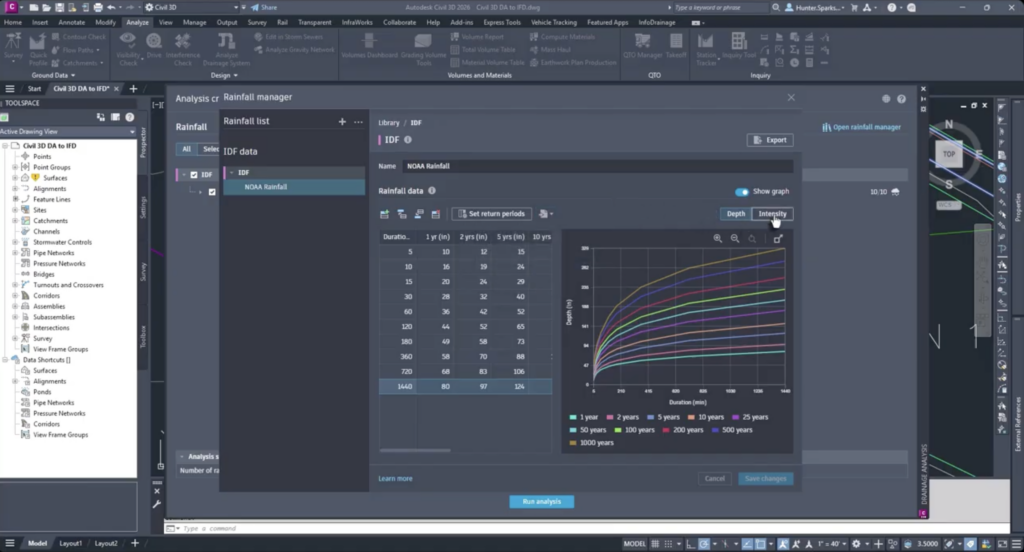
The tools in Civil 3D are well suited for evaluating drainage systems directly within the model that already exist, supporting everyday workflows for layout, analysis, and validation. You have a pipe network, defined catchments, and potentially ponds or storage. Now you need to understand how that system performs.
This is where the recent updates provide real value. You can define runoff inputs directly from catchments, apply rainfall data including standards like NOAA Atlas 14, run analysis to identify surcharged pipes or capacity issues, and apply HGL and EGL results directly into profiles and pipe properties. All of this happens inside the model, which improves clarity, coordination, and review.
This makes Civil 3D a strong environment for validation, QA, and keeping analysis tightly connected to design documentation.
When you’re designing: Make InfoDrainage the default for iteration
Design, especially early-stage design, looks different. You are not validating a known solution, you are defining it. You are exploring options, testing assumptions, and trying to converge on the most efficient and resilient outcome.
This is where InfoDrainage becomes more than just a complementary tool, it becomes a more efficient starting point.
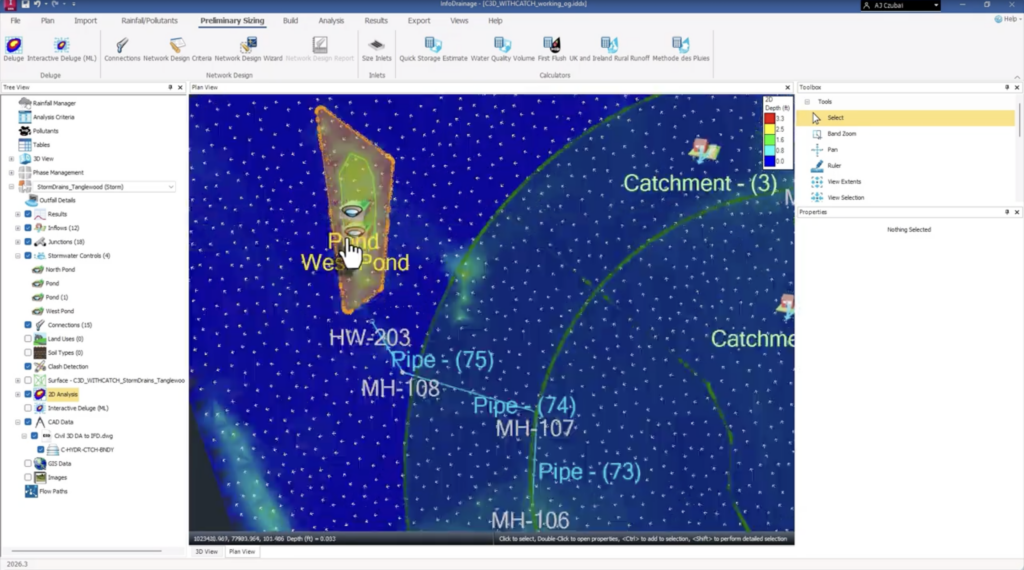
Instead of adjusting one variable at a time, you can define criteria such as design storms, slope constraints, and pipe libraries, and allow the system to generate and size networks for you. That alone can compress what would traditionally take multiple manual iterations into a much shorter cycle.
Instead of manually editing inputs across dozens of elements, you can update assumptions across the model in seconds, making it far easier to test alternatives without rebuilding your setup each time.
Instead of approximating how surface conditions influence drainage, tools like Deluge allow you to simulate how water naturally flows and ponds across a site early in the process. That insight often leads to better placement of infrastructure before design decisions are locked in.
Taken together, these capabilities shift the workflow from reactive adjustment to proactive design. The result is not just time savings, but more confidence that the solution you arrive at is actually optimized, not just acceptable.
For many Civil 3D users, this is where the real value becomes clear. InfoDrainage is not only for complex scenarios, it is for making everyday drainage design faster, more consistent, and less dependent on manual iteration.
Where reporting and deliverables come into play
One of the clearest efficiency gains shows up at the end of a project. In Civil 3D, reporting is typically an export and format process. Results are pushed to Excel, then reshaped to meet client or regulatory requirements.
In InfoDrainage, reporting is integrated into the design workflow. Templates can be configured once to match client standards, regulatory expectations, or internal QA processes, and then updated automatically as the design evolves.
This reduces rework, improves consistency, and helps ensure that what is delivered reflects the latest iteration of the design without additional manual effort. Over time, that consistency becomes a significant advantage across projects.
Not either or, more like back and forth
It is tempting to frame this as a choice between tools, but that is not how most teams are working today. What is emerging instead is a connected, roundtripping workflow.
Teams may start in Civil 3D to establish layout, geometry, and context, move into InfoDrainage to size, iterate, and optimize, and then return to Civil 3D for documentation, coordination, and final delivery. As interoperability continues to improve, design intent and updates move more seamlessly between environments.
In this workflow, InfoDrainage is not a detour. It is where much of the actual design thinking happens.
What’s actually changing for teams
The bigger shift here is not about features, it is about how work gets done. Drainage design is becoming less about forcing everything into a single tool, and more about using the right environment at the right time.
Design is becoming more automated and iterative earlier in the process. Analysis is more tightly connected to the model. Reporting is more integrated and reusable.
The teams that see the greatest benefit are not the ones choosing between tools, but the ones that recognize where efficiency gains can be realized. In many cases, that starts by bringing InfoDrainage into the workflow earlier, not later.
A final thought
If you are coming from a traditional Civil 3D workflow, the drainage tools in 2026 will feel like a natural extension, more integrated and easier to work with for in-model analysis. But if your goal is to reduce iteration time, explore more options, and produce consistent deliverables without rebuilding effort each time, InfoDrainage becomes an essential part of that process.
The real opportunity is not choosing between them. It is recognizing that better drainage design comes from combining model-based context with design-first efficiency, and using each tool where it delivers the most value.