 Tim Yarris
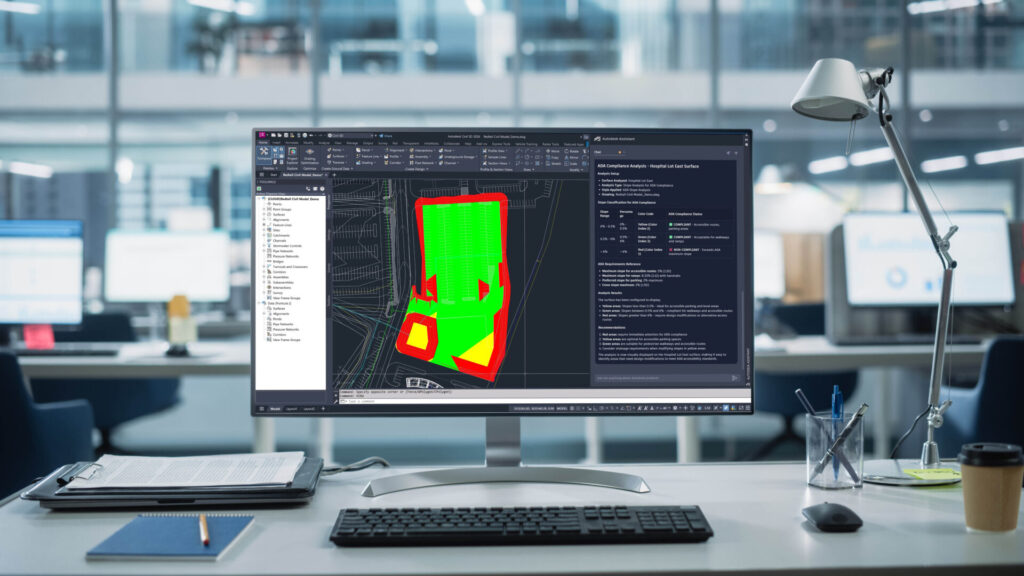
The AECO industry continues to face challenges in bridging technical skills gaps in an ever-evolving ecosystem of APIs and third-party tools. As teams grow and transition, information—and more importantly knowledge—can become parsed and lost across projects in different files and systems. Left unaddressed, these hurdles impact productivity and innovation.
For years, Autodesk has been investing in making design and make data granular, interoperable, and accessible. Now, with the emergence of agentic AI and the acceleration of Model Context Protocol (MCP) servers, we’re reimagining the Autodesk Assistant to become your trusted partner to unlock creativity within the trusted Autodesk tools you use today.
Let’s look at how you can use Autodesk Assistant in Civil 3D today and where it’s going in the future.
How you can use Autodesk Assistant in Civil 3D today
First introduced in the Civil 3D 2024.1 update, users have been able to leverage the Autodesk Assistant for quick access to help resources. And with the release of Civil 3D 2025, the Autodesk Assistant was enhanced with Autodesk AI to generate responses based on questions related to Civil 3D features to help you troubleshoot design challenges without leaving the workspace. At the core of the interface has been the ability to access further support by getting in touch with an Autodesk Customer Support Agent. This lets you stay within the Civil 3D interface while communicating with our support team.*
Looking to the future of Autodesk Assistant in Civil 3D
This year at AU, CTO Raji Arasu unveiled how Autodesk is leveraging high-value APIs and trusted enterprise-grade MCP servers to power a reimagined Autodesk Assistant, our agentic AI parter for Design & Make, to help you:
- Unlock new capabilities that reshape the future of work by automating manual workflows and repetitive tasks.
- Connect disconnected data to deliver real-time actionable insights.
- Access industry-specific knowledge through product-aware prompts via a conversational interface directly within Autodesk products, including Civil 3D.
Head of Generative AI, AEC, Racel Amour shared a vision for how the reimagined Autodesk Assistant could support civil engineering projects by checking a drawing against known standards and regulations for safety, accessibility, and drainage, which traditionally is considered a complicated and time-consuming task for newer engineers. For example, in the future you can prompt the Autodesk Assistant to analyze an active model, highlight areas that violate specified surface slope tolerances, and provide suggestions for how to fix it.
What normally can take entire days to complete would be completed within seconds, giving designers more time to focus on creative problem-solving and helping deliver projects on time. With these advances, the Autodesk Assistant becomes more than just a feature—it becomes an intelligent entry point into Autodesk products.
Learn more or get started today
To explore ways to use Autodesk Assistant, along with more updates Civil 3D 2026, visit the following pages:
- Work with the Autodesk Assistant (Product Help)
- What’s new in Civil 3D 2026 (Product Help)
- What’s new in Civil 3D 2026 (Blog)
- What’s new in Civil 3D 2026.1 (Blog)
To experience the latest features available in Civil 3D, get started with the Autodesk Access application on your desktop or visit the Autodesk Account center. And if you’re not yet a subscriber, be sure to check out the free trial of Civil 3D 2026.
Footnotes
*Depending on account type, select accounts can start a live chat with a technical support agent, request a call back at a convenient time, or submit a support case using Autodesk Assistant—giving you the opportunity to attach relevant files to provide the Autodesk support team with additional context to your specific design queries.