 Cesar Escalante
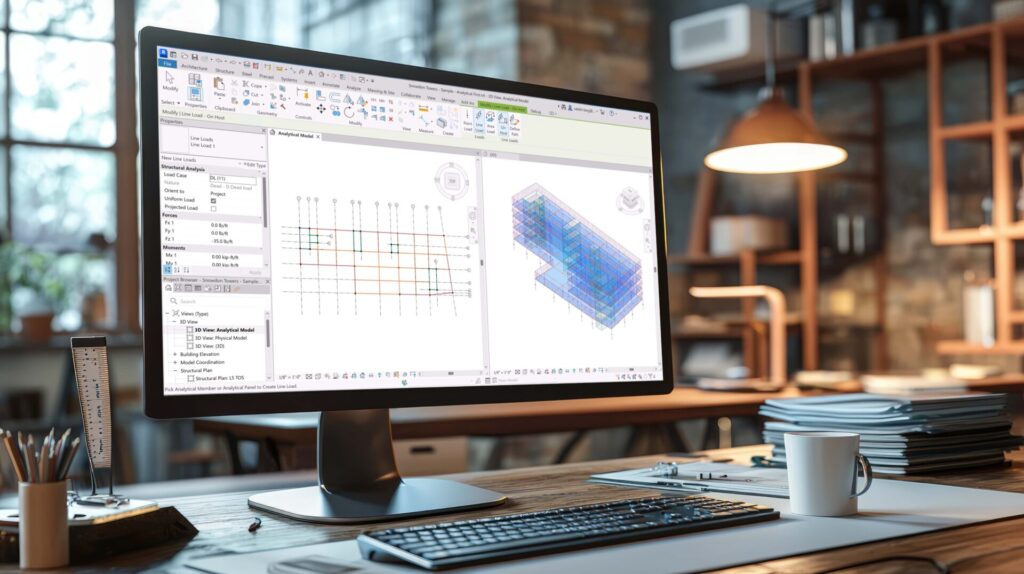
Revit 2026.3 delivers a focused set of enhancements designed to streamline high-efficiency workflows, minimize repetitive actions, and connect project data more intelligently. Here’s how the latest tools and updates support advanced project delivery and increase flexibility across key Revit usage areas.
Core Improvements in Revit 2026.3
Create Walls by Room and by Segment on Non-room-bounding Walls
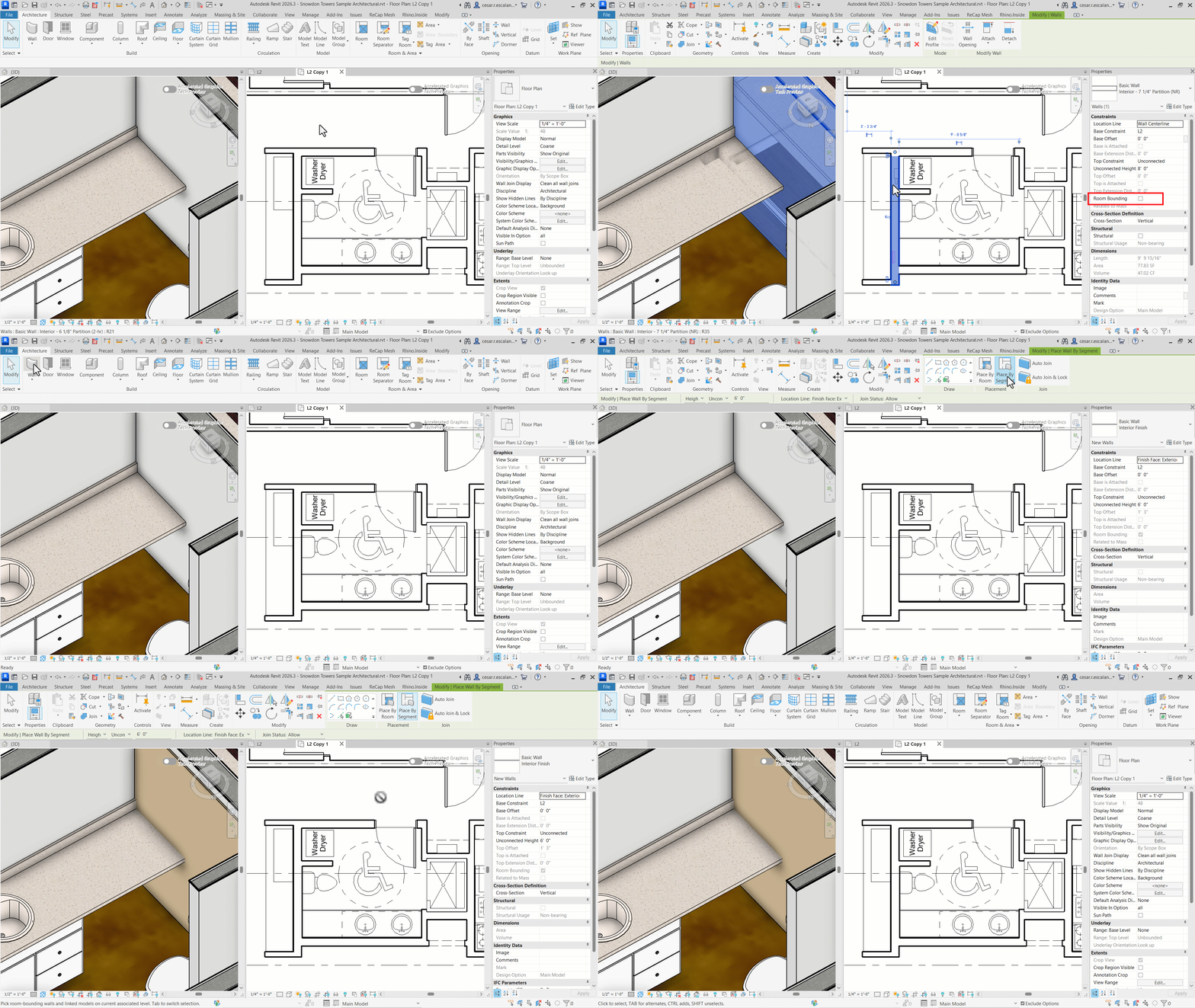
Room-based and segment-driven walls, introduced in Revit 2026.0, can now target non-room-bounding walls, including those in linked Revit models. This update extends automation and flexibility, allowing you to build and update interior environments more efficiently.
Seamless Activation of Accelerated Views
Accelerated graphics mode activates more responsively, with improved handling of scene loading and memory. Our tests indicate an average of 27% faster activation time of accelerated views*, such that user workflow remains smooth when opening complex views or navigating between scenes, even in dense data contexts or graphics-heavy models.
Dynamo Core 3.6
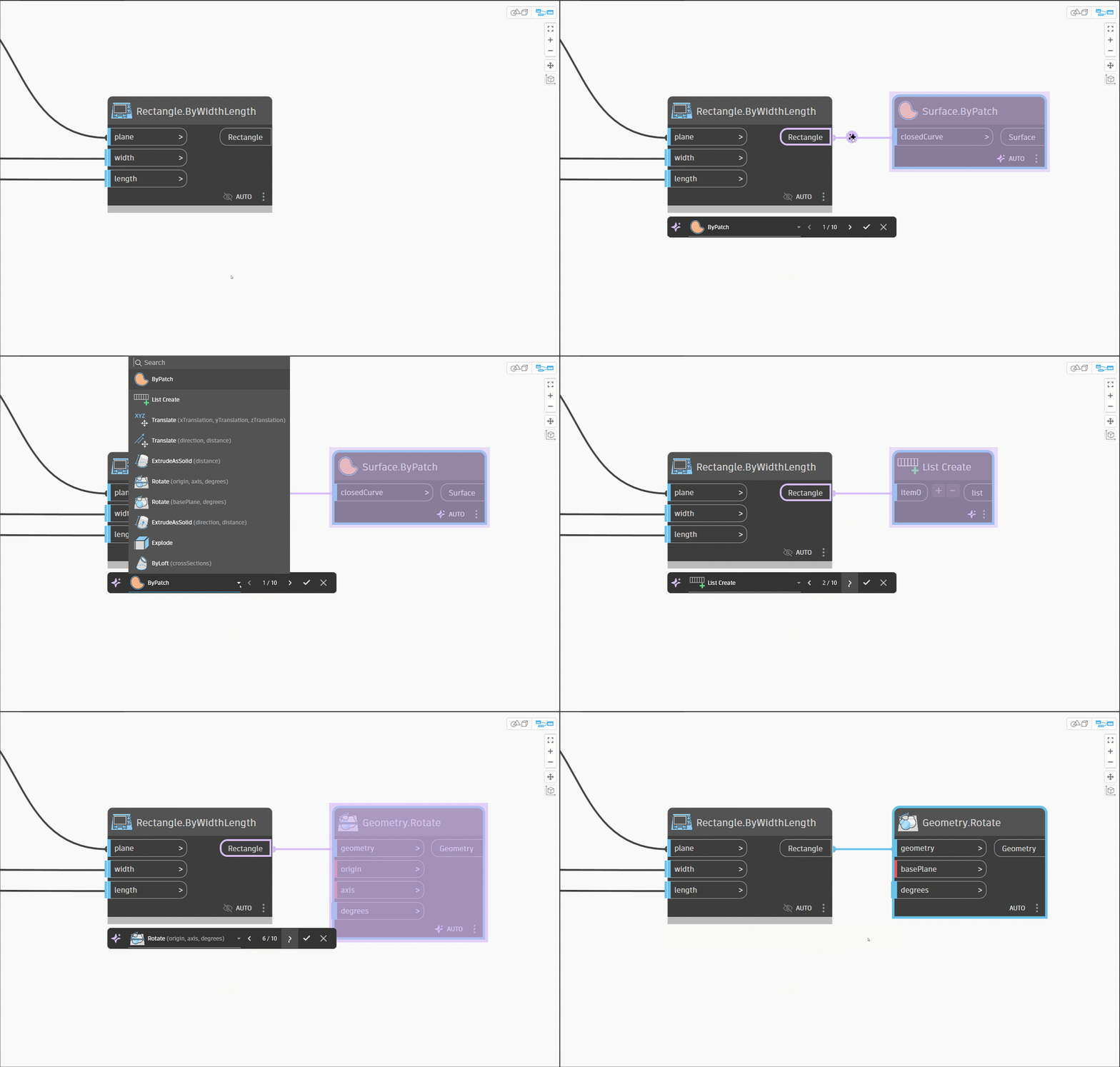
Node Autocomplete, Dynamo’s predictive connection tool, is sharper and context-aware, suggesting the most relevant nodes in ghosted mode as you wire – building logic faster, with fewer errors and interruptions.
You will experience notable performance gains—loading is faster, navigation is smoother, and large graphs open and close more quickly. Package loading is now up to 2x faster*, Code Block nodes process 16% faster*, and file operations across Revit versions are more responsive, boosting everyday scripting productivity.
Groups are now more interactive: add code blocks or nodes directly inside groups and visually manage frozen groups with new UI indicators. This refines complex graph management and eases collaborative scripting tasks.
Structural Enhancements in Revit 2026.3
Split Rebar Sets
This new feature gives you more control over reinforcement layouts, allowing you to divide a single rebar set into multiple editable sets. You can quickly adjust around openings, coordinate splices, or refine complex conditions without starting over—saving time while delivering more precise, constructible designs.
Structural Analysis
Apply Boundary Conditions with Multi-Selection
You can now assign boundary conditions to multiple analytical elements at once, drastically reducing the tedium of repetitive manual placement. This minimizes error rates and provides a consistent configuration across your analytical model, supporting leaner project setup and review cycles.
Apply Loads with Multi-Selection
In a similar vein, loads can be added in bulk to a selection of analytical elements, expediting overall analytical model preparation for analysis and helping you react quickly to design adjustments across large or complex models.
Lock Analytical Model Elements Using Pins
The new “Pin” function allows you to lock the location of key analytical elements, ensuring their stability during automations, model edits, and bulk adjustments. By pinning critical items, you prevent inadvertent modifications, which is essential for maintaining analytical model logic and integrity during iterative coordination rounds.
Project Delivery Updates in Revit 2026.3
Revit Home – Navigate to Target Subfolder Using View Online
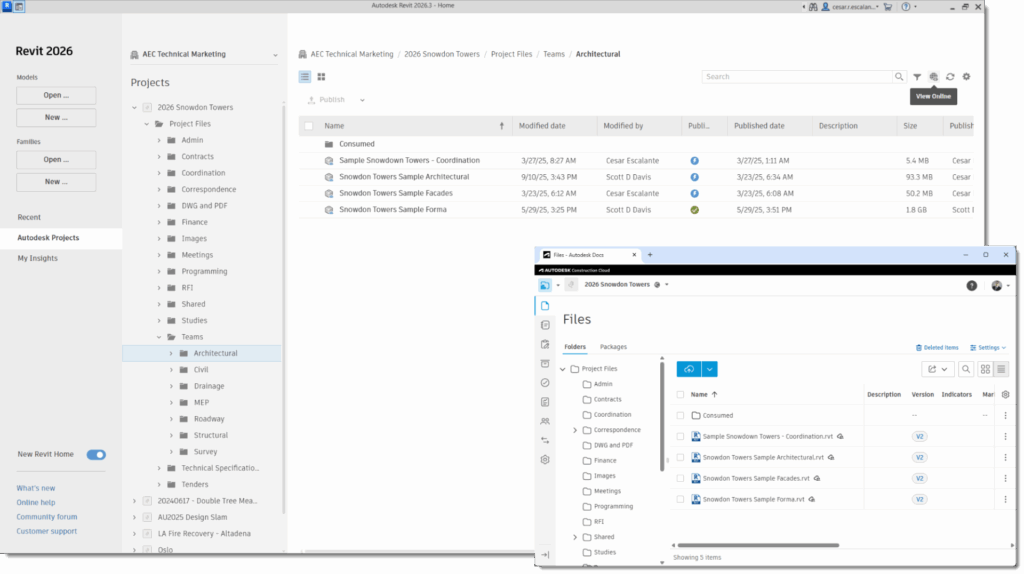
Navigation in Revit Home is streamlined—select a project node and the “View Online” function now jumps directly to the relevant subfolder in Autodesk Construction Cloud. You spend less time drilling through cloud directories and more time accessing project files or collaborating across teams.
Issues Add-In for Revit v8.0.1
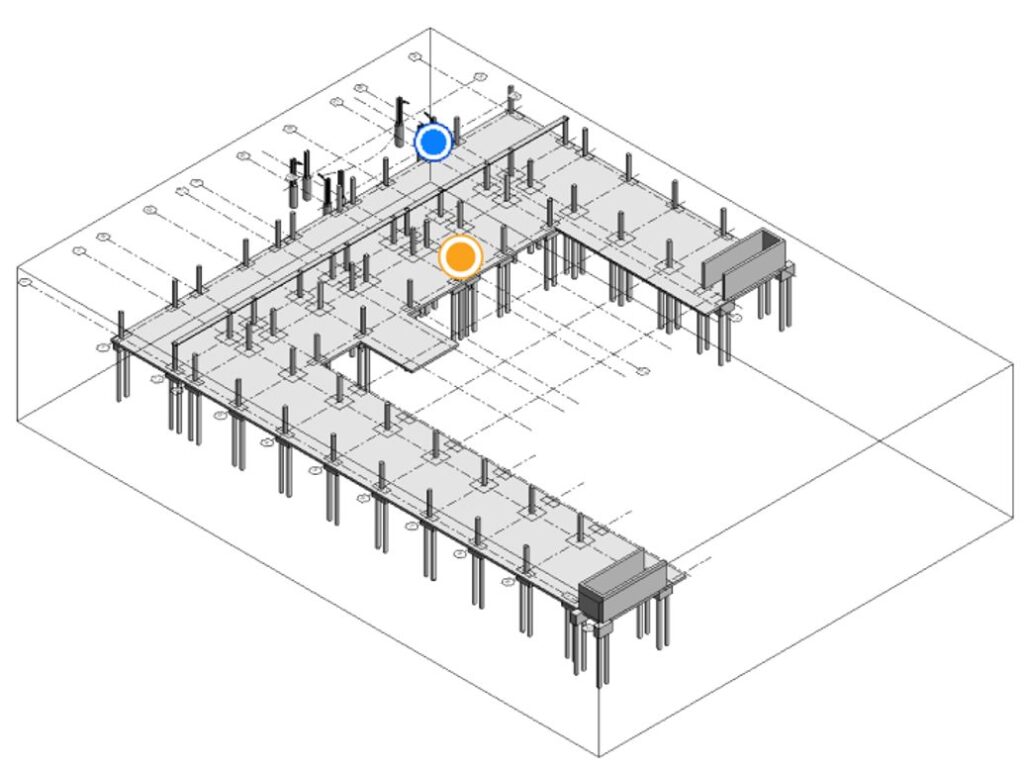
The Revit Issues Add-In brings Autodesk Construction Cloud (ACC) issue management directly into Revit. You can view, create, and update issues without leaving the model, with all changes syncing back to ACC for a unified log. In this version, you can create new issues directly from Revit 3D view, anchoring them in spatial context, giving clear spatial context for design concerns, and streamlining collaboration. The update also delivers performance and stability improvements, ensuring smoother issue management workflows.
Data Exchange Connectors for Rhino, Inventor, Tekla, and IFC
The Data Exchange Connectors for Inventor, Tekla, and Rhino are now officially released, moving out of public beta and expanding cross-platform interoperability. You can share targeted subsets of model data into downstream applications without transferring entire BIM files. These connectors also deliver stronger performance and usability, with a modernized UI, more precise status feedback, cancellable operations, and large dataset support.
In addition, a new IFC Connector is now available in public beta, extending support for IFC-based exchanges.
Coordination Model API
The Coordination Model API provides programmatic access to manage coordination model links in Revit files and control their visibility in views, enabling automation of coordination model workflows.
Revit Cloud Regions API
The API now supplies a live, dynamically updated list of supported cloud regions, replacing outdated hard-coded region calls, supporting future-proof automations and multi-region project setups in ACC.
AEC Data Model
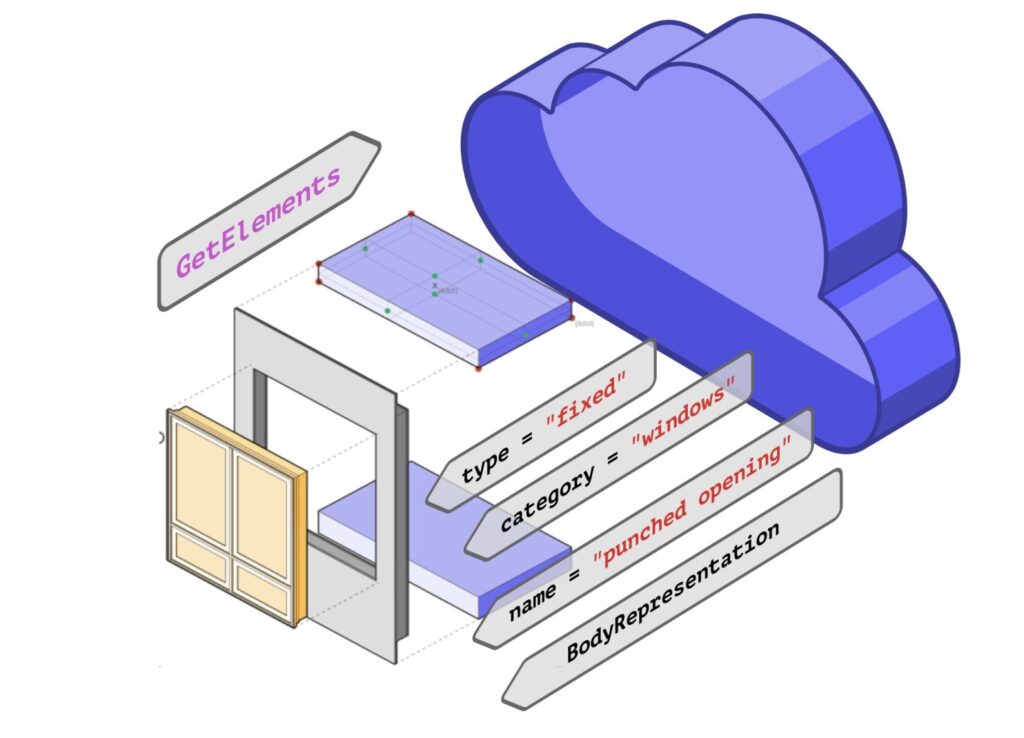
GraphQL API Public Beta
Extend model data using new GraphQL mutations—adding custom properties to existing BIM elements without modifying the Revit file itself. This enables stakeholders outside of Revit to participate in data workflows, while keeping the core model lightweight. The update supports versioning of those custom properties, allows multiple clients to update them (with correct permissions), and provides diffs between element group versions so you can see what’s changed. The goal: enable broader stakeholder access, reduce model bloat, and streamline data-driven collaboration across project teams.
Geometry Public Beta
As announced at AU 2025, the AEC Data Model API, now in public beta, makes Revit geometry directly accessible for integration and downstream use. You can query elements with full transformation data, ensuring precise 3D positioning. With the Data Interoperability SDK, geometry can be translated into IFC4 or accessed as in-memory mesh objects, enabling high-performance applications, real-time analysis, and AI-driven workflows without file transfers.
Get Started
Access the AEC Model Public Beta via Autodesk’s feedback site, with documentation available in the AEC Data Model Developer Guide.
This release emphasizes practical gains: quicker performance, smarter automation, and broader data access. Whether refining complex models, coordinating across systems, or extending workflows through APIs, 2026.3 helps you work with greater efficiency and confidence.
For full documentation on Revit 2026.3, refer to this link. To see what’s coming next, visit our Public Roadmap for upcoming feature plans.
Get started with Revit 2026.3 through the Autodesk Access application on your desktop. And if you’re not yet a subscriber, be sure to check out a free trial of Revit 2026.
Happy Revit-ing!
The Factory
*As with all performance tests, results may vary based on factors such as user experience, machine, operating system, network configurations, filters, and source material. While every effort has been made to make the tests as fair and objective as possible, your results may differ. Product information and specifications are subject to change without notice. Autodesk provides this information “as is,” without warranty of any kind, either express or implied. © 2025 Autodesk, Inc. All rights reserved.