Autodesk Golaem: Populate 3D worlds
Autodesk Golaem: Populate 3D worlds
Create and control multiple characters or creatures in your scenes with Golaem for Maya, available in the Media & Entertainment Collection.
Scene from Arcane Season 2, Episode 6, made with Golaem for Maya. Image courtesy of Netflix, Riot Games and Fortiche Production.
What is Golaem for Maya?
What is Golaem for Maya?
Need to populate a bustling city street or fill a concert with cheering fans? Generate multiple humans, animals, or extraordinary creatures and precisely control their movements in your scene with artist-friendly crowd simulation, character animation, and layout tools.
Need to populate a bustling city street or fill a concert with cheering fans? Generate multiple humans, animals, or extraordinary creatures and precisely control their movements in your scene with artist-friendly crowd simulation, character animation, and layout tools.
What you can do with Golaem
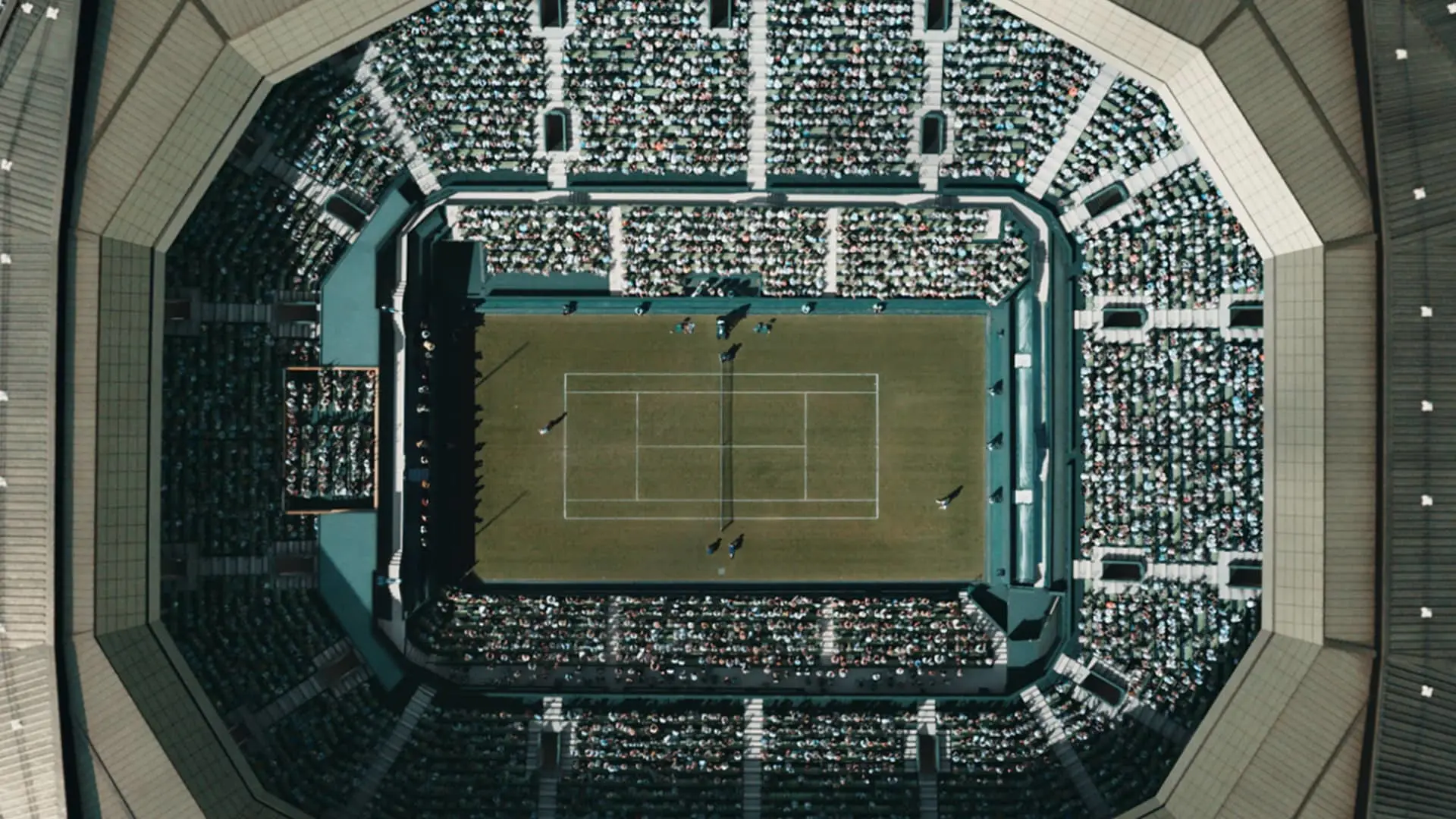
Fill stadiums with a click
Fill stadiums with a click
Effortlessly populate stadium seats with thousands of supporters using intuitive placement tools. Import your own characters or edit predefined ones to create diverse visual variations and use behavior controls to create an assortment of crowd reactions.
Effortlessly populate stadium seats with thousands of supporters using intuitive placement tools. Import your own characters or edit predefined ones to create diverse visual variations and use behavior controls to create an assortment of crowd reactions.
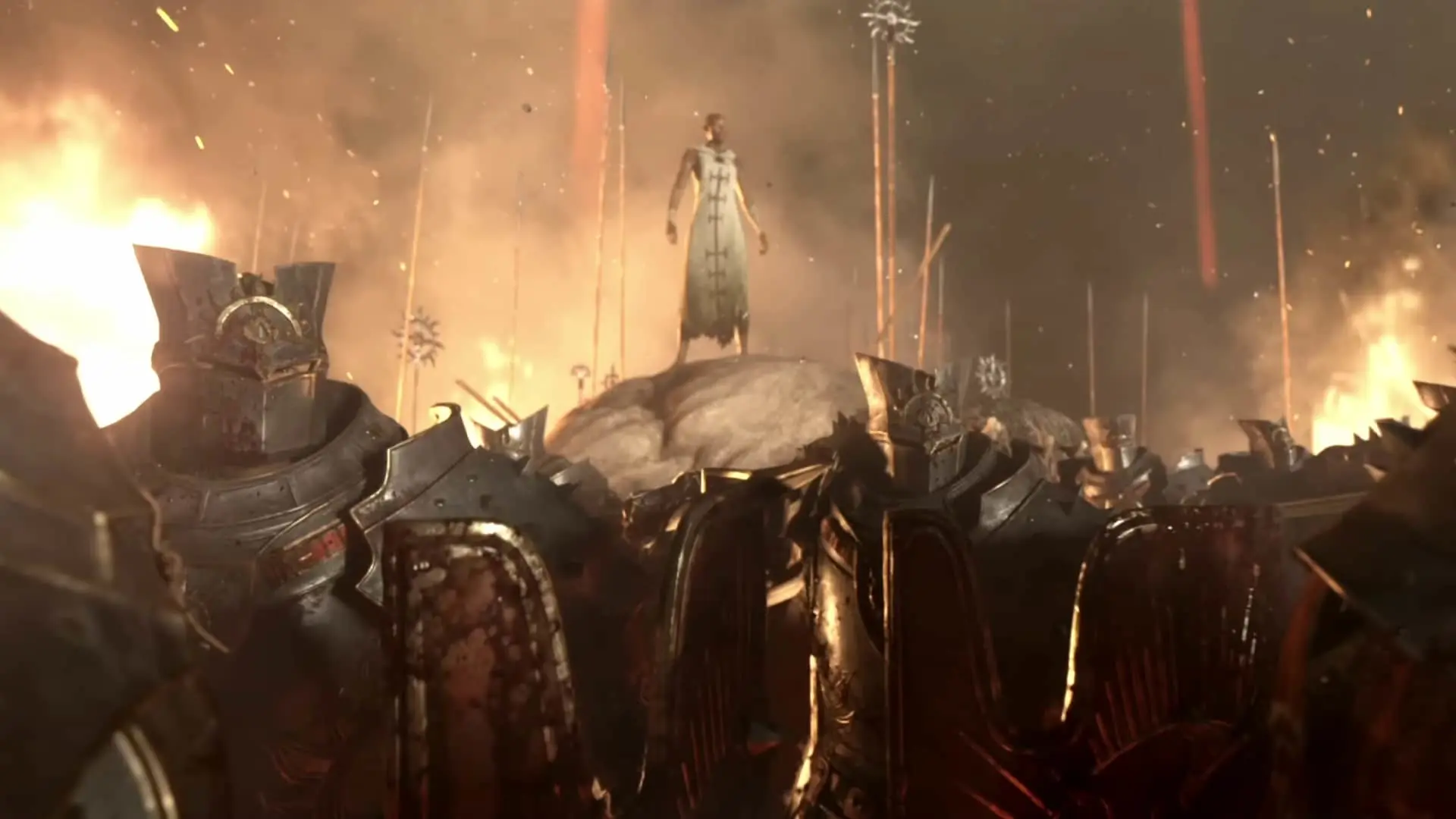
Create epic battles
Create epic battles
Design intricate battles with soldiers marching in formation, riding horses, firing arrows, and engaging in close combat. Precisely direct characters in your scenes with procedural animation tools for retargeting motions, ground adaptation, and more.
Design intricate battles with soldiers marching in formation, riding horses, firing arrows, and engaging in close combat. Precisely direct characters in your scenes with procedural animation tools for retargeting motions, ground adaptation, and more.
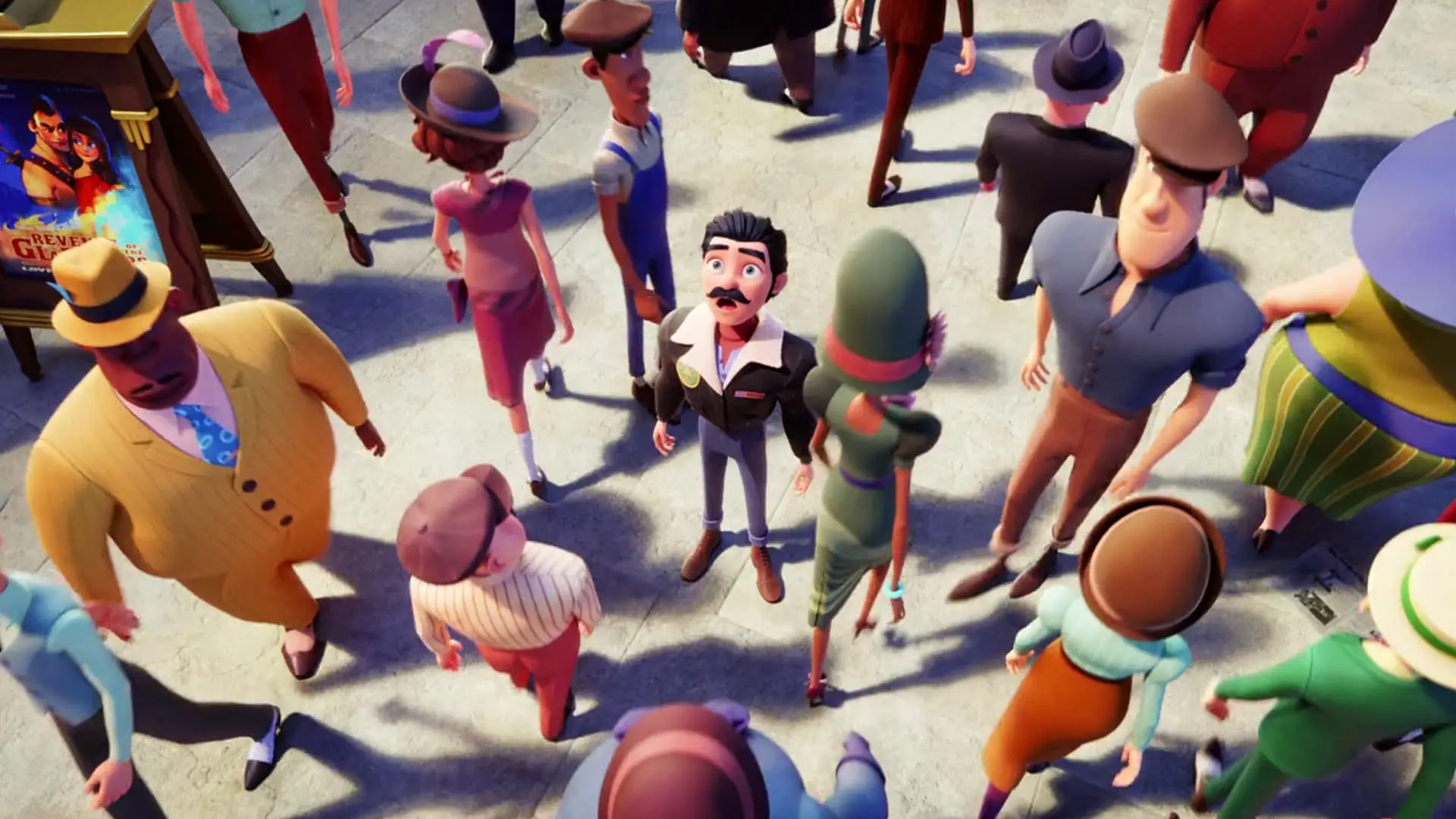
Bring cities to life
Bring cities to life
Transform city scenes, populating them with pedestrians who are aware of their environment and can react to it. Instantly add dynamic traffic to your streets or birds flying in the air, ensuring lively and realistic shots.
Transform city scenes, populating them with pedestrians who are aware of their environment and can react to it. Instantly add dynamic traffic to your streets or birds flying in the air, ensuring lively and realistic shots.
Why use Golaem?
 Diablo IV. Image courtesy of Blizzard Entertainment
Artist-friendly iterations
Artist-friendly iterations
Edit your simulations without starting from scratch. Using the Layout tool, you can efficiently and non-destructively visualize, manipulate, and customize characters and animations directly in the Maya viewport.
Edit your simulations without starting from scratch. Using the Layout tool, you can efficiently and non-destructively visualize, manipulate, and customize characters and animations directly in the Maya viewport.
Precise character animation
Precise character animation
Accurately direct multiple characters at once with an embedded procedural animation engine that allows you to create more realistic and dynamic character movements. Efficiently render your final results procedurally with Arnold, or your desired renderer, as Golaem keeps your scenes light and can filter unnecessary characters.
Accurately direct multiple characters at once with an embedded procedural animation engine that allows you to create more realistic and dynamic character movements. Efficiently render your final results procedurally with Arnold, or your desired renderer, as Golaem keeps your scenes light and can filter unnecessary characters.
 John Wick 4. Image courtesy of Rodeo FX
Seamless integration
Seamless integration
After creating your simulation in Golaem for Maya, you can further refine your characters in software like 3ds Max, Houdini®, Katana®, and Unreal Engine® using dedicated plug-in extensions. Golaem supports all major industry file formats, including USD, Alembic, and FBX.
After creating your simulation in Golaem for Maya, you can further refine your characters in software like 3ds Max, Houdini®, Katana®, and Unreal Engine® using dedicated plug-in extensions. Golaem supports all major industry file formats, including USD, Alembic, and FBX.
Available exclusively in the Media & Entertainment Collection
The M&E Collection allows you to create exceptional content for less with access to all the essential tools you need including the Golaem plug-in for Maya.
The M&E Collection allows you to create exceptional content for less with access to all the essential tools you need including the Golaem plug-in for Maya.
Scene from Arcane Season 2, Episode 6, made with Golaem for Maya. Image courtesy of Netflix, Riot Games and Fortiche Production.
Golaem frequently asked questions (FAQs)
What is Golaem used for?
Autodesk Golaem is a crowd simulation plugin for Maya that helps artists create and control large groups of characters. It’s used in film, TV, and games to generate realistic crowds like stadium audiences, city pedestrians, or battle scenes, while giving artists precise control over behavior and animation.
How does Golaem work with Maya?
Golaem integrates directly into Maya as a plugin, allowing artists to simulate crowds inside their existing workflow. You can generate characters, assign behaviors, and adjust animations without leaving Maya, making it easier to iterate and refine scenes.
What types of scenes can you create with Golaem?
Golaem supports a wide range of scenarios, including large-scale battle sequences, crowds in stadiums, and realistic city environments. It uses procedural tools to adapt motion, terrain, and interactions, helping artists build complex scenes efficiently.
What makes Golaem different from other crowd simulation tools?
Golaem focuses on artist control and scalability. It combines procedural simulation with direct editing tools, so you can manage thousands of characters while still fine-tuning individual behaviors without restarting simulations.
Can Golaem handle large-scale crowd simulations?
Yes, Golaem is designed to simulate thousands or even millions of characters efficiently. It uses optimized workflows and caching to manage large scenes without slowing down production.
What is included with Golaem in the Autodesk Media & Entertainment Collection?
Golaem is included in the Autodesk Media & Entertainment Collection, along with tools like Maya, 3ds Max, Arnold, and MotionBuilder. This gives studios a full pipeline for modeling, animation, rendering, and simulation in one subscription.
Does Golaem support modern pipelines and file formats?
Yes, Golaem supports industry-standard formats like USD, Alembic, and FBX. It also connects with tools like Houdini, Katana, Unreal Engine, and 3ds Max, making it easy to integrate into existing VFX and animation pipelines.
Does Golaem use AI for crowd simulation?
Golaem primarily uses procedural generation to simulate crowds, allowing artists to define rules and behaviors that control how characters move and interact. Procedural generation is a method where systems automatically create variations based on a set of rules, helping generate large, complex crowds efficiently. While Golaem does not rely on AI in the same way as machine learning tools, it gives artists full control to direct realistic crowd behavior at scale.
Is Golaem suitable for indie creators or small studios?
Yes, Golaem works well for indie studios, freelancers, and small teams who need to create high-quality crowd scenes without large resources. It automates complex animation tasks, helping smaller teams produce studio-level results faster.
What tools can indie creators use alongside Golaem for character animation?
Golaem is available as part of the Autodesk Media & Entertainment Collection, which includes the full version of Maya and the Arnold renderer. This gives indie creators and small teams access to professional tools in one package. Maya supports advanced character animation, Golaem enables scalable crowd simulation, and Arnold delivers high-quality, photorealistic rendering with efficient workflows and interactive feedback.
How do I get access to Golaem?
Golaem is available through the Autodesk Media & Entertainment Collection subscription. This bundled offering provides access to multiple tools used across animation and VFX pipelines.
Is there a free trial for Golaem?
Yes, you can try Golaem with a free trial. This lets you explore its crowd simulation features and see how it fits into your workflow before purchasing.
Does Golaem use AI for crowd simulation?
Golaem primarily uses procedural generation to simulate crowds, allowing artists to define rules and behaviors that control how characters move and interact. Procedural generation is a method where systems automatically create variations based on a set of rules, helping generate large, complex crowds efficiently. While Golaem does not rely on AI in the same way as machine learning tools, it gives artists full control to direct realistic crowd behavior at scale.
Is Golaem free for students and educators?
Yes, Golaem is available for eligible students and educators through Autodesk’s Education plan. This provides free access for learning and academic use.
What is crowd simulation in animation and VFX?
Crowd simulation is the process of creating and animating large groups of characters using procedural systems. It allows artists to generate realistic crowd behavior without manually animating each character.
Why is crowd simulation important in film, TV, and games?
Crowd simulation helps studios create large, complex scenes efficiently. It reduces manual work, speeds up production, and enables realistic environments that would be difficult or impossible to animate by hand.