
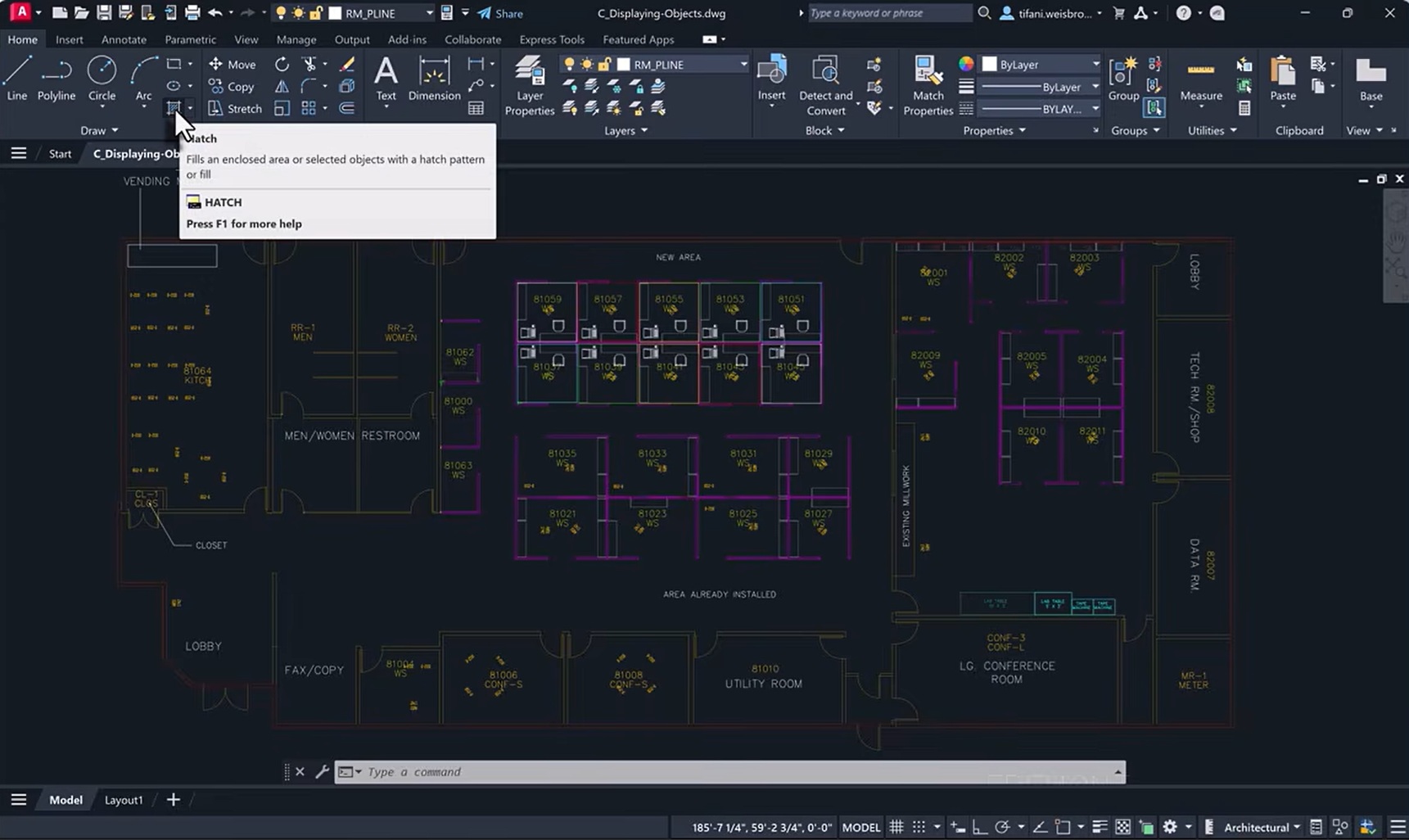
The Hatch command has long been a core tool in AutoCAD for filling areas with patterns or solid fills. In fact, Hatch is likely the command that has evolved the most over the years.
Over multiple releases, from those earlier versions and especially since AutoCAD 2025, the AutoCAD team has focused on three main areas for improvement: workflow, performance, and reliability. These recent updates make creating and managing hatches more flexible, faster in demanding drawings, and more stable across real-world files.
Performance can vary with large, dense, or Xref-heavy drawings, and some drawing-specific edge cases remain. Still, the changes delivered so far address common pain points and give users clearer, more predictable results. Let’s take a closer look at those three categories.
Workflow Improvements
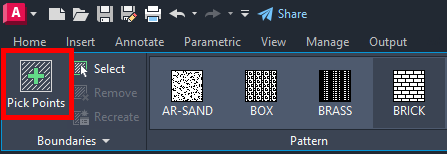
The biggest shift for everyday use is how you can start a hatch. Starting in AutoCAD 2025, a new creation workflow lets you generate a hatch or fill from an area, a path, or a shape. You no longer need predefined closed boundary geometry in every case. This reduces setup time and opens options when traditional boundary selection is awkward or time-consuming.
A dedicated Path option was added so you can create a hatch by following an existing path. Interactive selection also behaves more consistently—repeated clicks in the same area are handled without wasted effort or confusion. If you cancel mid-command, AutoCAD returns control sooner instead of finishing unnecessary processing in the background.
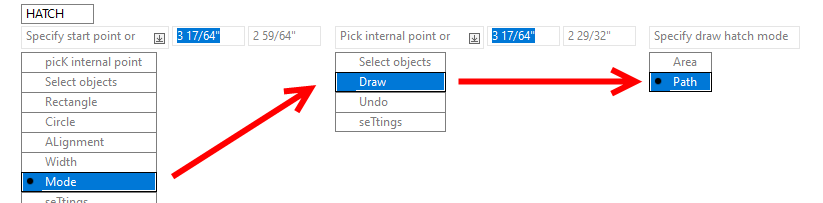

AutoCAD 2025.1 brought additional usability refinements: clearer prompts, better error messaging for certain boundary-definition situations, and closer alignment between the ribbon/UI behavior and the command line. Altogether, these changes make hatch creation feel more flexible and less rigid.
Performance Gains
Performance work targeted the internal boundary engine, especially in larger or more complex drawings. Boundary detection for large sets of geometry was improved so the software organizes and searches objects more efficiently. This helps scaling when many potential boundary elements are present.
Boundary picking and tracing steps were optimized to reduce the time spent identifying regions and tracing closed loops. The overall boundary-processing pipeline was streamlined for representative real-world cases, cutting unnecessary overhead. On the legacy path, retry logic was made more efficient so the system avoids redundant or costly retries when starting from a pick point. The result is more predictable timing.
Xref-heavy drawings received specific attention. Hatching and boundary tracing when attached drawings are involved now avoid some of the longer waits that previously appeared in those workflows. Users working with larger files, complex boundaries, or external references should notice better responsiveness in many common scenarios.
Reliability and Stability
Stability work focused on crashes, hangs, and inconsistent results. AutoCAD 2026.1 addressed crashes that could occur when creating a hatch in drawings containing empty boundaries or island loops. Additional fixes reduced hangs in certain xref workflows so the command remains responsive.
Legacy hatch paths received further hardening to lower the incidence of crashes and hangs in higher-impact situations. Boundary-handling reliability improved in AutoCAD 2025.1, including better handling of boundary-definition issues, clearer errors in some AEC cases, and more consistent closed-path behavior.
Display and reporting problems were also corrected—draw order, custom hatch display, hatch origin placement. Looking further back, foundational work from 2015 through 2024 improved behavior around small gaps, non-continuous linetypes, and general stability. These earlier changes continue to support the later refinements.
Overall Hatch Improvements
Are a lot of these updates and improvements in the background? Absolutely. Other than some of the UI and creation options, these important changes will serve only to improve the user experience.
These updates were made to make hatch creation more flexible, improve responsiveness in many larger or complex drawings, and reduce the frequency of failures. You should notice fewer wasted clicks, shorter waits in common scenarios, and greater dependability across a wider range of files.
More Tuesday Tips
Check out our whole Tuesday Tips series for ideas on how to make AutoCAD work for you.