-
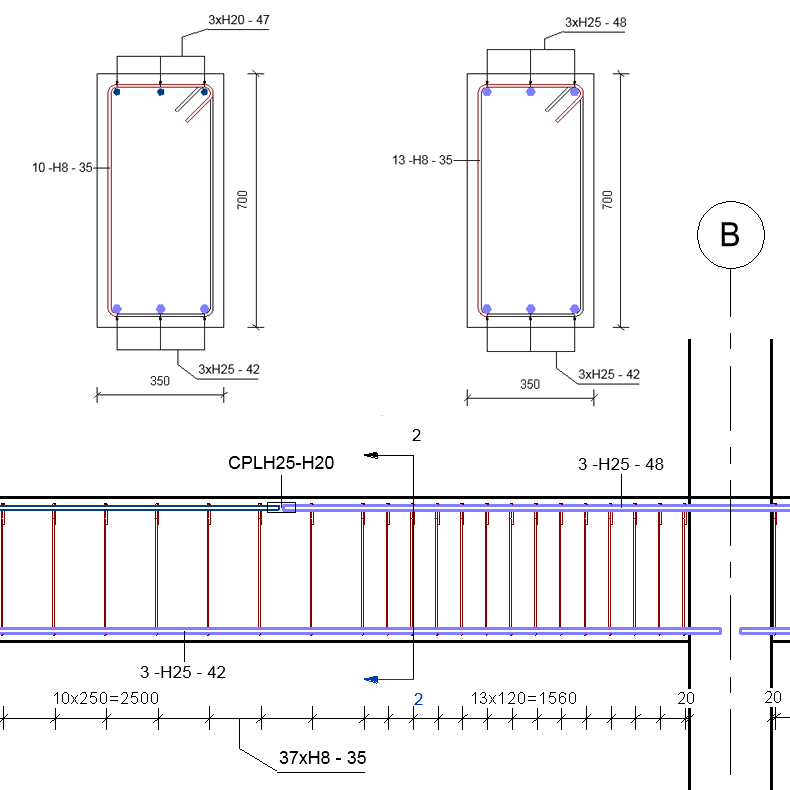
Multi-Rebar Annotation in Revit
A reinforcement drawing shows the positions of all reinforcing elements in a particular structure or a structural element. There are numerous ways of drafting concrete shop drawings, and drafting styles vary between countries or even between design companies. Rebar in Revit comes…
Uncategorized
-
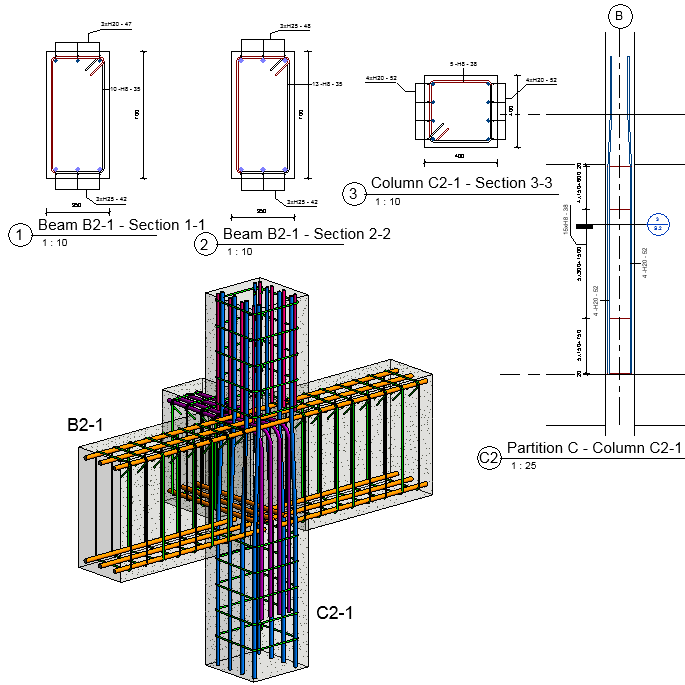
BIM for reinforced concrete – From 2D to 3D for rebar detailing
Last year I published a blog post contemplating the value of BIM for Concrete, and discussing how the next generation of BIM tools for reinforced concrete are helping our customers in four main ways. I described these BIM-centric concrete benefits as: Combines…
Uncategorized
-
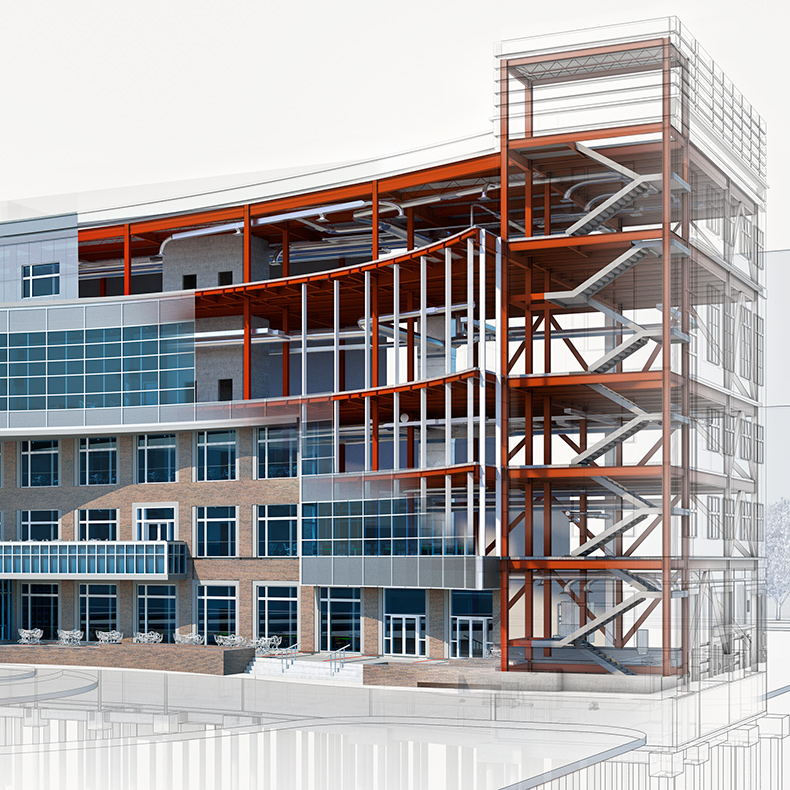
Revit for Structural Engineering
Revit allows structural engineers to create their models and documentation in an advanced BIM environment. By using Revit, structural designers and engineers can produce accurate design intent models and give engineers and detailers the information they need to develop models to a…
Uncategorized
-
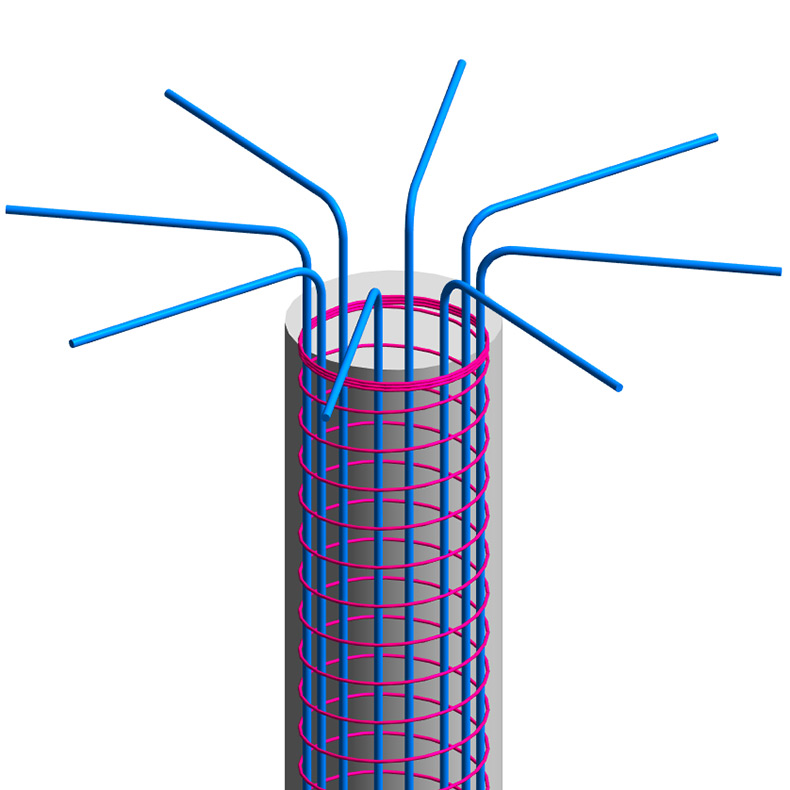
Spirally Reinforced Concrete Columns in Revit
The longitudinal reinforcement bars in columns can be tied together with separate smaller diameter transverse bars along the column height or they can be spirally-reinforced. Spirally-reinforced columns they are ones in which the longitudinal bars are arranged in a circle surrounded by…
Uncategorized
-
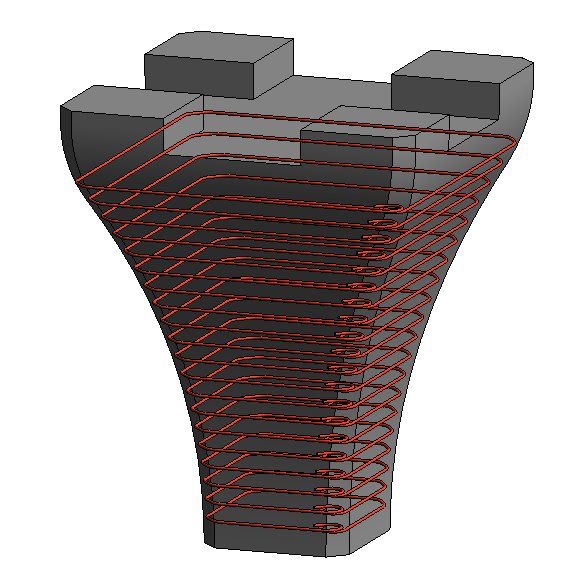
Learn What’s New in Revit 2018 for Concrete Detailing
Building on Autodesk’s strategy to make Revit a robust model authoring tool for designing and concrete detailing, the Revit 2018 release includes a number of new features that increase modeling versatility, accuracy, and productivity for engineers and detailers. We’re excited to share…
Uncategorized
-
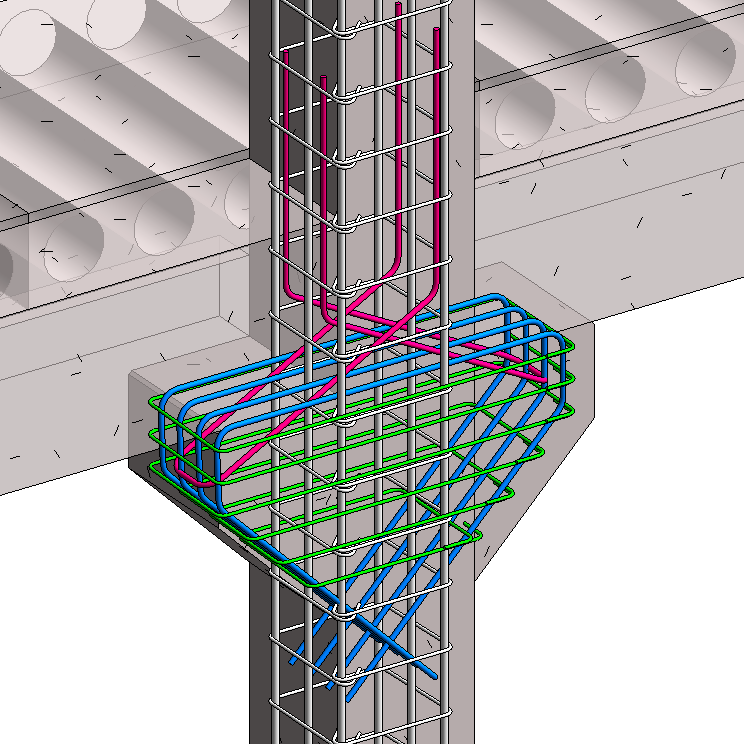
Precast Column with Corbels in Revit
The use of linear precast elements generally means placing the connecting faces at the beam-column junctions. The beams can be seated on corbels at the columns, for ease of construction and to aid the shear transfer from the beam to the column.…
Uncategorized