Data is everywhere in construction projects. Emails. BIM models. job site footage.
These days, the challenge that teams face isn’t about collecting data, but turning it into insights and understanding.
Chris Baze, Director of Construction Technology at Hawaiian Dredging Construction Company (HDCC), and Fikret Kalay, Director at Autodesk Research, know how hard it can be to connect the dots across all that information. The good news? There’s some exciting research underway to bridge those gaps and help construction teams make better, more informed decisions.
On this latest episode of the Digital Builder podcast, Chris and Fikret discuss a research project that explores how AI can help create a real-time understanding of the jobsite and enable teams to make better decisions before problems impact schedule and cost.
We discuss:
Construction teams generate massive amounts of data every day. But having data and knowing what to do with it are two different things.
As Fikret puts it, “We are moving from collecting data to connecting data.”
As projects move from design through construction and operations, information passes between different teams and systems. Along the way, connections get lost, and it gets harder to see the full picture.
Fikret points to research showing that 95% of construction data goes unused. “Why? Because it’s very difficult to find the data, to find what the problem is related to, or where to find that email that gave more information. The picture, the RFI, the schedule—all this information is very difficult to connect.”
How does that wealth of data show up on the job site?
Chris echoes Fikret’s sentiment and notes that having more data doesn't necessarily make it easier to understand what's happening on a project. He says that one common way the data gap manifests itself is through the growing volume of camera footage teams collect.
“I think one of the major changes recently is computer vision. We've all had cameras on site for a long time, and those cameras went from 1080P cameras to 4K cameras, which is four times the amount of data. So that adds up very quickly.”
He continues, “We have usually hundreds of terabytes of hard drives on a job site now just to receive that video footage. And it's great. You have an incident, you can go back, you can manually retrieve it, but now we're finding a lot more value using computer vision to turn it into an ongoing data stream, not just of pixels, but of events, activities, and what's going on on your job site.”
Construction projects bring multiple parties together, and each stakeholder has their own piece of the puzzle. The designer has the plans and specifications, the contractor has schedules and jobsite reports, and the owner has project requirements and operational priorities.
This is why connecting teams and data is critical. Even the best collaborators can struggle to make informed decisions if they don't have access to the same information and context.
“The construction industry is quite collaborative. “If you see how many stakeholders interact with each other, it's quite impressive,” Fikret points out.
“But on the flip side, the data is not. From the design to operations—the more we go through each stage, the more fragmented the data is. The more we go through the steps, the less the data remains connected and the more we lose the context.”
Consider a water leak on a jobsite. Spotting the leak tells you what happened, but it doesn't explain why it happened. To get to the root cause, teams need to look at the surrounding information, including project drawings, site conditions, and previous decisions.
“Going beyond the ‘what’ and trying to understand why it's happening is very important, which is why we need context,” Fikret explains.
He highlights three areas that teams need to connect:
The sooner teams have that context, the sooner they can address problems before costs pile up.
As Fikret puts it, “If you get to understand the context at the early stage, then the five million becomes maybe less, maybe 10K. You start to treat the problem sooner rather than later.”
To help construction teams use their data better, Autodesk Research is working with Hawaiian Dredging on a project that connects information across the construction lifecycle.
The aim of the initiative? To bring project data into one ecosystem, where teams can find information and understand how different pieces relate to each other.
Connecting project data through the data hive
Fikret walks through an example involving a wall. In a BIM model, you might see basic information like its thickness. Drawings and specifications provide more details about the materials, insulation, and studs. Meanwhile, jobsite photos show what that wall actually looks like during construction.
All of this information relates to the same wall, but it can live in different places.
The research team is working to connect those records so people can access the full picture without jumping between systems.
“We created this platform that we call the data hive, where everything is centralized. So you can search in a much more advanced, intelligent way. We make that data machine-readable,” says Fikret.
Now, finding information is just the first step. Teams also need to understand what's happening on the jobsite and why.
For example, suppose someone spots moisture on a wall. A photo shows the damage, but it doesn't explain where the water came from.
When that photo connects to the BIM model and other project records, teams can investigate nearby elements, such as a pipe above the ceiling or another room experiencing the same issue.
Testing the research on real projects
Connecting data in a research environment is one thing. Making it useful on an active construction site is another.
That's where Hawaiian Dredging comes in.
“Working with Chris and HDCC has been very productive and useful for us because we understand the real problems, we stress-test our workflows, and try to make sure that we add value when we solve a real industry problem,” Fikret says.
The collaboration helps Autodesk Research test its approach against actual jobsite challenges and learn what construction teams need from their data.
Ask an experienced superintendent to walk through a jobsite, and chances are they'll spot issues that someone newer to the industry might miss. After decades in construction, they've learned to recognize warning signs and anticipate problems before they escalate.
But what happens when those experienced professionals retire and take all that knowledge with them?
“For me, it’s all about transitioning the industry from experience-based to data-based decision-making,” says Chris.
“We have a lot of really experienced superintendents, project managers, people who have been around 30, 40-plus years, and they see something, and they know what those problems are. Those people are retiring, and they're being replaced by people in their first, second, or third job. And they don't have that insight that the industry veterans do.”
Chris sees the research initiative as an opportunity to capture that expertise and make it available to everyone.
For example, experienced team members could log issues in Forma, along with photos that help explain what went wrong. Teams could also feed jobsite sensor data, such as moisture meter readings, into the system to add context.
That information could then help less-experienced workers recognize similar problems and understand how to address them.
“If that context is living in the heads of people who are on the jobsite, then I'm not doing my job well,” Chris explains.
“I think what we're trying to do is embed, 'Hey, this is what happened on the jobsite, this is why it happened, and here's how you mitigate it.'”
Fikret agrees, pointing out that the reasoning behind decisions often goes undocumented. Capturing that knowledge in a shared data ecosystem would help teams learn from past experiences, even after the people involved have moved on.
Another area Autodesk Research is exploring is helping teams figure out next steps based on their project data.
Fikret returns to the example of moisture appearing on drywall. The team might have photos of the damage, humidity sensor readings, temperature data, and other project records. Instead of having someone manually piece everything together, the data hive could analyze the information and suggest possible causes.
“It will provide you maybe three or four hypotheses of what could have happened,” Fikret explains. “And it will share that openly with you and say, ‘Okay, these are the three hypotheses I believe you should explore.’”
From there, teams can add more context. Someone might mention that a major storm hit the building the day before. With that new information, the system could reconsider its initial assumptions and suggest that the moisture came from an issue with the exterior facade rather than a plumbing leak.
“At the end, you make the decision, you record that decision, and you explain again why you believe that's the right decision, so we can record that and do better,” explains Fikret.
Chris also sees opportunities beyond day-to-day troubleshooting. He points to warranty claims involving pipes hidden inside walls or concrete. Regular reality capture could help teams spot installation issues before those pipes get covered up.
“I think there are longer-term implications of not only what happened as problems during the project, but also what happened after you delivered the project that we might be able to catch and not have happen on our next project.”
Speaking of long-term implications, there's plenty to look forward to when it comes to AI and construction data. While Autodesk and HDCC are still in research mode, both Chris and Fikret see opportunities to change how teams function.
For Fikret, the next five years are about improving risk management and helping construction pros make better decisions faster.
Consider a scenario where a contractor expects two trucks of materials, but one breaks down. The team has just 10 minutes to decide which materials to prioritize.
AI could help by quickly analyzing how each option would affect the schedule, workers, and equipment, then suggesting possible courses of action.
“AI can help accelerate gathering the right insights, like how this is going to impact the schedule, workers, and the jobsite,” Fikret explains.
Looking further ahead, Fikret envisions a future where teams could “simulate a whole jobsite activity before it happens.”
Chris, meanwhile, hopes technology will help align the interests of everyone working on a project.
“I think by surfacing what's going on and how it impacts the project, it's going to help us better align our interests,” he says.
For example, if a subcontractor puts in extra effort to make downstream work easier, better project data could help capture that contribution and ensure it gets recognized.
Ultimately, Chris hopes these tools will help everyone understand how their decisions affect the project as a whole.
Digital Builder is hosted by me, Eric Thomas. Remember, new episodes of Digital Builder go live every week. Listen to the Digital Builder Podcast on:
or wherever you listen to podcasts.
On most projects, the model shows up after the decisions are made. Massing gets explored in sketches and surface-modeling tools, the competition board gets built in a rendering software, and the first real building model opens when it is time to produce documentation.
By then the big moves are already settled, from footprint and structure to envelope and floor-to-floor height.
That sequence does not align neatly with the way the phases are actually defined. The RIBA Plan of Work expects the architectural concept to be approved and signed off at Stage 2, and it cautions that a project should not proceed to Stage 3, spatial coordination, if any spatial requirements or room adjacencies remain unresolved.
Coordination, in other words, is meant to start with an approved concept. When that concept was never a model, the first model is not the approved design. It is a translation of it.
It is tempting to blame the software. The more honest answer is that at the front end of a project, there is nothing to model with.
Schematic design moves hour by hour. You are testing a corridor width, swapping a stair, checking whether the units still fit after the setback changes. Doing that inside a building model means having doors, windows, cores, fixtures, furniture and equipment already on hand: hundreds of objects at a level of detail nobody needs yet. Building them from scratch costs more than drawing them instead, so teams draw. The model waits until documentation, when the effort finally pays for itself.
The second reason is cultural, and it is fair. Early design is supposed to stay loose, and anything that feels like commitment, like naming an element or locking in a type, reads as premature.
The cost does not land on the design team. It lands on everyone who works from what the design team hands over.
Start with the estimate. The estimate classes published by Alberta Infrastructure, built on the classification system from AACE International, put a Class 5 estimate, the one produced when a project is 0% to 2% defined, at -30% to +50%.
A Class 4 estimate, described as based on schematic layouts, tightens -20% to +30%. That gap closes when the concept carries quantities and assemblies you can count instead of assuming. A better spreadsheet does not help. A concept that exists only as geometry, with no data behind it, leaves an estimator with area, judgment, and little else.
Then coordination. If the approved concept lives in a sketch and the model is a rebuild, every question about that concept gets answered twice, once by the person who drew it and once by the person who modeled it.
Some of the discrepancies that surface in clash review originate there, several weeks before anyone traces them back to the rebuild.
Useful numbers do not require construction-level detail. They require objects that know what they are. Once the concept carries real elements, counts, areas and assemblies come out of the model, and the team can price two options instead of defending one. The estimate stops being a verdict delivered late and becomes a test you run while the design is still cheap to change.
When the concept is the model, spatial coordination does not begin with a rebuild. Engineers receive the design the client approved rather than an interpretation of it; structure and MEP systems are tested against real geometry weeks earlier, and the first coordination review no longer doubles as a reconciliation.
Furniture, fixtures and equipment data is usually the last to arrive, while the elements themselves are often the first to be substituted on site. When those elements enter the model during conceptual design as real objects carrying real parameters, the specification inherits that information instead of recreating it, and the handover documents have a chance of describing what was actually built.
None of this calls for a different tool. Instead, it means deciding, before the next project starts, what teams are allowed to use at the front end.
Framing the blank file as a governance choice is where the conversation usually stops. Decide on a concept content set, name its sources, give it an owner.
But that leaves the harder question of where the content comes from, and for most offices the honest answer is that building it is the expensive part.
Take a boutique firm in Texas that works on high-end residential. It calculated that each custom Revit family required about 24 hours of designer time, or close to US$1,200 once the hourly rate and overhead were factored in. That is one family.
A typical project included around 100 custom objects. Doing that math was reason enough to delay modeling until it became unavoidable.
After the firm brought in a ready-made content library, the same object took about 15 minutes to find and place.
Its Planning and Schematic Design phases went from three months each to about six weeks each. The team was not working faster. It had simply stopped building the library before it could start designing.
The firm's CEO put it plainly.
“Our designers are so busy that they make more money in the field. It does not make sense for our business model to have them modeling for 24 hours when they could be generating revenue.”
The interesting part is not the return on investment. It is that the team started designing before it was officially in the design phase.
The model that used to wait for documentation now begins at concept stage and carries through to the site, with no rebuild in the middle.
The months cut from the early phases had previously gone into doing the work twice: once in the sketch and once in rebuilding it as a model for documentation. That second pass disappeared.
The firm also moved from SketchUp to Revit, not so much because of a top-down decision as because the friction that used to push people toward SketchUp was gone.
This is where Blocks fits. It is a ready-made library of BIM content, not a modeling plugin or a methodology. In practice, it serves as the concept content set described here, without the office having to build it. It is closer to infrastructure than to an authoring tool.
Three caveats, because the case is easy to oversell.
Modeling too early can freeze exploration. If the first massing study arrives with types, parameters, and naming conventions attached, people stop moving walls. The content set has to stay light enough so that changing your mind is still cheap.
Heavy content punishes you immediately. Concept files loaded with high-detail objects get slow at the worst possible moment, which is why early content should be deliberately coarse.
And be careful with the rework argument. It is the easiest case to make and the weakest. Research published in the Journal of Construction Engineering and Management and summarized by ASCE puts field rework at 0.38% of contract value before completion and 0.76% once post completion corrections are included. Those figures are well below the double-digit numbers the industry likes to quote, although the same study found rework underreported by 300%.
So the argument for modeling the concept early has little to do with rework. It is about the options you get to price and coordinate while they are still open.
The blank file has nothing to do with technology. It comes from asking a team to model at one moment when nothing is ready to be modeled. Decide what can be used at the front end of the project, and the sequence corrects itself. The concept becomes the model, and everything downstream inherits a decision instead of a redrawing. That is not a software upgrade. It is a choice about what the first hour of a project has to work with.
This Careers in Construction Month, we’re celebrating the student innovators who are already putting the future of the industry into practice through Autodesk’s Design & Make It Real: Make It Heal challenge. With more than $75,000 in scholarship prizes, the challenge supported students across the U.S. and Canada in exploring how the built environment can help communities heal and become more resilient after disasters and other community-changing events—while developing the real-world Design and Make skills that will shape the industry's future.
In this three-part series, we’ll hear from this year’s winners and the industry leaders who judged their work: following two-time winner Eitan Hakak’s growth as an emerging designer, exploring with The Foothill Catalog Foundation what student ideas can teach today’s industry about resilient design, and hearing from DPR Construction and the ACE Mentor Program about how other winning projects reflect the digital and hands-on skills the next generation will need to build what’s next.
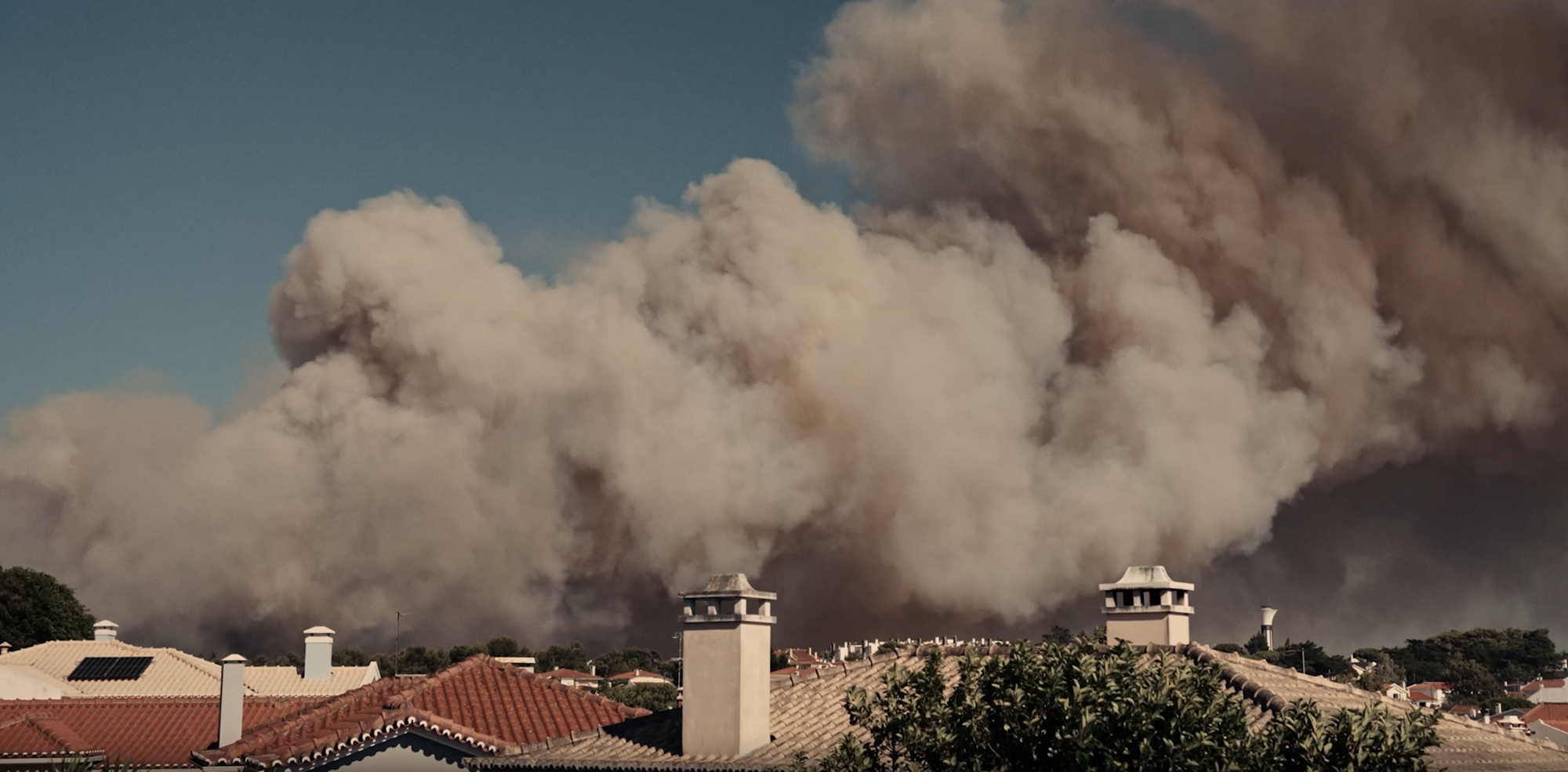
When a wildfire devastates a community, rebuilding is about more than replacing what was lost. Residents may need emergency medical care, temporary housing, access to essential services, and places to reconnect with their neighbors. Designing for those needs means thinking beyond individual buildings to consider how a community can recover, adapt, and move forward.
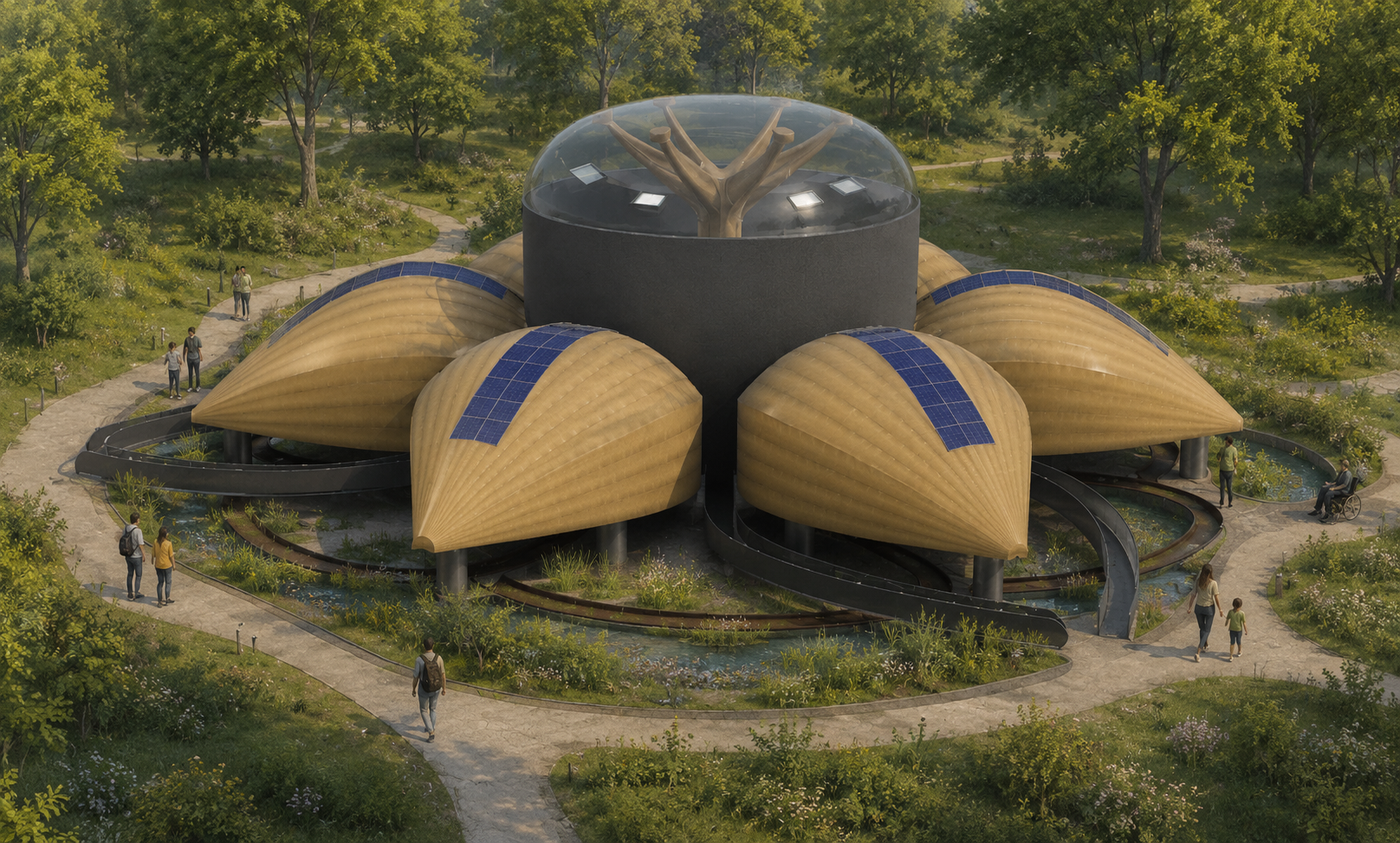
For Eitan Hakak, a student at MiraCosta Community College in San Diego, and, for the second-year running, a winner of Autodesk’s Design & Make It Real student contest, that challenge became the focus of his latest design project: a wildfire recovery center intended to support residents through both the immediate aftermath of a disaster and the longer process of rebuilding their lives.
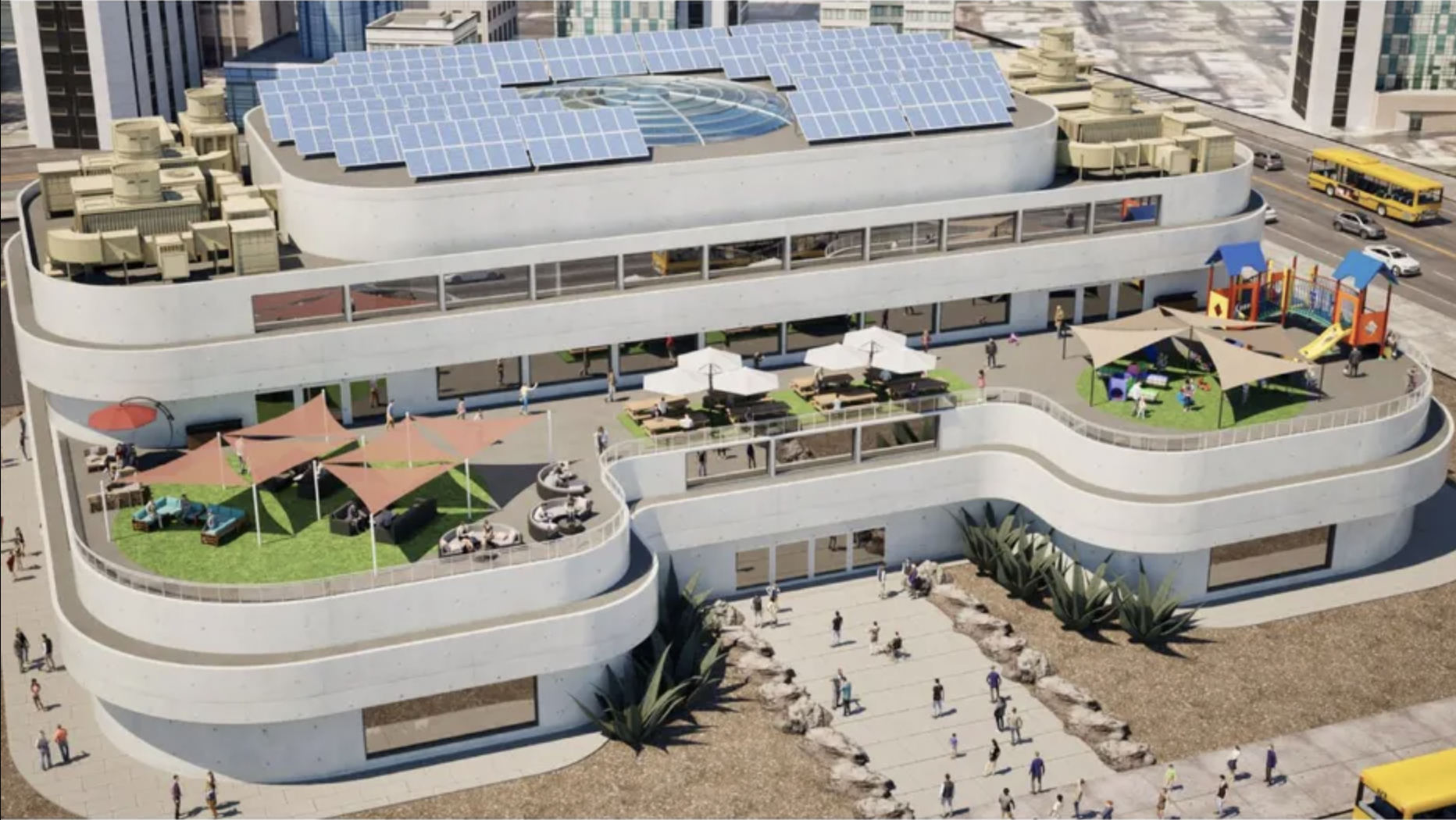
Hakak’s proposed center brings together emergency and medical resources, classrooms, a library, counseling, recreation, workspaces, and longer-term family housing. The design also considers less visible elements of recovery, including clean air, backup power, mental health, and the everyday routines and social connections that help communities regain a sense of stability.
The project reflects a way of thinking that the architecture, engineering, and construction (AEC) sector needs as AI, automation, BIM, and increasingly connected digital workflows reshape the industry. Technology is changing fast, but employers still need people who can understand a complex problem, weigh competing priorities, and translate human needs into practical design decisions.
Last year, Eitan teamed up with his brother Nadav to create Redefining Housing: Accessibility Meets Sustainability. The project imagined a healthcare-integrated residential community for people with disabilities, chronic illnesses, weakened immune systems, and other needs too often overlooked by conventional housing.
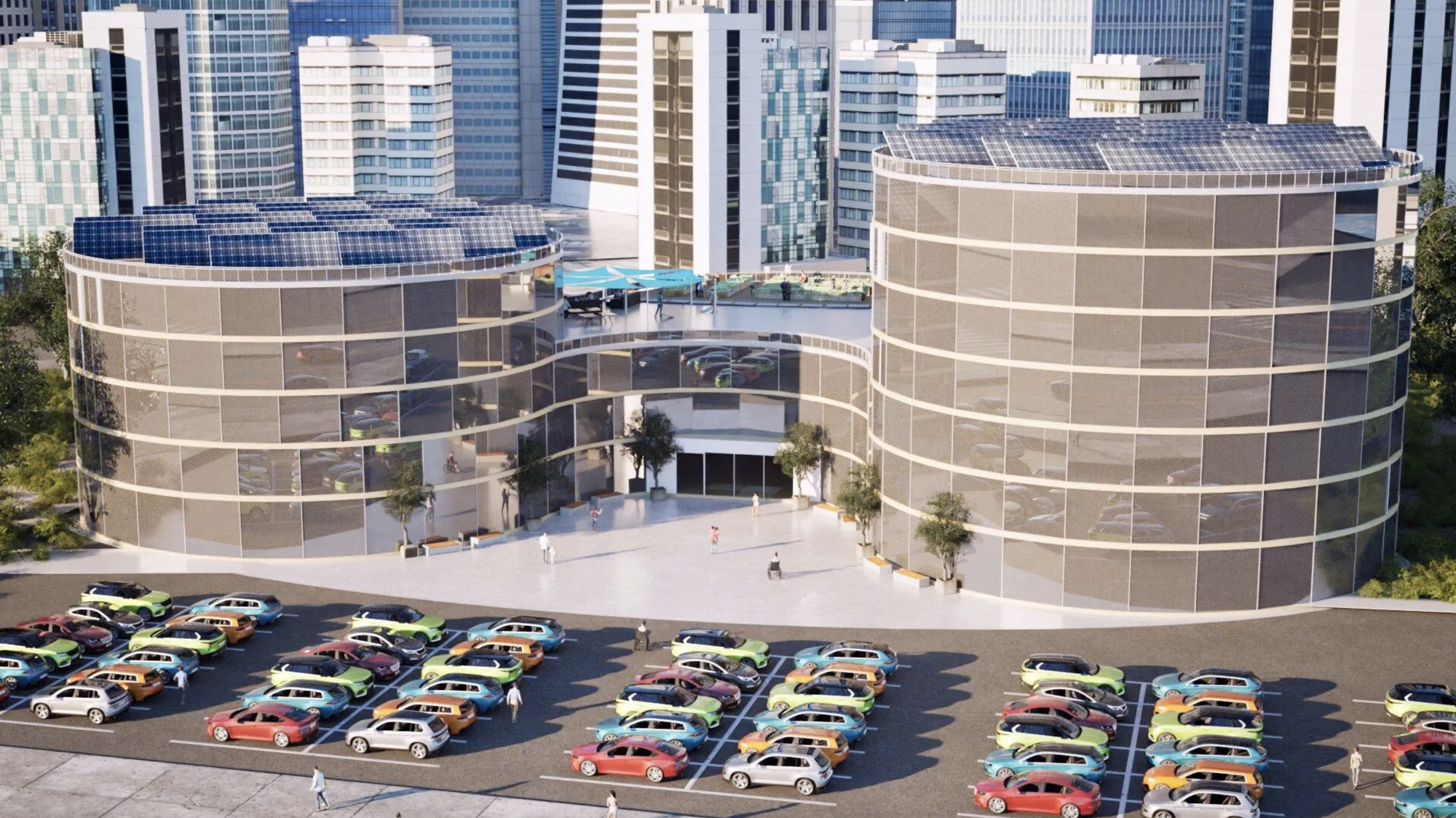
While the two projects address different challenges, they share a starting point: understanding who a space is meant to serve and what those people need from it. In the earlier project, that meant bringing housing, accessibility, sustainability, and health care together. In the wildfire recovery center, it meant considering how the built environment could help people navigate a crisis and rebuild a sense of community.
That progression offers a window into what Hakak is learning through design: the work is not simply about mastering software or producing a compelling model. It is about using design tools to investigate a problem, make informed decisions, and develop a solution that responds to the people who will ultimately use it.

The brothers’ inspiration for last year’s project came in part from volunteering at an assisted-living community serving people with dementia and other forms of cognitive impairment.
“We saw how creating a supportive and accessible environment for those with unique challenges allows them to feel unrestricted and at home,” the brothers explained after last year’s competition.
They began asking how that same level of thoughtfulness could be brought into housing for people facing medical challenges. The result went considerably beyond a conceptual rendering.
The brothers designed accessible residential units, physical-therapy and recreational spaces, an on-site pharmacy, classrooms and community spaces, rooftop gardens, and material systems selected for health and environmental performance. They considered daylight, indoor air quality, low-VOC and mold-resistant materials, greywater, solar energy, accessibility, and the psychological experience of residents.
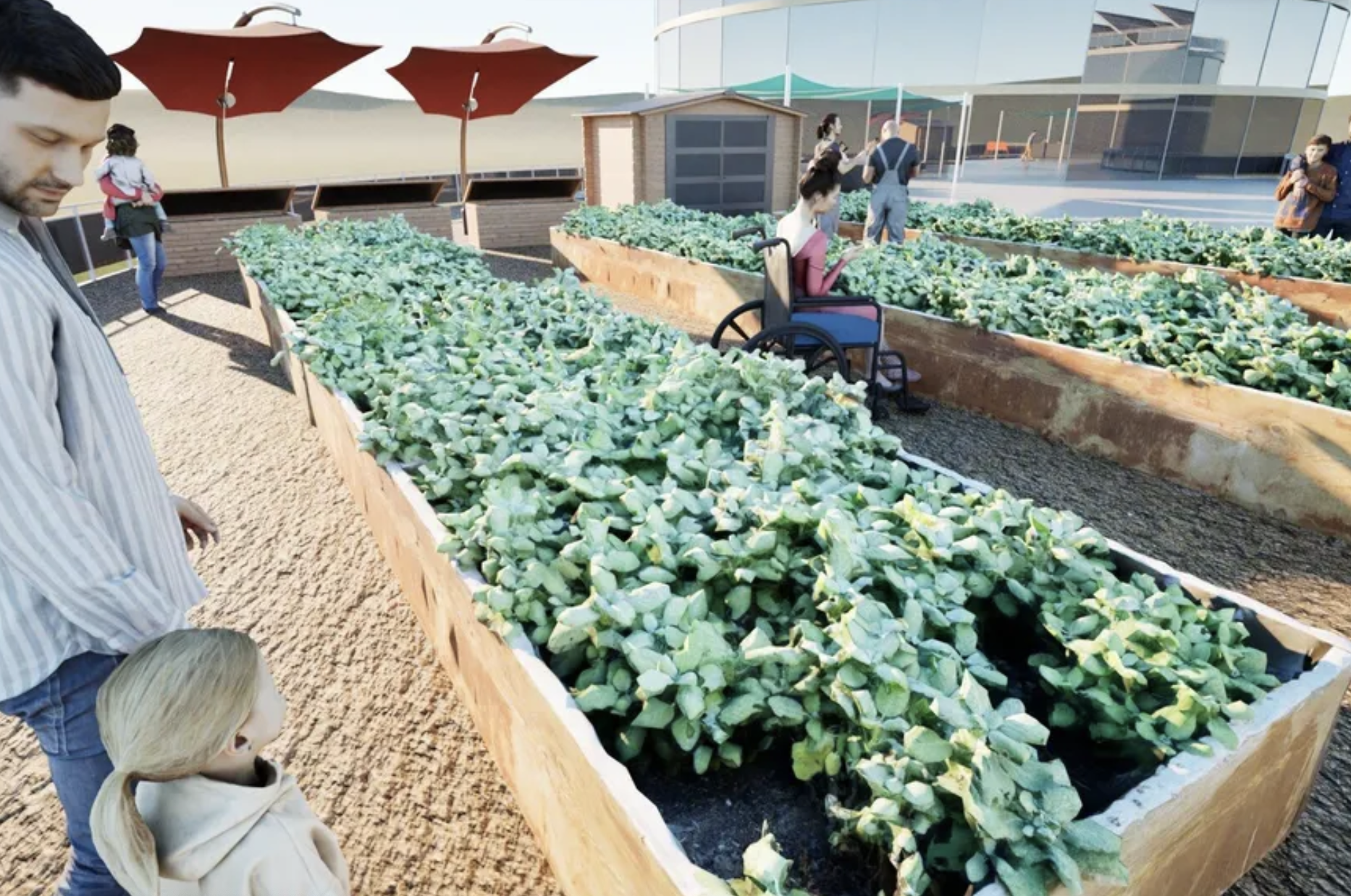
And they had to figure out how those ideas fit together.
The brothers deliberately used the project to become more fluent in professional workflows.
Revit became the primary environment for the architectural design and BIM model. Fusion helped solve specialized elements such as a custom reception desk and a model for physical fabrication. Twinmotion allowed them to visualize the experience of the spaces and rapidly evaluate changes to their Revit model.
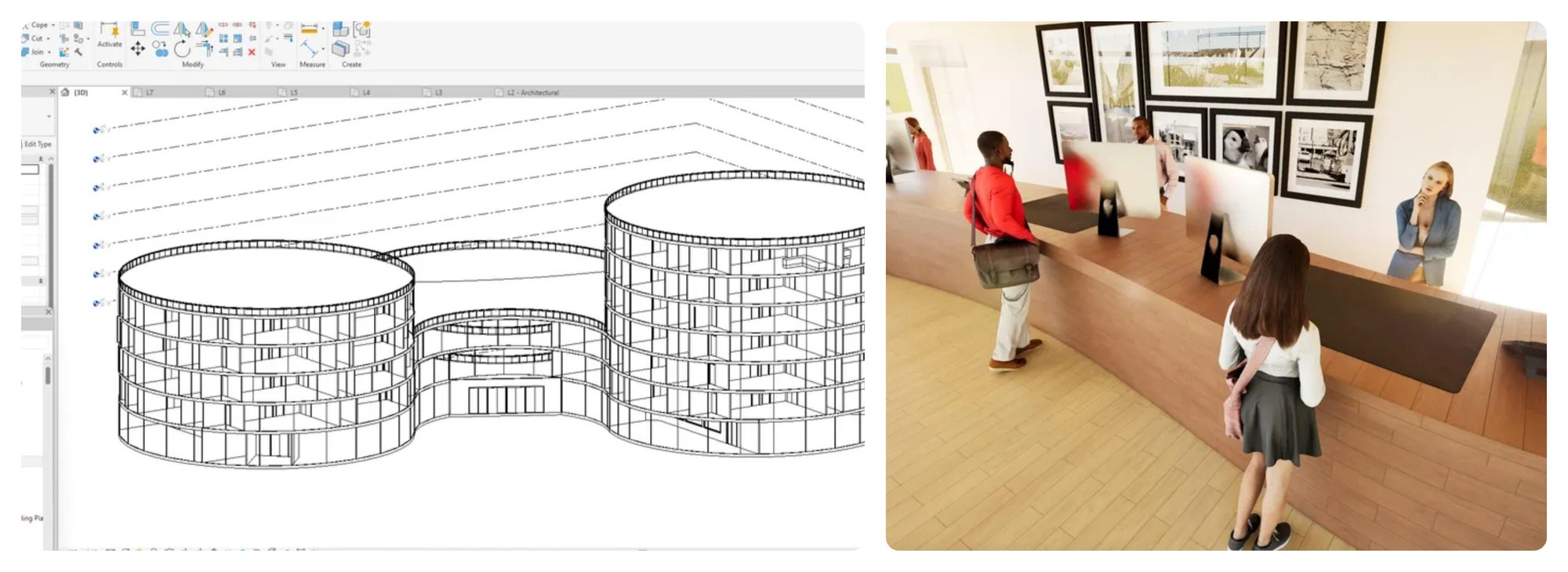
But their biggest lesson wasn’t a particular command.
“Big ideas about what a final product should look like might not always be easy to implement,” they reflected. Designing something that was both functional and practical required them to understand how architects, engineers, and builders contribute different expertise—and why communication between those roles matters.
That distinction has significant implications for workforce development.
A recent United Association presentation at Autodesk University about training journeymen and apprentices in Virtual Design and Construction describes strong VDC talent as requiring precisely this intersection: software knowledge and industry knowledge. Apprentices increasingly need digital tools to read, interpret, and build, while workers moving into VDC need software skills to design, coordinate, and fabricate.
The tools are important, but knowing how and when to use them is what turns an idea into something that can actually be built.
For the industry professionals who reviewed Eitan and Nadav’s project, its strength wasn’t simply its technical polish. It was the way the students used technology in service of a larger human problem.
Make It Heal judge Ben White, a housing and economic development innovator, was particularly struck by the connection the brothers made between human health and environmental sustainability.
Their thinking reminded him of the growing “Healthy Buildings” concept: the recognition that decisions about lighting, air quality, conditioning, materials, and shared space can affect both human well-being and environmental performance.
White also saw something encouraging across the broader student field.
“It’s wonderful to see how these up-and-coming changemakers are leveraging the wealth of software and design tools at their disposal to make high quality, professional designs that point to the future of housing,” White said.
Jim Lynch, former Autodesk Senior Vice President and General Manager of its construction business and a longtime construction technology leader who helped shape the industry’s transition to BIM and digital construction, saw a similar combination of technical capability and human understanding in the brothers’ work.
“Eitan and Nadav’s project is an inspiring example of thoughtful, human-centered design,” Lynch said. “They tackled the dual challenges of accessibility and environmental responsibility with impressive technical skill and genuine empathy.”
For Lynch, the brothers’ different strengths also demonstrated something important about designing for real people.
“Eitan’s strength in modeling and visualization, paired with Nadav’s focus on the resident experience, resulted in a concept that feels both innovative and deeply practical,” he said. “Their work demonstrates how inclusive design and sustainability can, and should, go hand in hand.”
That combination—technical fluency, empathy, collaboration, and practicality—is significant beyond a single student competition. It points toward the kind of multidisciplinary thinking increasingly required to solve construction’s most complicated challenges.
For Make It Heal, Eitan returned—this time independently—with a different question.
After seeing the devastation caused by the Los Angeles wildfires and reflecting on brush fires closer to home in San Diego, he began thinking about what communities actually need in the months and years after a disaster.
“Natural disasters can detrimentally harm a community in just a matter of hours, but the recovery and rebuilding process can take months or even years,” Eitan wrote in his submission. His goal became a permanent community center that could support people before, during, and after a wildfire—not simply provide emergency shelter.
That shift is important.
Eitan wasn’t just focused on making buildings more fire-resistant. He was also thinking about how communities could recover after a fire. His center includes resources for immediate needs, such as medical assistance, emergency resources, and short-term housing for displaced families. However, he includes resources for long-term needs, like a counseling center and a library.
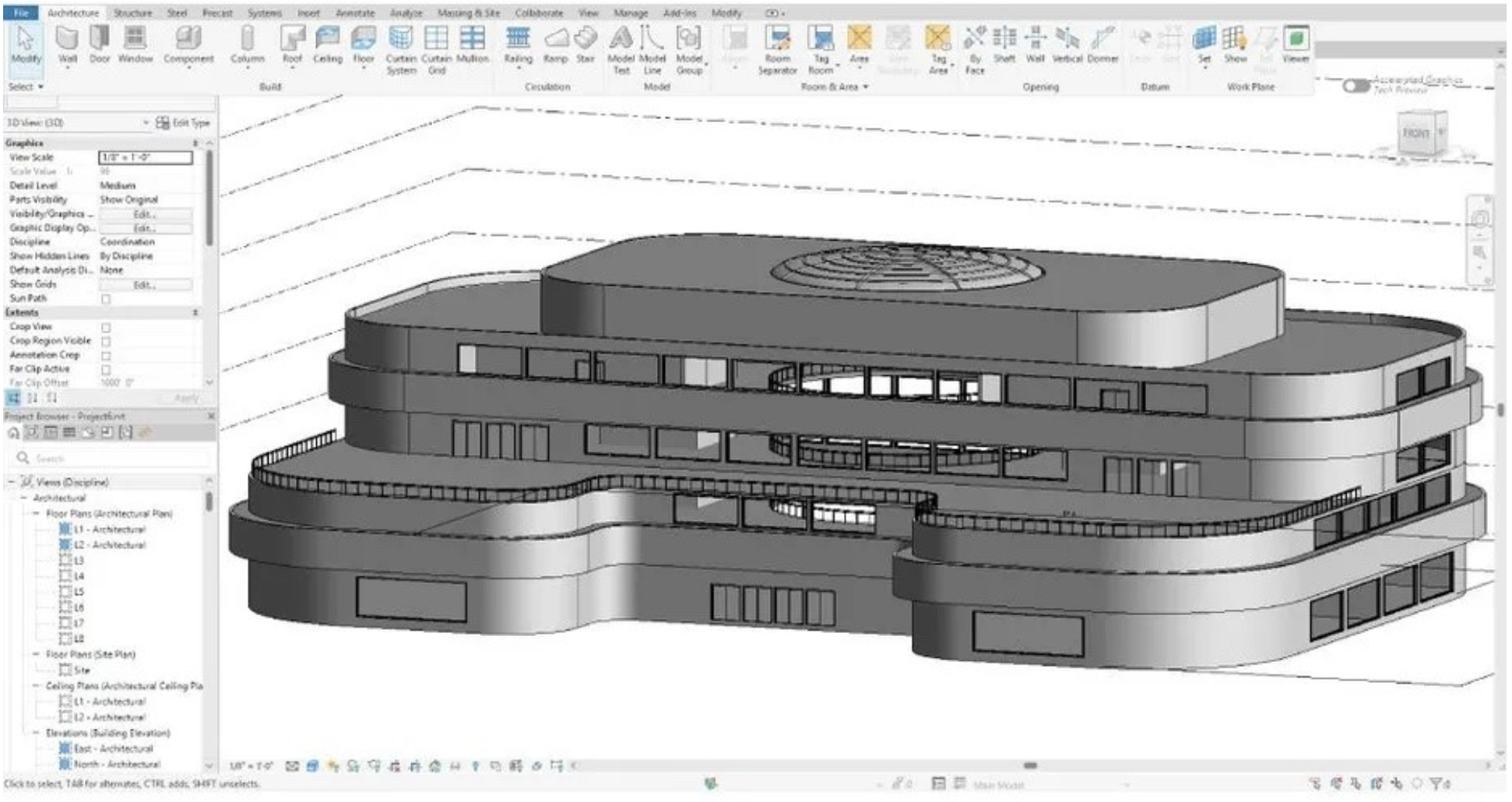
His approach to design mirrors one of the strongest findings across this year’s Make It Heal portfolio: students tended to interpret healing as rebuilding communities, not merely rebuilding structures. Many of the strongest projects include integrated housing, education, mental-health support, workforce development, community gathering, environmental recovery, and resilience infrastructure into interconnected systems.
This year, Eitan again deliberately stretched himself technically.
He set out to learn the professional architectural process, teaching himself Revit and Fusion and working across Revit, Fusion, and Twinmotion.
But what’s particularly revealing is what he did around the software.
Before modeling, he researched materials and developed design principles. He investigated fire-resistant glazing and geopolymer concrete; considered how daylight, ceiling height, open space, and curved forms might affect people recovering from trauma; designed spaces around immediate and long-term community needs; and worked through individual building systems.
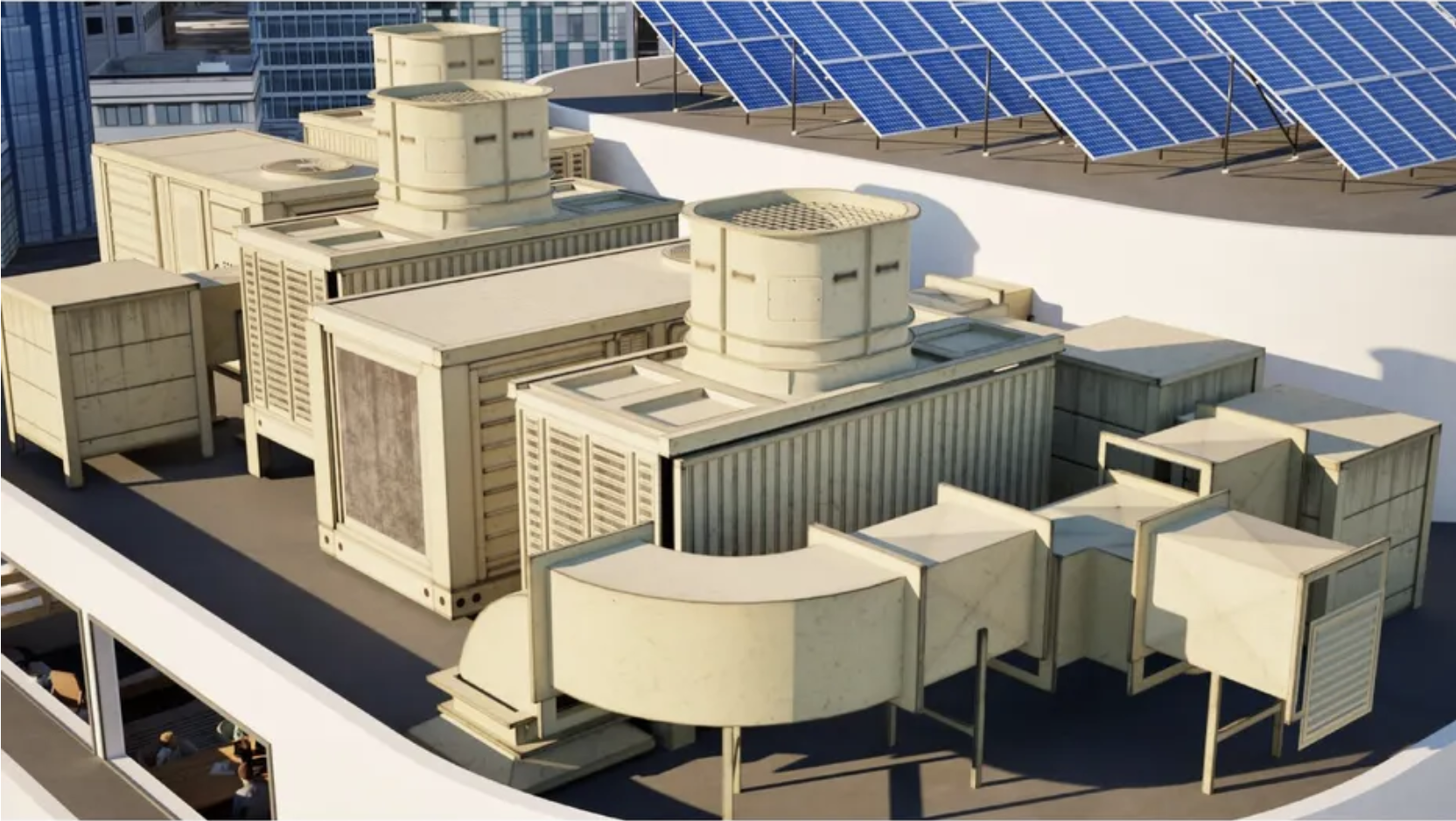
That attention to both physical resilience and human recovery stood out to Make It Heal judge Fope Bademosi, an Autodesk construction and circular economy researcher.
“As a judge, what I admired most about Eitan's community center was the discipline behind it. He researched his materials to the point where each choice answered two questions at once: how it protects people from the next fire, and how it helps them recover from the last one. Fire-resistant, lower-carbon geopolymer concrete and insulated glazing on the outside; wood finishes selected for their documented effect on stress and wellbeing on the inside. That refusal to separate engineering from empathy, carried through more than forty steps of careful documentation, is what made the project stay with me.”
That balance is visible throughout Eitan’s design process. Resilience wasn’t treated as a single feature or building system; it shaped decisions about materials, energy, indoor air quality, spatial experience, and the needs of the people who might one day use the building.
When the central skylight required a more specialized geometry workflow, for example, he moved into Fusion to design it, then exported its components into Revit and incorporated them into the larger architectural model.
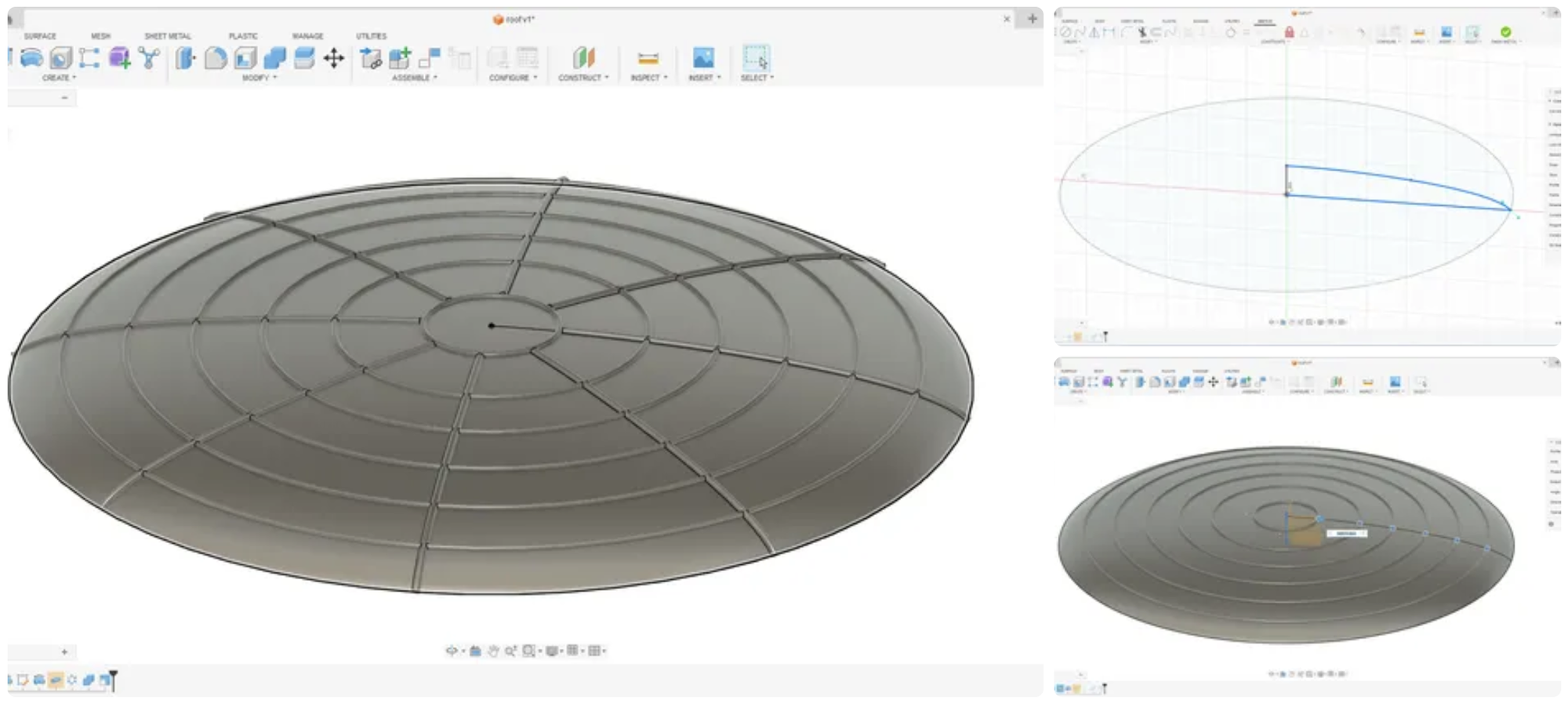
By the end, Eitan says he had taught himself Fusion and Revit while expanding his understanding of wildfire-resistant design, architectural design, and the engineering process.
That is closer to how professionals work: the problem determines the workflow, rather than the software determining the problem.
Ask Eitan what has changed most since last year, and he starts with the tools—but quickly gets to something bigger.
Becoming comfortable with a broader software stack, he says, has made him more confident taking on ambitious ideas. More complex geometry, stronger visualization, and more creative staging are now within reach. But perhaps more importantly, knowing what he can make has changed what he allows himself to imagine in the first place.
“This year, I really didn’t limit myself in my initial brainstorming phase as much as I did last year,” Eitan said. “Now that I know what is possible to make and how to go about it, I don’t have to worry as much about an idea being too complex for me to model and create.”
That confidence gave him more freedom to think about the flow of interior spaces, the layout of the building, and how he could show people experiencing the center.
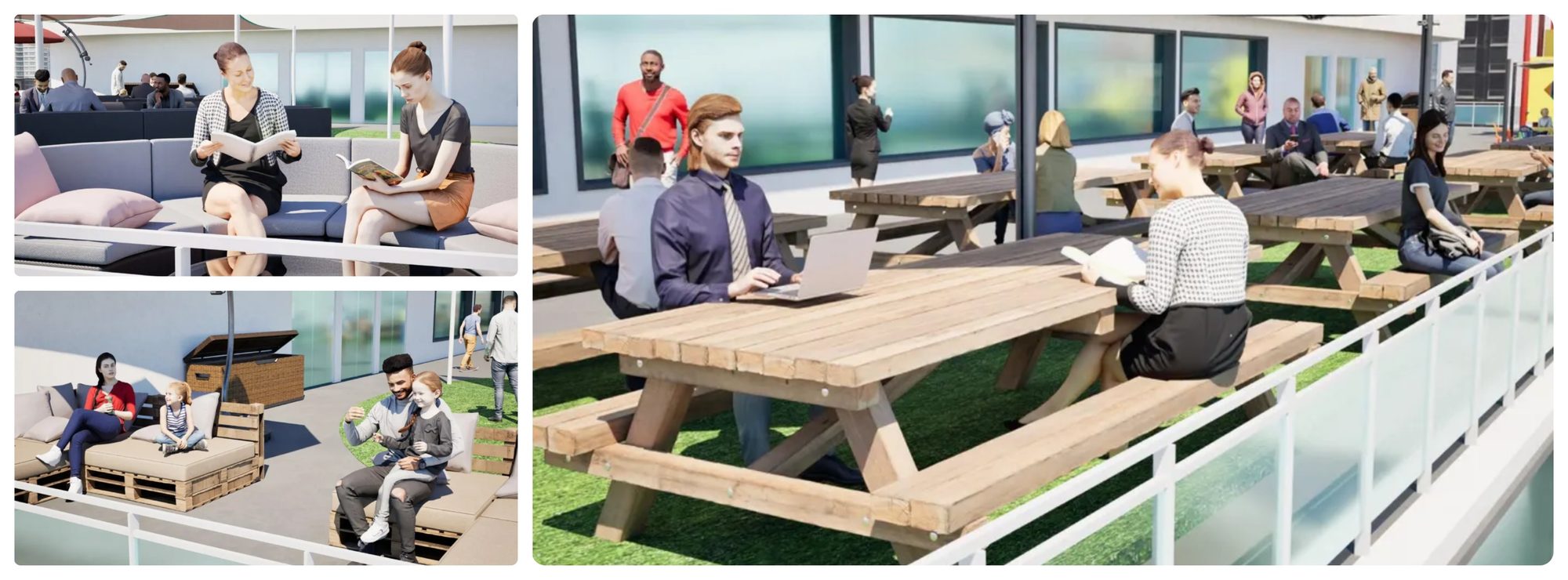
At the same time, Eitan says his thinking became more grounded in the realities of construction.
Last year taught him how easy it can be to overlook constraints such as material strength, cost, and accessibility when working in a digital environment. This time, he deliberately asked whether the ideas he was developing could work beyond the model.
“This year, I focused on making sure my ideas would actually be buildable in real life,” he said.
That meant the hardest part of Make It Heal wasn’t necessarily mastering another piece of software. It was deciding what the building needed to do for people recovering from a wildfire.
Eitan spent significant time researching past wildfire disasters, survivors’ recollections, fire-resistant architecture, and landscaping. As his ideas became more complex, he also began thinking beyond whether something simply looked plausible, considering questions of structural support and material behavior and recognizing where more advanced analysis would be necessary.
“The design and conceptual work was harder,” he said. “This year, the focus was really on the impact a space would have on the residents in their time of need, and I really wanted to be intentional and thoughtful about it.”
And when Eitan encountered something he didn't know how to do, he developed a process for that, too.
Before he felt confident working in Revit, for example, he spent hours following basic house tutorials on YouTube. From there, he experimented independently, turning to search and community forums when he encountered specific modeling problems.
That ability to teach himself may become especially important as the technologies used by architects, engineers, and builders continue to evolve.
Eitan already sees AI through that lens. He uses it primarily for research and preparation—helping him work through technical specifications, articles, and research papers—rather than for the modeling and design itself.
“Having a solid understanding of the foundational principles is a requirement for success in the AI era,” he said. “Artificial intelligence is great for reducing the amount of tedious work involved, but if you can’t understand and judge its output, you won’t be able to use it effectively.”
There is another part of the process Eitan believes technology can’t decide for him: the creative direction.
“The one thing that AI can never truly have is taste,” he said, “and so I think it’s very important to have a good idea of your creative vision and guide any AI accordingly.”
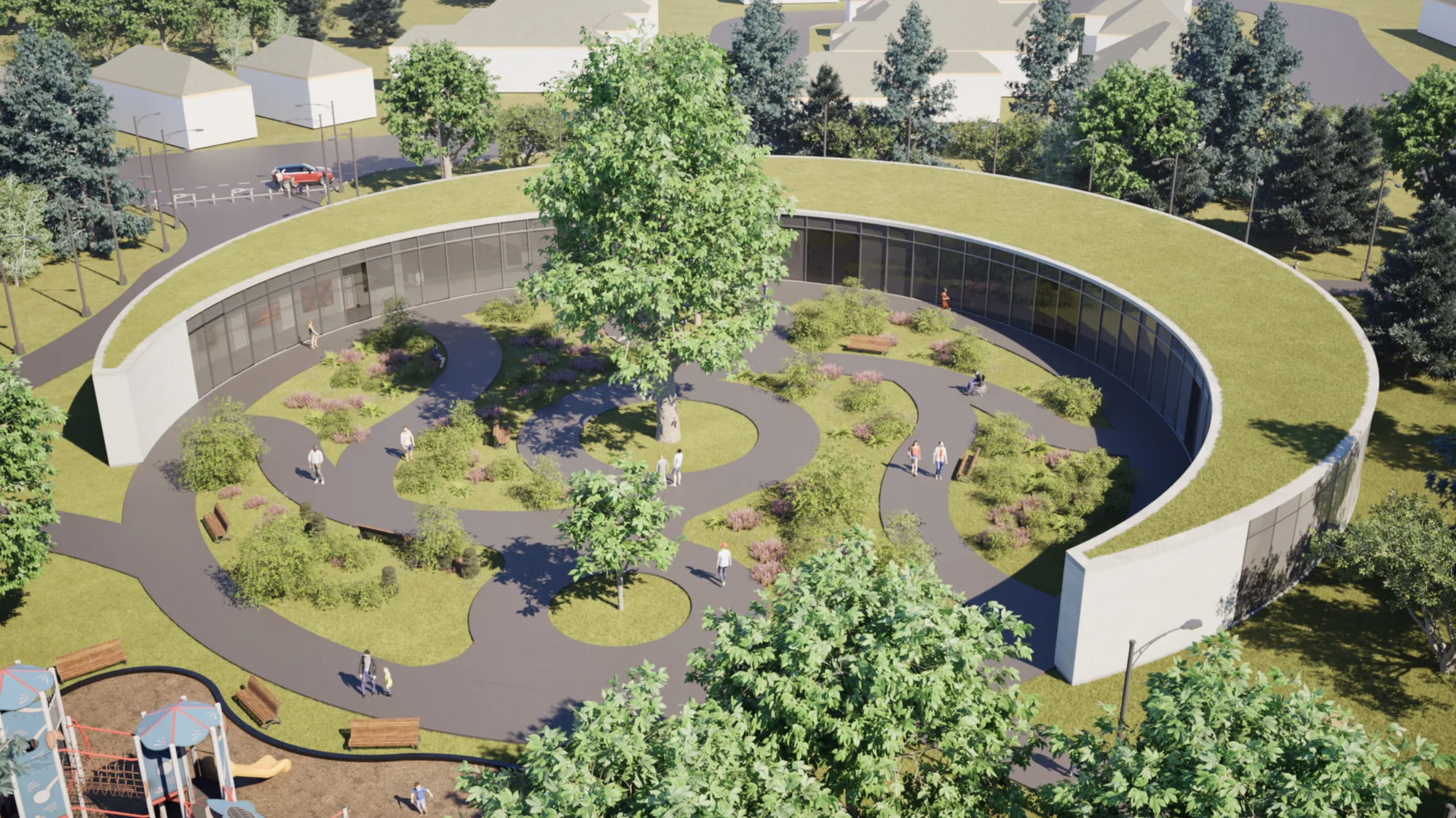
Eitan’s work is one example of the ambitious thinking we saw across this year’s Make It Heal winners. The two Design Grand Prize winners likewise combined research, technology, and human-centered design to explore what resilient communities could look like in very different places.

There is an understandable temptation, when talking about workforce readiness, to focus on today’s technology.
But today’s students will spend their careers working with technology that continues to change.
Eitan’s progression across these two projects suggests that fluency with the tools can create room for something more important: the confidence to tackle harder problems, the judgment to recognize real-world constraints, and the ability to learn what you need as the problem evolves.
The common denominator isn’t one Autodesk product.
It is the Design and Make process itself: encounter a problem, understand the people affected by it, research the constraints, imagine possibilities, select the right tools, test an idea, discover what doesn’t work, and iterate.

We can see similar patterns across the larger Make It Heal portfolio.
Thirty percent of reviewed projects used multiple Autodesk products, and those projects generally demonstrated more sophisticated workflows, stronger iteration, more advanced architectural thinking, and better documentation.
More importantly, students demonstrated site analysis, research synthesis, user-centered design, iteration, physical prototyping, sustainability analysis, and resilience planning. The strongest projects increasingly resembled early university architecture portfolios rather than classroom assignments.
Together, these skills show that students are learning more than how to use software—they’re learning how to approach and solve real-world design and construction problems.
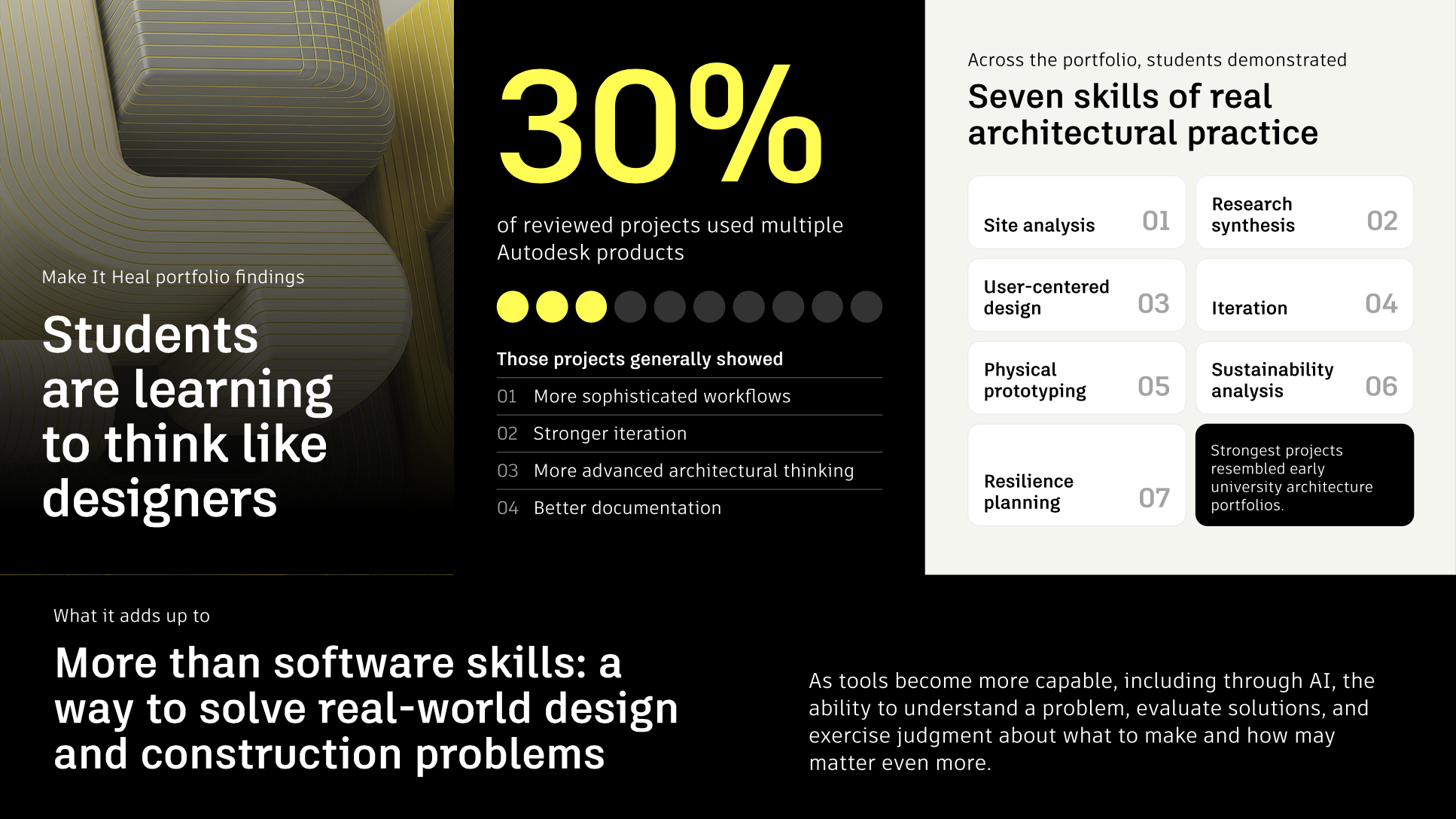
And as tools become more capable—including through AI—the ability to understand a problem, evaluate possible solutions, and exercise judgment about what to make and how may become even more important.
Make It Heal began by asking students a deceptively simple question: What if the built environment could be part of the healing?
The answers came back in more than 100 different forms.
For Eitan, that journey has now stretched across two challenges: from housing designed around health, accessibility, and sustainability with his brother Nadav to an entire community recovery system designed around resilience, dignity, and belonging.
Two projects cannot tell us exactly where his career will lead. But they can show what happens when a young person has repeated opportunities to tackle consequential problems with increasingly sophisticated tools—and to learn from each attempt.

Lynch’s assessment of Eitan and Nadav’s first project feels even more significant when viewed against that progression: technical skill coupled with empathy, innovation grounded in practicality. A year later, Bademosi saw those same qualities reflected in Eitan’s approach to a very different problem—and as part of something larger taking shape across the next generation.
“What gives me real optimism is a generation that already understands the job is bigger than the technical work: they match skill with empathy for the people their buildings serve, and they keep their ideas grounded in what’s practical and buildable,” Bademosi said. “That has always been the combination our industry needs most, and it tells me the future is in capable hands.”
We spent thirty years teaching the construction industry to stop working from stale information.
Nobody builds off a drawing set that is two weeks old anymore. Nobody walks a jobsite with a roll of paper under their arm hoping it matches what the design team issued on Tuesday.
We moved documents to the cloud. We moved models to the cloud. We connected issues to RFIs to cost, and we got very good at one specific idea: the information in front of you right now should reflect the project as it actually is right now.
That idea worked. Ask a superintendent when they last hand-checked every reference in a drawing set.
Then look at how the same company tracks labor.
On a typical job, labor is the largest cost category a contractor manages, and in a FMI Labor Productivity Study, project examples showed labor running 42% to 52% of total cost. It’s also usually the last major cost category still reconstructed after the fact, tracked on spreadsheets and timesheets days or weeks after the work happened.
It is also, on most jobs, the only major cost category still reconstructed after the fact.
A foreman finishes the week, sits in a truck on Friday afternoon, and tries to remember what eight people did across four cost codes over five days. Some of it is right. Some of it is close. The parts that were unusual, like the two hours a crew spent on work that was clearly out of scope, are the parts most likely to be lost, because they were the hardest to remember and the least like everything else on the sheet.
That paper travels to the office. It gets keyed in. It reaches accounting. By the time job cost reports reflect the week, the week is three weeks gone.
Everyone in the business knows this. What is strange is how normal it feels. We would never accept a three-week lag on drawings. We accept it on the biggest number on the job without much comment, because the alternative has always seemed to require the one thing the field will never absorb: more paperwork.
The pressure is not letting up, either. In AGC of America's 2026 outlook, 82 percent of contractors reported difficulty filling hourly craft positions, the highest share in three years, and workforce shortages have become the leading cause of project delays. When crews are the constraint, knowing how crew hours are actually being spent stops being a back-office nicety.
This is the part that gets designed wrong most often.
The instinct is to solve a data problem by asking for more data. Add a second app. Add a form. Add a reporting step at the end of the day. The office gets what it needs and the field absorbs the cost, which is exactly the arrangement that produced the Friday afternoon truck cab in the first place. Adoption collapses, the data arrives incomplete, and the office quietly goes back to the spreadsheet.
The workable version runs the other way. You do not add a capture step. You replace the paperwork that already exists with one entry that produces all of the outputs.
A foreman opens a phone, pulls up the crew, allocates hours against cost codes that came down from the project's actual budget, and notes what got installed. That one entry becomes:
The foreman is doing less work than before, not more. That is the only version of this that survives contact with a real jobsite.
Two details matter more than they sound like they should. It has to work in Spanish, because a meaningful share of front-line leadership in this industry works in Spanish. And it has to work with no signal, because parking garages, mechanical rooms, and rural highway jobs do not care about your architecture. For crews who share equipment or leave phones in the truck, a shared kiosk on the job covers the rest.
The obvious benefit is speed, but speed is not really the point. A current number is an actionable number. A stale number is a postmortem.
You find out while you can still do something about it. Production variance against budget shows up in period rather than at month end. A crew running behind on a cost code is a staffing decision on Wednesday. The same information a month later is a lesson learned.
Extra work reaches the invoice. T&M and change order work is where contractors quietly lose money, and usually not because anyone disputes that the work happened. Research from Clearstory and Dodge Construction Network found that 77 percent of specialty contractors have written off change order work as bad debt, that 83 percent say the change order process hurts their cash flow, and that the most common reasons GCs reject or reduce a claim are disputed pricing and insufficient backup documentation. The same research clocks the average trip from a signed T&M tag in the field to a priced change order request at 22 days, with another 26 days waiting on GC approval.
Captured at the moment it happens, with crew, hours, quantities, photos, and a signature attached, extra work stops being a negotiation and starts being a record. One project engineer at Champion Specialty described the before state plainly:
“Prior to Rhumbix we had $1M cost in T&M, only $600k invoiced, and no one could decipher what was in there.”
Project Engineer, Specialty Contractor
The office stops doing data entry. When field data arrives structured and cost-coded, payroll changes character. Payroll manager at Commercial Contracting Corporation, puts it at roughly 60 hours a week saved, and describes a department that "transformed from being a data entry department, to a quality control department." Customers at ArchKey report better than 90 percent improvement in payroll accuracy, and Turner reports cutting payroll processing time by 93 percent.
Foremen get their week back.
“Those hours saved add up. It's crazy. 40 hours a week just for foremen alone.”
Project Engineer, Specialty Contractor
That is time going back into running work.
Next year's bid gets better. Actual unit rates by crew and cost code, collected consistently across projects, are the closest thing this industry has to a feedback loop on estimating. Most contractors have never had them at that resolution.
The labor record holds up later. Multi-union classifications, shift differentials, per diem, and prevailing wage rules are configured into the point of capture, so the record is built as the work happens rather than reassembled during an audit. Certified payroll still runs in the ERP, where it belongs. What changes is the quality of what it has to work with. DPR runs more than 11,000 California clock-ins a month this way.
Field data that lives in its own system is a better version of the same problem. It has to move.
Rhumbix works in two ways with Autodesk Forma Build. Projects, budgets, and cost codes come down into the field app, so crews code against the office's structure instead of a parallel list somebody reconciles later. Actual labor cost, change management, forecasting, and documentation flow back up, including T&M tags that land in cost management and can be associated with potential change orders. Production tracking connects to Assemble and Navisworks, which is what turns installed quantities into progress against the model rather than a number in a spreadsheet.
And because plenty of contractors run their financials somewhere else, Rhumbix integrates with the construction ERPs already in place, including Sage 300 CRE, Viewpoint Vista and Spectrum, Foundation, COINS, and Penta.
The net effect is not a new dashboard. It is that the crew hour stops being an isolated fact and starts behaving like every other piece of project information: current, structured, and connected to the decisions it should be informing.
We made documents current. We made models current. We made cost and schedule current. The work itself, the people actually installing it, stayed on paper longer than anything else. It happens to be the most expensive part of the job.
Closing that loop does not require a new theory of construction. It requires giving front-line leaders a tool that costs them less time than the clipboard did, and then treating what they capture as first-class project data.
Starting October 7, 2026, bundling Rhumbix with Autodesk Construction Operations gets you 20% off. If you're purchasing both together for the first time, you get 20% off Construction Ops. If you already have Construction Ops and are adding Rhumbix, you get 20% off Rhumbix.
The offer runs now through January 31, 2027.
Talk to your Autodesk account team to see what the offer looks like for your business, or visit rhumbix.com to see what your own labor data looks like when it is current.
Autodesk makes software and services available on a licensed or subscription basis. Rights to install, access, or otherwise use Autodesk software and services (including free software or services) are limited to license rights and services entitlements expressly granted by Autodesk in the applicable license or service agreement and are subject to acceptance of and compliance with all terms and conditions of that agreement. When you subscribe to a plan, it may renew automatically for a fixed fee on a monthly or annual basis, subject to availability. All benefits and purchase options may not be available for all software or services in all languages and/or geographies. Access to cloud services requires an Internet connection and is subject to any geographical restrictions set forth in the terms of use.
AUTODESK RESERVES THE RIGHT TO CANCEL, SUSPEND OR MODIFY PART OF, OR THIS ENTIRE PROMOTION, AT ANY TIME WITHOUT NOTICE, FOR ANY REASON IN ITS SOLE DISCRETION. PRICES FOR AUTODESK SOFTWARE ARE SUBJECT TO CHANGE. This offer is available for commercial copies only from Oct. 7, 2026 through Jan. 31, 2027, may not be combined with other rebates or promotions, and is void where prohibited or restricted by law. This offer cannot be combined with any conditions or discounts provided by Autodesk to contracted accounts, including but not limited to: accounts with enterprise business agreements, volume purchase agreements, or accounts purchasing extra territory rights. If applicable, this offer cannot be combined with the government customer discount program. The offer is only available through Autodesk.com or an Autodesk authorized reseller. Reseller prices may vary, more information on Autodesk resellers can be found at https://www.autodesk.com/partners/locate-a-reseller.
With this Rhumbix and Autodesk Construction Operations Bundle offer, customers save 20 percent instantly off the Autodesk global suggested retail price (SRP), excluding taxes.
Autodesk, the Autodesk logo, Rhumbix and Autodesk Construction Operations are registered trademarks or trademarks of Autodesk, Inc., and/or its subsidiaries and/or affiliates in the USA and/or other countries. All other brand names, product names, or trademarks belong to their respective holders. Autodesk reserves the right to alter product and services offerings, and specifications and pricing at any time without notice, and is not responsible for typographical or graphical errors that may appear in this document. ©2026 Autodesk, Inc. All rights reserved.
The abundance of data and AI tools in construction can be a double-edged sword. On the one hand, AI can help teams analyze information, crunch the numbers quickly, and surface insights that would be difficult to uncover manually.
The thing is, AI tools don’t necessarily distinguish between good and bad data.
If your information is clean, accurate, and reliable, then great. AI can help you make better use of it. But if you feed it incomplete, inconsistent, or inaccurate data? You risk getting unreliable outputs at a much faster pace.
On this episode of the Digital Builder podcast, we welcome Eddy Krygiel, Senior Manager, AEC Data Model Strategy at Autodesk. We dig into a lot, including what good and bad project data look like, how AI can help teams improve data quality at scale, and why organizations should be intentional about the information they collect in the first place.
Check out the full episode below or read through the highlights.
We discuss:
Then and now: how teams manage data
Construction teams have always produced a lot of project information. But the sheer volume and variety of that data have changed dramatically.
Eddy has seen that shift firsthand. “I started my very first project drawing on boards, drawing by hand, ink on Mylar, very old school,” he says. By his last project as an architect, the team was producing “tens of thousands of sheets of documents to create a building of roughly the same size.”
And it’s not just the volume that has grown. Teams now have far more types of information to manage.
“It used to be just drawings and submittals. It’s now models and asset data; all kinds of other things the owners are asking for in order to document a project.”
Put simply, as Eddy says, “the data’s really exploded.”
Bad data isn’t limited to one part of a project. “Bad data can creep in really just about anywhere,” he says. “It can be in something as universal as a door schedule or just in any of the attribution that are in any of the objects in a Revit model.”
The bigger challenge is keeping up. Teams have gotten better at improving data quality, but the amount of information they produce continues to grow. As Eddy points out, “The data’s growing faster than we can actually make it good.”
So, where do you start when you have thousands of potential errors to address?
Focus on the data you’ll actually use
Trying to clean up everything at once isn’t always practical or necessary. Instead, Eddy recommends figuring out which information matters for a particular use case and project phase.
“You’re not going to use all of it. You might use some of it for some things, some of it in some phases.”
From there, teams can target the right information and refine it throughout the project. “We want to make sure we’re harvesting the right bits of data and then actually ideally kind of ignoring the stuff that doesn’t make any sense.”
Don’t let perfect get in the way of progress
A good data strategy also doesn’t need to be perfect from day one.
“Data curation is really a journey. It’s not a destination. Perfection can actually get in the way of good enough.”
Start with a solid baseline, improve it over time, and focus your efforts where they’ll create the most value. AI could make that process much more manageable, helping teams refine growing volumes of information and help teams keep up.
When project inputs vary from one team or tool to another, collecting more data isn’t necessarily the answer. Instead, owners need to get clear on what information they’ll actually use.
According to Eddy, many owners start by creating data standards and ways to “check and validate data.” But they often find they’re only using “50%, 60%, maybe 30%” of what they asked teams to capture.
“So they scale it down, but as they scale it down, they also improve quality,” he says. The goal is to find the “sweet spot” between maximum value and maximum quality.
That also means having conversations about data requirements early. As Eddy puts it, owners may “ask for all kinds of data, but that might not be the data that they need.”
The key is to hone in on useful information, so teams can “grow and mature that data over time,” creating value for designers, engineers, contractors, and ultimately, owners.
When it comes to AI, more data doesn’t automatically lead to better results. In fact, throwing everything you have at an AI tool can create new risks.
According to Eddy, problems can arise when teams take “all of the data,” dump it into a data lake, and then try to use all that information at once to produce a result.
The teams seeing the most success take a more focused approach.
“The ones that we see are the most successful with AI are the ones that are very picky about what information they’re gathering and what outcomes that they’re trying to create,” he says. “It’s a very outcome-based approach.”
One example is using AI to analyze data from previous projects to inform RFP responses. Rather than manually digging through years of project information, teams can pull out specific metrics and insights relevant to the next opportunity.
And the potential grows as the underlying information improves. According to Eddy, “As our data continues to get refined and as those models continue to become better quality, I can do more and more with it.”
Building a data strategy can feel overwhelming, especially when you consider how much information teams have to manage. Eddy’s advice? Start with the straightforward stuff, then build from there.
Start with the “yes or no” questions
Eddy compares the process to spell check and grammar check in Microsoft Word. Spell check is straightforward: “Your word is either spelled correctly or it’s not. So it’s very black and white.”
That’s a useful starting point for project data, too. Rather than tackling every possible issue or use case, start with questions that have a clear answer.
“I think where we see a lot of value being had immediately is the black and white. Can we make this answer yes or no?”
Once you can reliably validate those basics, you can move on to more nuanced questions.
From spell check to grammar check
The next stage is more like checking grammar. There isn’t always one right answer. As Eddy explains, “There are a number of ways to do it correctly, and we want to basically begin to find those ways and then expand from there.”
AI can play an important role in that progression. “If we start with the idea that we’re going to spell check and we get the spelling right, then the AI can then help us with the grammar, so we get the sentence structure right.”
Keep humans in the loop
Even as AI takes on more sophisticated analysis, people still need to provide context.
“What you still need the human for is context,” Eddy says. “Is this the story that I want to tell? Is this the message that I want to deliver within the context of the environment and the way I’m delivering it?”
The goal isn’t to hand the entire data strategy over to AI. It’s to validate the fundamentals, organize the information properly, and use AI to help make sense of it. That leaves people to apply their experience and context to “tell the better version of the story they want to tell.”
Digital Builder is hosted by me, Eric Thomas. Remember, new episodes of Digital Builder go live every week. Listen to the Digital Builder Podcast on:
or wherever you listen to podcasts.
Bid opportunities rarely arrive in one neat place. For subcontractors, invitations can come through BuildingConnected, other bidding platforms, general contractors, emails, and even phone calls.
For many subs, tracking all of those opportunities means switching between different systems, updating spreadsheets, chasing down project details, and manually tracking deadlines.
That fragmented approach isn’t optimal, for obvious reasons. Not only are you doing extra admin work, but having your bid data scattered across systems makes it harder to see which bids really need attention.
One potential solution is having an online bid board.
An online bid board brings those opportunities into one centralized place, so subcontractors have better visibility into their pipeline and team. With the right system, teams can sidestep manual work and wasted time. Ultimately, this means you can stay on top of deadlines and use your time to focus on projects you’re most likely to win.
Want to see how this works in practice? Watch the on-demand webinar, Win More Work With an Online Bid Board. You can also read through the highlights below.
An online bid board is a centralized digital workspace for managing bid invitations, project details, deadlines, assignments, and pursuit status. It gives you one shared source of truth, so you don’t have to track information across disparate tools, spreadsheets, or inboxes.
Bid Board Pro is Autodesk’s online bid board for subcontractors. It brings opportunities from different sources into one place, where teams can track bids, assign work, and collaborate.
Subcontractors can also use features like Client Suggestions and Plan Room to discover additional opportunities through the BuildingConnected network.
If your bid management process involves a mix of spreadsheets, emails, files, and information from different bidding platforms, you’re opening your team to certain risks.
The problem is that these systems depend heavily on manual updates. A due date changes but doesn’t make it into the spreadsheet. An invite lands in the wrong inbox. A follow-up gets missed because no one is sure who owns it.
The risks compound as bid volume grows. When you don’t have clear visiblity into what’s happening with your bids, two estimators can unknowingly work on the same opportunity, wasting valuable time and potentially even submitting different numbers to the same general contractor. Meanwhile, limited pipeline data makes it harder to determine which opportunities deserve your estimating resources in the first place.
These inefficiencies can slow proposal turnaround and make it harder to improve hit rates over time. Every hour spent maintaining spreadsheets or tracking down information is time that could have gone toward evaluating opportunities and building stronger bids.
As Mather Neil, Principal Product Manager at Autodesk, says in the webinar, when opportunities are “scattered across a bunch of different tracking sources in your email or other places, it’s really easy to miss multiple invitations tied to the same project.”
Winning more work doesn’t necessarily mean bidding on everything that comes your way. In fact, some subcontractors already have plenty of opportunities. In some cases, the bigger challenge is staying organized enough to focus your estimating resources on the work that makes the most sense for your business.
An online bid board can help in several ways:
Centralize opportunities
Bringing bid invitations into one place gives teams a shared view of their pipeline, even when opportunities originate from different sources. With Bid Board Pro, for example, opportunities received outside BuildingConnected can be forwarded into the platform, which pulls relevant information from the invite and creates an opportunity on your bid board.
Prioritize the right projects
Centralized bid data makes it easier to understand which projects and clients are producing results.
Over time, teams can identify patterns around where they’re winning, which GCs they perform best with, and where their estimating time is best spent. That gives teams more information to decide which opportunities deserve their attention.
Improve accountability and collaboration
Clear ownership helps eliminate the question of who’s handling what. Assigning opportunities to individual team members makes responsibility visible, while shared comments can keep estimators, preconstruction teams, and other stakeholders aligned as the bid progresses.
Stay ahead of deadlines
When you have your bid due dates, job walks, RFI follow-ups, and other milestones together in one place, it’s simpler to stay ahead of what’s coming. Shared calendars can also give team members visibility into important dates without relying on manually maintained spreadsheets.
Discover new opportunities
An online bid board can help subcontractors find work beyond the invitations already coming in. BuildingConnected’s Client Suggestions can surface other GCs bidding on the same project, while Plan Room lets subcontractors explore projects that GCs have intentionally shared with the BuildingConnected network.
The right bid management software should make it easier to manage opportunities from intake through submission while giving your team the information it needs to make better pursuit decisions. This is especially important as subcontractors manage bids across a growing number of platforms and sources, often with limited resources.
When evaluating a construction bid board, look for these core capabilities:
Centralized bid tracking - The software should let you bring opportunities from different platforms and sources into one place rather than maintaining separate spreadsheets, inboxes, and systems.
Clear status and ownership - Your team should be able to quickly see where each opportunity stands, who owns it, and what needs to happen next.
Team collaboration - Look for assignment tools, internal communication features, and shared calendars that help estimators and other stakeholders stay aligned.
Bid history and pipeline data - Tracking wins, losses, clients, and past opportunities gives you useful context for future pursuit decisions. “The better data that you put into Bidboard, the better your historical analysis is going to be,” says Mather.
Tools for evaluating opportunities - Good bid management software should help you understand factors such as client, scope, location, and past performance so you can determine where your estimating resources are best spent.
Access to relevant opportunities - If finding new work is a priority, consider whether the platform connects you directly with contractors and projects that fit your service area and scope.
In BuildingConnected Pro, for example, GCs can intentionally publish projects to Plan Room for subcontractors to discover and join.
Your needs may also depend on your growth strategy. According to Samira Tily, Sr. Product Marketing Manager at Autodesk, opportunity discovery can be particularly useful when “you’re going into a brand new area” where you don’t yet have established relationships.
So, what does a more organized construction bidding process look like in practice? While every subcontractor has its own approach, an online bid board can create a solid path from receiving an opportunity to deciding whether it deserves your team’s time.
The result is a repeatable process where opportunities have a clear status, owner, and next step, making it easier to keep bids moving without relying on disconnected spreadsheets or inboxes.
See how BuildingConnected Bid Board Pro supports this workflow in the on-demand webinar, Win More Work With an Online Bid Board.
When estimating and business development teams have a centralized view of the bid pipeline, they can make better decisions. Leaders can see how many opportunities are active, who is handling them, and where workloads may be getting stretched. They can also look at bid activity and outcomes to understand which opportunities are producing results.
That visibility can lead to more productive conversations between teams. Instead of simply asking how many bids are in the pipeline, leaders can look at which GCs they’re winning with, where they’re losing, and whether the opportunities they’re pursuing align with the company’s priorities.
As Mather explains, the day-to-day work of keeping bid information organized can also “power analysis into the future.”
In that sense, an online bid board can become more than bid tracking software. It gives teams a foundation for managing their pipeline more strategically and making better-informed pursuit decisions.
Bid Board Pro brings several parts of subcontractor bid management into one workflow. Teams can centralize invitations from different sources, assign opportunities to specific people, track important dates, and collaborate through internal comments. That means fewer disconnected spreadsheets, less uncertainty around ownership, and a clearer view of what needs attention.
The platform also helps teams understand what’s happening across their pipeline. Company-wide analytics can surface win rates, bid activity, performance by GC, and team workloads, giving subcontractors more context about where to focus their resources.
And for teams looking to grow their pipeline, Client Suggestions can identify other GCs bidding on the same project, while Plan Room surfaces projects that general contractors have intentionally shared with the BuildingConnected network.
Winning more work isn’t simply about submitting more bids. It’s about knowing which opportunities deserve your time and giving your team the information it needs to pursue them effectively.
Centralizing bid opportunities creates a stronger foundation for that process. With better visibility, clearer ownership, and easier collaboration, teams can spend less time chasing information and more time evaluating opportunities and putting together competitive proposals.
Ultimately, better bid management helps subcontractors make more informed pursuit decisions and focus their resources where they have the best opportunity to succeed.
Watch the on-demand webinar, Win More Work With an Online Bid Board, to see how Bid Board Pro can help your team simplify bid management and pursue the right opportunities with confidence.
In September, Autodesk Forma introduces over 75 construction product updates to support more efficient, connected project delivery. These releases strengthen how teams manage access, information, and change across projects.
Dig in by Topics:
Autodesk AI | Permissions Expansion
Autodesk Assistant extends permission-aware insights to project users while maintaining enterprise governance and existing data access controls.
Product: Forma Platform (Access varies by subscription type)
Bridge | Bridge-Level Watchers
Project Admins can add project members or project roles as watchers on a Bridge connection. The connection creator is added as a watcher by default, and watchers can receive email notifications about supported sharing activity, share failures, automation changes, and connection deletion. This gives teams a targeted way to keep the people who rely on a specific Bridge connection informed.
Product: Forma Platform
Dashboards | My Home - Resizable Cards
My Home becomes more configurable with Resizable Cards. Project members can change card sizes to show more detail where it matters or make cards more compact to fit additional information into the Home view, then arrange the layout around their preferred way of monitoring work.
Product: Forma Platform
Data Transitions | Data Transitions Access Request
Hub Admins can request access to Data Transitions directly from Forma. After submitting a request, they are notified when Data Transitions is available for their hub, providing an in-product path to bring supported project information forward from PlanGrid, BIM 360 Next Gen, and BIM 360 Field.
Product: Forma Platform, PlanGrid, BIM 360 Field, and BIM 360 Next Gen
Data Transitions | BIM 360 Data Transitions
Data Transitions is now generally available for bringing supported information from eligible BIM 360 Next Gen and BIM 360 Field projects into Autodesk Forma. Hub Admins with access can import historical project information for preservation and, when needed, transition the imported copy into Forma Data Management.
Product: Forma Platform, BIM 360 Field, and BIM 360 Next Gen
Handover | Support RFIs, Forms, Issues, and Submittals Attachments in As-Built/Handover
As-Built and Handover exports can now include attachments from RFIs, Forms, and Issues alongside existing Submittal attachment support. When References and Attachments are included, supporting files such as photos, PDFs, and other attachments are added to the export package, with report links updated to point to the files in the package.
Product: Forma Platform
Issues | Project Administrators Will Be Able to View Unpublished Issues
Project administrators gain broader visibility into the work happening across the projects they manage. They will be able to view and edit unpublished issues in areas including the Issues log, sheets, models, and generated reports instead of visibility being limited only to the creator, assignee, and watchers.
Product: Forma Platform
Issues | 2D<>3D Pins for Revit Files Beta
Issues stay in sync between the 3D model and every related 2D view, so one issue can be opened, updated and tracked from anywhere it appears.
Product: Forma Platform
Issues | Shared Issues in Forma Board
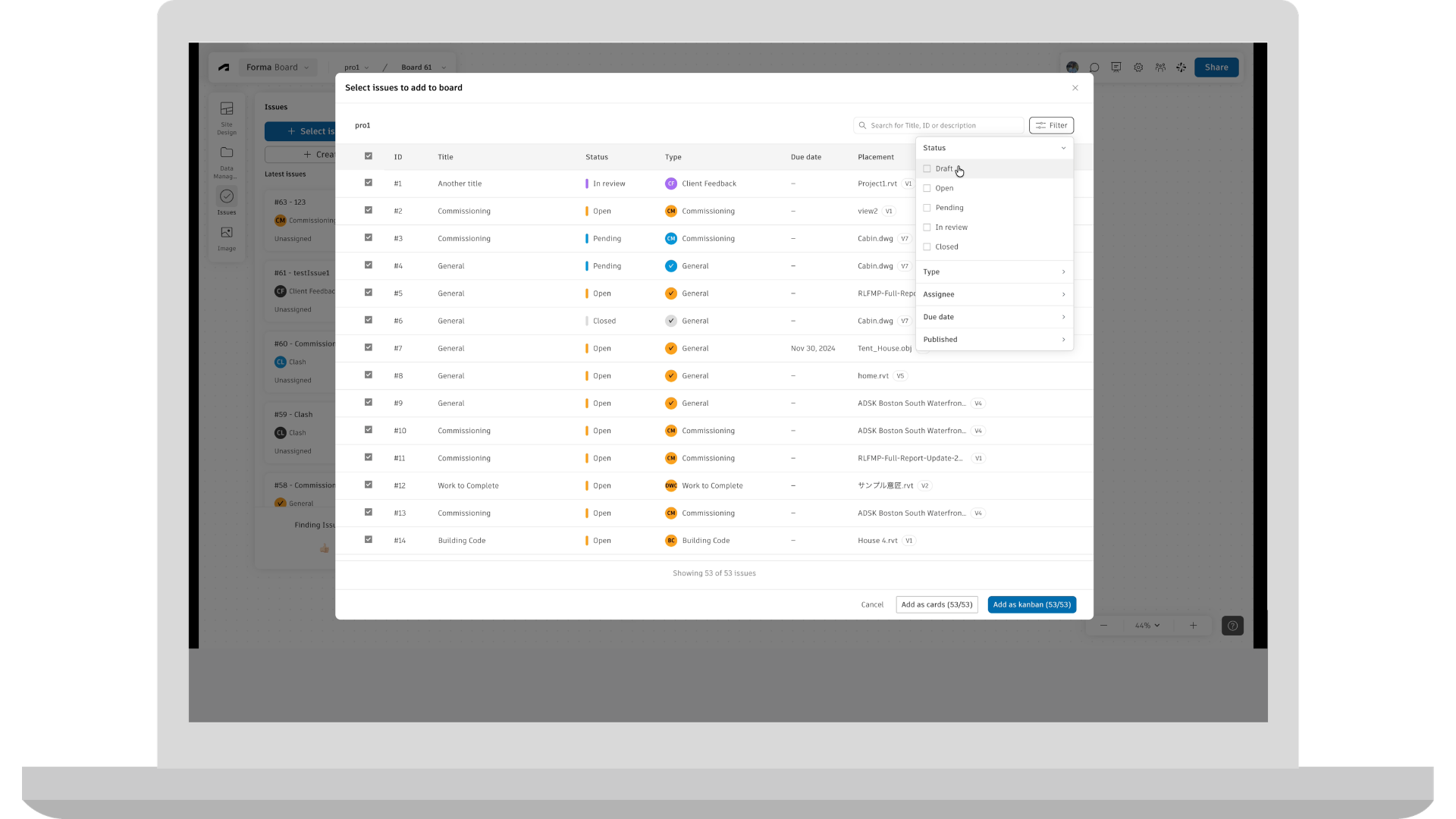
Project teams can now create, view, update, and resolve Issues directly in Forma Board. Issues appear as editable cards that teams can organize visually during collaborative reviews, connecting feedback captured in Board with the project's shared issue-management workflow.
Product: Forma Board
Location | Automatic Mapping of RVT Files to LBS and Boundaries
Reduce the manual setup involved in creating Locations from Revit information. When an RVT file is imported, its levels and areas can be mapped to the Location Breakdown Structure and matching boundaries created automatically, reducing the need to reproduce that structure by hand.
Product: Forma Platform
Reports | Transmittals Data in Insight Builder
Teams can build custom reports on transmittal activity using the Transmittals dataset in Insight Builder. Project-defined fields, filters, and visualizations can be used to analyze the data, with a dashboard template available as a starting point.
Product: Forma Platform
Templates | Require an Account Template for New Projects
Account Admins can require project creators to select a project template when creating a new project. Admins can allow any project template or restrict selection to account-published templates, giving organizations more control over how new projects are set up and helping teams apply project standards from the start.
Product: Forma Platform
User Administration | Restrict Project Admin Invites
Hub Admins can restrict new Project Admin grants so only Hub Admins can assign Project Admin access. When enabled, the restriction applies to invitations, access-level changes, and role assignments that grant Project Admin access. Existing Project Admin assignments remain unchanged, giving organizations more control over future administrative access without removing access already in place.
Product: Forma Platform
User Administration | Roles Page Improvements
Hub administrators can use Roles Page Improvements to review access across roles in a summary view and compare permission differences between multiple roles without opening each role individually.
Product: Forma Platform
User Administration | In-Product Upgrades
Eligible Hub Admins can upgrade supported Forma Build Essentials subscriptions to Forma Build from within Autodesk Forma. The in-product experience presents the available upgrade path based on the subscription and purchasing configuration, supporting self-service checkout for eligible upgrades and alternate guidance when self-service is not available.
Product: Forma Platform
Workflow Studio | Workflow Studio
Automate and standardize your processes with configurable workflows starting with multi-step & branched Form Reviews.
Product: Forma Platform
Files | Folder Permission Report for Project Templates
Admins can export a Folder Permission Report from project templates to review configured folder access before creating new projects. The report provides an offline view of permissions by user, role, and company across the template's folder structure, making it easier to review access settings before the template is reused.
Product: Data Management and Data Management Essentials
Files | Upload Folder of Files
Forma Data Management users can upload a folder or drag and drop it into the Files tool on web while preserving the folder hierarchy. Before the upload starts, the selected folder is checked for supported limits and destination conflicts. Users can monitor upload progress as files and folders are added. This enhancement helps to reduce the manual work of recreating folder structures and uploading files separately.
Product: Data Management and Data Management Essentials
Mobile App | Add Folder Bread Crumb to Files
Files on mobile now displays a breadcrumb for the folder currently being viewed in the Files list and new file picker. The visible folder path stays in view as users browse, making it easier to stay oriented and find information within complex project folder structures.
Product: Data Management
Mobile App | Packages on Mobile
Packages on mobile is now generally available on iOS and Android, giving project members access to package information and the files available to them from the mobile Files experience. Teams can use Packages to access organized project information while working on the jobsite.
Product: Data Management
Coordination | Search Sets and Clash Integration
Use Search Sets in Clash Checks to focus coordination on specific groups of model objects, such as ductwork, structural steel, or a subcontractor’s scope. This helps teams reduce unrelated clash results, focus reviews on relevant model content, and keep clash checks aligned as Search Sets are updated.
Product: Forma Design Collaboration and Forma for Model Management
Coordination | Point Clouds in Model Coordination (Beta)
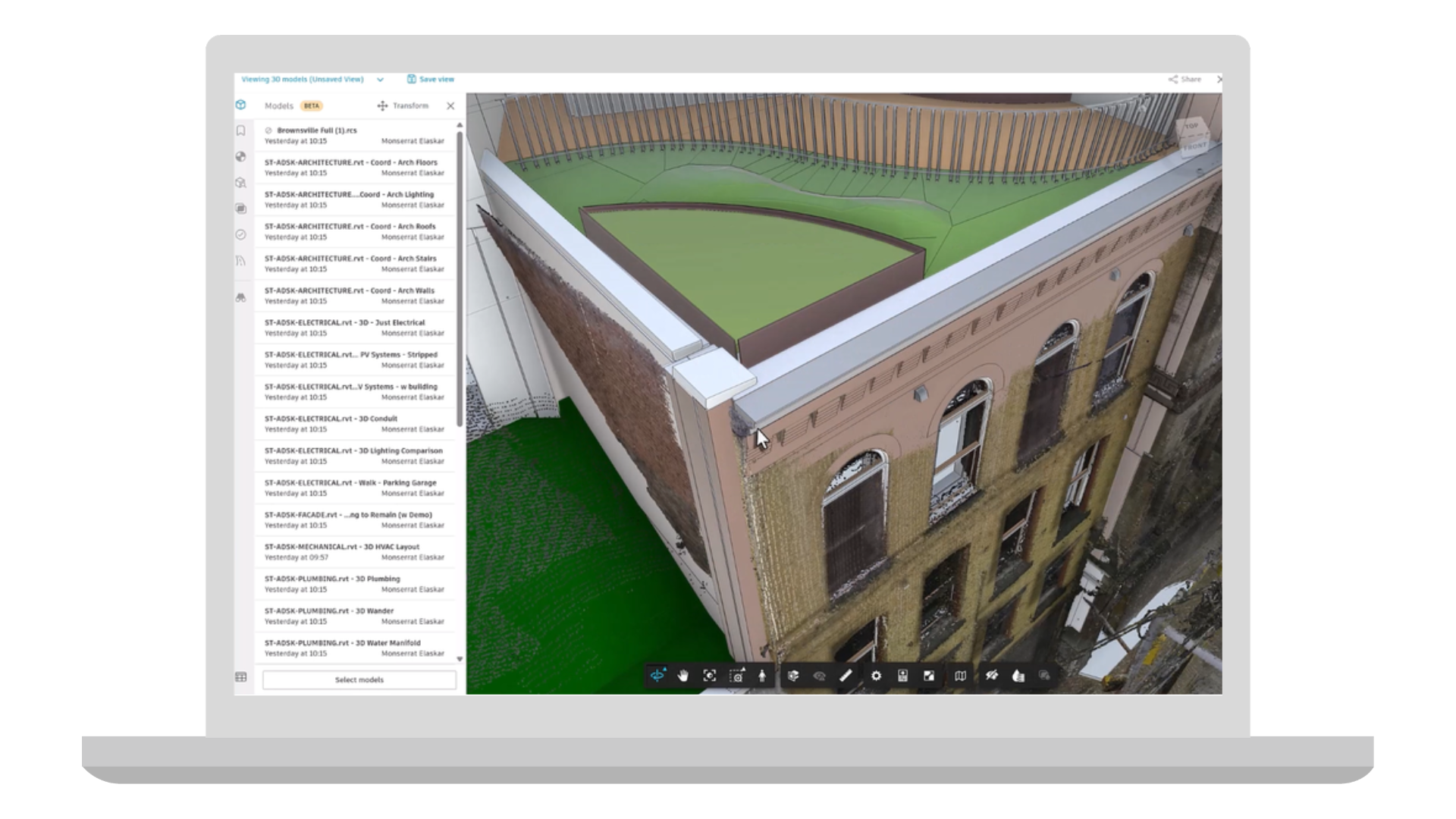
Model Coordination now supports RCS point clouds, allowing teams to view point clouds alongside design models for better context during coordination. This helps validate designs against existing conditions and improve model review workflows.
Product: Forma Design Collaboration and Forma for Model Management
Coordination | Hypermodeling in Model Coordination
Hypermodeling brings your coordinated models and project information together in one connected experience. Instead of switching between 3D models, drawings, and documents, teams can navigate directly between them, making it easier to understand design intent, review coordination issues, and collaborate across disciplines. The result is faster reviews, better communication, and greater confidence that everyone is working from the same project context.
Product: Forma Design Collaboration and Forma for Model Management
Coordination | Search Sets New Capabilities
Search Sets now include new ways to organize, update, and reuse saved queries across project workflows. Teams can group Search Sets into folders and nested folders, import those structures from other Forma projects, and update existing Search Sets in place so connected workflows such as Clash Checks, View filters, and Viewpoint filters stay aligned as project needs evolve.
Product: Forma Design Collaboration, Data Management, and Data Management Essentials
Autodesk AI | Enhancements - Quick Create Issues Powered by Autodesk AI
Expands the current AI-assisted issue creation flow for Issues:
Product: Forma Mobile App (Access varies by subscription type)
Correspondence | Export a Correspondence Log
Export a filtered correspondence log, including metadata and attachments. Download the export to your computer or save it to Data Management for recordkeeping to fulfill compliance, legal and contractual needs.
Product: Build and Forma Design Collaboration
Cost Management | Classification Integration
Classifications can now be used as optional, non-budget organizational segments that let teams group costs in ways that reflect how they work. For example, teams can use Classifications for UniFormat, preferred Main Contract layouts, or other internal methods of organizing and reporting on costs.
Like standard segments, Classifications can be used to create hierarchy, organize information, and slice and dice cost data for reporting. The key difference is that Classifications do not change budget codes or impact integrations, giving teams an additional layer of organization without disrupting existing workflows.
Classifications can be configured and managed in the Library for broader standardization or at the project level to meet project-specific needs.
Product: Build
Cost Management | Email & E-Signature Enhancements
Project Admins can now customize all outgoing Cost Management email subject lines and message content with configurable variables, making communications more recognizable, relevant, and consistent. Using configurable variables, Cost Management will automatically include key project and contract details, such as project number, project name, or contract name, without the user having to manually adding them to each email. This expanded customization applies across all outgoing Cost Management emails, including e-signature communications. By automating the inclusion of important project details, this release helps teams save time, reduce repetitive manual work, and send clearer, more contextual communications.
Product: Build
Forms | Section Assignees in Library and Project Templates
Organizations will be able to save and reuse form templates requiring section assignments from the Hub library and in Project templates. Project teams will not need to rebuild assignment rules from scratch on every project, speeding up new project setup and further enabling standards consistent across a hub.
Product: Build
Issues | Issue-associated Markups on Mobile
Issue-associated Markups in Mobile keeps visual context tied directly to the issue it explains. Teams can create and edit 2D markups associated with an issue, and those markups remain connected throughout the issue lifecycle. They can also be updated or deleted as the issue progresses.
Product: Forma Mobile App
Issues | Enhancements - Quick Create Issues (Standard)
Project members can use now start the photos-first issues in sheets. Consecutive issues can also carry forward previous values to reduce repeated entry when documenting related items and now supports create from issue template.
Product: Forma Mobile App
RFIs | RFI Submission Date
The RFI submission date is now displayed in the RFI record and list, providing clear visibility into when review began and a reliable date for tracking subsequent workflow milestones.
Product: Build
RFIs | RFI Pushpins on Sheets
Create and open RFIs directly from a sheet by placing a pushpin at the relevant drawing location. Connecting each RFI to its visual context helps field and office teams quickly understand where the question applies.
Product: Build
RFIs | Dates in Custom Fields
Create date-type custom fields for RFIs to capture project-specific milestones, deadlines, or other date-based information as structured data, giving teams greater flexibility to configure RFI records around their processes.
Product: Build
RFIs | Excel Summary Reports Columns Control
Choose which RFI fields and columns appear in Excel summary reports, allowing teams to tailor exports to specific audiences and workflows while reducing unnecessary data and manual cleanup after export.
Product: Build
RFIs | Align RFI Dates With Schedule Work Days
Improve timeline accuracy by aligning the RFI calendar with the working days established in the project Schedule. When enabled, RFI due dates and review durations will be calculated using the Schedule’s working calendar instead of standard calendar days, accounting for weekends, holidays, and any project specific non-working days defined in Schedule.
Product: Build
Schedule | 4D Schedules (Public Beta)
Link schedule activities to 3D model elements to visualize where work is happening. Once the schedule and model are connected, simulate the construction sequence to watch the model being built over the schedule timeline. Links stay active when the schedule changes or the model updates.
Product: Build
Specifications | Display Published Submittals on Mobile
Access published submittals within spec details on mobile, giving field teams the latest submittal information alongside relevant specification content. This helps teams verify requirements on-site, avoid relying on outdated information, and keep field work aligned with current project requirements.
Product: Build
Submittals | Include Previous Revisions in Item Detail Report
When exporting the item detail report, toggle on “Previous revisions” to include workflows history and attachments from all prior revisions in the export.
Product: Build
Submittals | Quick Filters on Mobile
Search through the submittals list faster while on mobile using the quick filter dropdown.
Product: Build
Workplan | Inspection & Test Plans (ITPs)
Manage Inspection and Test Plans (ITPs) using Plans in Build. Standardize ITP planning and creation, track execution, and collect documentation needed for quality assurance and commissioning.
Workplan | Task Required Documentation
Attach forms to tasks as required documentation. The task cannot be marked done until the required forms are completed, helping to maintain quality and compliance records and capture documentation before work moves forward.
Product: Build
Workplan | Saved Filters
Save filters, searches, sorting, and table configurations as reusable task views. Create personal or shared project views to quickly return to important task sets without repeatedly rebuilding the same task list configuration.
Product: Build
Workplan | Task List Customized Sorting
Arrange the task list in the order that best reflects how work will be reviewed or executed. The custom sequence is saved with the plan, allowing teams to organize tasks around the actual construction sequence instead of system-defined sorting.
Product: Build
Workplan | Plan Details
Add attributes to Plans, such as Status, Description, Location, WBS, and Plan Owner. See this information without opening individual tasks, to easily understand each plan’s purpose, ownership, location, and lifecycle stage. Metadata also makes it easier to organize, filter, and report across multiple plans.
Product: Build
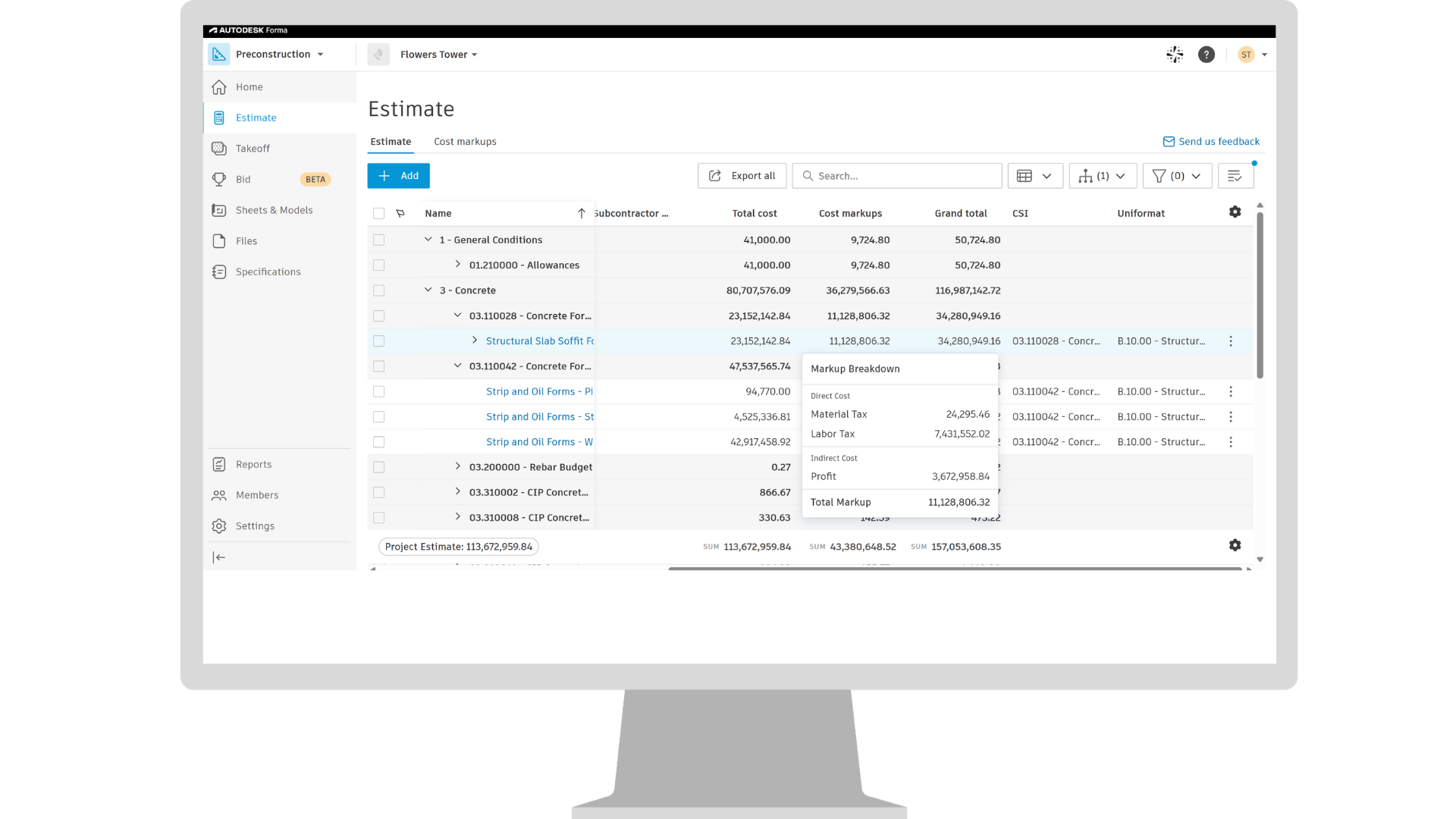
Takeoff | Connected Takeoff Sheets and Files
Brings Takeoff Sheets into Forma Data Management > Files tool, making them centrally available in the project and accessible across Autodesk Forma products with unified permissions and expanded workflows beyond Takeoff. Applicable to new projects only. Migration of exiting projects will begin shortly after the initial release.
Product: Takeoff
Takeoff | Enhanced Classification Support
The hub‑level Classification Library serves as a shared source of truth for Preconstruction tools, including Forma Takeoff and Format Estimate. The system will support up to five classification structures per project, with the flexibility to pull classifications from the hub level or manage them directly at the project level. Applicable to new projects only. Applicable to new projects only. Migration of exiting projects will begin shortly after the initial release.
Product: Takeoff and Estimate
Estimating | Import to Estimate
Enables users to import estimate line items with quantities and costs directly into Forma Estimate using a standardized Excel template. This streamlines the transition from spreadsheets and legacy estimating workflows, reducing manual data entry, and helping teams get estimates into Forma Estimate faster.
Product: Estimate
Estimating | Cost Markups Enhancements
Improves how cost markups are represented, applied, and managed in Forma Estimate by bringing greater visibility into how markups interact with line items and contribute to overall estimate totals directly within the Estimate table. This helps estimators better understand the impact of markups on project costs while reducing the need for workarounds outside the system.
Product: Estimate
Builders Network | Company Profile Data Editing in Forma Bid (Beta)
Enables users to manage and update company profile and office information directly within Forma Bid (Beta), creating a more seamless experience without leaving the bidding workflow in Forma.
Product: Bid (Beta)
Bid Management | Bid Context in Estimate (Beta)
Bring bid context from Forma Bid (Beta) directly into Forma Estimate by displaying the associated RFP and bid package alongside estimate data. This gives estimators greater visibility into how estimate line items align with bidding workflows, helping teams maintain stronger connections between estimating and bid management activities.
Product: Bid (Beta) and Estimate
Bid Management | Connect Estimate Line Items to Bid Packages (Beta)
Connect estimating and bidding workflows by enabling teams to map estimate line items directly to bid packages in Forma Bid (Beta). With estimate values tied to each bid package, teams can compare subcontractor bids against internal estimate values during bid leveling, bringing estimating insight directly into the bid review process.
Product: Bid (Beta) and Estimate
Autodesk AI | Bid Proposal Agent (Beta)
Uses Autodesk AI to transform subcontractor proposal PDFs into structured bid data within Forma Bid (Beta). The agent extracts cost breakdowns, inclusions, and exclusions, and presents the results alongside the source PDF for review and validation. Agent will be available as beta, and must be enabled individually for each RFP.
Product: Bid (Beta, Access varies by subscription type)
Bid Management | Classifications on Bid Packages (Beta)
Extend the same classification systems used in Forma Takeoff and Forma Estimate to bid packages in Forma Bid (Beta). This creates a consistent structure across preconstruction workflows, making it easier to organize, filter, report on, and analyze bidding data using the same classification structure used throughout the project lifecycle.
Product: Bid (Beta)
Qualification | Master Services Agreements in Forma Bid (Beta) - MSA documents are now available to view and download from the bidders screen in Forma Bid (Beta), making it easier to access important subcontractor information while reviewing and managing bidders.
Product: Bid (Beta)
Qualification | Capacity Intelligence - Provides new risk insights within Forma Bid (Beta) in the Qualification information for a company, helping general contractors understand how much work a subcontractor is actively pursuing with their company and when they may be approaching capacity limits. This added visibility helps teams identify potential overcommitment risks earlier in the bidding process and make more informed qualification and award decisions.
Product: Bid (Beta)
In this article, Adrian Trujillo, BIM Coordinator at Reid Brewin Architects, shares how he explored Autodesk Data Exchange and Power BI to make BIM information easier to access and understand on a complex data centre project.
Data centres are some of the most information-intensive projects I have worked on. Their complexity comes not only from the scale of the buildings, but from the number of critical systems that need to operate together. IT capacity, electrical infrastructure, cooling, backup power, fire protection, physical security, telecommunications and operational requirements are closely interconnected, and each of them generates information that needs to be coordinated throughout design stage.
BIM gives us an effective environment for managing that complexity, but as the models become richer, another challenge appears. The information may already exist in the model, yet answering a simple project question can still require opening views, schedules, properties, or individual elements. I wanted to explore whether we could keep the BIM model as the technical source of information while providing a more direct way for people such as specific subcontractor, clients and other stakeholders to understand selected project data.
That led me to Autodesk Data Exchange and Power BI. Rather than creating another disconnected dataset, the objective was to connect information already contained in the BIM environment to a dashboard that could present it through model views, filters, metrics, and charts.
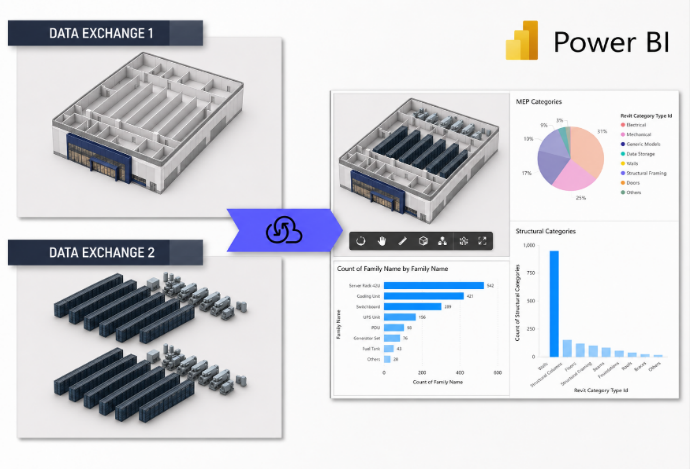
I explored this approach on a data centre hub comprising three data centres. The questions we wanted to answer were practical ones.
We wanted the dashboard to help users understand the project quickly without asking them to navigate the same level of detail that a BIM specialist would normally work with.
One of the most useful decisions was to simplify the 3D representation. Instead of displaying every wall, duct, pipe, cable tray, structural element and piece of equipment, we used masses to represent the main areas of the project. These simplified volumes made the spatial organisation of the data centre much easier to read while still giving the information a clear location in the model.
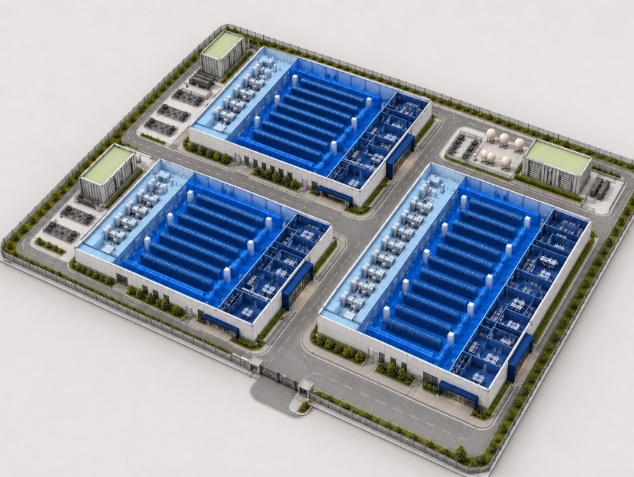
That became an important principle of the workflow, the dashboard did not need to reproduce the BIM model. It needed to show enough geometry to help people understand the data.
Before connecting the information, we also had to make sure it was structured consistently. Parameters, naming conventions and classifications matter because a dashboard can only interpret the information it receives. If the underlying BIM data is inconsistent, the dashboard will reproduce those inconsistencies.
Our first prototype relied on IFC because the Revit versions used on the project did not provide the room volumes we needed through Data Exchange. IFC allowed us to the volumes called as IfcSpace, but it also required additional preparation when bringing multiple models together. As Data Exchange evolved, the introduction of the Navisworks connector provided a much simpler route for working with federated model information.
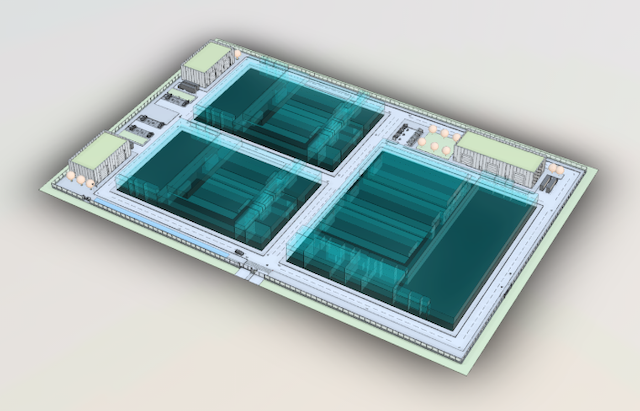
Today, the workflow can be centred on Navisworks as the federated environment. Revit, Tekla, IFC models and others can be brought together there, and Autodesk Data Exchange can publish selected geometry and properties from the coordinated model for use in Power BI. This gives us a straightforward workflow:

For me, the important part is that the workflow is no longer tied to one authoring model. Navisworks can act as the point where different sources are coordinated, while Data Exchange provides the connection to the dashboard.
It also reinforces the need to be selective. A data centre model may contain huge quantities of information, but Power BI does not need all of it. We only need the geometry and properties that help answer the questions the dashboard was designed around.
Power BI is where the workflow becomes accessible to a wider audience. The dashboard combines a simplified 3D model with key metrics, project information, area by level, area by department and detailed information. Instead of navigating thousands of model elements, users can interact with filters and visualisations built around the questions they actually want to answer.
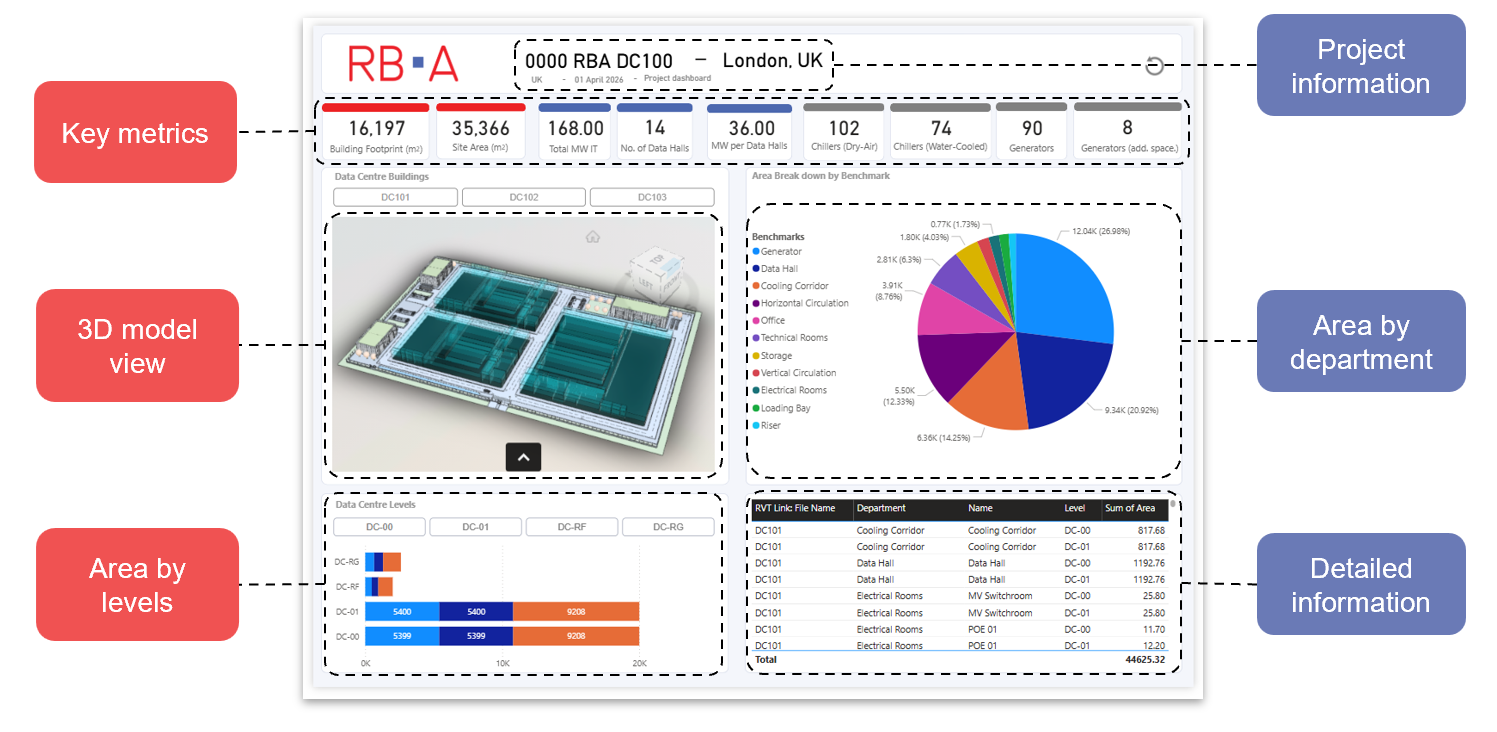
The masses are particularly useful here. The chart shows the total area assigned to a department, while the 3D view helps the user immediately understand where that department sits within the data centre. The same principle can be applied to data halls and other important areas. The model gives spatial context to the numbers without overwhelming the user with unnecessary detail.
This was the main value of the exercise. The information was not new; it already existed within the BIM environment. What changed was how quickly it could be interpreted. The detailed model remains available for designers and BIM specialists, while the dashboard provides a simpler interface for people who need to understand the project rather than author or coordinate it.
The model remains the technical source of information. Data Exchange creates the connection, and Power BI translates selected information into a form that is easier to explore and communicate.
The most useful lesson from this workflow was that more detail does not always create more clarity. On a complex data centre project, showing every available model element can make it harder to communicate the information that matters.
By simplifying the geometry into masses and connecting selected BIM information through Navisworks, Autodesk Data Exchange and Power BI, we were able to focus the dashboard on a small set of practical questions while maintaining a relationship with the underlying model.
Technology is only part of the solution. The information still needs to be structured consistently, and the questions need to be defined before building the dashboard. But once those foundations are in place, a complex BIM environment can be translated into something much easier to navigate.
A dashboard does not replace the BIM model. It makes the information within that model easier to understand so it can support better decisions.
Each year, Autodesk University gives us a checkpoint on where construction technology is headed. This year, one thing is clear: the industry is moving from disconnected tools toward a genuinely connected platform, one where AI, data, and workflows reinforce each other across the project lifecycle.
We’ve grouped this year’s construction announcements around the three themes that shaped the AU story: AI in Action, Intelligent Data, and Integrated Workflows.
We’re moving from AI that assists to AI that acts. Three new agentic capabilities, each built around task construction teams do every day, were highlighted in the keynote.
Bid Proposal Agent (Beta)Before bids can be compared against one another, someone has to understand what was actually priced and scoped. Bid Proposal Agent helps estimators spend less time manually reviewing and retyping subcontractor proposals. The agent analyzes proposal PDFs and extracts key details, including cost breakdowns, inclusions, and exclusions, into structured bid data within Forma Bid. Because the source document remains linked to the extracted information, teams can validate results, make corrections where needed, and move more quickly into bid comparison and evaluation.
Document Agent (Beta), solves another familiar problem: knowing the answer is somewhere in the project but not remembering the file name or folder. Ask it a natural-language question — for example, to surface every file a specific teammate uploaded last week — and it uses file content and metadata as context to find and link back to the answer. Follow up to narrow the results, such as everything that’s overdue or was submitted to a specific client, and it refines from there.
Submittals Evaluation Agent (Beta) targets a process many general contractors and specialty contractors staff entire teams around today: comparing what a subcontractor submitted against what was specified before sending the submittal for architect review. The agent compares submittal attachments against spec requirements and surfaces potential compliance concerns alongside the source evidence, helping submittal managers catch issues earlier.
Across all three, the pattern is the same: Autodesk AI takes on more of the searching, structuring, and first-pass comparison work, while the accountability for the decision stays with the person who has the expertise to make it.
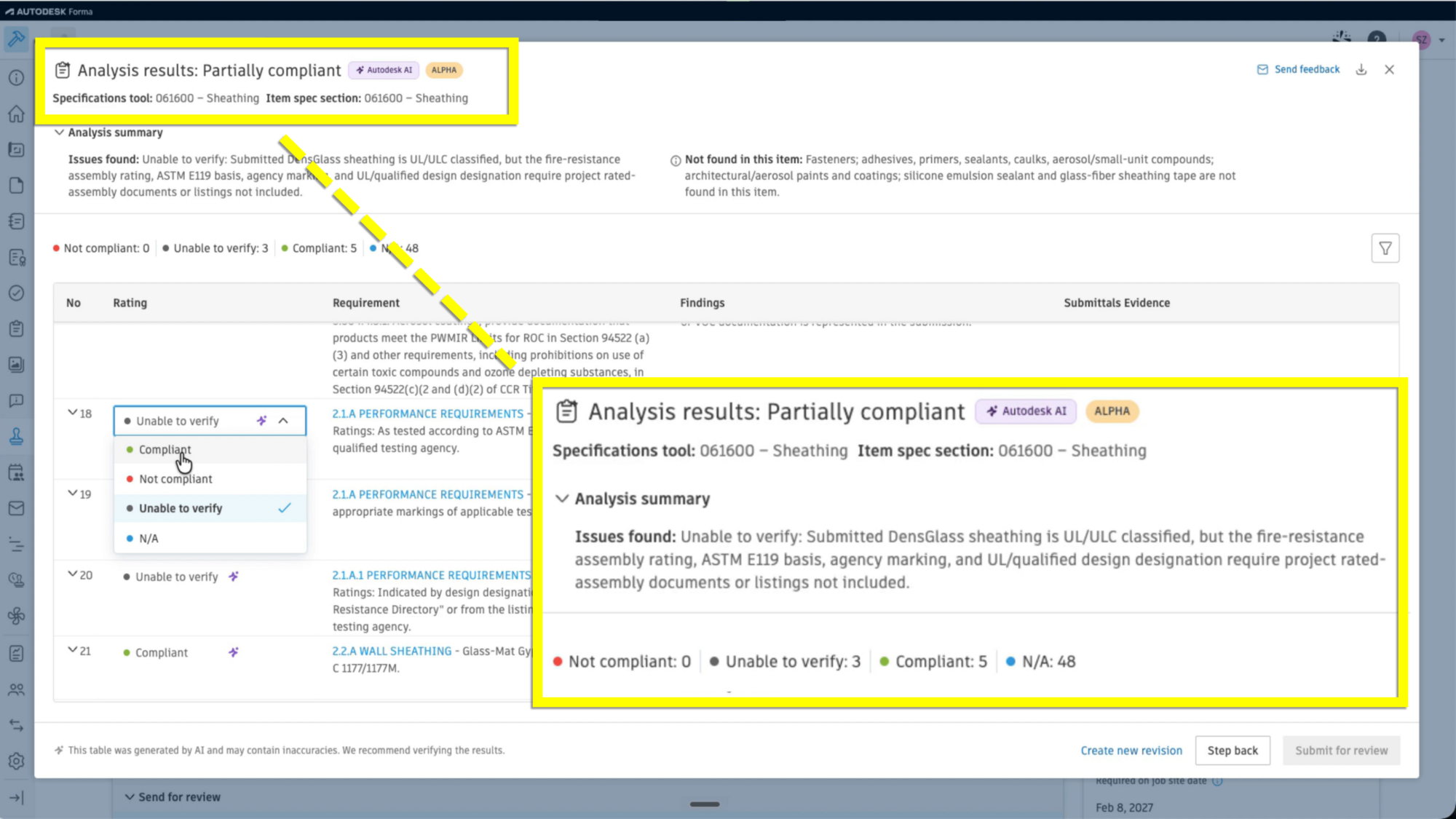
A few more AI capabilities rounded out our AU announcements, aimed at analyzing drawings, identifying project priorities, and performing daily field reporting:
Note: The availability of specific AI capabilities varies by product subscription, and Autodesk AI capabilities are only available to value-based subscription types, including bundles and enterprise business agreements.
AI works best with clean, connected data underneath it, which is where this year’s data management announcements come in. Forma Data Management, the foundation of the Forma industry cloud, is built to move teams toward consistent, structured data management that supports collaboration from project initiation through handover.
The headline here is Smart Controls, which brings metadata-based access control to Forma Data Management — a capability project teams working to standards such as ISO 19650 have been asking for. Today, controlling who sees a file as it moves through approval often means physically moving it between folders: a general contractor holds a file until it clears a review, then it’s often copied into a new folder, with different permissions, so subcontractors can see it. That process can create duplicate files and manual, error-prone work at every milestone.
With Smart Controls, an administrator sets rules based on metadata like approval status, and access to files updates automatically as that status changes — the file never has to move, and the right people see it the moment they’re supposed to. And because each smart control is tied to its own permission set, administrators define access once and let it apply consistently everywhere that control is used — removing the burden of re-creating permission logic folder by folder, project by project.
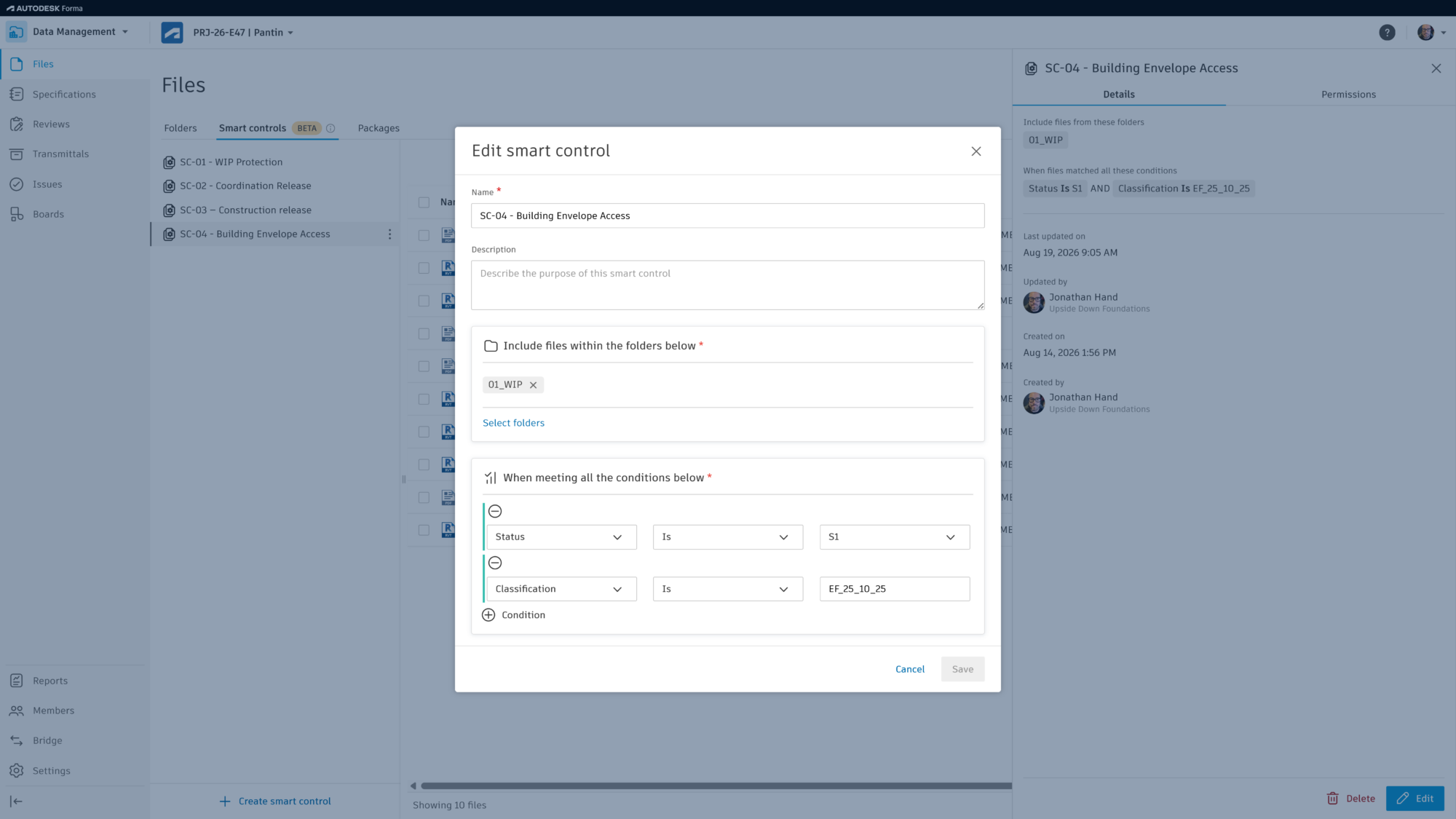
A few more quality-of-life improvements centered on intelligent data are coming as well:
Our third theme is about connection — making sure design, coordination, scheduling, and bidding don’t operate as separate systems that require manual hand-offs.
We’ll start in preconstruction. For years, BuildingConnected has helped contractors identify the right partners, manage bids, and make more informed award decisions. At AU, we shared the next step in that journey: expanding beta access to Forma Bid for BuildingConnected customers (on Autodesk licensing), bringing connected bid management workflows into Autodesk Forma.
Forma Bid brings those proven bid management workflows into the Forma preconstruction experience, allowing teams to create and manage bid packages, invite qualified subcontractors, evaluate bids, and collaborate using shared project data.
What makes Forma Bid different is how it connects bidding to the broader preconstruction process. Today, qualification insights from TradeTapp are surfaced directly within the workflow, helping teams evaluate contractor readiness and risk. Looking ahead, teams will soon be able to link estimate line items from Forma Estimate directly to bid packages, making it easier to compare subcontractor pricing against estimated costs, identify scope gaps, and make more informed award decisions.
And, we're extending those connections beyond preconstruction. With the ability to create contracts in Cost Management in Forma Build from awarded bids, teams can move from bid award to project execution with less manual effort and greater continuity of data.
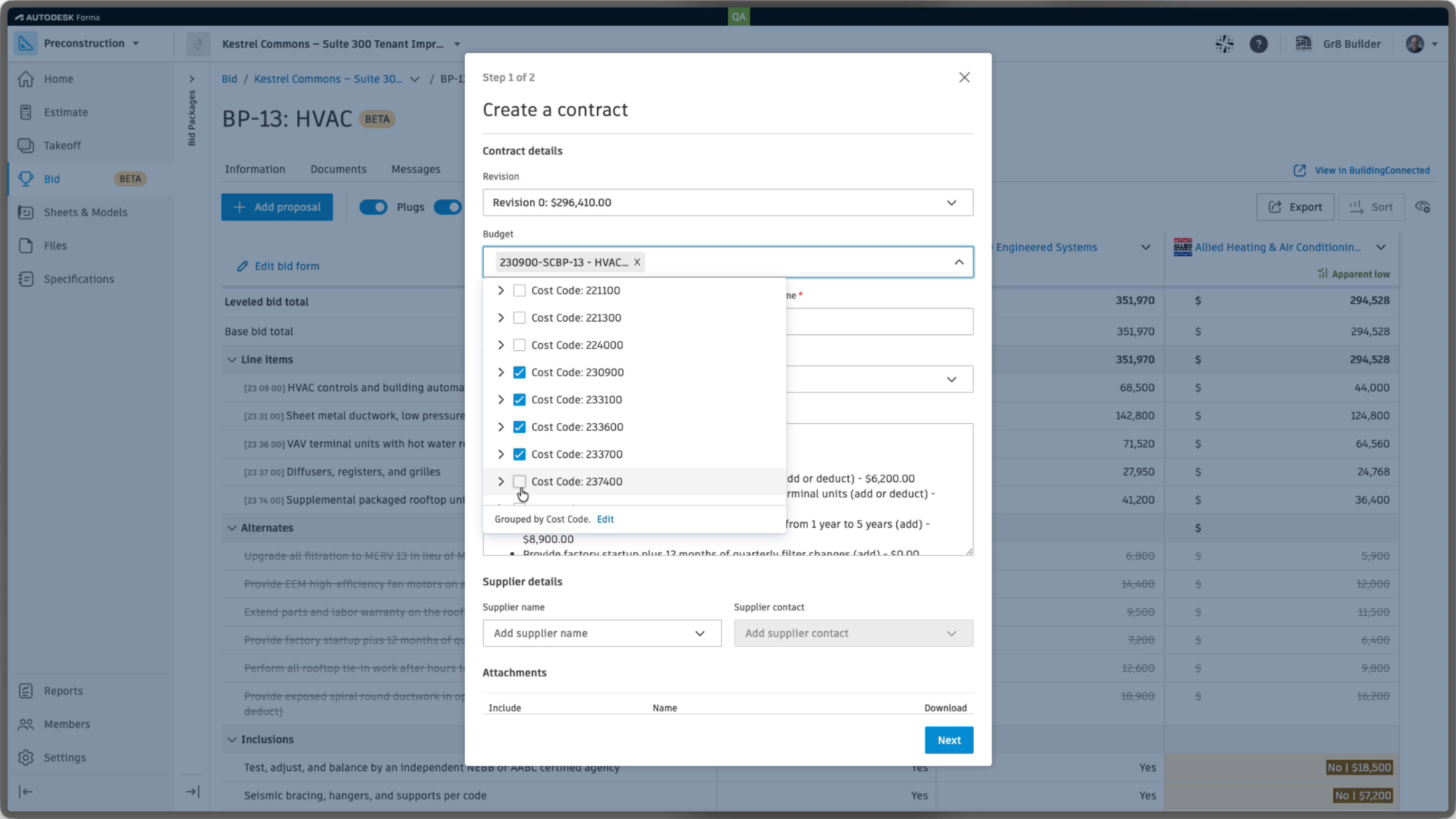
Model coordination also gets several enhancements that build toward a more complete picture of the jobsite. Hypermodeling, already in Forma Data Management, is coming to Model Coordination, connecting coordinated models with related drawings, documents, and project information — and letting teams view clashes in that fuller context instead of the model alone. Point Clouds can now be viewed in Model Coordination alongside the federated model, a first step toward a more complete reality-capture workflow. Search Sets gain the ability to run Clash Checks directly against a saved set, so reusable groups of model objects become something teams actively coordinate against, not just organize.
In construction operations, Workflow Studio (beta) moves teams from seeing more of the project to orchestrating what happens next. Take a curtain wall installation: before work begins, the team runs a pre-installation inspection. With Workflow Studio, that process is defined once, visually, ahead of time. When an inspection is submitted, the workflow evaluates the result automatically — a failed inspection routes an issue straight to the superintendent, while a passed inspection creates the next checklist and assigns it to the installer. Teams can test workflows on sample projects before deploying them more broadly, taking repetitive process administration off the people doing the work.
And we’ve introduced the ability to link schedule activities to model elements, giving teams a visual way to understand the scope behind the schedule — and, run a 4D simulation to see the linked schedule play out in the model, end to end. All right within Forma.
From the moment a bid goes out to work on the jobsite, Forma keeps every team working from the same connected picture — so estimators, schedulers, and field crews and the whole team can spend less time re-entering data and more time making earlier, more confident decisions.
Taken individually, these are a lot of advancements to look forward to. Taken together, they show the value of bringing AI, data, and end-to-end workflows together in Forma so they reinforce each other throughout the project lifecycle:
Several of the features announced at AU are in beta and rolling out on different timelines, so track availability in the Forma Product Roadmap, or reach out to your Autodesk account team for a walkthrough of what’s live today and what’s coming in upcoming releases.
Autodesk University is quickly approaching, and you won't want to miss out on all the amazing sessions, events, and expo hall! Taking place September 15-17 in Las Vegas, AU is the conference for those who make anything. From driving digital transformation in construction to implementing sustainable business practices, AU 2026 will be packed with learning and networking opportunities to help you achieve your career and business goals.
Don't miss your chance to attend - register now!
Can’t join in person? Register for a Digital Pass and tune in online from around the world! The Digital Pass includes:
As for why you should attend AU 2026 specifically, here are a few ways this event can help you advance your construction career and business.
As an AU 2026 attendee, you’ll connect with the people behind the products you use daily. The Autodesk Forma team will be on stage and on the floor to share exciting news and updates.
You’ll hear from key Autodesk product experts and enthusiasts who’ll provide tips on how to get the most out of the latest cloud-based technology. This is your chance to share feedback and learn more about what’s next for Autodesk Forma.
If you’re looking to the future and want to ensure you’re in the best position to succeed, AU 2026 is a must-attend. You’ll discover emerging trends and technologies and gain new ideas to help you stay competitive in the coming months and years.
AU 2026 will help you see what’s coming next, so you can capitalize on the right opportunities and stay ahead of the competition.
Embracing technology is key for construction professionals looking to progress in their careers today. Notably, construction software and hardware skills are in extremely high demand.
The good news is that AU 2026 offers the perfect environment for learning new technology from Autodesk Forma products like Forma Build, Forma Takeoff, and Forma Data Management to products and integrations across our partner ecosystem.
Speaking of our ecosystem, Autodesk prides itself on having a rich network of partners and developers who continuously enhance the software. The AU 2026 Expo will enable you to connect with these trusted partners.
Meet the teams behind the tech and discover solutions and workflows created by Autodesk and our ecosystem members.
AU 2026 has a strong lineup of keynotes, workshops, and live panels led by renowned industry and product experts. These sessions will allow you to ask questions and have lively discussions on construction innovation.
Head to the official AU 2026 site to grab your tickets! We can’t wait to see you at AU 2026 in Las Vegas (or virtually)! This year’s event is shaping up to be our most exciting one yet.
I can’t wait to see you in Las Vegas at Autodesk University 2026 – the Design & Make Conference! If you haven’t heard already, our team is excited to announce that the Digital Builder podcast will once again be broadcasting LIVE from the event.
Stop by our podcast booth on the Expo show floor, grab a seat, and listen to one of the podcast episodes we have lined up for the week featuring top construction industry leaders and innovators. From forward-thinking executives to tech pioneers, I'll be hosting some incredible and engaging conversations that explore the future of construction with the industry’s leading minds.
Check out our schedule for all three days of the conference below, and discover more about each podcast session and speaker while saving favorites to your schedule:
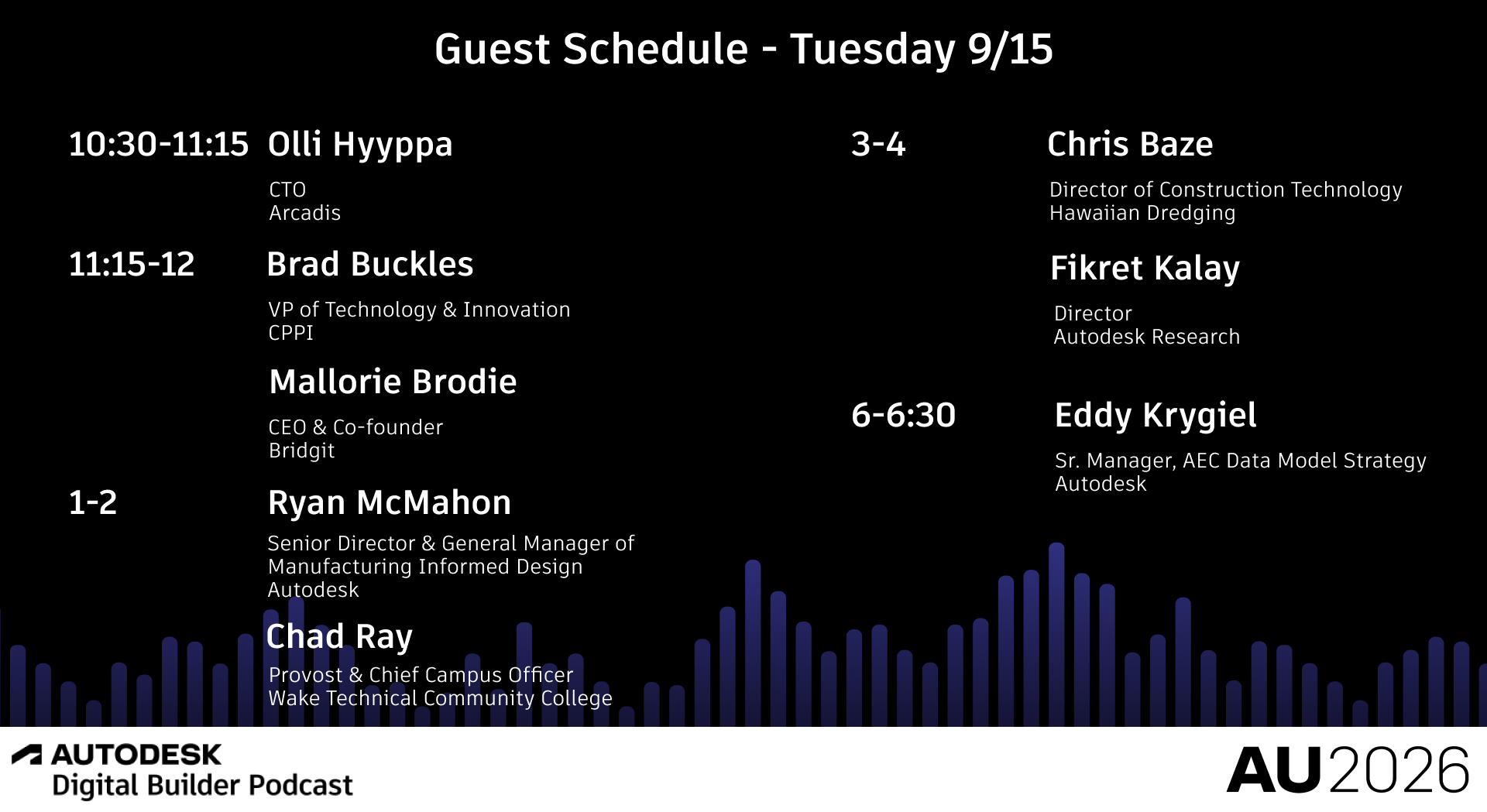
Olli Hyyppa, Chief Technology Officer (CTO) at Arcadis, joins the Digital Builder podcast to discuss why digital transformation is no longer a destination, but a continuous process of reinvention. Drawing on a career spent leading transformation efforts across multiple organizations, Olli shares his perspective on navigating constant change, adapting to new technologies, and how leaders can think about transformation in a world where the pace of innovation continues to accelerate.
Brad Buckles, VP of Technology & Innovation of CPPI, and Mallorie Brodie, CEO and Co-Founder of Bridgit, return to the Digital Builder podcast to discuss how workforce challenges have evolved over the past six years. The conversation explores labor shortages, workforce planning, experience gaps, retention, AI, and what construction leaders must do to attract, develop, and support the next generation of industry talent.
Ryan McMahon, Senior Director and General Manager of Manufacturing Informed Design at Autodesk, and Chad Ray, Provost and Chief Campus Officer at Wake Technical Community College, join the Digital Builder podcast to discuss how education and industry are preparing the workforce for industrialized construction. The episode explores prefab, manufacturing, curriculum development, workforce readiness, and the future skills needed to transform how buildings are delivered.
Chris Baze, Director of Construction Technology @ Hawaiian Dredging and Fikret Kalay, Director @ Autodesk Research join the Digital Builder podcast to discuss research exploring whether AI can create a continuously updated digital understanding of active construction sites. The conversation examines jobsite intelligence, digital twins, project readiness, risk detection, and how connected data could help project teams make better decisions before problems affect schedule and cost.
Join Eddy Krygiel from AEC Data Strategy on this episode of the Digital Builder podcast to explore why more data doesn’t automatically mean better data. Learn how AEC firms and owners are tackling the challenge of managing information quality at scale, the growing role of data specialists and more intentional approaches to keeping information accurate and aligned, and why trusted data is becoming essential as AI and automation create new opportunities across AEC.
Dara Treseder, Chief Marketing Officer at Autodesk, returns to the Digital Builder podcast to discuss what it takes to build trust and brand relevance in the era of AI. The conversation explores authenticity, thought leadership, marketing strategy, reputation building, and why organizations of all sizes must find new ways to stand out as information becomes increasingly abundant and accessible.
Ben Cochran, Vice President of Engineering at Autodesk, and Peter Madlener, CEO of VIKTOR, join the Digital Builder podcast to discuss how AI is moving beyond experimentation and into real engineering workflows. The episode explores AI agents, connected ecosystems, domain expertise, trust, automation, and how organizations are beginning to transform practical business processes using emerging AI capabilities.
Stephen Hooper, Senior Vice President of Autodesk Operations Solutions, and Chris Turlica, Head of MaintainX at Autodesk, join the Digital Builder podcast to explore why operations is emerging as a major opportunity in the built environment. The conversation examines connected operations, asset performance, maintenance, operational intelligence, AI, and how organizations can unlock greater value across the lifecycle of their buildings and infrastructure.
Michael Davidson, Senior Product Manager at Esri, joins the Digital Builder podcast to explore how geographic information systems (GIS) are reshaping the built environment. The conversation examines how location intelligence connects design, construction, and operations workflows, why GIS is becoming foundational for digital twins, and how emerging technologies including AI and open standards are changing the way organizations make decisions about the assets they build and manage.
Justin Gunther, Vice President and Director of Fallingwater, Touf Hassoun, President & CEO of CASE Technologies, and Mark Dietrick, Director of Services at CASE Technologies, join the Digital Builder podcast to discuss how one of the world's most iconic buildings is being digitally documented and preserved. The conversation explores the intersection of historic stewardship and emerging technology, and what the Fallingwater project reveals about the future of managing, understanding, and protecting important built assets.
Phil Dangerfield, SVP of Operations at Haslam Sports Group, joins the Digital Builder podcast to discuss the Cleveland Browns' new Huntington Bank Field and the decision to make BIM a contractual deliverable for a major sports venue project. The episode explores digital delivery, owner priorities, long-term operations, fan experience, and lessons that could influence the future of major venue development.
Beyond classes, keynotes, and meetups, our live podcasts will be another opportunity for you to get more value from your AU experience as we explore big ideas and insights on the construction industry of today and tomorrow. This means that AU attendees like yourself will have a chance to enjoy new episodes in person before they are released!
If you’re going to miss the live experience or just want to watch even more podcast content, make sure you follow us on our YouTube channel.
What if the measure of a building's success wasn't how it looked, but the impact it had on people's lives?
That's the question that shapes Katie Swenson's approach to architecture.
As senior principal at MASS (Model of Architecture Serving Society), Katie has spent her career proving that thoughtful design can do more than just look good. It can also support healing and strengthen communities.
In this latest episode of the Digital Builder podcast, Katie explains why she prefers the title "Home Maker," (with a capital H and M), and how that philosophy has shaped her work. We also explore why great architecture isn't reserved for landmark buildings, but has the power to improve everyday life for everyone.
We discuss
Katie intentionally describes herself as a "Home Maker," with a capital H and M, as a way to reframe what architecture is really about. While the term traditionally refers to someone who stays home and maintains the household, she argues that architecture is, at its core, an act of Home Making. Whether the project is a house, a school, or a community space, the goal is the same: to create places where people are comfortable and feel like they belong.
As such, the term Home Making, in the context of architecture, puts "the emphasis on the people, not just the structure." It also balances technical expertise with care, empathy, and human connection.
When the topic of architecture comes up, it's easy to think about iconic buildings, museums, or other landmark projects. And while those spaces certainly matter, Katie points out that architecture influences every part of our daily lives, whether we notice it or not.
"Architecture is part of everything we do," she says, because nearly every space we inhabit has been designed in some way. The real question isn't whether a place was designed, but "how is it designed, by whom, for whom, and with what intention."
According to her, architecture isn't reserved for large institutions or the wealthy. Instead, it's "the platform for all of our lives."
It shapes the everyday environments where people live, work, heal, and learn. When designers lead with care and intention, they create spaces that bring greater dignity to the people who use them.
For MASS, great architecture starts well before drawings or construction. Katie describes the organization, which again stands for Model of Architecture Serving Society, as a “nonprofit design collective that works with almost primarily nonprofit organizations.”
MASS’ goal isn't simply to deliver beautiful buildings, though she says they strive to create "the most elegant and beautiful architecture that you could ever find."
That said, the organization also "leverages the tools of the built environment to amplify and propel the missions" of the organizations they serve. That means getting involved early and, as she puts it, "staying late."
Starting with the mission, not the building
MASS’ philosophy shapes every client engagement. "It's not to build a building," Katie says. "It's to better increase the likelihood" that an organization achieves its mission.
She points to MASS's work with Iftin Global, a nonprofit in Somalia and Kenya that helps young people recover from trauma and connect with economic opportunities. Before designing anything, the team asked a different set of questions: What outcomes are you trying to achieve? What spaces foster care, belonging, and safety? How can the built environment make your programming more effective?
In many cases, partners don't yet have a site or full funding. What they do have is a mission. Katie believes that's enough to begin.
"The built environment will change their outcomes, for better or worse," she says. "There's no neutrality about the built environment." The challenge, then, is designing spaces that help those outcomes become better.
If there's one word that describes how MASS works with clients, it's accompaniment.
The concept came from the late Dr. Paul Farmer, founder of Partners in Health. In medicine, accompaniment meant you didn't simply step in when something went wrong. Instead, you "walk alongside somebody through their life" to improve their long-term health. MASS adopted that same mindset for architecture.
Rather than acting as consultants who show up to solve a design problem and leave when construction wraps up, Katie says they aim to be "a partner with an organization through their lifespan."
That shift changes how projects are approached and how success is measured. Instead of asking whether a building was delivered on time and on budget, the question becomes: How can this place continue helping people years after it opens?
Katie shares some examples of MASS’ philosphy in action:
Butaro District Hospital
MASS's first project, Butaro District Hospital in northern Rwanda, is a great example of how their approach comes to life.
Rather than focusing solely on the building, the team asked broader questions: "How could the physical infrastructure support the health outcomes of patients?” and "How could the building process itself bring economic viability, new skills, and beauty to the community?"
The team also challenged the traditional role of a hospital. Katie says they wanted it to be "not just a place for the provision of healthcare," but part of a larger effort to improve health for "patients, their families, doctors, nurses, and staff."
That work reinforced another lesson: beauty and thoughtful design are not separate from healthcare. Features like natural ventilation and intentional layouts became part of a larger understanding of "how the buildings affect our health."
Partners in Health, the Ministry of Health in Rwanda, and the University of Global Health Equity
The relationship didn't end when the hospital opened. Over the next 15 years, MASS continued working with Partners in Health, the Ministry of Health in Rwanda, and later the University of Global Health Equity, expanding what began as a single hospital into a broader healthcare ecosystem.
The team designed an oncology center for the region, housing for doctors, and helped develop national hospital design standards. They created both urban and rural hospital typologies, with design strategies intended to improve indoor air quality and reduce the transmission of airborne diseases.
Looking back, Katie says the experience showed that "the physical design of our spaces dramatically impacts our health."
More importantly, it demonstrated what accompaniment looks like in practice: "a 15-plus-year journey to understand how to best provide the infrastructure that allows for the best health outcomes for a population over time."
Katie firmly believes that thoughtful design is fundamental to better outcomes. "The first premise that we learned is that beauty is a core enabler of human dignity," she says.
This belief shaped the firm’s decisions when they worked on the Butaro District Hospital.
That starts with the campus itself. Instead of enclosing patients in a maze of corridors, the hospital is organized around gardens and outdoor connections. Paul Farmer, Katie notes, "loved nothing more than a beautiful garden." He understood that people respond to beauty and nature, and that staying connected to the outdoors while receiving care matters.
The design also supports better health in practical ways. The hospital has no indoor hallways, helping reduce the transmission of airborne diseases. Patients look out onto the landscape instead of another hospital room, while high ceilings, ceiling fans, and natural airflow improve comfort and ventilation.
Katie contrasts that with a colleague's experience in a U.S. maternity ward. Despite having access to excellent medical care, the room had "seven trash cans and no chair for her husband to sit in." It prioritized healthcare infrastructure, she says, "but not the core dignity of a human experience."
For Butaro, the MASS team was committed to delivering both. "We want to provide the very best healthcare infrastructure," she says, "but we also want to provide environments that provide for the dignity of the person."
For most architecture projects, success is fairly straightforward. Did the building open on time? Did it stay on budget? Does it meet safety and performance standards? Those metrics matter, Katie says, but they don't tell the whole story.
"We don't necessarily have a mechanism in place for evaluating how successful the building has been in creating the outcomes that the organization had for itself," she explains.
At MASS, the guiding question is much broader: "Has the building helped the organization achieve their mission?"
That's not always easy to answer. Katie points out that while the industry can measure energy use, water consumption, and embodied carbon, it's much harder to measure qualities like equity, beauty, or long-term impact. Still, she believes those are the questions worth asking.
The Dian Fossey Gorilla Fund offers a compelling example. MASS was hired to design a new campus, and rather than focusing only on the physical campus, MASS worked with the organization to understand its larger ambitions.
"How can a purpose-built campus expand their ambitions about who they are and what they do?" Katie asks.
The result went far beyond new buildings. The campus now gives researchers, scientists, and students from across Africa a place to study gorilla conservation in Africa itself. It has attracted more students than the organization anticipated, prompting plans for expansion.
And the landscape itself has become part of the mission. Built on what was once a potato field, the campus now supports more than 250,000 plants representing 110 native species, creating an ecosystem where bird species absent from the area for more than 50 years have returned.
For Katie, that's the real measure of success. Because the project didn't just fulfill a program; it also helped the organization "set their aspirations higher," and paved the way for an even greater impact.
Digital Builder is hosted by me, Eric Thomas. Remember, new episodes of Digital Builder go live every week. Listen to the Digital Builder Podcast on:
or wherever you listen to podcasts.
The construction industry wouldn’t be where it is today without the bold visionaries who chose to challenge the norm. These are the people who refused to accept things as they were; those who came up with creative solutions to problems and found new ways of doing things.
Innovators move businesses—and ultimately entire industries—forward. Their ideas innovations enhance our efficiency, allowing us to accomplish tasks more effectively and swiftly.
AU 2026: The Design & Make Conference is the premier event for innovators in architecture, design, and construction. This highly anticipated in-person function will be held in Las Vegas between September 15-17, so mark your calendars!
Innovation is one of the key reasons why so many industry professionals have attended Autodesk University in the past. And this year, we fully expect it to be top of mind, given the pace of change in the construction sector, particularly when it comes to digital transformation and tech.
Staying on top of these changes is necessary for success. Research shows that digitally-savvy firms outperform non-savvy companies by as much as 48% on revenue and 15% on net margin.
If you want to stay ahead of the competition, then you must keep up with the innovations happening within the AEC industry.
AU 2026 is packed with resources and opportunities that can help you drive innovation at your firm. From informative classes to networking functions, you’ll be sure to gain new ideas and perspectives at every turn.
Innovation-focused topics for you to discover at AU 2026 include:
(Please note, this session list is a preview only and is not comprehensive. Check out the full session catalog here.)
Are your scans just visuals or are they driving real project decisions? Reality capture is widely used, but most workflows stop at geometry, leaving critical insights untapped. This session will demonstrate how to transform scan data into actionable digital twins by integrating Revit, Autodesk Forma (formerly Autodesk Construction Cloud), and asset data workflows. Learn how AI can detect deviations, connect model elements to structured data, and surface insights that influence coordination, cost, and project outcomes. If your scans aren’t informing decisions, you’re missing their true value. This session will show how to unlock the potential of scanned data and workflow.
Artificial intelligence is rapidly transforming the AEC space. Bringing new capabilities to Autodesk applications such as Revit, AutoCAD, Forma, Construction Cloud, and emerging AI-powered design and productivity tools. Realizing the full value of these innovations requires more than software—it demands modern, AI-capable hardware. This session explores how workstation architecture, including high-performance CPUs, professional GPUs, dedicated AI accelerators, and optimized memory and storage configurations, enables faster design iteration, intelligent automation, real-time visualization, and enhanced collaboration. Attendees will learn how AI workloads are changing hardware requirements across BIM, CAD, visualization, simulation, and reality capture workflows, and how to future-proof their technology investments. Join us to discover why AI-ready workstations are becoming an essential foundation for the next generation of Autodesk-powered AEC projects.
Discover how VR and AR create a practical, end‑to‑end BIM workflow from design to construction. See how Autodesk Forma can be integrated with Autodesk Workshop XR to enable immersive design reviews and collaborative decision making in VR. Then discover real-life integration with GAMMA AR to validate installation, reduce errors, and connect design intent directly to construction for a seamless, circular, virtual design and construction (VDC) workflow.
Join us for an insightful session on how The Walsh Group is transforming construction processes using Autodesk Forma and ReCap Pro reality capture. This session will explore the full journey from initial scanning to the final build phase, showcasing how advanced capture technologies improve accuracy, efficiency, and collaboration. Speakers will demonstrate real-world applications of reality capture within a connected platform, highlighting benefits like enhanced visualization, streamlined workflows, and reduced rework. You’ll gain practical information about integrating capture data into Forma to support better decision making and project delivery.
Architecture, engineering, and construction (AEC) teams excel at BIM for construction, but a "missing middle" exists between handover and operations where high-fidelity data often rots. For owners of 200MW+ mission-critical assets, this data gap creates massive operational risk. How do we bridge this divide to ensure a living digital twin? This session will deconstruct the missing middle using a data-first framework. We’ll explore how to use Owner Data Delivery Requirements (ODDR) and ISO 19650 to align design with operations from inception. Learn the technical workflows to migrate and validate data from Revit software and Autodesk Forma (formerly Autodesk Construction Cloud). We’ll also preview how AI agents can automate QA/QC, transforming static models into actionable digital currency for the entire building lifecycle.
AI isn't just changing how construction work gets done. It's changing how the best leaders plan, communicate, and develop their teams. Most organizations aren't keeping pace, leaving forward thinking VDC leaders navigating the gap alone. This session delivers a practical playbook for managers already ahead of their organization with AI. Planning decisions get sharper, team communication gets stronger, and coaching conversations improve. AI tools get matched to your department's real capability and fit, including what's already built into Autodesk Forma. Credibility for leading adoption gets built even when policy or access hasn't caught up. You will leave this session with high-value entry points you can use this week with zero approval required from your organization.
Discover how VR and AR create a practical, end‑to‑end BIM workflow from design to construction. See how Autodesk Forma can be integrated with Autodesk Workshop XR to enable immersive design reviews and collaborative decision making in VR. Then discover real-life integration with GAMMA AR to validate installation, reduce errors, and connect design intent directly to construction for a seamless, circular, virtual design and construction (VDC) workflow.
In addition to these sessions, you’ll have plenty of other opportunities to discover the latest innovations in construction. Don’t forget to stop by the AU 2026 Expo, which features offerings from Autodesk’s most trusted partners.
The Expo will allow you to:
Innovation doesn’t just happen. It comes from the conscious effort of forward-thinking individuals who are committed to building a better future.
AU 2026 empowers you to be more innovative by giving you the opportunity to experience the latest and greatest developments in the industry.
Don’t miss your chance to attend! Register today, and we’ll see you in person in Las Vegas September 15-17!
When Yorkshire Water needed rapid visibility across thousands of storm overflow assets, Mott MacDonald Bentley (MMB) reconfigured trusted digital tools instead of building a new system, giving more than 130 people across a dozen organisations a single, live source of truth.
Across the water sector, utilities are under pressure to make better decisions from complex asset data. Regulatory expectations, ageing infrastructure, changing weather patterns and demands for transparency are pushing companies and partners to work faster and with more confidence.
For MMB, that challenge came into focus through Yorkshire Water's storm overflow survey program.
MMB is a fully integrated design-and-build business combining Mott MacDonald's design expertise with JN Bentley's construction delivery capability. It designs and builds critical water and wastewater infrastructure across the UK, working with major utilities including Yorkshire Water.
Yorkshire Water needed a reliable baseline for storm overflow assets across 2,400 locations. The aim was to understand asset conditions, identify gaps and help teams move from reactive asset management to a more proactive model.
"We're trying to move towards being more proactive and understanding exactly where assets are, where the gaps are and promote projects to quickly fill those gaps. We needed a lot of data to know exactly where we were." - Lumi Ajayi, Project Manager, Program Delivery at Yorkshire Water
The pressure was immediate. But at this scale, moving fast without structure could create new risks: inconsistent forms, duplicate records, lost information, and multiple versions of the truth. MMB needed to help surveyors capture data consistently, and give Yorkshire Water a live view of progress and outcomes.
The team already had a foundation. MMB had deployed Autodesk Forma Build across the region as part of its inspection and testing strategy, and saw that the same quality-workflow capabilities could be reconfigured for large-scale survey data collection.
"We had been using Autodesk Forma Build for inspection and testing, and the main benefit was the instantaneous data," says Fiona Booth, Design Lead at MMB. "We could carry out these surveys at pace, with information available instantly and in an organised manner, eliminating the need to sort through paper forms and the risk of information getting lost."
Instead of commissioning a new system, MMB connected tools it already understood. Moata, MMB's proprietary digital platform, gave teams a live geospatial view of more than 2,400 survey locations. Forma Build became the hub for forms, asset data, photos, videos, validation, and decision logging. Power BI dashboards, embedded and shared through Moata, turned that data into live insight.
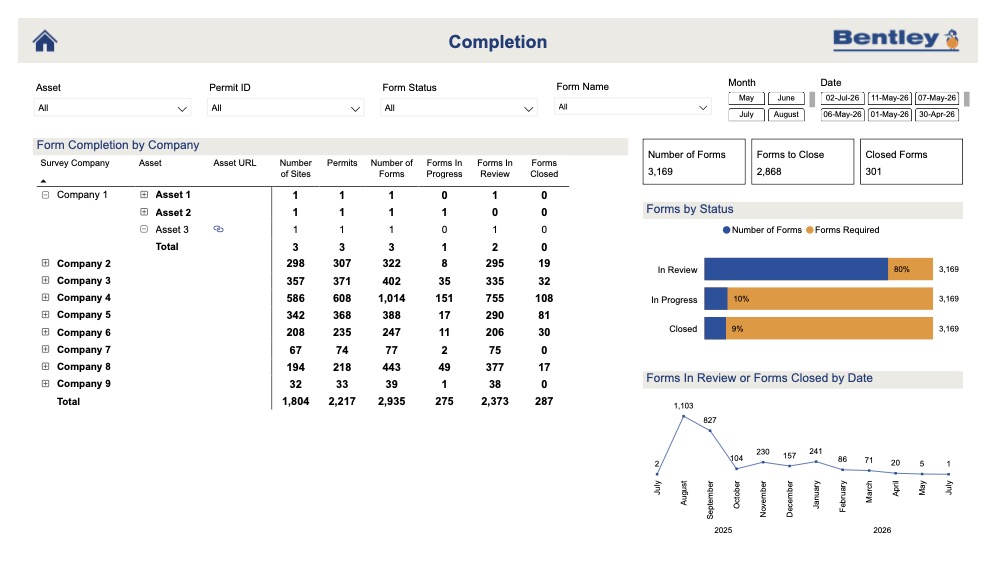
MMB deployed the workflow in just 9 days.
Set-up began with asset information from Yorkshire Water. MMB imported the data directly into Forma Build, creating asset records at scale instead of building thousands by hand. The team then designed survey forms, tested them on one site, refined the questions and adjusted the structure before wider rollout.
This was not just form building. It was data design. Some responses had to be mandatory. Others had to be multiple choice rather than free text so they could be analysed consistently. The team considered not only what a surveyor needed to capture on site, but also what engineers, coordinators and Yorkshire Water would need to understand from that data afterwards.
"Every piece of data gave an actionable insight," says Francis Baker, Digital Delivery Lead at MMB. "Does it need another survey? Does it need another action? Each question was tailored to give that answer."
Requirements evolved throughout the project, and Forma Build's configurable forms and asset fields allowed MMB to adapt. Access control was equally important. Surveyors submitted forms from site. Office teams validated and updated asset information. Yorkshire Water and partners had the right visibility without compromising data integrity.
"It was not just ourselves. Yorkshire Water and other contract partners had access to the same data. Everybody was working from the same place, so it was a true CDE in that sense." - Fiona Booth, Design Lead at Mott MacDonald Bentley
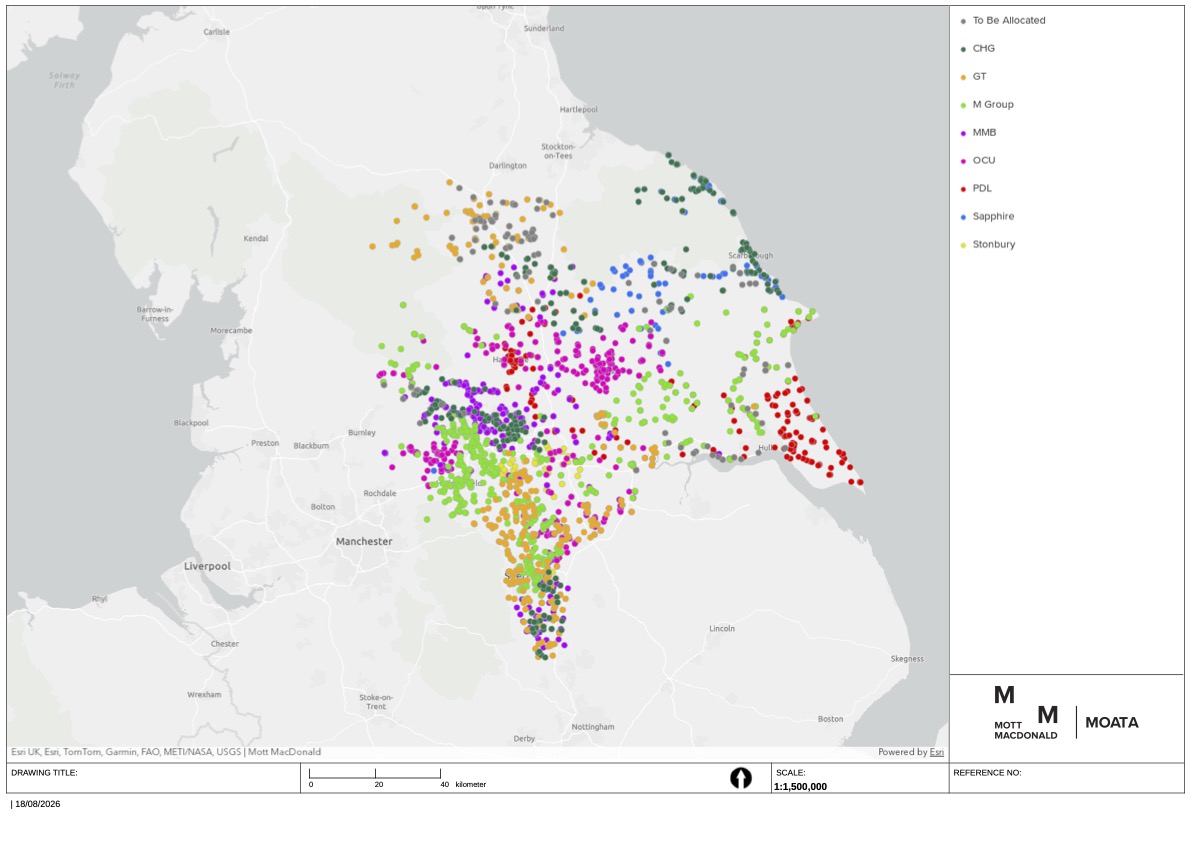
For survey teams, the workflow started in Moata, where they could plan visits, check access, and filter sites by organisation before moving directly into the relevant asset record in Forma Build. There, they completed structured forms on mobile devices, capturing photos, videos, compliance status, damage, access requirements, and follow-up responsibility. The Forma Build Data Connector fed the data directly into dashboards, allowing MMB and Yorkshire Water to check survey completion, identify gaps, filter by asset type and route actions without opening thousands of records.
"The data was being fed on a daily basis from MMB, so we knew exactly which assets needed to go into the right workstream," says Lumi Ajayi. "It helped us be more agile and make decisions a lot quicker."
For Yorkshire Water, that meant a clearer, more current view of asset condition and compliance risk. For MMB, it meant fewer manual handoffs, less duplication, and a controlled workflow that kept teams aligned. The dataset continued to deliver value long after the surveys concluded.
"We still refer to it to this day," says Lumi Ajayi. "Other business streams still use some of the data we collected."
The project delivered at scale: 70,000 survey responses, 30,000 additional asset datasets, and 130 peak users across more than 12 organisations. MMB expected surveyors to need significant support, but after initial training, demand was minimal.
For MMB, the program became a proof point for standardised forms, assets, and data structures across wider inspection and testing work. Because the data was consistent, teams could trend information across the full dataset, something only possible when analysis is designed in from the outset. The workflow has been adapted for more than ten additional projects, including work with Northumbrian Water and Severn Trent.
In water infrastructure, better decisions depend on better data. By using Forma Build as the hub for field capture and asset information, MMB helped Yorkshire Water move faster, work from trusted insight, and create a repeatable model for digital delivery.
"Understanding our assets and assessing their performance under pressure is a strategic priority at Yorkshire Water. MMB gave us a tool that became essential in meeting all delivery milestones and provided clear, constant visibility across the project." - Lumi Ajayi, Project Manager, Program Delivery at Yorkshire Water
Learn more about how Autodesk Forma can help you streamline ways of working and boost efficiency.
Farm-to-table transformed the way we think about what's on our plates. But what if we applied that same philosophy to the places we live? That's the idea behind BLDUS' "farm-to-shelter" approach, which reimagines housing through locally sourced, healthier, and more sustainable building materials.
In this episode of Digital Builder, Jack Becker and Andrew Linn, principals and co-founders at BLDUS, discuss why material choices matter, how architecture can support healthier communities, and what it takes to rethink housing from the ground up.
We discuss:
When Jack and Andrew look at housing today, they see opportunities to rethink one of the industry's biggest blind spots: building materials.
"Most of the building materials that are used commonly today are remnants of the military industrial complex," says Andrew. Things like drywall, paint, and fiberglass insulation became widespread after World War II, yet many people rarely think about how they affect indoor environments.
He compares the issue to fast food. When people consume it, they know that they’re making certain tradeoffs around their health.
"Buildings are a little sneakier," Andrew remarks. "Unless you're very aware of your surroundings, you don't know that the paint and the drywall and the wood furniture and all these other products that you surround yourself and your family with are off-gassing and causing very minor but very consistent negative health impacts."
Instead of proposing expensive or impractical alternatives, BLDUS focuses on solutions that are readily available. "We try to look for alternatives that are maybe radical in their spirit but are still off the shelf and accessible to everyday people," Linn explains. For BLDUS, it’s about finding "one-to-one cost replacements" that deliver "major health upgrades" without putting them out of reach.
BLDUS clearly has a different philosophy when selecting building materials. Here’s a closer look at how the firm’s approach comes to life in a project.
Material selection starts with a conversation
At BLDUS, material selection isn't a decision that happens at the end of the design process. It shapes the project from the beginning.
Jack describes it as "a strong symbiosis between the development of a project and the materials that we have come to determine are appropriate or compelling for that project." Every project starts with a dialogue. Clients often arrive with inspiration boards and ideas about how they want their home to look and feel. At the same time, the team studies the site, its context, and the surrounding community.
"The work is ultimately a mediation of the two," Jack says. It's about balancing "what we think is best for the site and the immediate context" with what resonates with the client and how they see themselves living in the space.
Designing beyond the first owner
BLDUS also thinks beyond the people commissioning the project today.
When studying historic buildings, Jack points out that they've often "outworn their original client user three, four, five generations."
This influences how the firm approaches projects.
"We want to outlive the specific desires of the initial client, but not ignore them either," he says. The goal is to "both meet and transcend the expectations and desires of that client" by responding to the site, the surrounding community, and even local industries that can provide regional materials and skilled labor.
Why constraints lead to better design
Clients don't have to arrive with every detail figured out. In fact, Jack says the best projects often involve a healthy amount of collaboration and challenge.
"It's usually somewhere in between," he says. Some of the firm's strongest work comes from clients with "a very specific attitude about what they want or what they think they want." He compares it to "a grain of sand in an oyster shell," where a little friction sparks a stronger architectural response.
While having complete creative freedom can be liberating, BLDUS doesn't rely on a blank slate. "We excel in response to constraints," Jack says. "And there will always be constraints, to be clear." Those constraints become opportunities to create architecture that's both deeply personal and built to last.
For BLDUS, material sourcing doesn't always begin with a project. Sometimes it starts with a chance discovery. Andrew points out that Washington, D.C. (where BLDUS is headquartered), offers plenty of opportunities because "there are so many different materials that are flowing through the city." When something unique becomes available, the team doesn't wait for the perfect project. They find a way to preserve it for the future.
One example came from the National Air and Space Museum, where the team reclaimed discarded Tennessee pink marble after parts of the building were replaced. They later used the stone as pavers, and it "set a color tone for the space that then infused itself into the rest of the building."
The same thinking extends beyond reclaimed stone. When building on vacant lots around Washington, D.C., BLDUS has salvaged self-seeded mulberry trees growing in nearby alleys, seasoned the wood, and incorporated it back into projects on the same site. "The wood, although the tree is no longer standing, gets to find its way back onto the same site," Andrew explains.
He laughs that "sometimes it feels like my job is to move piles around from place to place while we try to hang on to them," but for BLDUS, giving materials a second life is almost always worth the effort.
For BLDUS, bio-based materials aren't just a sustainability play. They're also about long-term performance and responsibility.
Jack says the goal is simple: "We don't want to create a liability for future generations with the materials that we're sourcing." If a building eventually reaches the end of its life, the materials shouldn't "create an environmental catastrophe" when they're dismantled or discarded. It's a "do no harm" approach that considers the entire lifecycle of a building.
Jack is quick to point out that these materials aren't chosen solely for environmental reasons. They also perform. Cork, for example, provides continuous insulation, meets code requirements, and is rated for exterior exposure. "There's a match in performance, there isn't an increase in cost, and it's better for the environment.”
That doesn't mean these materials can be installed without careful design. "These materials are wonderful and beautiful and can be highly durable," Jack says, "but we also advocate for protecting them with architecture," using proven features like overhangs and eaves that help buildings stand the test of time.
Common misconceptions about the materials that BLDUS uses
Still on the topic of bio-based materials, one of the biggest misconceptions Andrew hears is that they're difficult to build with. On the contrary: "They're often easier to build with, and they're healthier to build with," he says.
In Andrew's experience, clients are usually on board. Homeowners appreciate the health benefits, while developers see opportunities for time savings and, in some cases, lower costs. The bigger hurdle is getting contractors comfortable with unfamiliar products.
"But at the end of the day, these materials are easy to work with. We've worked with them ourselves," Andrew says. Once builders become familiar with the products, "they're happy with the way that they function, with the way they're installed, and with the way they perform."
Clients are more informed than ever, and Jack sees that as both an opportunity and a challenge.
"Every project, every client relationship is different," he says. Today, clients often arrive with detailed research, visual references, and even AI-generated concepts. "Several clients have started using versions of AI visualization platforms that depict different scenarios for how a certain part of the building could materialize. That would've been kind of insane to encounter even a decade ago."
Rather than resist that shift, BLDUS embraces it.
"We welcome a higher level of involvement and curiosity and knowledge from our clients," Jack says. At the same time, architects still need to prove the value of their expertise. They have to "demonstrate why they're a key part of the project and should be steering the boat."
As Jack puts it, it's "kind of a blessing and a curse." But ultimately, "it keeps us on our toes."
Digital Builder is hosted by me, Eric Thomas. Remember, new episodes of Digital Builder go live every week. Listen to the Digital Builder Podcast on:
or wherever you listen to podcasts.
Experience what’s next in the construction industry at the AU 2026 Expo! From September 15-17 in Las Vegas, you’ll discover what’s in store for the future in your field, get up close and hands-on with emerging technology, and meet hundreds of partners with solutions to help transform your business.
While you're at the Expo, check out Autodesk Forma Integration Partners, including:
Take a look at sessions that showcase, discuss, and include integrations with an Autodesk AECO solution:
Most sustainability strategies never make it into daily work. Teams struggle to turn ambition into decisions, data flows, and repeatable processes. This session will explore three sustainability workflows that are actually working today: design-phase carbon estimation, AI-enabled inspection, and material selection informed by connected product and carbon data. We’ll examine how these workflows are structured, where they break, and what it takes to implement them across tools, teams, and data sources—drawing on examples from technology partners such as One Click LCA and VAPAR. You’ll leave with a practical framework for turning sustainability goals into operational workflows.
Design teams increasingly need trusted workflows that connect Autodesk Forma, Autodesk Platform Services (APS), agentic AI, engineering tools, proprietary company knowledge, and cloud automation to solve real project challenges. This session explores how organizations can use open APIs and modern development platforms to build custom applications and intelligent workflows around Forma Site Design and Building Design.
Attendees will learn how to integrate project data, automate engineering and design processes, connect cloud services, and extend Autodesk workflows with company-specific logic. We will also introduce the Autodesk Marketplace and discuss how developers can package and distribute solutions that strengthen the Autodesk ecosystem.
Using VIKTOR.AI as the application, workflow, and agentic automation layer, we will demonstrate how Autodesk technologies can be combined with AI, engineering software, and internal knowledge. We will show how organizations can move beyond isolated AI prompts by creating transparent, controlled, and verifiable workflows in which agents execute tasks, use engineering tools, and present traceable results for expert review.
Are you tired of manually re-entering data between Autodesk Forma (formerly Autodesk Construction Cloud), Procore, and HCSS? ProjectReady WorkBridge eliminates that burden. In this live product demo, Topcon Solutions and ProjectReady will walk through three real-world workflows: bidirectional sync between Autodesk Forma and Procore for submittals, RFIs, issues, and photos; project data transfers from Procore to Autodesk Forma; and the connecting of HCSS HeavyBid to BuildingConnected for a seamless preconstruction-to-construction handoff. See WorkBridge's scheduling engine, audit logs, and no-data-at-rest architecture in action—and leave knowing how to connect your platforms and keep every team aligned.
Discover how Esri and Autodesk are advancing BIM and GIS interoperability through their strategic alliance. Today, teams rely on manual conversion, translation, and duplicate publishing to bring BIM into GIS context - creating friction, slowing decisions, and making it harder to trust the right information is available when needed. This session explores the art of the possible: a future where BIM and GIS data stay connected across Autodesk and Esri environments. Attendees will see how evolving interoperability efforts can reduce handoff friction, improve continuity, and make it easier to bring BIM into GIS and GIS into BIM. Join us to learn about the patterns enabling true cloud-to-cloud workflows!
Ground models are the missing link between site investigation and infrastructure design. Engineers make critical decisions on alignments, crossings, and foundations while the subsurface remains a black box—data arriving late, locked in static reports, or in formats incompatible with the design environment. GeoDin Ground for Civil 3D software is changing that. In this session, we’ll present the latest advances in 3D ground modeling inside Civil 3D, including direct AGS file ingestion and autoconversion—eliminating the need for a preexisting database and letting teams start directly with received data. You’ll see the ground take shape inside Civil 3D, evolving into a 3D model that drives critical design choices and reduces project risk from day one.
Construction companies are navigating more workforce challenges than ever—and those staying ahead are doing it with a powerful combination of technology, data, and AI. But the game’s changing. A new era of AI agents is shifting workforce planning from reactive to strategic—giving contractors instant command of their people data, smarter staffing decisions, and a clearer view of what's on the horizon. Join David Pimiskern, Bridgit’s VP of strategy and operations, for an in-depth look at how North America's leading contractors are building their workforce planning strategies for the agent era—and what it means to put AI to work without losing the human expertise at the center of it all. You’ll leave with a fresh perspective on where construction workforce planning is headed, and what forward-thinking leaders are doing today to stay ahead of the curve.
Autodesk Forma industry cloud connects design, preconstruction, and field coordination within a single platform. But one critical layer has been missing: real-time workforce data from the field. Labor is the largest cost on most construction projects—and the least measured. That’s why Autodesk acquired Rhumbix. In this session, we’ll explain the strategic vision behind the acquisition and why Rhumbix is essential to the future of Autodesk Forma. You’ll learn what field and resource management data Rhumbix captures and how it will flow into the Forma platform to support cost, schedule, estimating, and planning workflows, enabling a more complete field-to-finance operation for construction.
Early-stage site design moves fast, but ground conditions rarely keep up. Excavation costs are a top risk driver, yet reliable estimates arrive long after key decisions are made. This session demonstrates outcome-based BIM in practice: directly from Forma, GroundIQ generates a 3D ground model from site investigation data and delivers excavation volumes and cost estimates automatically without specialist intervention. Attendees see a live demo: footprint placed, ground intelligence derived, cost insight surfaced instantly. BIM that connects subsurface conditions to project outcomes.
AU 2026 is going to be a great experience that brings us together live with colleagues and industry professionals, experts, speakers, and other talented individuals. We’re excited to bring everyone together in the beautiful city of Las Vegas.
Are you ready to register for AU 2026? Head to the official AU 2026 site to grab your tickets today! Registration is open now.
We can’t wait to see you in person at AU 2026! With so much to do and see, this year’s event is shaping up to be our most exciting one yet. Register here.
Sustainability isn't new to construction, but the way teams approach it is changing.
In the past, sustainability efforts were often tied to compliance requirements, certifications, or reporting activities. While those remain important, many of the decisions that have the biggest impact on a project's environmental performance happen much earlier, during preconstruction.
That's why forward-thinking firms are bringing sustainability into early planning and evaluating it alongside cost, schedule, and scope. By doing so, they can make more informed decisions while they still have the greatest flexibility to influence project outcomes.
Many sustainability outcomes are locked in early on. The decisions you make during design and planning can determine everything from building orientation and material choices to procurement strategies. All of these things influence a project's long-term environmental impact.
As such, teams can no longer afford to wait until after the design stage to tackle sustainability. It needs to be part of the conversation right from the get-go, alongside cost, schedule, and scope.
If you wait until the project’s later stages to make adjustments, you risk:
In other words, when teams delay those sustainability conversations and decisions, they’re limiting their options throughout the project, which results in reactive decisions.
The good news is that firms are increasingly recognizing the importance of baking in sustainability from the start. The best preconstruction teams today treat “going green” not as a separate initiative, but as a core precon workflow.
Because of this, projects are coming together in a much more holistic way. Teams aren't just asking, "Can we afford this?" They're also asking, "What's the long-term impact?"
With that, they’re also evaluating choices around materials, procurement, and design through both a financial and an environmental lens.
So rather than scrambling to solve sustainability challenges later, project teams can weigh their options early, while they still have more options. This results in a more balanced approach that considers performance, cost, and long-term outcomes from the very beginning.
The areas in which you apply that sustainability lens matter. When it comes to preconstruction, here are the areas where teams can have the most influence.
Embodied carbon—i.e., the total greenhouse gas emissions generated from infrastructure materials—is largely determined before construction even begins. This is why proactive carbon modeling is so valuable. By analyzing the carbon impact of different design concepts and material options upfront, teams can compare scenarios and understand the tradeoffs before specifications are finalized.
Material choices affect far more than cost. They influence everything from availability and durability to embodied carbon and long-term performance. When teams look at these factors together, they can identify options that meet project goals without sacrificing sustainability or blowing the budget.
In addition to the materials themselves, where those materials come from and how they’re sourced also impact sustainability.
Evaluating suppliers, lead times, transportation, and sourcing practices gives procurement teams more flexibility to align purchasing decisions with both project schedules and sustainability objectives.
Just because something has a low upfront cost, doesn’t mean it’s the best long-term investment. You need to look beyond initial pricing to really understand how material and design choices affect maintenance, operating costs, and building performance. Having this broader perspective often leads to smarter decisions for both the project and the owner.
Of course, none of these decisions happen in isolation. A change in materials can affect carbon emissions, procurement timelines, lifecycle costs, and the overall budget. As such, teams must look at these factors together to make more informed tradeoffs before they're locked into a path forward.
No single team owns sustainability. Consider:
Sustainability works best when it's a shared responsibility, not a handoff between teams. Bringing the right people together during preconstruction helps everyone understand the tradeoffsand make decisions that support both project goals and desired sustainability outcomes.
When sustainability is simply bolted into the project, teams have fewer options and much less flexibility.
That could lead to difficult compromises, such as:
For example, a team may decide late in the project to replace conventional concrete with a lower-carbon alternative. By then, approved specifications, supplier agreements, and pricing may already be in place. The change can increase costs, delay procurement, and force the team to choose between staying on schedule and meeting sustainability goals.
Or let’s say a project team realizes after design is complete that its embodied carbon is higher than expected. Reducing it could require different materials, revised specifications, and new suppliers. All of that can increase costs and push back the schedule.
On the flip side, when you move sustainability upstream, you can avoid many of these last-minute compromises. Teams no longer have to be reactive. Instead, they can evaluate options and build sustainability into the project when they have a lot more choices.
Leading teams don't treat sustainability as a separate initiative. They make it part of every major decision from the beginning.
These teams tend to share a few common practices:
Moving sustainability upstream doesn't require a complete overhaul of your preconstruction process. Small changes early in a project can lead to better decisions and fewer compromises later.
Here are a few practical ways to get started:
The earlier these conversations happen, the more flexibility teams have to make choices that support both project goals and long-term sustainability outcomes.
Tackling sustainability early isn’t just about having a more positive environmental impact. When you “go green” from the start, you’re also able to unlock better decisions across the board.
Additionally, when sustainability is considered alongside cost, schedule, and scope, teams get more clarity around tradeoffs before they're forced into expensive changes. That leads to stronger alignment between designers, estimators, procurement teams, and owners.
Projects also benefit from more predictable costs and stronger long-term performance. In the end, bringing sustainability into preconstruction isn't just good for the environment. It’s clearly good for business.
If you’ve read this far, you’re likely ready to take action and want to introduce sustainability practices earlier in the project. With that, here are some key takeaways to keep in mind:
By the time construction begins, many of the decisions that shape a project's sustainability have already been made. That's why preconstruction is the most important opportunity to influence environmental impact while balancing cost, performance, and project goals. =
With Autodesk Forma for Preconstruction, teams can evaluate sustainability impacts alongside cost and design from the earliest stages of planning, helping them make smarter decisions with greater confidence. Learn more about the Forma for Preconstruction bundle.
Hot take: technology adoption isn’t about the tech itself. It’s really about the people using it and solving the problems they deal with day to day.
The best digital leaders understand this. That’s why, when introducing technology, they don't start with the newest tool or the latest AI announcement. They start by getting as close to the work as possible, then find better ways to help folks build.
Victoria Jones has done just that throughout her remarkably diverse career. She's worked with her hands, built deep engineering expertise, and now serves as Principal Digital Developer at Laing O'Rourke.
In this episode of Digital Builder, we explore what it truly takes to drive technology adoption on complex projects, why staying close to the field matters, and where AI has the potential to make the biggest impact.
We discuss:
Sometimes, tech adoption in the field goes smoothly. Other times, not so much. So, what separates the successes from the setbacks?
Technology doesn't fail because field teams resist change. More often, it fails because it doesn't fit the reality of how they work. As Victoria puts it, site teams are "under so much pressure" that if a tool is clunky, "they'll start implementing workarounds."
And that behavior happens not because folks in the field aren’t capable. In fact, she argues the opposite. Teams are "incredibly capable people trying to adapt to systems that don't work for them."
Instead of forcing adoption, organizations should involve the people doing the work, explain the "why," and design solutions that solve real problems.
Successful technology adoption often comes down to something surprisingly simple: meeting people where they are. Victoria recalls working with an engineer who found the team's model review software "absolutely daunting."
“Despite being a fantastic engineer, he'd repeatedly say, ‘I can't get my head around this. I have absolutely had enough of this.’”
Instead of pointing him back to the training materials, Victoria sat down beside him and said, "Show me what you're trying to do," then guided him through it.
The team also realized the software was more complex than many engineers needed. So rather than forcing everyone to use the full tool, they built a simpler interface using Power BI and IFC View with "just a handful of filters."
That small change made a big difference. Engineers went from "not engaging with the model at all" to "being all over it," even chasing the digital team down when they spotted an outdated model.
When teams run into technology that doesn't fit the way they actually work, the tendency is to create workarounds. Now, it's easy to see a workaround as something to be eliminated, but for Victoria, it represents an opportunity to improve.
"A workaround obviously signifies that the system isn't working," she says. The next step is figuring out whether it's a one-off or "a pattern" showing up across teams and projects. If the same workaround keeps surfacing, it's worth asking why. Sometimes the underlying constraint can be removed. Other times, "we have to standardize the workaround."
That being said, those conversations shouldn't be punitive. Instead of asking, “Why did you break the process?” ask, "Help us understand what was happening that caused you guys to go break this."
In other words, don’t just see a workaround as something that’s wrong or needs to be shut down. Often, it’s a chance to uncover what's driving behavior and build a better process from there.
The principles around tech adoption and getting teams on board become even more important on projects where the stakes, the scale, and the complexity are all significantly higher.
Hinkley Point C (HPC) is a perfect example of what that looks like in practice.
HPC is the UK’s first new nuclear power station in a generation, and it’s one of the country’s most ambitious infrastructure projects.
The scale is hard to wrap your head around. Victoria describes the site as spanning "84 football pitches," with roughly 70 buildings and around 12,000 people. “It's so large that you can't walk around the site. You have to catch a bus to get from one part to the other."
Despite its size and the strict governance required for a nuclear project, HPC also became a proving ground for digital innovation. Because the project was established when information management was still in its infancy, the team had the opportunity to build "absolutely bonkers tools" that brought together fragmented data and structured previously unstructured information. One example automatically pulled rebar data from the CDE, enriched it with pour information, and fed live dashboards showing concrete and rebar quantities.
"I've been in construction for 20 years, and I've seen things at Hinckley that just blew my mind," she remarks.
Rolling out new technology across thousands of people isn't about getting everyone to use the same tool. It's about making that tool worth using.
For Victoria, successful adoption came down to a few simple principles:
One example was the move to paperless rebar inspections. Rather than relying on paper checklists, engineers used tablets to review rebar and update statuses in the field. The tool was simple, easy to access, and delivered immediate value. Office teams could also see live updates as work progressed.
As a result, project teams didn’t just adopt the tech, they bought into it. As Victoria explains, “people embraced the new process because we made the system easy for them to use."
Construction of Hinkley Point C has been underway since 2017, and operations are scheduled to start in 2030. So, HPC isn't just massive in scale. It also spans more than a decade, making long-term consistency just as important as day-to-day execution.
Keeping a megaproject on track for that amount of time isn't about freezing processes in place. Change is inevitable. The challenge is making sure everyone stays aligned as that change happens.
Victoria acknowledges this. "I won't pretend that everything stayed consistent." But on a project with half a million embedded items, consistency still matters because repeated mistakes become expensive.
Her advice is quite practical: document how teams work, communicate often, and make information easy to find. "It sounds really simple, but there’s quite a number of times that I've come across things where that's not happened,” she remarks.
Just as important is creating a culture where teams share information instead of guarding it. Victoria sums it up really well: "Don't be protective, don't keep your cards close to your chest, let go of your ego and work together."
No conversation about technology and ways of working would be complete without the topic of AI.
Here, Victoria shares a balanced perspective on where the technology stands today. While there's plenty of excitement around its potential, she cautions against oversimplifying what AI can actually do.
"It's not something you can just run off with and tell it to do something, and it's going to churn out that information. AI needs context. It needs support. It needs information. It needs structure."
That doesn't mean she’s skeptical of AI. Quite the opposite.
She points to Microsoft's Copilot as a recent example of technology that's already changing the way her team works. While she's used ChatGPT for years, she says the real breakthrough has been the integration across platforms. "That's been a real game changer."
Looking ahead, Victoria sees AI becoming less about standalone tools and more about embedded workflows. As systems become more connected, AI can help more people access information without needing to master every piece of software they use.
All to say: AI isn't replacing human expertise anytime soon. But when it's built on quality data, integrated into existing workflows, and given the right context, it can become a powerful partner in how construction teams get work done.
Digital Builder is hosted by me, Eric Thomas. Remember, new episodes of Digital Builder go live every week. Listen to the Digital Builder Podcast on:
or wherever you listen to podcasts.
We’re thrilled to announce that Autodesk University is back and better than ever before in 2026! We’ve made sure to pack every hour of the event with opportunities for you to learn, grow, and connect.
Whether you’re learning from experts in a dynamic conversation panel, rubbing shoulders with industry professionals at an evening reception, or learning about emerging technologies, there won’t be a wasted moment.
This year’s Autodesk University will take place in Las Vegas from September 15 to 17. Over the course of three days, we’ll provide a treasure trove of information for construction professionals like yourselves.
Here at Autodesk, we understand that preconstruction professionals face many unique challenges related to workflows, data, and other tasks. We’ve crafted our event specifically to help you meet those challenges head-on.
By attending AU 2026, you will walk away better equipped to embrace the future of construction. We’ll cover topics and host sessions relevant to your day-to-day tasks, such as connected workflows, advanced innovation, and data-centric sessions.
You’ll have a chance to meet face-to-face with Autodesk product experts and connect with hundreds of trusted partners, allowing you to fully unlock the benefits of your cloud-based solutions.
Wondering which sessions to attend for the latest in preconstruction? At AU 2026, you can pick and choose from among hundreds of options that help you discover key insights and improve your teams.
If you’re not sure where to get started, we’ve curated our top picks for the sessions to help you learn more. Remember: This list is just a quick preview of the sessions you’ll find at AU 2026. You can check out the full session catalog here.
This session will present a practical case in which Autodesk Forma (formerly Autodesk Construction Cloud) connects project data across design, preconstruction, procurement, cost, and construction workflows. Traditionally, inspections required time-consuming drawing checks, record creation, document handling, and information sharing. In this initiative, models, drawings, inspection records, and progress data are centrally managed in Forma Build, enabling standardized inspections and real-time collaboration. Automated status updates and stakeholder communication through Autodesk Forma Construction Connect reduce document search time, support early issue detection, and cut overall workflow effort by 45%. Success depends not only on technology, but also on the right team structure to support common data environment (CDE) operations.
Autodesk Forma industry cloud connects design, preconstruction, and field coordination within a single platform. But one critical layer has been missing: real-time workforce data from the field. Labor is the largest cost on most construction projects—and the least measured. That’s why Autodesk acquired Rhumbix. In this session, we’ll explain the strategic vision behind the acquisition and why Rhumbix is essential to the future of Autodesk Forma. You’ll learn what field and resource management data Rhumbix captures and how it will flow into the Forma platform to support cost, schedule, estimating, and planning workflows, enabling a more complete field-to-finance operation for construction.
BuildingConnected has long been the backbone for bid management and subcontractor qualification at Miller Davis. As early beta users, Miller Davis has worked closely with Autodesk to test workflows that bring BuildingConnected into Autodesk Forma alongside Autodesk Forma Takeoff and Autodesk Forma Estimate. The Miller Davis team will share how Forma Bid helps reduce tool fragmentation and keeps preconstruction work connected within a single environment. We’ll discuss lessons learned from early adoption, and we’ll walk through familiar workflows reimagined in Forma—including RFP management, multiple proposals per project, bidder recommendations, qualification insights, bid leveling, and flexible reporting. The Autodesk product team will join to support the discussion.
Cost management doesn’t happen in one phase—it spans preconstruction, risk, contracting, and field execution. In this hands-on lab, experience how Cost Management in Autodesk Forma Build directly integrates with BuildingConnected Pro, TradeTapp, DocuSign, and Rhumbix to break down silos, accelerate workflows, and increase transparency for stronger cost control. You’ll explore how teams can reduce risk, accelerate buyout, and streamline contract execution through integrated workflows. You’ll also explore how field data flows back into cost management, delivering real-time visibility and enabling more-informed decisions. Walk away with practical, repeatable skills you can apply immediately to implement cost workflows across your projects.
Preconstruction teams often lose time when takeoff, pricing, and estimate updates are managed across disconnected processes. Manual quantity transfers, revision checks, and pricing adjustments can create inefficiencies, rework, and risk. In this hands-on lab, you’ll work through a connected Autodesk preconstruction workflow from 2D and 3D takeoff to estimate generation and cost refinement. You’ll learn how to capture quantities, apply formulas, push results into Estimate, manage updates, and use libraries, templates, and cost markups to standardize your process. By the end of the class, you’ll be able to create a more consistent, scalable process for turning quantities into cost insights with greater speed and confidence.
Preconstruction is evolving fast—and the way teams bid, qualify, and estimate work is changing with it. This meetup will bring together preconstruction professionals to connect with peers, exchange real-world strategies, and explore how leading teams are using data to make smarter, faster decisions. From improving bid accuracy to strengthening go/no-go decisions, join the conversation to hear what’s working, what’s not, and where the industry is headed. Whether you’re refining your current approach or looking for fresh ideas, this session is your chance to learn from others facing the same challenges—and winning.
Investing in preconstruction is one of the most effective ways to reduce risk and set projects up for long‑term success. Join this dynamic session with the Autodesk preconstruction product team to explore what’s new and what’s coming next for Autodesk Forma Takeoff, Autodesk Forma Estimate, Autodesk Forma Bid, BuildingConnected Pro, Bid Board Pro, and TradeTapp. You’ll get an exclusive behind-the-scenes look at our product strategy, major initiatives on the horizon, and the customer feedback that’s shaping our future. Bring your voice to the table and help influence the evolution of our preconstruction offerings. Whether you're a power user or just getting started, you won’t want to miss this session!
AU 2026 offers construction pros some of the best opportunities to level up their careers and businesses. Whether you’re looking for knowledge and tools to help you and your teams work together or you’re interested in connecting with like-minded individuals, Autodesk University has something for you.
The labor shortage and talent gap have been top of mind for the construction industry, and for good reason: with skilled professionals leaving the workforce faster than they can be replaced, companies are facing challenges in maintaining productivity and preserving institutional knowledge.
This issue is especially pronounced in the preconstruction phase, where success depends on specialized expertise that takes years to develop. As veteran preconstruction professionals leave the industry, they're taking decades of hard-earned knowledge with them. And because that expertise can't be developed overnight, firms can't simply hire their way out of the problem.
So, the challenge isn’t just about hiring new talent but capturing and scaling the knowledge that already exists.
One of the things that makes a preconstruction professional successful is hands-on, real-world experience. Think about it: a seasoned estimator can spot missing scope before it turns into a change order. An experienced preconstruction manager knows which design details are likely to create constructability issues or where budgets tend to drift.
Those instincts don't come from a textbook. They come from years of working through projects, learning from mistakes, and seeing how project decisions are made.
Unfortunately, today's workforce is losing that experience faster than it can be replaced. The median age of construction workers is 42, and the industry expects a significant wave of retirements over the next several years. What’s more, demand for skilled workers continues to outpace supply. The construction industry is expected to need roughly 439,000 additional workers beyond normal hiring needs to meet demand.
Preconstruction faces the same challenges, but with an added layer of difficulty because expertise takes a lot of time to build. Companies can hire junior talent, but they can't fast-track the judgment that comes from spending years estimating projects, coordinating with design teams, and managing risk. That's the experience gap many firms are grappling with today.
Preconstruction sets the direction for the entire project. When experienced professionals are in short supply, projects are much more difficult to execute. These challenges can come in the form of:
The result is more uncertainty, more rework, and more pressure on the people who hold the most institutional knowledge.
Beyond finding and keeping skilled people, you also need to preserve and document what they know.
But too often, critical knowledge lives in the heads of experienced estimators and preconstruction managers rather than in documented processes or shared systems.
They remember which subcontractors consistently over- or underbid, what risks surfaced on similar projects, and which assumptions proved costly in the past.
The problem is that this knowledge isn't always captured in a way the rest of the team can use. Best practices may vary from one estimator to another, and important decisions can depend on who happens to be assigned to a project.
So, when experienced employees retire or move on, they take that institutional knowledge with them. New hires can eventually build those same instincts, but it won’t happen right away. Until then, teams risk repeating past mistakes instead of building on what they've already learned.
Hiring and training are important to solving the challenges outlined above, but they aren't enough on their own.
New team members need time and project experience before they can make the same judgment calls as seasoned professionals. At the same time, many preconstruction teams still rely on spreadsheets, email threads, and individual workflows that make it difficult to share knowledge consistently across the organization. As a result, critical information stays siloed, and teams continue to depend on a small number of experts.
Technology can't replace years of experience, but it can make that experience easier to preserve and share. Here’s how.
Capture knowledge from past projects
Every completed project contains valuable insights, from estimating assumptions to budget variances and lessons learned. Technology gives you a place to capture and organize that information so if someone transitions out of the organization, all that info doesn’t walk out the door with them.
Make historical data easy to use
Past estimates, bid results, and project outcomes become much more valuable when teams can quickly find and reference them. Instead of starting from scratch, estimators can use historical data to validate assumptions, benchmark costs, and make more informed decisions.
Standardize the way teams work
When everyone follows the same workflows and checklists, preconstruction becomes less dependent on individual habits or preferences. Teams can eliminate inconsistencies and make it simpler for new folks to get up and running.
Create a shared source of truth
Rather than having data scattered across spreadsheets, emails, or personal drives, the right tech can give you a centralized platform on which to access all that information. And with everyone working from the same data, collaboration improves, and important details are less likely to fall through the cracks.
Turn expertise into an organizational asset
The goal isn't to replace experienced professionals. It's to make sure their knowledge benefits the entire team. When historical insights and proven workflows become part of everyday processes, organizations can scale expertise instead of relying on a handful of individuals.
We've covered the risks of losing institutional knowledge and how technology can help reduce them. The next step is putting processes in place to make knowledge sharing part of your team's everyday workflow. Consider these best practices to get started.
Document the reasoning behind decisions
Numbers only tell part of the story. Be sure to document the assumptions, cost drivers, risks, and decision-making process behind each estimate. That context helps future teams understand not just what decisions were made, but why they were made.
Build centralized cost libraries and templates
Instead of having estimators create everything from scratch, develop shared cost libraries, assemblies, and estimating templates that everyone can access. This creates consistency across projects and gives newer team members a solid starting point.
Standardize how project data is organized
Standardize whenever you can. Be sure to use consistent naming conventions, classifications, and coding structures across projects. Doing so makes it easier to compare estimates, identify trends, and find relevant information when planning similar work in the future.
Turn completed projects into learning resources
Every completed project is an opportunity to improve the next one. Capture final estimates, actual costs, lessons learned, and project outcomes in a structured format so future teams can build on past experience.
Encourage experts to share what they know
Your most experienced estimators and preconstruction managers have developed processes that work, but those approaches shouldn't live only in their heads. Encourage them to document checklists, estimation methods, review processes, and common pitfalls. When that knowledge becomes part of your team's standard way of working, everyone benefits, including the next generation of preconstruction professionals.
Beyond helping teams capture institutional knowledge, the right technology and best practices can also set up future generations for success.
Connected systems give newer team members more than just access to completed estimates. They help explain the thinking behind them. Instead of seeing only the final numbers, junior estimators can understand the assumptions, cost drivers, and decisions that shaped the estimate.
Structured data, consistent documentation, and visual workflows make it easier to connect the dots and learn from previous projects. When you have repeatable processes and work from the same source of truth, existing teams and new hires alike spend less time searching for answers and devote more energy towards building practical skills.
Over time, all of these practices build confidence and help organizations develop capable preconstruction professionals without relying solely on years of trial and error.
No conversation about technology and the future would be complete without AI. And when it comes to strengthening the preconstruction workforce, artificial intelligence has the potential to complement the expertise of experienced professionals.
As organizations capture more project information in connected systems, AI-powered tools can help teams analyze large volumes of data, uncover patterns, summarize information, and surface relevant insights from historical projects. This can make it easier to learn from past work and access information that might otherwise be difficult to find or interpret.
For newer estimators, AI can provide additional context and support as they develop their skills. For experienced professionals, it can help reduce time spent gathering information and performing repetitive tasks, allowing them to focus on higher-value analysis and decision-making.
That said, AI works best as an assistant, not a replacement. Final decisions still require human judgment, industry experience, and an understanding of the unique circumstances behind every project.
The most successful preconstruction teams recognize that experience is one of their most valuable assets, so they treat it that way. Instead of relying on a few go-to experts, they build systems that make knowledge accessible across the organization. They invest in connected, structured data, along with standardized workflows.
Another thing they do differently? They make knowledge sharing part of the job, not something that happens only when there's extra time. They view onboarding and professional development as long-term investments, giving new team members the tools and context they need to contribute sooner.
Forward-thinking precon leaders recognize that investing in these efforts builds more resilient teams who are better prepared for growth, turnover, and whatever comes next.
Having a stronger preconstruction team doesn't happen overnight, but small, intentional changes can make a big difference. Start with these practical steps.
The preconstruction talent gap isn't a challenge that will solve itself. The firms that come out ahead won't be the ones waiting for more experienced professionals to enter the workforce. They'll be the ones capturing the knowledge they already have, using technology to turn past projects into future insights, and giving every estimator access to the information they need to make better decisions.
Start building those capabilities today, and you'll create a more resilient, scalable preconstruction team for years to come
Autodesk Forma for Preconstruction gives you the tools you need to preserve institutional knowledge, connect historical project data, and make more informed decisions from bid to estimate. Learn more.
We are weeks away from Autodesk University, and we couldn’t be more excited! Happening in Las Vegas September 15-17, AU 2026 is a must-attend for any AEC professional.
From inspiring and informative keynote sessions to networking opportunities you won’t find anywhere else, you’re bound to elevate your expertise and forge invaluable connections at AU 2026.
If you’re a subcontractor who wants to stay competitive (and let’s face it, who isn’t?), attending AU 2026 should be at the top of your list.
AU 2026 is packed with sessions and resources for navigating these challenges. You’ll learn how to use technology to improve quality and productivity while unlocking cost savings in your projects.
Take a look at our top session picks below.
In this session, we’ll explore how trade contractors can provide streamlined navigation to the applications and platforms used by field, project management, and safety teams, ensuring each team member can easily obtain and share the information needed to perform their roles. We’ll review the solution Cupertino Electric uses on our projects, and outline the core functionality required to replicate this approach, regardless of vendor or specific products.
When we, one of the larger MEP design-build contractors on the US West Coast, decided to replace PlanGrid, our mission was clear: We want to update our tool suite, and quickly standardize data quality across all projects. But a platform decision is more than just a tool swap. This session will walk you through the generalized strategic framework that we used to evaluate, select, and roll out Autodesk Forma (formerly Autodesk Construction Cloud) as the enterprise backbone for both office and field teams. Learn how a three-stage rollout from exploration, a year-long pilot with rigorous standardization, and a fine-tuned enterprise deployment delivered measurable results: unified dashboards, and a data foundation that helps us to build custom solutions with Autodesk Platform Services.
In this session, we’ll walk through the process of building an electrical detailing and prefabrication Revit template that supports more than 50 detailers in multiple regions across the United States. Then we’ll examine what it takes to evolve it to the next level with EVOLVE Electrical.
For EFCO's team of 250 engineers, moving design data across AutoCAD, Inventor, and Revit software meant constant rework, misaligned models, lost parameters, and no path to incremental updates. By adopting Data Exchange, EFCO built a consistent, update-aware pipeline that scales reliably across the firm’s full team. But the real power of this story extends beyond EFCO: Its workflow is a blueprint for any industry where manufacturing and architecture, engineering, and construction (AEC) teams must collaborate across domains. You’ll leave this session with practical techniques for modernizing multitool workflows and a model for enabling seamless cross-domain collaboration, from design to construction.
Procurement issues cause roughly 50% of project delays, and using inconsistent, manual processes for planning/tracking is a recipe for cost overruns and missed deadlines. DPR Construction manages more than 2,000 projects annually, so the stakes couldn’t be higher. Success demands disciplined best practices across process, tools, and metrics. In this session, we’ll present a proven, measurable procurement planning and tracking approach using tools like Autodesk Forma, ConstructivIQ, and more. DPR has already implemented this across hundreds of projects—moving from disconnected workflows to a scalable, connected system. Join us to learn how you can apply the same principles within your own organization to drive more-predictable and efficient outcomes.
Unlock cost forecasting by exploring the range of tools in Cost Management in Autodesk Forma Build. In this interactive lab, you’ll immerse yourself in a real-world project, learning to create accurate cash-flow forecasts, manage revenue projections, and link budgets and schedules in one seamless workflow. Guided step by step, you’ll apply the new 3-Point Fee Enhancement to compare plans, forecasts, and fee goals. You’ll walk away with practical skills to identify fee risks early and forecast contract value with confidence.
Join us for an insightful session on how The Walsh Group is transforming construction processes using Autodesk Forma and ReCap Pro reality capture. This session will explore the full journey from initial scanning to the final build phase, showcasing how advanced capture technologies improve accuracy, efficiency, and collaboration. Speakers will demonstrate real-world applications of reality capture within a connected platform, highlighting benefits like enhanced visualization, streamlined workflows, and reduced rework. You’ll gain practical information about integrating capture data into Forma to support better decision making and project delivery.
As a subcontractor, the best thing you can do to gear up for 2027 is to equip yourself and your team with the right knowledge, tools, and industry connections. Autodesk University has all of these and more.
Don’t miss your chance to attend one of construction’s most anticipated events. Register for AU 2026 today!
