
Geometry and dimensions need to be placed precisely within your drawings to ensure accuracy when your digital design is taken into the real world to be manufactured or built. There are several precision features available when creating and modifying objects, including:
- Coordinate entry: Specify a location by its Cartesian or polar coordinates, either absolute or relative.
- Polar tracking: Snap to the closest preset angle and specify a distance along that angle.
- Locking angles: Lock to a single specified angle and specify a distance along that angle.
- Direct distance entry: Locate the next point at a specified distance in the direction of your cursor.
- Object snaps: Snap to precise locations on existing objects, such as an endpoint of a polyline, the midpoint of a line, or the center point of a circle.
- Grid snaps: Snap to increments on a rectangular grid.
For our AutoCAD Foundations blog series today, we’re taking an overview look at one of the most popular precision features: object snaps. For the full tutorial on using object snaps and even more of these features listed above, you can check out the AutoCAD Foundations article. In the meantime, let’s take a look at what object snaps are and can do for you.
Get Started With Object Snaps
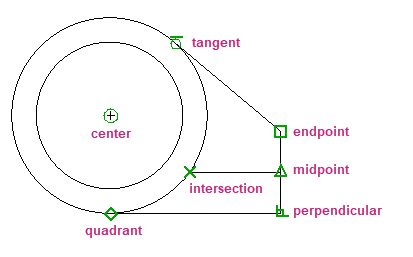
Objects that make up your designs rarely fall on precise coordinates. By far, the most important way to specify precise locations on objects is to use object snaps. In the following illustration, several different kinds of object snaps are represented by markers.
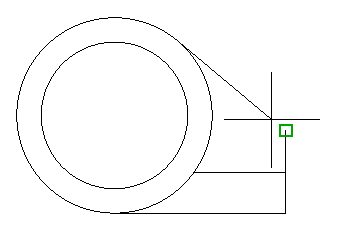
Object snaps become available during a command whenever you are prompted to specify a point. For example, as you draw a new line and move the cursor near the endpoint of an existing line, the cursor will automatically snap to it and is identified with an AutoSnap marker and tooltip.
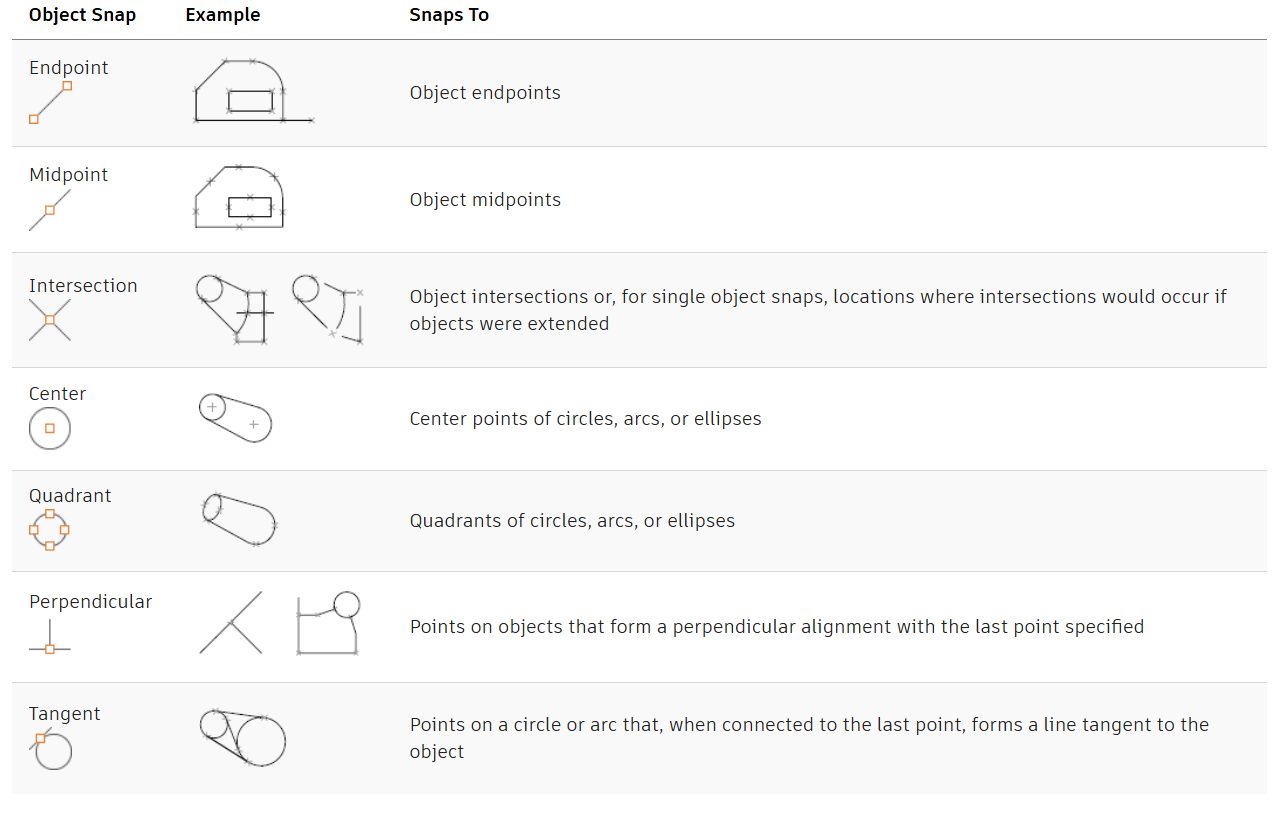
AutoSnap Marks of Common Object Snaps
The following table illustrates commonly used object snaps.
Learn More Precision Features
Be sure to check out the entire AutoCAD Foundations article for even more in-depth tutorials on object snaps and a variety of precision features. And stay tuned for our entire series here on the blog (or catch up on past articles!) as we highlight even more great tips for getting started with AutoCAD.