
To summarize a recent discussion in a forum, User A mentioned the usefulness of TEXTALLCAPS in AutoCAD, and User B said they didn’t know about that command. The pedantic tips guy (me) chimed in and explained that it was actually a system variable.
Always looking for subject matter for this space, I thought I’d explore the world of AutoCAD system variables, looking for diamonds in the rough. And I had plenty to choose from. I have no idea what the actual number is, but I counted 897.
I’ll present some here today and label them (according to me) as either Cool, Useful, or Interesting. As always, your mileage may vary. The list will be presented in alphabetical order.
Before we dive in, a little bit about AutoCAD system variables as all fall into a few categories. Their values are either saved in the drawing, the registry, or not at all. Most values are integers, but some are real numbers or even strings. I’ll label each accordingly for you.
ATTIPE
Integer | Registry | Interesting
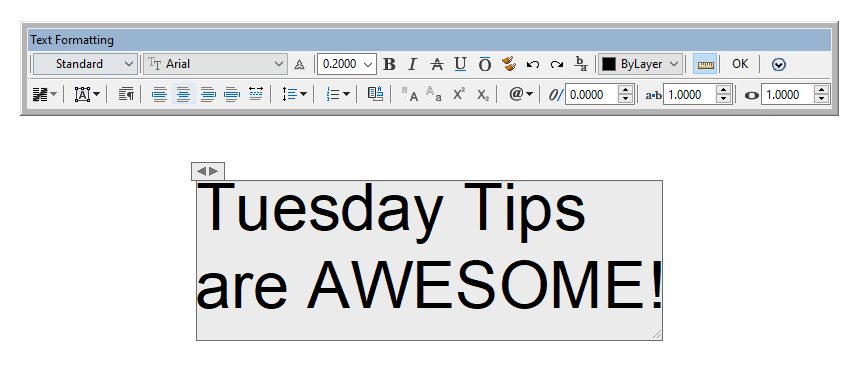
This controls whether or not the text formatting toolbar is displayed with the in-place editor when modifying multiline text. Are you looking for the same functionality for regular Mtext? You can find it in the ribbon, but the variable is called MTEXTTOOLBAR.
MAXSORT
Integer | Registry | Useful
Have you ever called up a large drawing, maybe with a lot of Xrefs, and the layer list doesn’t sort alphabetically? That’s what MAXSORT does – it sets the maximum number for sorting these named items. It defaults to 1000, so set it to something higher, but beware, 32767 is the limit (which is, of course, the maximum value of a 16-bit signed integer.)
MIRRHATCH
Integer | Registry | Useful
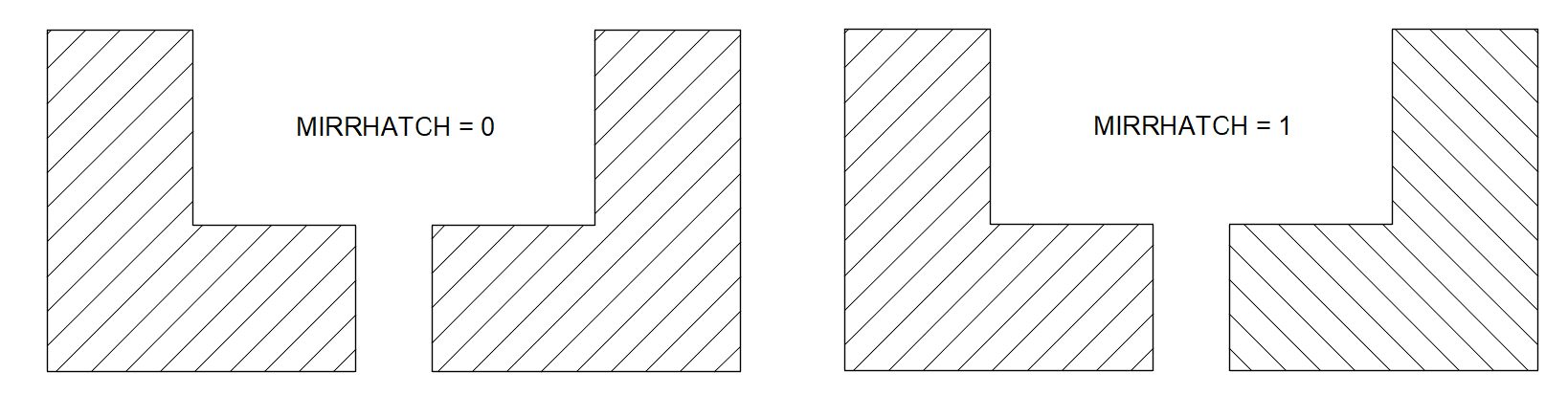
When we learned AUTOCAD, we were all taught about MIRRTEXT, but did you know it has a close cousin called MIRRHATCH? Since you know what the former does, I won’t explain the latter, but now you know.
MTJIGSTRING
String | Registry | Cool
Our first “cool” entry is MTJIGSTRING. You know that little piece of preview text that appears in the corner of your box as you’re creating Mtext? That’s called the Jig String. And with this variable, you can change it to whatever you want, limited to 10 characters or under.

NOMUTT
Short | Not Saved | Cool
Another cool entry and a card-carrying member of the AutoCAD All Name Team, NOMUTT, just had to be included here. But unless you’re a hardcore programmer, you’ll never use it. It was internal to Autodesk only for years and was finally made public sometime around 2006. It turns off Muttering, which is the normal command line messaging that is displayed.
PEDITACCEPT
Integer | Registry | Useful
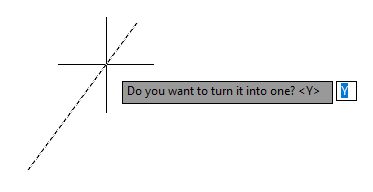
Do you convert lines or other objects into Polylines a lot? Do you get tired of AutoCAD asking you if you want to turn your selection into a Polyline? Set PEDITACCEPT to 1 to automatically convert it without the prompt. Now that’s useful.
REPORTERROR
Integer | Registry | Interesting
This variable will suppress the display (and, therefore, submission of) the Customer Error Report (CER) if AutoCAD closes unexpectedly. I wasn’t aware of this one until I started researching this post. Let’s just say I immediately put it to good use for a client.
TEXTALLCAPS
Switch | Registry | Useful
Ah, the variable that started it all. For many of us, it was drilled into us at an early age that lettering (now typing) was to be done in all caps. For the most part, that drafting standard has continued into today, with a few outliers choosing sentence case – which is generally what we use outside of AutoCAD. Better yet, it’s a registry variable, so turn it on once, and you’re good to go without having to remember to use that pesky Caps Lock key.

TEXTGAPSELECTION
Integer | Registry | Useful
I recently trained a new user and quickly realized he was having problems selecting text. In a word, he often missed, thinking he was hovering over a text element when he actually wasn’t. Setting TEXTGAPSELECTION to 1 (on) solves that problem. With it enabled, you can select the text object by selecting the gaps or spaces between characters. Definitely useful.

USER USERR USERS 12345
Integer, Real, String | Drawing | Cool
If you’re a veteran AutoLISP coder, you probably know that AutoCAD gives you 15 blank variables that you can use for yourself. There are 5 of each type. USER holds integers, USERR gets real numbers, and USERS takes strings. These are all saved in the drawing, so they’re only valid while you’re still in your drawing session.
VTENABLE
Integer | Registry | Useful
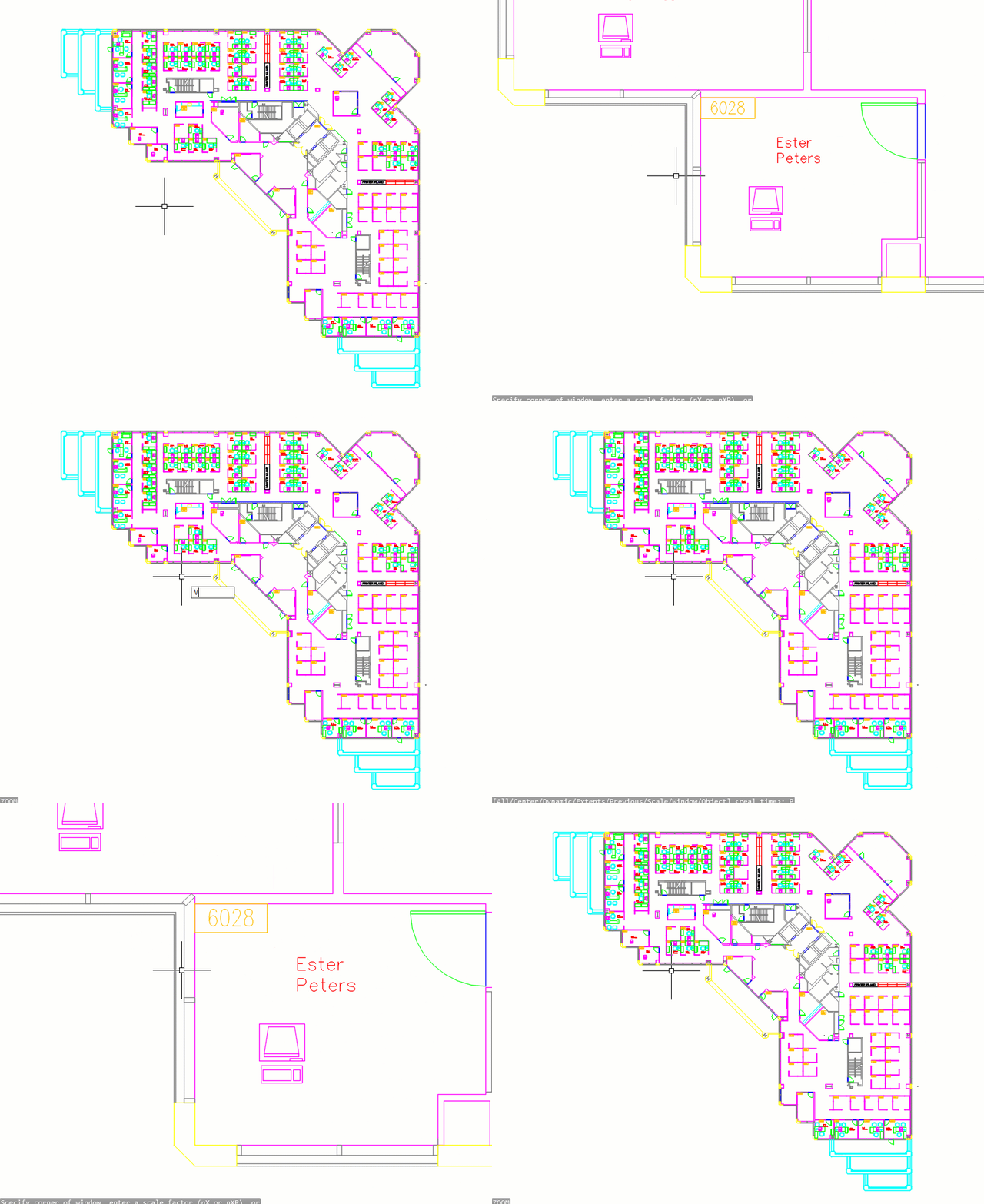
If you’re like me, and you may want your zoom to just happen and not use the cool, animated transition between views, set VTENABLE to zero and save some valuable milliseconds. It’s actually a true integer variable, as there are eight total settings you can choose from. Here is a link to the help file to assist you in making a wise choice.
But, if you like the transitions, you’d like them to happen either faster or slower. Set VTDURATION to something other than its default 750 milliseconds. Please note that valid entries are between 0 and 5000 – and zero would also effectively turn VTENABLE off.
And In The End
How interesting. If you noticed, I listed two other SysVar types; “Short” and “Switch” to be exact. The learning never ends with AutoCAD, does it?
If you want to further explore AutoCAD’s world of System Variables, the best place is from the System Variables tool found in the Tools panel of the Express Tools ribbon tab. There are 897 in there, and surely you’ll find your own little diamond. Happy hunting!
More Tuesday Tips
Check out our whole Tuesday Tips series for ideas on how to make AutoCAD work for you.