News from AU
October 18, 2012

Learn New Skills at an AU Hands-on Lab

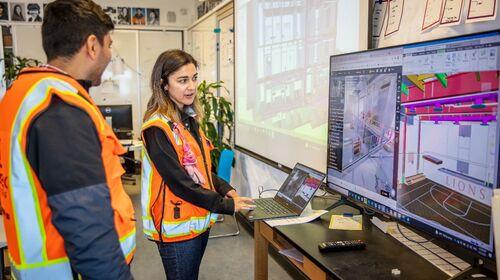
Lab classes at AU provide a great opportunity to learn new skills, get advanced training, or introduce yourself to new applications. AU 2012 features over 80 labs where you get hands-on experience with Autodesk® products. To accommodate demand for these practical classes, the schedule repeats several of the most popular labs.

Here's a list of the labs that still have space available. Click the links to read the class descriptions.

To sign up for a lab:

  1. Log in to your AU registration account.
  2. To find classes, click Browse & Search.
  3. Under Class Type, select Hands-on Lab.
  4. Browse the list or use keywords to filter it.
  5. When you find a lab you want to attend, click the blue plus sign to add it to your schedule.

Alternatively, you can add the lab to your schedule right from the class description page. Just click the blue plus sign in the upper right-hand corner. 


Class ID Title Speaker Day Time
AC3525-L Enhance AutoCAD® Designs with Autodesk® SketchBook® Designer Jerry Berns Tues 1:30 p.m.
AC7046-L Compelling Drawing Views with AutoCAD® 2013: 2D Drawings from AutoCAD® 3D Models (Repeat) J.C. Malitzke Wed 3:00 p.m.
CI6900-L AutoCAD® Civil 3D® and Autodesk® 3ds Max Design®: Civil View for All (Repeat) Vincent Sheehan Thurs 1:00 p.m.
CI6901-L Introduction to Autodesk® Storm and Sanitary Analysis (Repeat) Charlie Ogden Thurs 10:00 a.m.
CP2573-L Autodesk® Inventor® API Lab for Power Users, Part 2 Adam Nagy Wed 5:00 p.m.
CP2774-L Creating a Command in AutoCAD® with C# James Johnson Wed 1:00 p.m.
CP6892-L Creating an Autodesk® Revit® Add-In from Start to Finish (Repeat) Mike King Wed 5:00 p.m.
CR6888-L Take the Model and Run: A Hands-on Lab (Repeat) Art Theusch Thurs 5:00 p.m.
DG2619-L Autodesk® Softimage® Interactive Creative Environment: Making Math Accessible Todd Akita Thurs 8:00 a.m.
DG3053-L Shape Animation, Shape Keys, and Shape Rigs Adam Sale Tues 10:30 a.m.
FB4428-L Go Beyond Design: Using Autodesk® Fabrication Software to Extend Design Intent Peter Jackson Wed 1:00 p.m.
GS3320-L Exploring the Potential of CityGML in Autodesk® Infrastructure Modeler Dale Lutz Thurs 5:00 p.m.
MA2085-L From Nothing to Something Using AutoCAD® Electrical Todd Schmoock Thurs 1:00 p.m.
MA2879-L Sustainable Design with Material Selection in Autodesk® Inventor® Jamie O'Hare Wed 10:00 a.m.
MA3506-L Modeling with Project Forge from Autodesk Labs: A Hands-on Lab Colin Smith Tues 1:30 p.m.
MA3861-L The Rest of the Story: Using Autodesk® Inventor® Tools to Complete Facilities Design Documentation and Design Michael Jolicoeur Thurs 10:00 a.m.
MA4332-L CAM Quick-Start Lab One: InventorCAM from SolidCAM® Shaun Mymudes Tues 5:30 p.m.
MA4333-L CAM Quick-Start Lab Two: GibbsCAM® from Cimatron Group Mario Guerrero Wed 5:00 p.m.
MA4334-L CAM Quick-Start Lab Three: Edgecam® from Planit® Adam Smith Thurs 5:00 p.m.
MP7041-L Autodesk® Revit® MEP: Project Startup Survival Kit (Repeat) Derek Renn Thurs 5:00 p.m.
PD2371-L AutoCAD® Plant 3D Spec and Catalog Editors: A Hands-On Lab Aaron Werning Wed 10:00 a.m.
PL2195-L A Hands-on Tour of Autodesk® PLM 360 Note: 3-hour lab Brian Schanen Tues 1:30 p.m.
SE2151-L Learning to Design Connections in Autodesk® Revit® Structure with SDS/2 Connect David Zabka Tues 5:30 p.m.
SM2447-L New Capabilities in Project Hydra for Autodesk® Simulation Mechanical Sualp Ozel Tues 10:30 a.m.
SM2544-L-P Autodesk® Simulation Moldflow® Insight Certification Note: All-day lab Jay Shoemaker Mon 8:00 a.m.
SM2878-L Project Simulus: Get Your Hands on the Future of Simulation Today Tyler Henderson Thurs 8:00 a.m.
SM2937-L Using Autodesk® Simulation Moldflow® Insight to Explain Injection Molding and Detect Defects Stephen Johnston Tues 3:30 p.m.
UT2752-L-P AutoCAD® Utility Design: An Overview for Administrators John Yetter Tues 3:30 p.m.

/jenny