BIM for civil engineering
BIM for civil engineering
Use intelligent, connected BIM (Building Information Modeling) workflows to build resilient infrastructure.

The value of BIM for civil engineering
The value of BIM for civil engineering
The BIM process allows engineers to make more informed design decisions at every step of a project's lifecycle. It is foundational to digitally transforming firms to meet industry demands. BIM gives engineers the ability to optimize workflows, improve operational efficiency, and reduce project risk to successfully deliver projects on time.
The BIM process allows engineers to make more informed design decisions at every step of a project's lifecycle. It is foundational to digitally transforming firms to meet industry demands. BIM gives engineers the ability to optimize workflows, improve operational efficiency, and reduce project risk to successfully deliver projects on time.
Where BIM fits into civil engineering
Capture existing conditions
Capture existing conditions
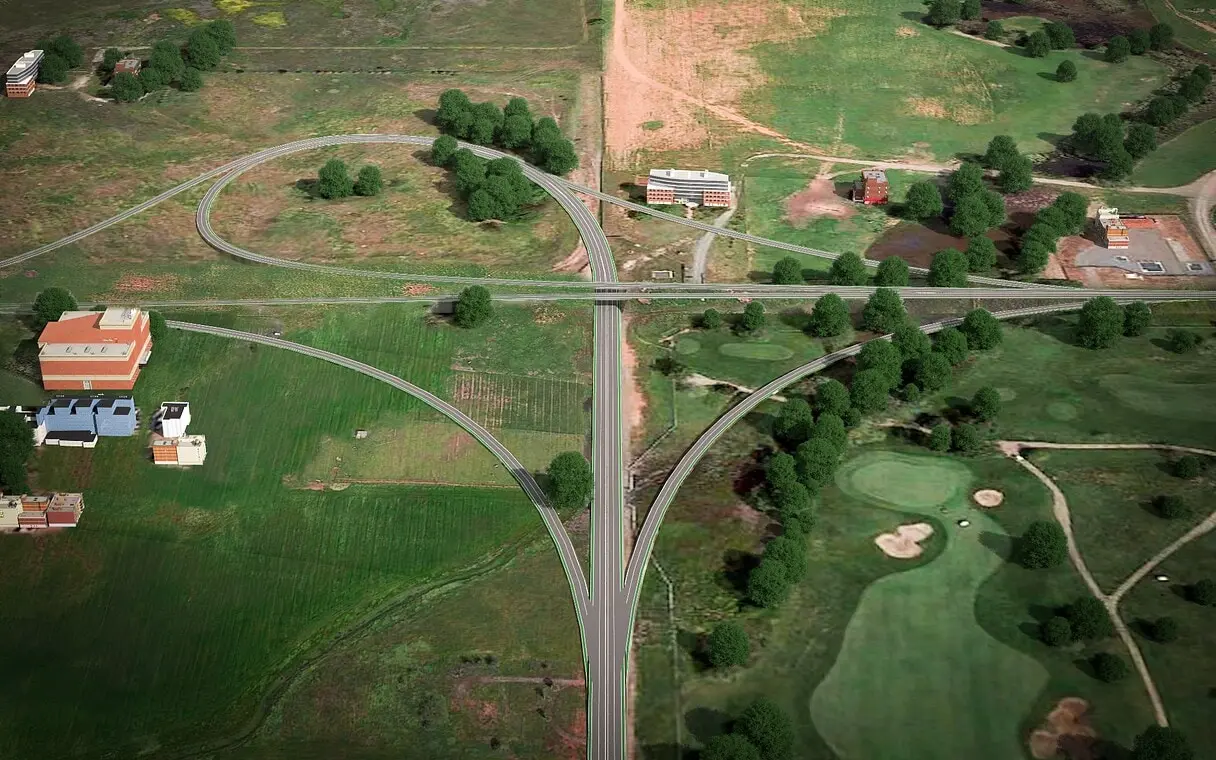
Produce and aggregate an accurate representation of the existing conditions into models that can be optimized for detailed design and engineering work downstream. Design with real-world context to enhance model accuracy and analysis.
Produce and aggregate an accurate representation of the existing conditions into models that can be optimized for detailed design and engineering work downstream. Design with real-world context to enhance model accuracy and analysis.
Autodesk and Esri
Autodesk and Esri
Autodesk and Esri are working together to bridge BIM and geographic information system (GIS) and transform your infrastructure project workflows.
Autodesk and Esri are working together to bridge BIM and geographic information system (GIS) and transform your infrastructure project workflows.

Get started with BIM for civil engineering
Get started with BIM for civil engineering
BIM can feel intimidating at first, but this guide breaks down how to implement a pilot and fully realize your vision. BIM can help you transform your business and optimize your workflows to take on more projects
BIM software for civil engineering
Let's talk BIM for civil engineering
Contact us to learn more about how Autodesk software can be a part of your infrastructure projects.
Contact us to learn more about how Autodesk software can be a part of your infrastructure projects.
Let's talk BIM for civil engineering
Contact us to learn more about how Autodesk software can be a part of your infrastructure projects.
Contact us to learn more about how Autodesk software can be a part of your infrastructure projects.
Frequently asked questions (FAQs)
What is BIM for civil engineering?
BIM stands for Building Information Modeling. For civil engineers, BIM is a process that incorporates all the various design disciplines and allows them to create a complete, intelligent model of the infrastructure project. BIM is the foundation for digital transformation in the civil engineering industry. This process allows engineers to create a more complete representation of project details that can be communicated more efficiently to the design team and to project stakeholders.
For more information, here's a guide to getting started with BIM for civil engineering.
How is BIM used in civil engineering?
BIM is an intelligent, 3D model-based process that is the foundation of digital transformation. Civil engineers can create and manage all the information surrounding design assets ensuring improved collaboration, shared data, and project delivery that is on time and on budget.
Why is BIM important for civil engineering?
Infrastructure projects today have become more complex. Implementing BIM facilitates project team collaboration; reducing errors, increasing cost predictability, and improving understanding.
What BIM-based software for civil engineering does Autodesk have?
Autodesk BIM software spans all disciplines to help civil engineering teams plan, design, model, build, and manage infrastructure, transportation, land development, and water projects. The Autodesk AEC Collection includes powerful BIM and CAD tools such as Revit, AutoCAD, Civil 3D, InfraWorks, and more. And our cloud-based design collaboration and design management software, Autodesk BIM Collaborate Pro, lets teams co-author in Revit, Civil 3D, or Plant 3D.
What are the benefits of using BIM in infrastructure projects?
BIM offers many benefits for civil projects. To begin with, BIM enables better collaboration among project stakeholders, leading to smoother communication and enhanced coordination throughout the project. The 3D digital model provides clear and intuitive visualization of the infrastructure, which allows teams to make more informed decisions during the design and construction phases.
Also, BIM's clash detection capabilities help identify potential conflicts early on, which minimizes risks and reduces the need for costly rework during construction. And finally, BIM streamlines project management, optimizes construction processes, and provides accurate quantities and cost estimates, resulting in improved efficiency and cost savings for the entire project.
What are best practices for implementing BIM in civil engineering firms?
Successful projects need a plan to complete construction. In the same way, successful project delivery needs a plan and process to manage data and to determine how project details will be communicated, delivered, and executed. Engineering firms can identify procedures for design, communication, and construction early in the project lifecycle and see that they are adhered to throughout the project.
A BIM execution plan helps specify design expectations, project communication methods, and execution of project details. Elements of this plan can help clearly define the following: design tools to be used on the project, design and construction level of detail requirements, ISO 19650 standard compliance, and model details with appropriate metadata. Proper implementation of BIM practices helps in risk and change management. These BIM processes are rapidly becoming the foundation of successful project delivery.
Are there cost savings associated with BIM adoption in civil engineering?
The initial costs for implementing BIM in design practices may be higher because more detail is provided in the design model. But there is tremendous value gained during coordination and design efforts. Cost savings can be significant when it comes to construction implementation, design review cycles, and during asset management. BIM adoption lowers overall design and construction risks and helps to minimize in-field conflicts and construction re-work.
What are the benefits of using digital twin technology in civil engineering projects?
A digital twin provides a near exact model or virtual representation of the actual infrastructure. The benefits of a digital twin allow evaluation and inspection of the model for immediate or future considerations. The digital twin contains metadata and details about specific elements or features of the model. This information is valuable for asset maintenance, proving existing conditions, and for supplying information on future projects that may impact the specified model area.