 Trevor English
Arcadis, a global design and engineering consultancy, saw an opportunity to put Autodesk’s InfoWorks WS Pro through its paces to provide insights into one of California’s most complex water systems.
One of the largest water utilities in northern California, one with an extensive and complex water network built over decades of suburban expansion, faced a critical challenge: accurately modeling main breaks to enhance its asset management practices.
As water utilities like this are faced with increasingly complex pipe replacement and asset management plans, they need to know that the data and risk ratings that support these plans are highly accurate. Today, thanks to cloud computing and the analysis capabilities of software like InfoWorks WS Pro, hydraulic modelers can not only understand where main breaks might happen in the system but also model the resulting impact on customers – before it even happens.
Modeling the complexity of their water system
“Their potable water system is highly dense and urbanized, with a variety of critical customers, both residential and commercial,” says Ben Chenevey, Water Distribution Modeling Practice Lead at Arcadis. The water system ties together 47,000 pipes, multiple water sources, and various pressure zones. “This complexity played heavily into the size of the simulations we had to run.”
The traditional methods of modeling pipe criticality, which focus on isolated pipe segments and high-level demand and pressure impacts, were insufficient for the detailed analysis the water utility was looking for. Their pipe replacement and asset management plans spanned millions of dollars in budget, and the teams wanted to know with a high degree of confidence that they were making the right decisions based on available data.
Arcadis needed to dive deeper into modeling, understanding not just the isolation of pipes but the immediate and cascading impacts of pipe breaks. This necessitated a shift to more advanced tools and methodologies.
Let there be multitudes: going beyond ‘batch runs’ with Generalized Multi-Runs
Arcadis took a bold step by adopting Autodesk’s InfoWorks WS Pro for the project, a decision driven by the tool’s advanced capabilities and the need for custom scripting and cloud analysis, something the utility didn’t have the capabilities for in their existing hydraulic modeling solution.
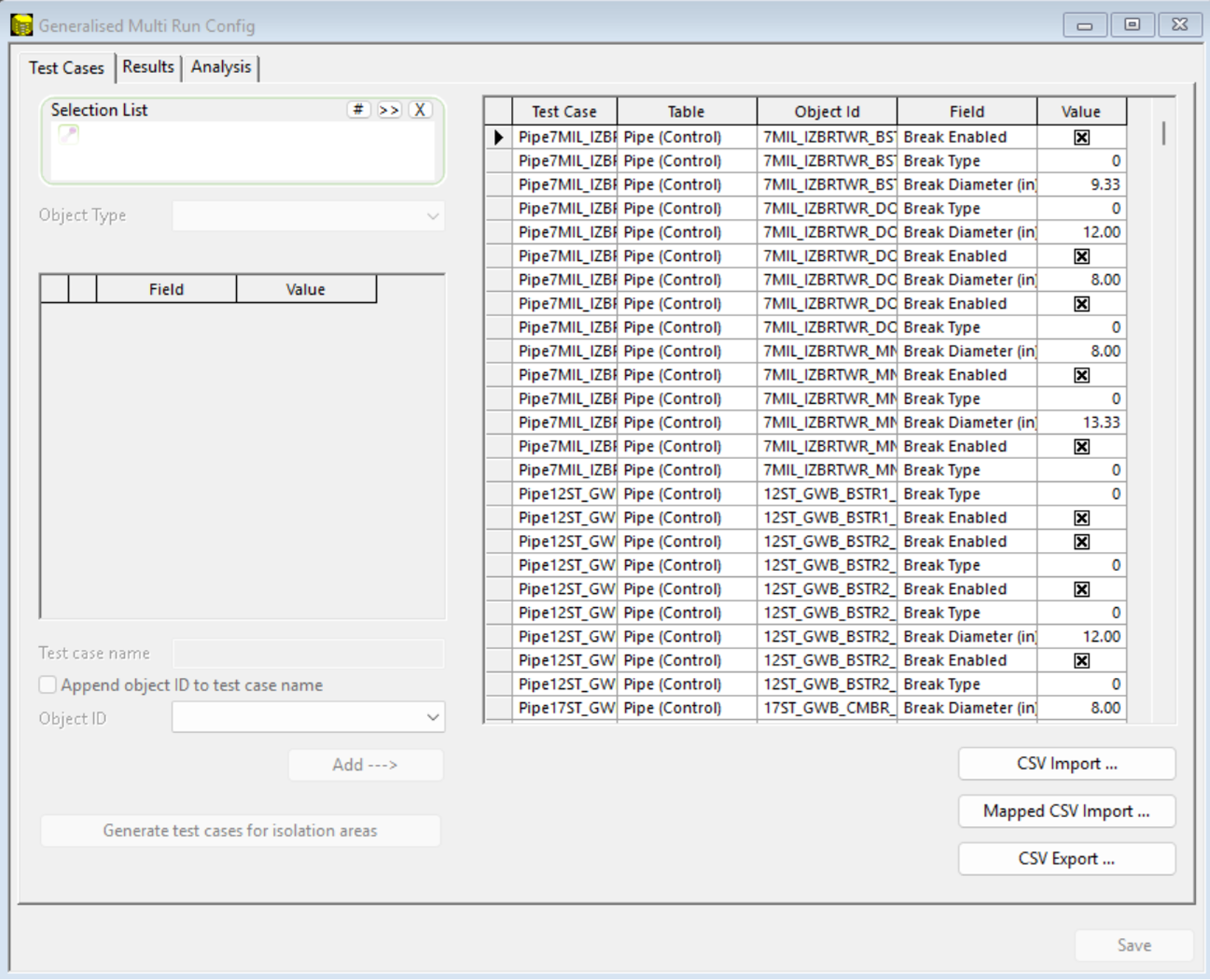
Water Resources Engineer Ravi Tippireddy, an experienced hydraulic distribution modeler at Arcadis, played a crucial role in setting up and running the complex simulations. “We brainstormed initially what we wanted to get out of the model and then wrote the queries for Generalized Multi-Runs (GMR),” Ravi says. “The format of some queries was complicated, but Autodesk coordinated with us to set it up appropriately.”
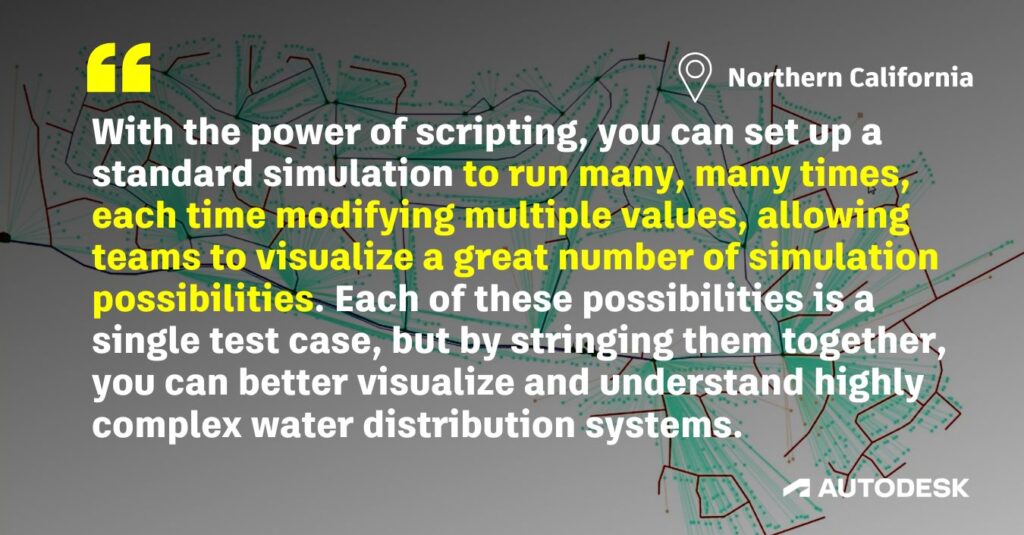
Generalized Multi-Runs in InfoWorks WS Pro enable customizable system-wide criticality analysis, giving you the ability to pair detailed simulation results to assets based on any available field. With the power of scripting, you can set up a standard simulation to run many, many times, each time modifying multiple values, allowing teams to visualize a great number of simulation possibilities. Each of these possibilities is a single test case, but by stringing them together, you can better visualize and understand highly complex water distribution systems.
It’s worth noting that some water distribution software packages offer a way for you to do something similar using batch runs, which bundles all your simulations together into a queue and runs them one-by-one. But InfoWorks WS Pro can go far beyond normal batch runs and perform these in parallel. Plus, it won’t lock your model while the batch runs are completing, allowing you to keep moving forward in your work while the data is being crunched in the background – or even better, in the cloud.
The modeling required for this project was uniquely complex, far beyond what is typically performed using conventional tools in the industry. While Arcadis has completed similar types of analysis before, this level of detail and accuracy called for capabilities not available in other software platforms. Autodesk’s ecosystem of solutions and support made it so the team was able to quickly learn the new platform and deliver the advanced modeling the project demanded.
InfoWorks WS Pro’s interface, familiar to those who had used InfoWorks ICM, made the process more straightforward for the team. Ravi notes, “Having all of the modeling solutions in one ecosystem reduced the learning curve, and I was able to quickly understand how things would be organized and laid out.”
Extracting more granular detail in their criticality analysis
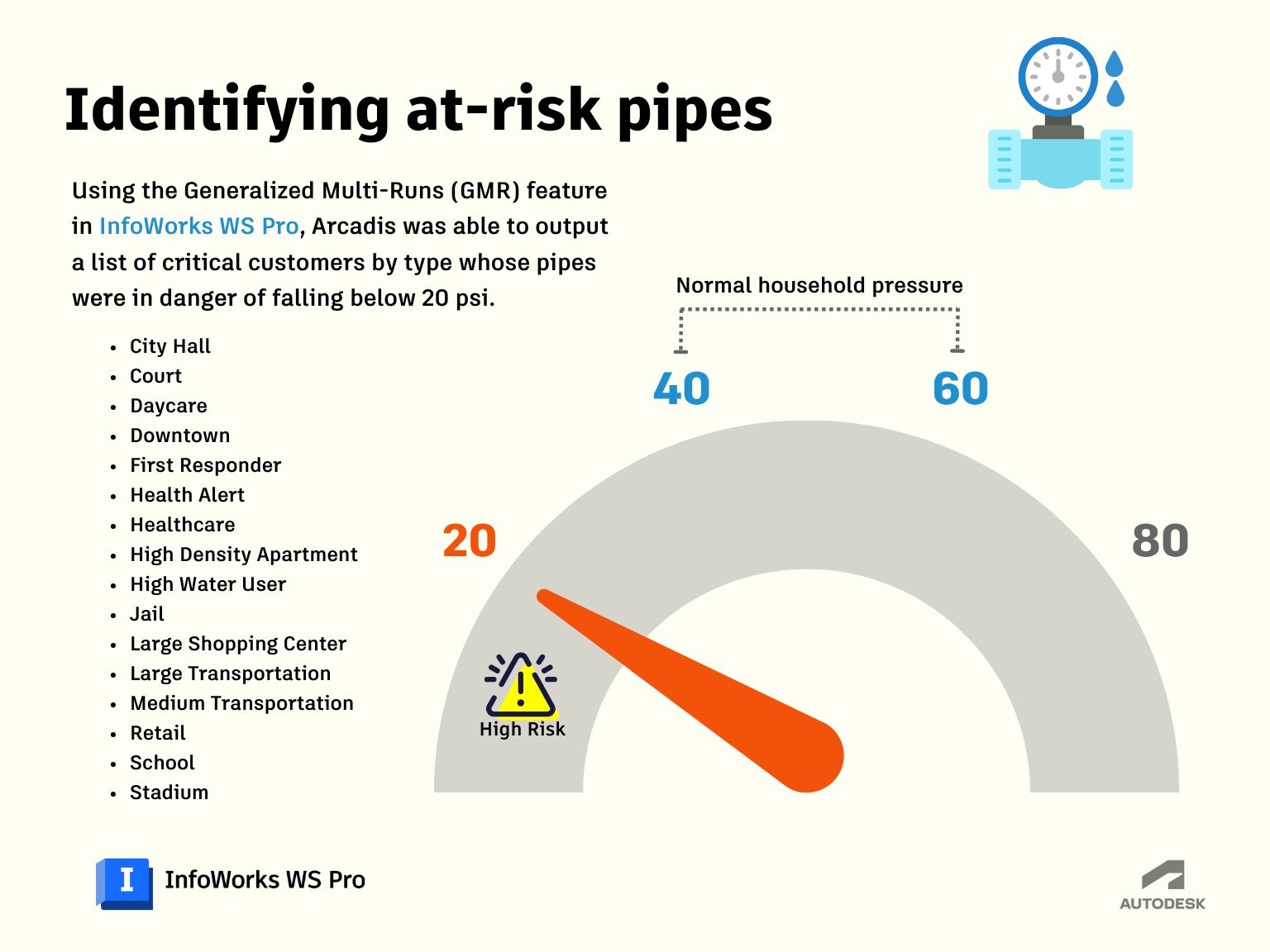
Arcadis faced the challenge of modeling not just pipe break isolation but the immediate impact of each pipe break. They needed to understand not just the system impact (low pressure issues, demand shortfall, etc.), but the customer impact as well (count of customers, critical customers) Using InfoWorks WS Pro, they customized the GMR to run detailed simulations with scripting, looking at demand shortfalls, impacted customer locations, and actual break volumes.
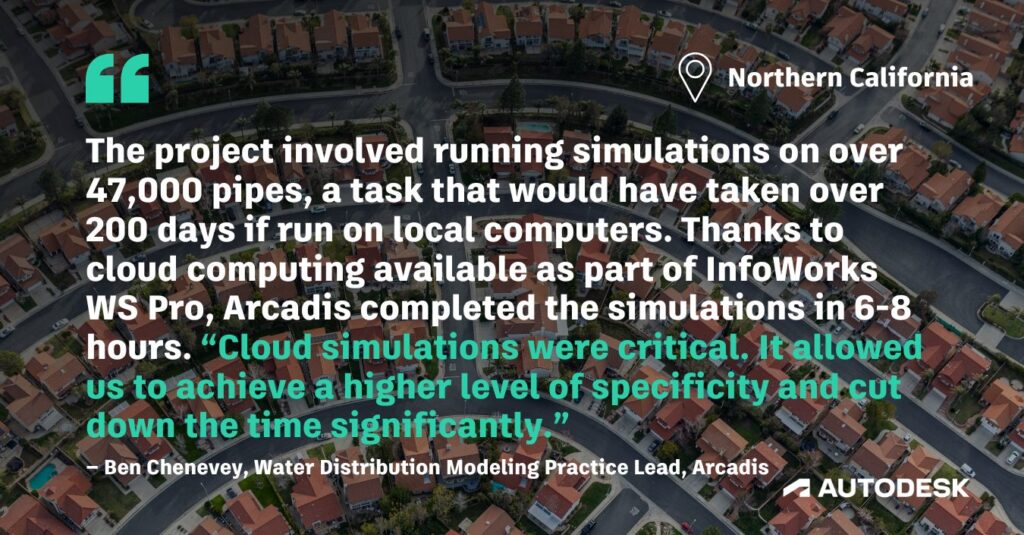
A deeper level of granularity was crucial for the northern Californian utility’s asset management practices. The project involved running simulations on over 47,000 pipes, a task that would have taken over 200 days if run on local computers. Thanks to cloud computing available as part of InfoWorks WS Pro, Arcadis completed the simulations in 6-8 hours. “Cloud simulations were critical. It allowed us to achieve a higher level of specificity and cut down the time significantly,” says Cheveney.
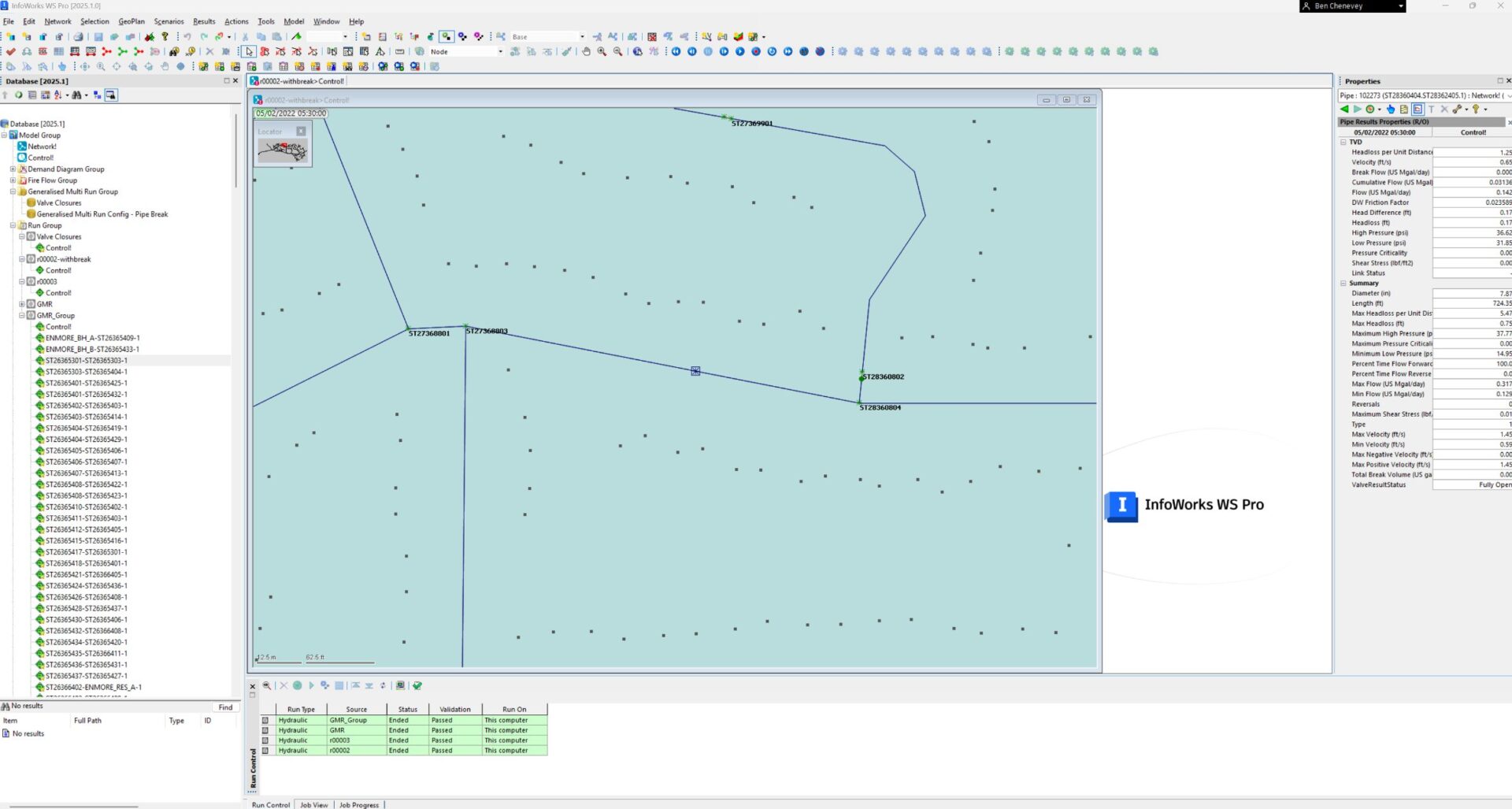
The speed in simulations, both driven by the cloud and the flexibility provided by scripting features in InfoWorks WS Pro, made the project possible. And now that they’ve done the project once, Arcadis says that this is a workflow they’d be able to replicate easily for other projects without the up-front lift, a clear example of how embracing digital transformation early leads to increasing gains down the line.
“All of the support meant we were able to quickly wrap our brains around what we could do,” says Chenevey. “The project went really well, so much that it will likely serve as a model for what we can do on other projects.”
Better data = better asset management
The detailed data from InfoWorks WS Pro fed into the utility’s asset management plan, providing over 20 columns of data to understand the true consequences of pipe failures. “This means that the risk ratings in the asset management plan are more accurate,” Chenevey explains. “We incorporated as much data as possible to make the risk rating as accurate as possible.”
Tippireddy concurs on the importance of going deep with the data. “This adds a lot more granularity to the data, actually letting you know which pipe impacts which customers. All of this adds to a better understanding of the system.”
The project also highlighted the sustainability benefits of optimized water network management. By accurately identifying and replacing necessary pipes, the system can reduce water loss, especially important in a drought-stricken environment. Ben adds, “If a break occurs, you’re losing clean water. Optimized asset management means using water efficiently and reducing loss.”
Arcadis’ experience with InfoWorks WS Pro demonstrates the flexibility of Autodesk’s solutions and the impressive acumen of their hydraulic modeling team. They couldn’t accomplish the analysis they wanted with their existing hydraulic modeling solution, so they dug deeper to find a workable solution. “They realized their main modeling solutions couldn’t do it, and that led them to InfoWorks WS Pro because of the capabilities it had,” says Chenevey.
A streamlined workflow for future project modeling
The large project underscores Arcadis’ expertise and the flexibility of Autodesk’s InfoWorks WS Pro in digital transforming water utilities. By embracing advanced modeling, cloud computing, and detailed analysis, Arcadis provided the water utility with the insights needed to enhance its asset management practices. This competitive win for Autodesk showcases the effectiveness of its solutions in tackling complex water network challenges, setting a precedent for future projects.
Go deeper into the technology
- Script it yourself: Do you use scripting in your work? Visit our GitHub repository, which includes Ruby, Exchange, and SQL scripts. Also helpful: The InfoWorks WS Pro Technical Hub.
- Cloud curious? If you’re not yet taking advantage of the on-demand parallel cloud computing options in InfoWorks WS Pro –there’s no need to wait. It’s included with your Autodesk subscription. Here’s what our customers ask us before diving in.
- Want to do what Arcadis did? We’re including a sample of the code Arcadis ran for their network analysis, which can be replicated and modified for your own network use case. 👇
Script 1: Demand shortfall
SELECT SUM(sim.totdemnd)
WHERE (sim.pnmin <0 AND user_number_1<>1)
Script 2: Pipe break flow rate
SELECT SUM(sim.totbreakflow) AS break_flow_gpmScript 3: Critical customer impact
SELECT
'global' AS object_id,
count(IIF(sim.pnmin<20 AND user_number_11<>20 AND external_category='City Hall',1, 0)) AS [City Hall P20 Customers],
count(IIF(sim.pnmin<20 AND user_number_11<>20 AND external_category='Court',1, 0)) AS [Court P20 Customers],
count(IIF(sim.pnmin<20 AND user_number_11<>20 AND external_category='Daycare',1, 0)) AS [Daycare P20 Customers],
count(IIF(sim.pnmin<20 AND user_number_11<>20 AND external_category='Downtown',1, 0)) AS [Downtown P20 Customers],
count(IIF(sim.pnmin<20 AND user_number_11<>20 AND external_category='First responder',1, 0)) AS [First responder P20 Customers],
count(IIF(sim.pnmin<20 AND user_number_11<>20 AND external_category='Health Alert',1, 0)) AS [Health Alert P20 Customers],
count(IIF(sim.pnmin<20 AND user_number_11<>20 AND external_category='Healthcare',1, 0)) AS [Healthcare P20 Customers],
count(IIF(sim.pnmin<20 AND user_number_11<>20 AND external_category='High Density Apartment',1, 0)) AS [High Density Apartment P20 Customers],
count(IIF(sim.pnmin<20 AND user_number_11<>20 AND external_category='High Water User',1, 0)) AS [High Water User P20 Customers],
count(IIF(sim.pnmin<20 AND user_number_11<>20 AND external_category='Jail',1, 0)) AS [Jail P20 Customers],
count(IIF(sim.pnmin<20 AND user_number_11<>20 AND external_category='Large Shopping Center',1, 0)) AS [Large Shopping Center P20 Customers],
count(IIF(sim.pnmin<20 AND user_number_11<>20 AND external_category='Large Transportation',1, 0)) AS [Large Transportation P20 Customers],
count(IIF(sim.pnmin<20 AND user_number_11<>20 AND external_category='Medium Transportation',1, 0)) AS [Medium Transportation P20 Customers],
count(IIF(sim.pnmin<20 AND user_number_11<>20 AND external_category='Retail',1, 0)) AS [Retail P20 Customers],
count(IIF(sim.pnmin<20 AND user_number_11<>20 AND external_category='School',1, 0)) AS [School P20 Customers],
count(IIF(sim.pnmin<20 AND user_number_11<>20 AND external_category='Stadium',1, 0)) AS [Stadium P20 Customers],
sum(IIF(sim.pnmin<20 AND user_number_11<>20, user_number_1, 0)) AS [Sec P20 Customers],
sum(IIF(sim.pnmin<20 AND user_number_11<>20, user_number_2, 0)) AS [Sec Retail P20 Customers],
sum(IIF(sim.pnmin<20 AND user_number_11<>20, user_number_3, 0)) AS [Sec Daycare P20 Customers],
sum(IIF(sim.pnmin<20 AND user_number_11<>20, user_number_4, 0)) AS [Sec Downtown P20 Customers],
sum(IIF(sim.pnmin<20 AND user_number_11<>20, user_number_5, 0)) AS [Sec HealthAlert P20 Customers],
sum(IIF(sim.pnmin<20 AND user_number_11<>20, user_number_6, 0)) AS [Sec Heathcare P20 Customers],
sum(IIF(sim.pnmin<20 AND user_number_11<>20, user_number_7, 0)) AS [Sec HDA P20 Customers],
sum(IIF(sim.pnmin<20 AND user_number_11<>20, user_number_8, 0)) AS [Sec Jail P20 Customers],
sum(IIF(sim.pnmin<20 AND user_number_11<>20, user_number_9, 0)) AS [Sec LSC P20 Customers],
sum(IIF(sim.pnmin<20 AND user_number_11<>20, user_number_10, 0)) AS [Sec School P20 Customers],
sum(IIF(sim.pnmin<20 AND user_number_11<>20, 1, 0)) AS [Primary P20 Customers]