
ECAD MCAD collaboration simplified with one software solution
ECAD MCAD collaboration simplified with one software solution
What is ECAD MCAD?
What is ECAD MCAD?
Design Unification
Design Unification
Collaboration
Collaboration
True 3D PCB Design
True 3D PCB Design
Integrated ECAD MCAD for consumer products
Integrated ECAD MCAD for consumer products
Boost your team's productivity with built-in data management that drives efficiency
Boost your team's productivity with built-in data management that drives efficiency

Electronics Design
Electronics Design

Mechanical Design
Mechanical Design

Simulation
Simulation
Speed up your time to market with the Avnet add-in for Fusion
Speed up your time to market with the Avnet add-in for Fusion

Better together: Autodesk and Cadence ECAD MCAD integration
Better together: Autodesk and Cadence ECAD MCAD integration
Does Autodesk Fusion include electronics?
Yes, Autodesk Fusion unifies MCAD and ECAD workflows. Whether you’re an electrical engineer looking for a cloud-based PCB design tool or an industrial designer looking to incorporate PCBs into your work, Fusion 360 is the solution for you. The electronics workspace is a comprehensive and affordable end-to-end solution that includes 999 schematics, 16 layers, and unlimited board area.
What is ECAD (electronic computer-aided design)?
Electronic Computer-Aided Design (ECAD) software is used to create and modify both 2D and 3D diagrams and layouts, to design Printed Circuit Boards (PCB).
What is MCAD (mechanical computed-aided design)?
MCAD (mechanical computer-aided design) software is used to create and modify 2D and 3D CAD geometry to design and document mechanical components.
What is the benefit of integrated ECAD MCAD?
Using two separate software tools to create one functional prototype can be frustrating and time-consuming. PCB design software collaboration optimizes PCB assembly and reduces the risk of error. MCAD and ECAD integration allows for a one-stop-shop solution for accuracy.
What issues can arise from manually collaborating between ECAD and MCAD?
Manually collaborating between ECAD (Electronic Computer-Aided Design) and MCAD (Mechanical Computer-Aided Design) can lead to several potential issues:
Data inconsistency: Without a streamlined process, data can become inconsistent between the two systems. Design changes in one system might not get reflected in the other, leading to discrepancies.
Time and efficiency: Manual collaboration requires more time to coordinate and communicate changes between teams. This can result in slower design cycles and increased time to market.
Potential errors: Manual entry or transfer of data increases the opportunity for human error. Mistakes can lead to serious design flaws, which may not be caught until much later in the design process, leading to costly reworks.
Lack of real-time collaboration: Without integrated ECAD/MCAD software, teams can't work simultaneously on the same project, leading to inefficiencies and delays.
Difficulty tracking changes: When changes are made manually, it can be more difficult to track who made changes, when, and why. This can make troubleshooting design problems more challenging.
Why is ECAD MCAD collaboration importatnt in today's design and manufacturing process?
ECAD/MCAD collaboration is crucial in today's design and manufacturing process largely due to its ability to enhance efficiency and foster innovation. By integrating ECAD and MCAD, mechanical and electrical engineers can work simultaneously on the same project, ensuring consistency in design and reducing the time to market. This multidisciplinary approach is vital in modern product design, which often incorporates both mechanical and electrical components. A collaborative environment helps in early detection of design errors, leading to cost savings by avoiding expensive reworks later on. Companies leveraging ECAD/MCAD collaboration gain a competitive edge, as they can bring innovative products to market more quickly.
Is Autodesk Fusion ECAD MCAD software?
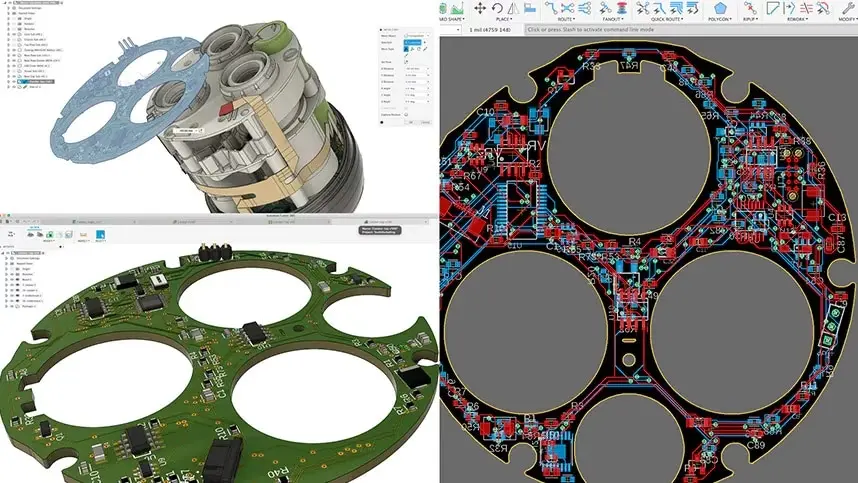
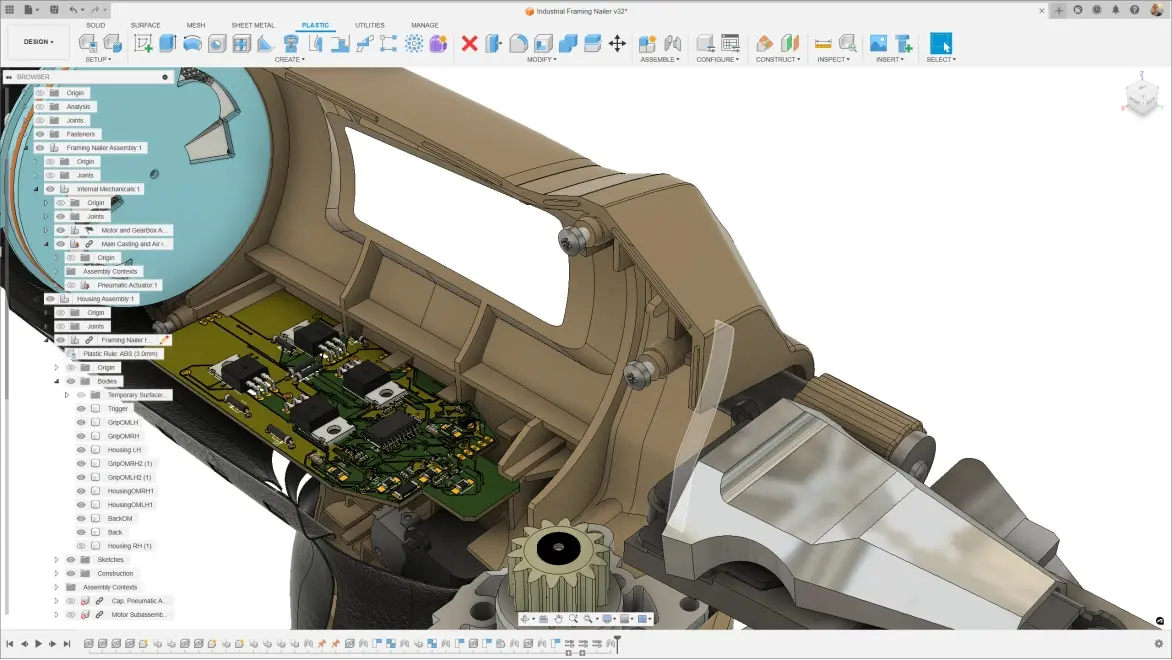
Yes, Autodesk Fusion is both an ECAD (Electronic Computer-Aided Design) and MCAD (Mechanical Computer-Aided Design) software. It offers integrated ECAD and MCAD functionalities, allowing 3D PCB data such as board copper, core material, and components to be analyzed, verified, and validated to meet product design specifications. Fusion enables ECAD and MCAD designers to work natively and independently on the same design project within the same design management platform. It eliminates the need for third-party integration, translation, or exchange of files.
What are the best practices for ECAD MCAD co-design?
To ensure successful ECAD MCAD co-design, it's important to use integrated software that allows real-time collaboration and reflects changes across systems, like Autodesk Fusion. Clear communication and defined roles for each team are critical. A centralized platform should be maintained for all design data, serving as a single source of truth to prevent discrepancies. Regular design reviews involving both ECAD and MCAD teams are essential to catch errors early.