
The common data environment for AECO
Teams, data, and workflows connected in a cloud-based common data environment built for AECO.
Forma Data Management sign-inThe common data environment for AECO
Teams, data, and workflows connected in a cloud-based common data environment built for AECO.
Forma Data Management sign-inProject data, connected.
A cloud-native common data environment connecting AECO project data and workflows across the lifecycle.
Project data, connected.
A cloud-native common data environment connecting AECO project data and workflows across the lifecycle.
Connected project data
Connected data across teams and phases
Collaboration
Collaborate with control
Clear version history
Stay up to date
Reporting and insights
Act on real-time data
Connected project data
Connected data across teams and phases
Collaboration
Collaborate with control
Clear version history
Stay up to date
Reporting and insights
Act on real-time data
Features for Connected Project Data

Organised project data
Organise, control and track project documents in a shared AECO-focused data environment.

Access controls
Control who can view, upload, edit and manage project information across teams and folders.

Version control
Automatic version tracking with the ability to restore earlier file versions.

Desktop-to-cloud connection
Sync project data between desktop and cloud, maintaining consistent access to project information across tools.

Drawing and model viewing
View 2D drawings and 3D models directly in the browser without downloading files.

Reviews & approvals
Manage document sign-off with workflows that track progress, capture decisions, so team members can act on current, confirmed information.

Custom metadata and attributes
Add custom attributes to project files to improve organisation, searchability, and consistency across teams and workflows.

Bridge
Share project data across projects or hubs so teams can collaborate while maintaining their own project records.

Mobile access
Access and update project data on the go to reference the latest information and stay up to date in the field.
Included with Forma Data Management and Forma Data Management Essentials
Centralise BIM content management in the cloud
Gain access to a cloud-based library that lets teams manage, version, and share design content across every project.
Gain access to a cloud-based library that lets teams manage, version, and share design content across every project.
News, learning, and success stories
Explore news, success stories, and other resources to stay informed, inspired, and ahead of what’s next.

Blog
How Forma Data Management improves project collaboration
Explore how a cloud common data environment improves project data management and collaboration.
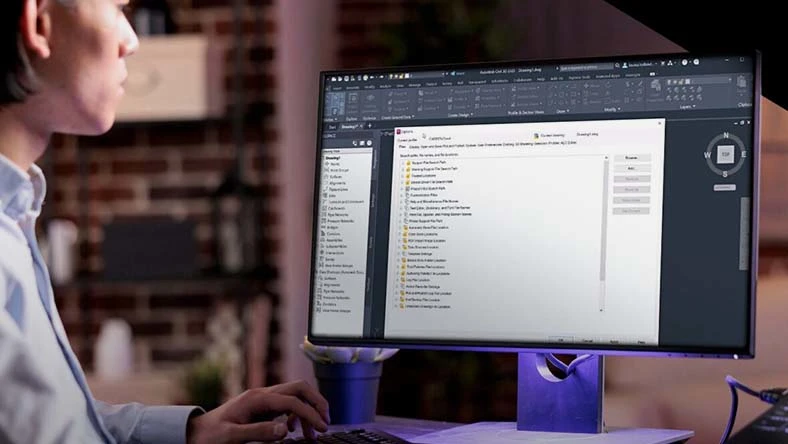
Blog
Forma Data Management for CAD standards
Learn how cloud storage centralises CAD standards across projects.

Community
The Big Room
Join AECO professionals in discussions, online activities and virtual meetups.

Roadmap
Forma Data Management roadmap
Explore our product roadmap to see what’s in development, released, and under consideration.
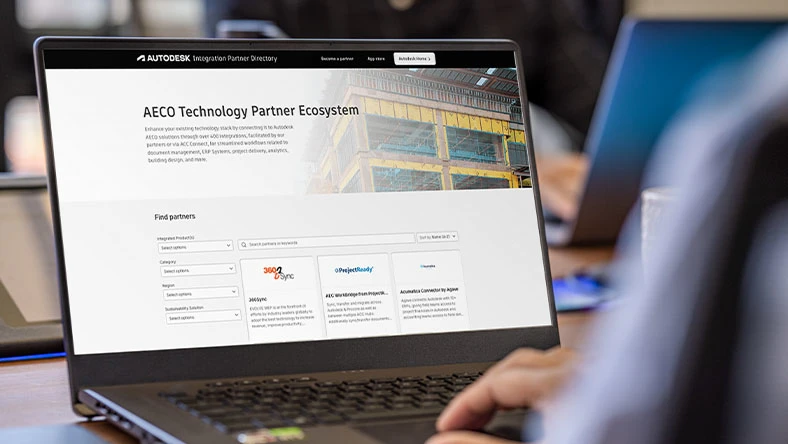
Integrations
AECO technology partner ecosystem
Connect your tech stack with Autodesk Forma. 400+ integrations for streamlined project workflows.
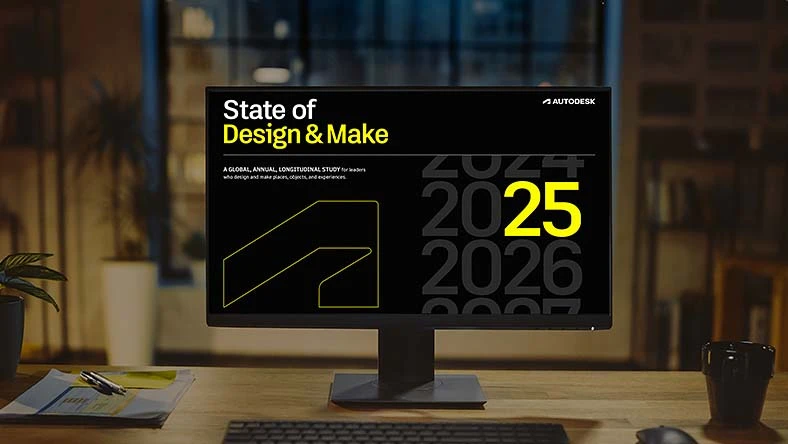
Report
2025 State of Design & Make
2025 Design & Make research with key insights on tech, AI, sustainability, and industry trends.
Autodesk Forma
Connect all project phases with Autodesk Forma
Connect all project phases with Autodesk Forma
Explore Autodesk Forma industry cloud’s tools for planning, design, building and operations to unlock smarter workflows and stronger project outcomes.
Explore Autodesk Forma industry cloud’s tools for planning, design, building and operations to unlock smarter workflows and stronger project outcomes.
Autodesk Forma
Connect all project phases with Autodesk Forma
Connect all project phases with Autodesk Forma
Explore Autodesk Forma industry cloud’s tools for planning, design, building and operations to unlock smarter workflows and stronger project outcomes.
Explore Autodesk Forma industry cloud’s tools for planning, design, building and operations to unlock smarter workflows and stronger project outcomes.
Autodesk Forma
Connect all project phases with Autodesk Forma
Connect all project phases with Autodesk Forma
Explore Autodesk Forma industry cloud’s tools for planning, design, building and operations to unlock smarter workflows and stronger project outcomes.
Explore Autodesk Forma industry cloud’s tools for planning, design, building and operations to unlock smarter workflows and stronger project outcomes.
Questions? We have answers.
What is Forma Data Management?
Forma Data Management, formerly known as Autodesk Docs, is a cloud-based common data environment that centralises project information. It helps teams manage files, control versions, standardise workflows, and collaborate across design, construction, and operations.
Who uses Forma Data Management?
Forma Data Management is used by architects, engineers, BIM managers, contractors, project managers, and owners who need reliable access to structured project data across the project lifecycle.
Is Forma Data Management the new name for Autodesk Docs?
Yes. Autodesk Docs has evolved into Forma Data Management as part of the Forma industry cloud. If you currently use Autodesk Docs, no action is required, and your access continues seamlessly under the new name. Forma Data Management continues to provide a common data environment with expanded capabilities that support structured workflows, governance, and collaboration across AECO teams.
How do I purchase a Forma Data Management licence?
Forma Data Management is available as a standalone subscription and may also be included with select Autodesk cloud offerings.
If you currently use Autodesk Docs, no additional purchase is required. Your access, projects, data, and permissions remain in place under the Forma Data Management name.
What Autodesk Regional Offerings are available for Forma Data Management projects?
For Forma Data Management, Covered Content can be primarily stored on the Australia, Canada, EU, Germany, India Japan, UK, or US Regional Offerings. For further information or guidance on determining where your projects are hosted, review the Autodesk Regional Offering FAQ.
Can I log into Forma Data Management on multiple computers?
Yes; however, only the named user can sign in and use that software on a single computer at any given time. Refer to the Software Licence Agreement for more information.
How do I convert my Forma Data Management free trial to a paid subscription?
Launch your trial software and click Subscribe Now on the trial screen or buy Forma Data Management here. When buying your subscription, enter the same email address and password combination you used to sign in to your trial. Learn more about converting a trial to a paid subscription.
Can I access my projects on mobile?
Yes. Projects hosted in Forma Data Management can be accessed through the Autodesk Forma (formerly Autodesk Construction Cloud) mobile app, available on the App Store and Google Play. Access depends on your subscription and project permissions.
What Autodesk AI Capabilities exist in Forma Data Management today?
Forma Data Management includes AI-enabled capabilities that support information access, document processing, and project risk analysis. Autodesk Assistant provides conversational support for navigating and summarising project specifications. Construction IQ analyses project data to identify and prioritise potential risks. Automated Drawing Extraction uses OCR to extract attributes from project drawings, and within the Specifications tool, AI helps structure lengthy specification documents into more manageable sections for review. Availability of these capabilities depends on both hub licensing and user assignment.
Connected project data
Connected data across teams and phases
Frictionless collaboration
Cloud-connected design
Connected project data
Connected data across teams and phases
Frictionless collaboration
Cloud-connected design
Features for Connected Project Data
Organised project data
Organise, control and track project documents in a shared AECO-focused data environment.

Markups
Add comments and annotations directly to drawings and models to communicate feedback clearly.

Issue tracking
Note, track and manage project issues in one place to improve visibility, accountability and alignment across project teams.
Desktop-to-cloud connection
Sync project data between desktop and cloud, maintaining consistent access to project information across tools.
Drawing and model viewing
View 2D drawings and 3D models directly in the browser without downloading files.
Version control
Automatic version tracking with the ability to restore earlier file versions.
Search and share files
Search project content and share files using permission-based links.
Bridge
Share project data across projects or hubs so teams can collaborate while maintaining their own project records.
Access controls
Control who can view, upload, edit and manage project information across teams and folders.
Included with Forma Data Management and Forma Data Management Essentials
Centralise BIM content management in the cloud
Gain access to a cloud-based library that lets teams manage, version, and share design content across every project.
Gain access to a cloud-based library that lets teams manage, version, and share design content across every project.
News, learning, and success stories
Explore news, success stories, and other resources to stay informed, inspired, and ahead of what’s next.
Blog
How Forma Data Management improves project collaboration
Explore how a cloud common data environment improves project data management and collaboration.
Blog
Forma Data Management for CAD standards
Learn how cloud storage centralises CAD standards across projects.
Community
The Big Room
Join AECO professionals in discussions, online activities and virtual meetups.
Roadmap
Forma Data Management roadmap
Explore our product roadmap to see what’s in development, released, and under consideration.
Integrations
AECO technology partner ecosystem
Connect your tech stack with Autodesk Forma. 400+ integrations for streamlined project workflows.
Report
2025 State of Design & Make
2025 Design & Make research with key insights on tech, AI, sustainability, and industry trends.
Autodesk Forma
Connect all project phases with Autodesk Forma
Connect all project phases with Autodesk Forma
Explore Autodesk Forma industry cloud’s tools for planning, design, building and operations to unlock smarter workflows and stronger project outcomes.
Explore Autodesk Forma industry cloud’s tools for planning, design, building and operations to unlock smarter workflows and stronger project outcomes.
Autodesk Forma
Connect all project phases with Autodesk Forma
Connect all project phases with Autodesk Forma
Explore Autodesk Forma industry cloud’s tools for planning, design, building and operations to unlock smarter workflows and stronger project outcomes.
Explore Autodesk Forma industry cloud’s tools for planning, design, building and operations to unlock smarter workflows and stronger project outcomes.
Autodesk Forma
Connect all project phases with Autodesk Forma
Connect all project phases with Autodesk Forma
Explore Autodesk Forma industry cloud’s tools for planning, design, building and operations to unlock smarter workflows and stronger project outcomes.
Explore Autodesk Forma industry cloud’s tools for planning, design, building and operations to unlock smarter workflows and stronger project outcomes.
Questions? We have answers.
What is Forma Data Management Essentials?
Forma Data Management Essentials is a cloud-based project workspace that helps AECO teams manage, organise and share project files. It provides core cloud collaboration capabilities such as document storage, drawing and model viewing, markups and issue tracking while connecting AutoCAD, Revit and Civil 3D to consistent, accessible project data.
Who uses Forma Data Management Essentials?
Forma Data Management Essentials is designed for drafters, designers, architects, engineers, contractors and others who work in supported versions of AutoCAD, Revit or Civil 3D and need a simple, cloud-connected way to manage and collaborate on project data.
What is the difference between Forma Data Management Essentials and Forma Data Management?
Forma Data Management Essentials includes core cloud-based document management and collaboration capabilities, such as centralised storage, browser-based drawing and model viewing, markups, issue tracking and controlled sharing.
Forma Data Management includes everything in Forma Data Management Essentials plus advanced capabilities such as document approvals, metadata-driven workflows, automation, Insights and API access.
Forma Data Management Essentials is designed as a simple starting point for AECO teams. Forma Data Management supports more advanced project controls and workflows.
Explore the detailed comparison chart.
What is Desktop Connector?
Desktop Connector lets you work locally with Forma Data Management and Forma Data Management Essentials cloud data. Open, edit and save files on your computer while changes sync automatically to the cloud. It supports design file references and offline work, syncing updates when you reconnect.
Desktop Connector is required for desktop-to-cloud workflows in Forma Data Management and Forma Data Management Essentials.
How much does Forma Data Management Essentials subscription cost?
Forma Data Management Essentials is included as an entitlement with eligible standalone subscriptions of AutoCAD, Revit and Civil 3D. It is also included with the Product Design and Manufacturing Collection and is not available as a standalone product.
Which Autodesk regional offerings support Forma Data Management Essentials projects?
In Forma Data Management Essentials, Covered Content can be primarily stored on the Australia, Canada, EU, Germany, India, Japan, UK or US regional offerings. For further information or guidance on determining where your projects are hosted, review the Autodesk Regional Offering detailed FAQ.
What are the supported operating systems for Forma Data Management Essentials?
Forma Data Management Essentials is a cloud-based solution accessed through a web browser and does not require a specific operating system.
For detailed information, refer to the Forma Data Management Essentials system requirements.
Can I move to Forma Data Management later?
Yes. Customers can purchase a Forma Data Management licence at any time. No data migration is required. When licensed, advanced capabilities become available within the existing hub and projects.
Products you can trust
From payment flexibility to always-on support, we back up our work with excellent customer service.

