 Workshop XR
 Autodesk Workshop XR: Streamline your design reviews in extended reality (XR)
Collaborate inside your projects in real-time to catch costly errors and enhance spatial understanding - all connected to Autodesk Construction Cloud (ACC). (*Requires a Meta Quest 2, 3, 3S, or Pro)

What is Autodesk Workshop XR?
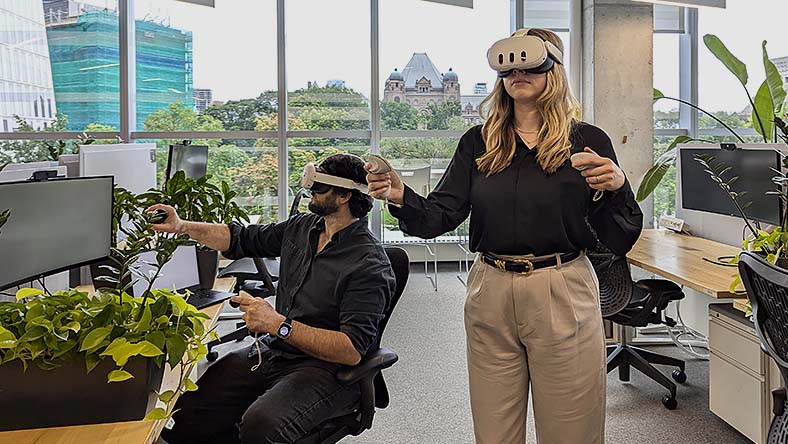
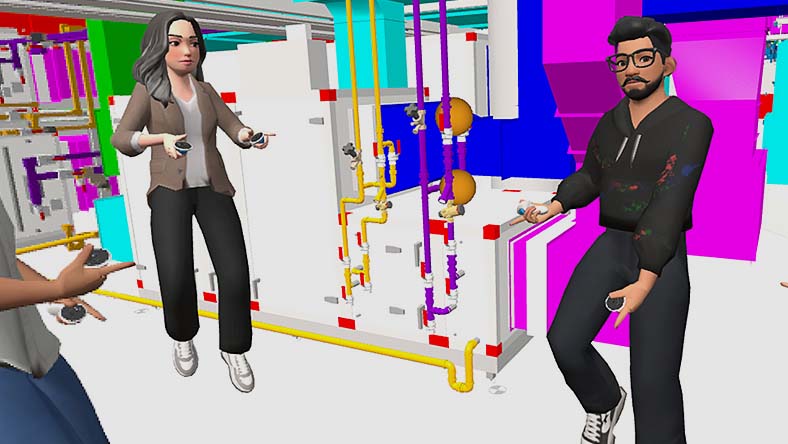
Workshop XR is an immersive workspace for AEC teams to review 3D models and associated data from Autodesk Construction Cloud together in real-time.
Collaborate in projects on-demand from ACC in Virtual Reality (VR)
Interact with your BIM data with expansive VR capabilities
Identify and manage costly spatial issues before construction
What is Autodesk Workshop XR?
Workshop XR is an immersive workspace for AEC teams to review 3D models and associated data from Autodesk Construction Cloud together in real-time.
Collaborate in projects on-demand from ACC in Virtual Reality (VR)
Interact with your BIM data with expansive VR capabilities
Identify and manage costly spatial issues before construction

Collaborate in XR on-demand from ACC, from headset and web browser

Interact with your projects with unique VR capabilities

Create and manage issues in real-time
Collaborate in XR on-demand from ACC, from headset and web browser
Interact with your projects with unique VR capabilities
Create and manage issues in real-time
"With Workshop XR, we can open every model within our Autodesk Construction Cloud environment, and it's so easy."
"In ACC, you can create issues. You can do the same in Workshop XR, except you have spatial awareness."
"VR became an opportunity to reduce the silos and work more efficiently."
"Workshop XR can immediately load some of the largest models we've seen and run on a standalone headset"
Workshop XR Resources
LEARNING
Workshop XR fundamentals
Get started using Autodesk Workshop XR and problem-solve in real time.

WEBINAR
Extended reality for AEC: more accessible than ever
Learn from industry experts how XR is playing a vital role in AEC workflows.
PLAYBOOK
XR adoption playbook for AEC
Download a detailed adoption checklist for immersive collaboration.
Questions? We have answers.
Workshop XR is used for design review and collaboration. It is an immersive workspace for AEC teams to review 3D models and associated data from Autodesk Construction Cloud together in real-time.
Workshop XR is used by BIM managers, BIM coordinators, VDC coordinators, and building engineers (structural engineers, civil engineers, mechanical engineers) who are interested in using XR to review ACC models together at human-scale to gain a shared spatial understanding of their project.
No — a VR headset is not required.
Workshop XR works on both VR headsets and standard desktop web browsers. With a license, users on either platform can create, join, and participate in collaborative design reviews.
The Web App supports model navigation, file swapping, multi-user audio, and issue interaction — no headset required.
For full immersion and enhanced spatial awareness, VR is encouraged. Workshop XR supports Meta Quest 2, 3, 3S, and Pro headsets.
Products you can trust
From payment flexibility to always-on support, expect excellence.


