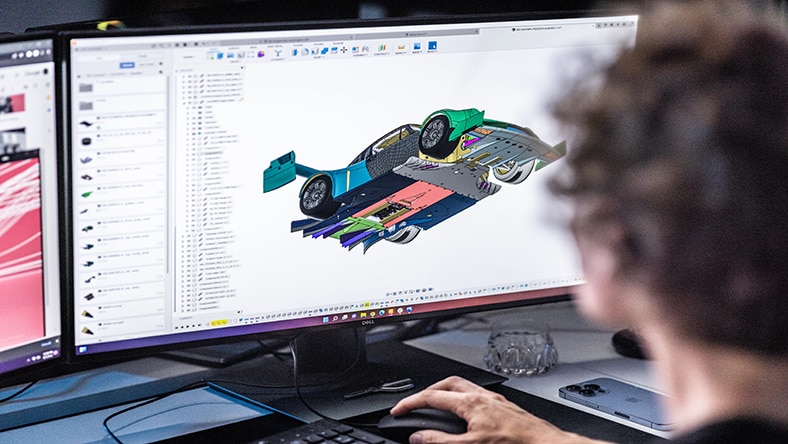
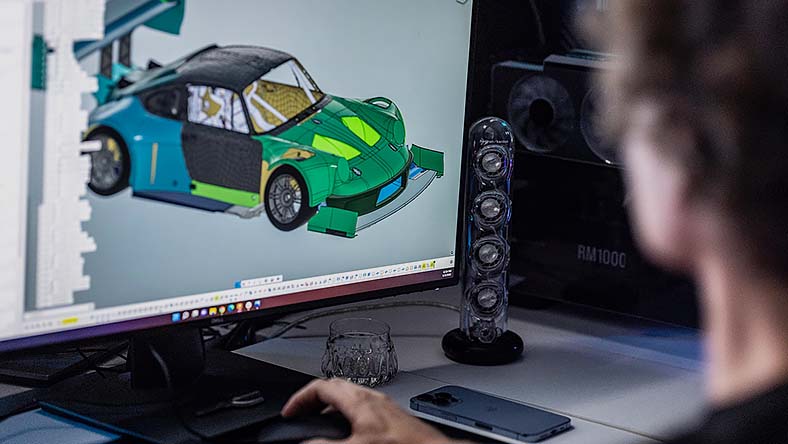
Fusion Design Extension
Expand your 3D design capabilities in Autodesk Fusion
Access advanced 3D design tools that automate manufacturing for complex products. Use intelligent features to boost performance and follow built‑in guidance to prepare your designs for production.
Primary benefits
Make complex 3D modeling easy
Enhance the performance and aesthetics of your products. Control complex geometry easily.
Save time with automation
Automate function driven design details so dimensions, ribs, and bosses stay correct as designs change.
Manufacture better products
Prepare 3D designs for the shop floor with manufacturing-aware features built-in.
Autodesk Fusion Design Extension capabilities
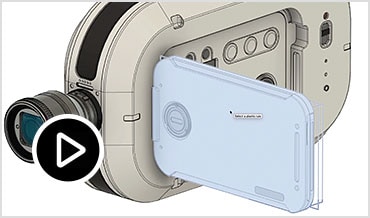
Find Similar
Search your Fusion hub by geometry to quickly find and reuse similar or identical components, reducing duplicate parts and design effort.
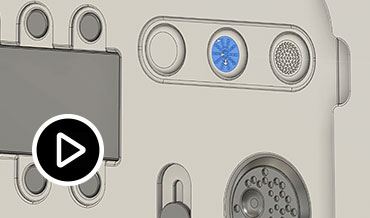
Configuration Rules
Define and enforce valid option combinations to create manufacturable product variants on demand without prebuilding every configuration.
Speak to an expert about Fusion Design Extension
Connect with an expert for a demo of Fusion Design Extension.
Speak to an expert about Fusion Design Extension
Connect with an expert for a demo of Fusion Design Extension.
Questions? We have answers
The Autodesk Fusion Design Extension provides a suite of advanced 3D design and modeling tools that streamline the creation of complex products. With intelligent features and automated guidance, it helps improve product performance and prepare designs for manufacturing. An existing subscription to Autodesk Fusion is required, along with the extension to access these features.
Yes, the functionality included in the Autodesk Fusion Design Extension is included in Autodesk Fusion for Design, along with the Autodesk Fusion Simulation Extension, and Autodesk Fusion Manage. If you do not currently own a subscription to Autodesk Fusion and need advanced design capabilities, consider Autodesk Fusion for Design.
The Autodesk Fusion Design Extension enhances design workflows by adding advanced modeling, automation, and manufacturability-focused tools that streamline and elevate the entire product development process. It also improves workflows by enabling an automated approach to creating complex product designs, offering intelligent feature settings and guidance that increase modeling efficiency and reduce manual rework. Click here to download a free trial or activate directly in Fusion following these steps.
The Autodesk Fusion Design Extension unlocks advanced 3D design and modeling tools that simplify the product development process and enable an automated approach to creating complex product designs, including:
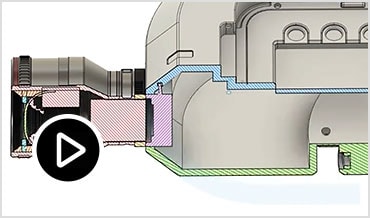
Manufacturing aware functionality
Feature-based automation
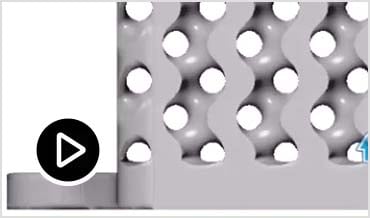
Advanced latticing
Geometric patterning
See how you can take your existing Fusion workflows to the next level with a free trial to the Autodesk Fusion Design Extension.
If you already have a Autodesk Fusion subscription you can access a 14-day trial to the Autodesk Fusion Design Extension here. If you do not currently have a Autodesk Fusion subscription, download a free trial to get full access to all features for 30 days.
Yes, a subscription to Autodesk Fusion is required to access the Autodesk Fusion for Design Extension. If you already have a Autodesk Fusion subscription, you can subscribe to the design extension here. If you do not currently have a Autodesk Fusion subscription, consider subscribing to Autodesk Fusion for Design for access advanced modeling tools, generative design, simulation, built-in data management and more.
Yes, The Autodesk Fusion Design Extension helps strengthen manufacturing workflows by ensuring that parts are designed with production in mind from the start. It offers manufacturing aware capabilities, including feature based automation, geometric patterning, plastic design rules, and guidance that improves manufacturability and reduces downstream production issues. Because it automates complex modeling tasks and embeds rules based design advice, the extension produces cleaner, more consistent models that flow more efficiently into CAM and fabrication stages - ultimately helping teams reduce rework, lower manufacturing costs, and streamline end-to-end workflows.
The Autodesk Fusion Design Extension is ideal for users who need advanced engineering tools, complex surface modeling, simulation validation, or manufacturing-aware capabilities beyond standard Autodesk Fusion features.
The Autodesk Fusion Design Extension unlocks advanced design and 3D modeling capabilities directly in Autodesk Fusion, including feature-based automation, manufacturing aware functionality, advanced latticing, and geometric patterning. Access to this functionality is seamless with an extension subscription if you have a subscription to Autodesk Fusion. No external add-ons or plug-ins are needed.
A subscription to the Autodesk Fusion Design Extension is available for {{price.F360PDE.month}} per month, paid annually. See pricing options here.
The Autodesk Fusion Design Extension supports complex geometry because it adds advanced modeling tools including geometric patterning, volumetric lattices, and organic mesh conversion that allow designers to create shapes far beyond the capabilities of standard CAD features. These tools automate the generation of intricate structures and patterns, making it easier to build highly detailed, performance optimized, and manufacturable designs without manual, time-consuming modeling steps.
The key design tasks that benefit most from the Autodesk Fusion Design Extension include:
Complex 3D modeling: The design extension provides complex modelling capabilities that help designers create advanced shapes, intricate details, and highly refined product geometry—all within a unified modeling environment.
Plastic part and injection mold-design: It includes plastic rules, plastic design tools, and design advisors that automate and guide tasks related to manufacturability, especially for injection‑molded parts.
Geometric patterning & lattice creation: Designers benefit from advanced geometric patterning and volumetric lattice generation, enabling efficient creation of lightweight structures, grip textures, ventilation patterns, and other repeated or complex features.
Automated & intelligent design adjustments: Tasks that previously required many manual steps—such as modifying design intent, updating variants, or applying consistent feature logic—are sped up through automation and intelligent design guidance.
Preparing design for manufacturing: The design extension offers manufacturing aware design strategies and automated checks that improve design quality, reduce downstream issues, and ensure shopfloor readiness.
Uplevel your design process with a free trial to the Autodesk Fusion Design Extension.
Keep exploring
Keep exploring
We stand by our products
From payment flexibility to always-on support, we back up our work with excellent customer service.