Construction Safety Week is a reminder that strong safety programs don’t happen by accident. They’re built intentionally, supported by consistent processes, and reinforced across every field team and project — not reinvented each time work begins.
Yet for many project teams, standing up safety on a new project often means starting from scratch; Teams rebuild the same folders, recreate inspection forms, reconfigure issue types, and reset workflows, again and again. That administrative rework slows down projects and makes it harder to standardize safety practices across projects and teams.
Thankfully, Forma Build is designed to help safety teams move faster without sacrificing consistency. With the Safety Sample Project Template and improved safety documentation tools, teams can launch projects with the right structure already in place and scale safety programs more effectively across every jobsite.
Like any construction project, a scalable safety program starts with a strong foundation. Rather than manually configuring safety tools for every new project, Forma Build provides a Safety Sample Project Template built specifically for jobsite safety.
Hub Administrators and Standards Administrators can access the sample Project Templates directly in Hub Admin and use them when creating new projects. Once applied, the template automatically sets up a standardized safety structure from the very start of a project.
This includes a preconfigured folder hierarchy designed for safety documentation and reporting. Teams know exactly where to store safety plans, inspection records, incident documentation, and supporting files, without intensive manual setup or guesswork. This results in a single and consistent source of truth for safety information across the project.
Ready for smarter safety setup? Learn how to stand up safety on a project with Autodesk Forma.
Tracking safety issues effectively requires more than just logs. It requires the right categories, language, and workflows so teams can capture issues as they happen.
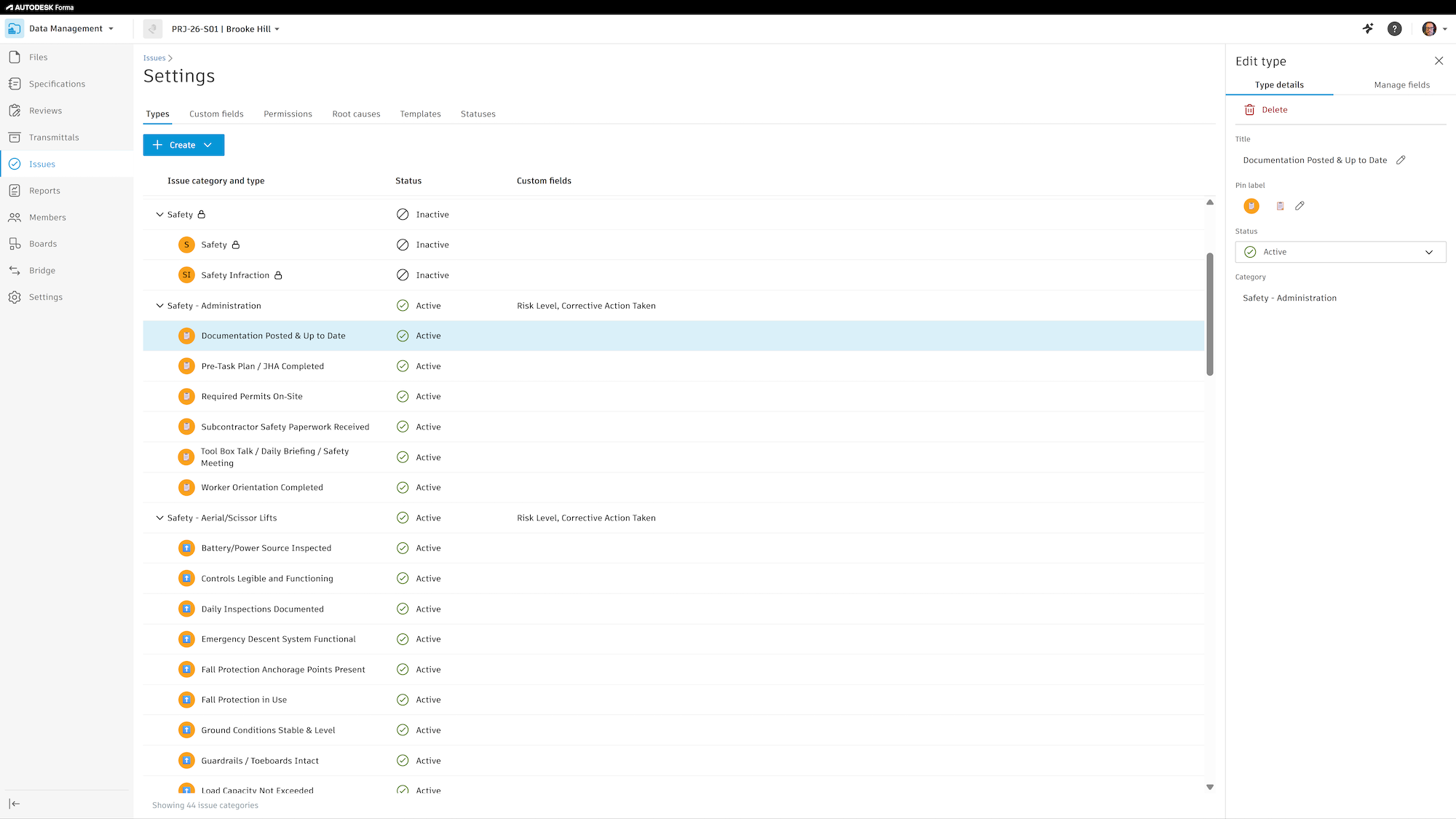
The Safety Sample Project Template in Forma Build includes preconfigured safety issue categories and types to help teams track hazards and incidents, observations and near misses, as well as positive safety behaviors such as good catches. With issue types already configured, field teams can report consistently while safety managers gain better visibility into trends and risks across the jobsite.
Prebuilt Safety Field Inspection forms are also included, making it easier to run routine inspections without creating forms from scratch. Field teams can perform inspections the same way across projects, while safety managers receive standardized data that’s easier to review, report on, and analyze.
Incident Report forms are ready to use as well, supporting consistent documentation for accidents, near misses, and safety events. Together, these tools help teams move from reactive reporting to proactive risk management.
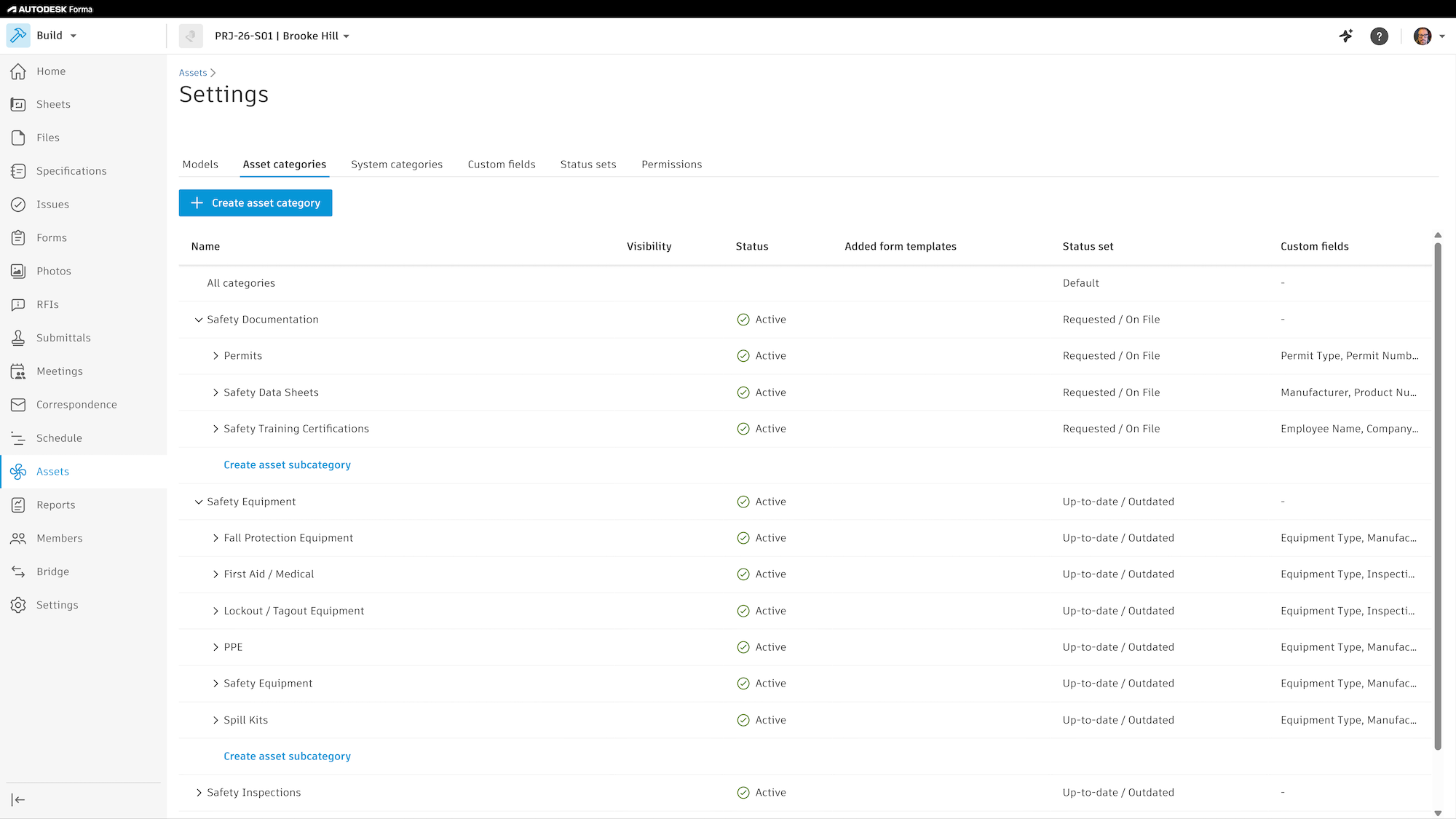
Safety programs often extend beyond documentation to include equipment and assets that need to be tracked and maintained. The Safety Sample Project Template includes configured safety asset categories with predefined status sets and custom fields.
This gives teams responsible for safety-related equipment better visibility into what’s on site, what condition it’s in, and what needs attention, without building asset tracking workflows from the ground up.
Safety documentation frequently includes photos, but large projects can quickly turn photo libraries into long, unfiltered lists. The upgraded Photos experience in Forma Build helps teams bring structure and control to safety photos.
With albums and sub-albums, teams can organize safety photos into structured sets — by inspection, incident, location, or date — making it easier to find and review documentation when needed most. Additionally, album-level permissions allow teams to control who can view or manage sensitive safety photos, ensuring the right stakeholders have access while maintaining privacy and control.
Bulk actions, photo descriptions, optional auto-tags, and improved map controls make it faster to manage photos while preserving context and clarity across the project.
Autodesk Assistant in Autodesk Forma helps teams assess project and safety risk faster using AI-powered insights driven by real project data.
Teams can ask questions such as which tasks need immediate attention based on the master schedule and get a clear view of overdue, in-progress, and upcoming critical tasks, key milestones, and recommendations. Autodesk Assistant also highlights higher-risk activities based on potential schedule and cost impact, helping teams focus where it matters most.
Autodesk Assistant extends this visibility to project meetings by providing a quick snapshot of safety topics discussed across meetings. Teams can see which meetings included safety issues or toolbox talks, with summaries that link back to the meeting overview and key discussion details. This makes it easier to stay informed and ensure important safety conversations don’t get missed.
Curious what safety trends are emerging on your project? Use Autodesk Assistant in Forma Build to analyze safety observation trends, including top hazard and risk categories, root causes, location patterns, and leading observers. A critical findings recap highlights overall impact and provides clear, actionable recommendations to help you address issues fast.
As Construction Safety Week highlights the importance of protecting people on site, Forma Build helps teams make safety repeatable, scalable, and easier to manage without starting from zero every time.
Safety shouldn’t start from scratch. With Forma Build, teams can build once, standardize everywhere, and scale safety with confidence.