As a construction project manager, a key part of your role is navigating change throughout the project. The ability to effectively handle shifts and curveballs is especially critical because project changes are, for the most part, inevitable.
Even the best-laid construction plans can shift, depending on what reality looks like in the field. And with ongoing material shortages and labor constraints, those changes can carry a higher risk than ever before.
The best project managers recognize this, and they know how to anticipate and absorb change without letting it derail budgets, schedules, or team trust.
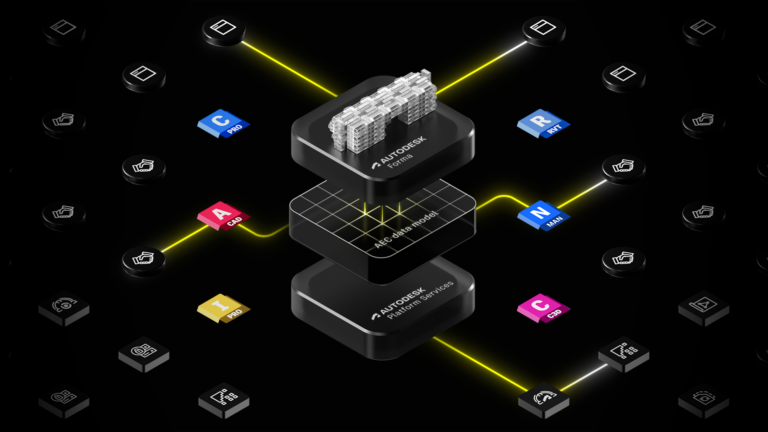
Our recent webinar, From Chaos to Calm: Navigating Change in Construction Project Management, sheds light on practical steps you can take to manage project changes and how Autodesk Forma (formerly Autodesk Construction Cloud) can help.
Want to see how leading teams are turning constant change into a competitive advantage? Watch the full webinar on demand.
We mentioned this above, but it’s worth repeating: project changes are inevitable.
This is true across industries, but in construction, change is uniquely difficult to manage because projects are built in the real, physical world. There’s no undo button in the field. Unlike digital projects, which can typically be rolled back, construction projects require actual physical labor and materials.
Plus, there are various trades on site together, and when each trade’s work relies on another, a single change can ripple across schedules, scopes, and costs.
Then there are the ghosts of changes past. This is when past changes and decisions come back to haunt you in the form of a dispute.
One of the best ways to manage project changes effectively is to treat them as a holistic, connected workflow rather than a series of isolated change orders. When you connect the different components involved (people, information, approvals, etc), you can reduce blind spots and prevent small issues from snowballing.
You should also design for traceability. Make sure every decision has context (who/what/why) and is captured in your documentation. In doing so, you make decisions easy to find and defend in case of audits or disputes
Finally, standardize how teams log, route, and resolve changes. Standardization helps teams move faster and promotes consistency so everyone knows what to do, where to log changes, and how decisions get resolved.
ACC brings all of this together by giving project teams a shared system to manage change as it happens, not after the fact. Instead of managing RFIs, submittals, correspondence, costs, and schedules across disconnected tools, ACC connects them in one place.When a change starts in the field, teams can document it immediately, attach supporting context, and route it through the right approvals without jumping between systems.
Issues identified can be easily marked and documented and escalated into an RFI. And if needed, can be used to initiate change orders. Potential change orders tie back to scope, cost, and schedule impacts. Communications are documented and actions tracked in an activity log, so there’s an audit trail along the way.
Stakeholders need to communicate in order to discuss changes and move the project forward. But when communication is scattered across different channels (email, phone, in-person conversations), details fall through the cracks and information becomes harder to track.
Decisions slow down, context is lost, and backup goes missing. These issues cause inefficiencies, and people spend time chasing answers instead of moving work forward.
Instead of using multiple methods and tools to communicate, move everything into a central, permissioned channel that’s tied back to the work. Not only does this keep everyone on the same page, it also makes it easy to link messages to relevant project information like files, issues, RFIs, and submittals.
Communication doesn’t happen in isolated email threads or phone calls. It should always tie back to the work happening on the project.
This way of working is far more efficient. Plus, it allows teams to have an audit trail for accountability and dispute resolution.
How does project comms come to life in Forna? The Correspondence tools give teams a single place to document decisions and keep messages connected to the right project records.
Create and classify messages in one place, then generate downstream items (e.g., RFIs) directly from that thread. No retyping. No hunting for screenshots and email chains. You can also attach references, including emails, specs, photos, and issues, so approvers get the full context behind the decision they’re being asked to make.
Complex review chains, vague requests, and incomplete backup cause RFIs to stall, which then delays field progress. Teams end up going back and forth just to clarify what’s being asked. Meanwhile, crews wait.
Rather than starting RFIs from scratch, generate them from actual conversations to preserve context. You can also speed up decisions by including suggested answers, annotated files, locations, and known cost or schedule impacts.
Because ACC keeps communication tied to the work, connecting RFIs to messages happens naturally. You can create an RFI right from the Correspondence tool, and in the process, auto-link all related context. It’s also easy to route it to the right party with clear due dates.
Additionally, you can co-review the RFI with external stakeholders via email without losing the audit trail.
Changes are easier to deal with when you see them coming. You can do this in construction projects by capturing potential change orders (PCOs) early, and then connecting them to contracts, cost items, and the master schedule.
This process makes risk visible before it turns into a problem, ultimately protecting margins and keeping projects on track.
To stay ahead of risk, log PCOs the moment risk happens. You can initiate a PCO from other items like RFIs, submittals, and correspondence, creating a direct link for context. You should also aggregate all cost lines (GC, subs, suppliers) and attach the evidence (quotes, emails, photos), so approvals don’t stall due to missing information.
Also, be sure to update the schedule impact with reason codes and link it back to the PCO.
Cost Management and Schedule in ACC come together to help teams manage change. Since your cost and schedule workflows don't live in separate silos, you can deal with change orders early.
When a change comes up, you can open a potential change order directly from an RFI, submittal, or correspondence. That way, the change starts with context, and you’re not chasing emails or trying to piece the story together.
Schedule impacts follow the same path. Teams can record delays, document the reason behind them, and link those delays to the same change that’s driving the cost impact. Instead of tracking schedule slips in one place and dollars in another, everything stays connected.
If you’re a project manager who’s had to gather monthly reports for execs, you know how chaotic the process can be.
Finding and organizing project data can be time-consuming, and it gets even harder when you’re constantly getting pulled into day-to-day fire drills. You start a report, something urgent pops up, and when you come back, you’re trying to remember where you left off.
Instead of spreadsheets that you need to update manually, use connected dashboards and reports that are built from PCO logs, budgets, RFIs, and schedules. For best results, leverage project templates and permissions to standardize setup across small and large projects.
Plan for closeout on day one by making sure as-builts and O&Ms are exported with the decisions, changes, and references already linked.
The Reports, Templates, and Closeout tools in Forma take the scramble out of reporting and turn it into a repeatable process.
Using templates, teams can spin up projects quickly with consistent folder structures, naming conventions, and approval workflows.
From there, real-time reports pull directly from live project data, showing outstanding changes, approval status, and forecast impacts without manual updates. Leaders get visibility into risk as it develops, not weeks later.
When it’s time to close out a project, ACC makes it easy to export complete as-built packages that include RFIs, submittals, files, and activity logs. Everything stays connected, searchable, and ready for turnover or future reference.
PENTA shows us a great example of how to navigate change in a high-stakes project. As the GC for the Las Vegas Grand Prix, PENTA was responsible for delivering the race track, along with the pit building, grandstands, and supporting infrastructure.
It was a high-pressure project involving about 500 people. And with less than one year of construction, there was no margin for delays or missteps.
The project moved fast, and change was constant. Midway through construction, the team introduced a major shift by adding an underground tunnel after part of the pit building was already complete. PENTA had to pivot immediately. Design teams updated documents. Trade partners regrouped. Schedule and material impacts were assessed in real time.
Using Autodesk Construction Cloud, PENTA kept information flowing and teams aligned. They could review design changes side by side, assess schedule impacts, and view material availability without slowing the project. Because documentation stayed current and accessible, the team could make informed decisions in real time instead of reacting after the fact.
With accurate, up-to-date documentation and connected workflows, PENTA stayed focused on what mattered most: keeping the project moving and delivering on time.
Successful project managers don’t avoid change. They manage it better by staying organized, planning ahead, and ensuring that teams, messages, context, and decisions are always connected. Want to see these workflows in action? Watch the on-demand webinar From Chaos to Calm: Navigating Change in Construction Project Management.