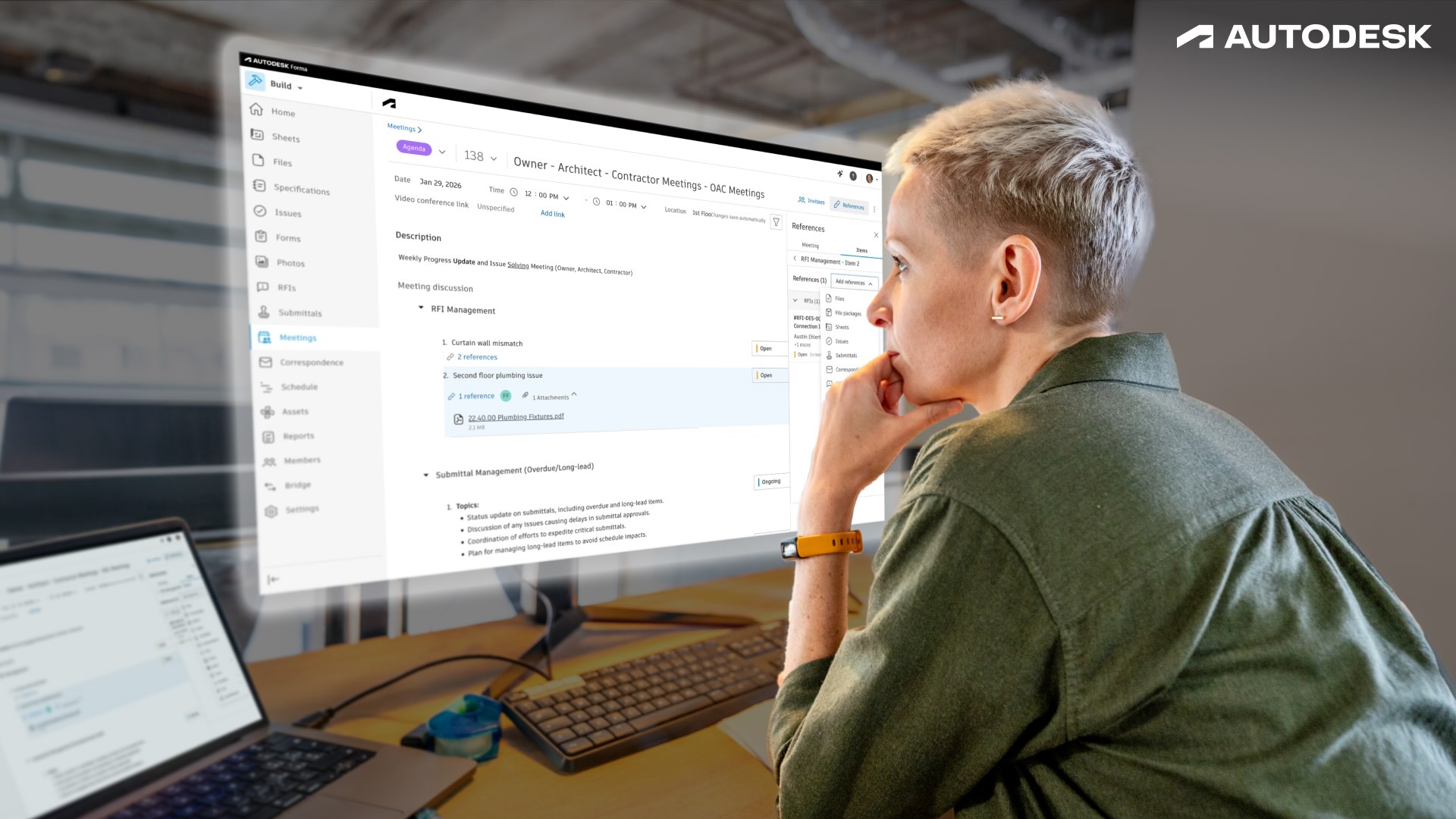
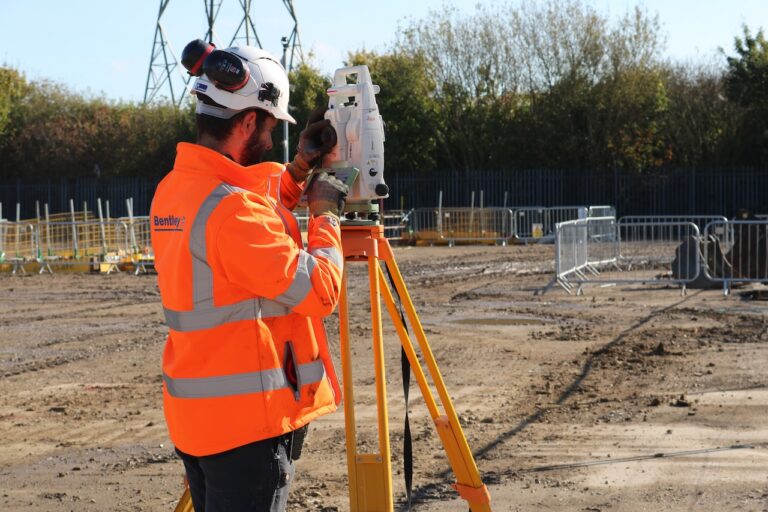
As projects grow in size and complexity, it’s more important than ever for field and office teams to stay in sync. Information, decisions, and accountability need to flow smoothly between the jobsite and the office, so that nothing falls through the cracks.
This is where Forma Build really shines.
Forma Build connects field execution with project, cost, and data management, enabling teams to collaborate and manage projects efficiently.
Try Forma Build
Who Forma Build is built for
At its core, Forma Build works well for construction teams that need tighter coordination between field execution and project oversight. These include:
- Teams managing complex projects with multiple stakeholders and dependencies.
- Organizations that need consistent workflows across the field and office.
- Project engineers and project managers responsible for coordination, cost, risk, and reporting.
- Organizations looking to scale processes without losing visibility or control.
Top project management workflows in Forma Build
Forma Build can power a variety of workflows, including day-to-day field tasks as well as high-level project oversight. Consider the following:
RFIs and submittals
With Forma Build, you can keep RFIs and submittals centralized and connected to reduce miscommunication and inefficiencies.
- Centralize RFIs and submittals so questions, responses, and approvals are tracked in one system. Instead of checking multiple threads, your team can quickly see status, next steps, and who owns each item.
- Connect issues raised in the fied directly to formal project workflows, rather than duplicating work. For example, a field issue can be turned into an RFI in a few clicks, without re-entering the same details.
These processes help teams avoid missed responses, reduce delays, and keep decisions documented and accessible. When everything is logged in one place, it’s easier to track history and avoid back-and-forth later on.
Project coordination and communication
Forma Build reduces issues stemming from scattered tools and disconnected conversations. Here’s how.
- Manage meetings, correspondence, and schedules alongside project data. Project updates live next to the work itself, so teams don’t have to switch between systems to stay informed.
- Keep conversations tied to drawings, issues, and documents rather than buried in email. That way, anyone can jump in and understand context without asking someone to forward a long email chain.
These tight and organized communication workflows promote alignment across teams and reduce confusion about who is responsible for what and when.
Cost management and financial control
Forma Build gives teams a clear, real-time view of project costs so they can stay in control and avoid surprises.
- Track budgets, changes, payment applications, and forecasts in real time. Instead of waiting on reports, project managers can check cost impacts as they happen and adjust before issues grow.
- Connect cost data to field activity to reduce surprises and improve accountability. When a change is logged in the field, teams can immediately see how it affects the budget and forecast.
With these capabilities, you’re able to stay ahead of risk, protect margins, and make informed financial decisions earlier.
Document management and review workflows
Bring order to drawings, specs, and files so teams spend less time searching and more time building.
- Manage specifications, reviews, transmittals, and document packages in a controlled environment. Keep everything organized in one place so teams can quickly find what they need without digging through folders or emails.
- Ensure version control and visibility across the entire project lifecycle. Teams always know they’re looking at the latest version, which helps avoid rework caused by outdated information.
This reduces risk by ensuring teams always work from approved, up-to-date documents.
Reporting, dashboards, and insights
The decisions you make are only as good as the quality of your data. Having a system like Forma Build means you not only have access to the right data, but that the information is presented in a way that’s intuitive and actionable.
- Use dashboards, KPIs, and reports to turn project data into actionable insights. Imagine having a dashboard view of schedule progress, budget performance, and open issues. This makes your life easier because you can highlight delays or cost overruns before they become bigger issues.
- Monitor trends across quality, safety, cost, and schedule. Over time, teams can spot patterns and make adjustments sooner rather than later.
Such reports, dashboards, and insights empower teams to identify risks earlier and make faster, more confident decisions.
AI‑powered and data‑driven workflows
With the help of AI in construction, you can have your data do more of the heavy lifting. That way, you and your team can do less data-digging and analysis, and do more high-level tasks.
- Leverage Autodesk AI capabilities to surface insights and accelerate key workflows. A good use case is that AI can flag potential risks or missing information so teams can address them before they impact the project.
- Reduce manual effort and help teams focus on higher‑value decisions. Instead of chasing updates or compiling reports, you can spend more time planning, coordinating, and solving problems.
The best part? Forma Build is designed to scale as data volume and project complexity increase.
Forma Build vs. Forma Build Essentials: where project management comes in
When it comes to project management, Forma Build and Forma Build Essentials serve different roles across the same project. Depending on your needs, you can start simple or go deeper into full project management workflows. Here’s a snapshot of what each solution brings to the table.
Forma Build Essentials
Forma Build Essentials is built for field execution first, with a focus on capturing and managing work directly from the jobsite. It covers these core jobsite workflows:
- Issues and punch lists
- Daily reports and forms
- Photos
- Access to the latest sheets and models
It’s designed to befield-focused with minimal setup, making it easier to standardize field capture without adding administrative overhead.
Forma Build
Forma Build offers everything in Forma Build Essentials, and extends field workflows into full project and construction management. So, beyond those core jobsite workflows, it includes capabilities for
- RFIs, submittals, schedules, meetings, and correspondence
- Cost management, forecasting, and change control
- Advanced reporting, dashboards, and insights
- AI‑powered workflows and deeper administrative control
Forma Build brings field and office workflows together in one system, and it’s meant to support more complex projects that require coordination between field and office teams.
How they work together
The beauty of Forma Build and Forma Build Essentials is that they both operate in the same project environment. That means teams can share the same project data, with access determined by license type.
This setup makes it easy to scale and add more structure and control as your projects become more complex.
You can, for instance, start Forma Build Essentials for field work, and then expand to Forma Build later on as your coordination, reporting, and control needs grow.
When Forma Build is the right choice
Wondering whether to start with Forma Build Essentials or go straight to Forma Build? The latter may be a better choice for you if:
- Your projects involve multiple stakeholders, trades, and approval paths. When more people are involved, having one place to manage decisions helps reduce confusion and keeps work moving.
- Teams need RFIs, submittals, schedules, and cost management in one platform. Instead of juggling tools, teams can manage key workflows together and see how decisions impact both schedule and budget in real time.
- Reporting, insights, and standardization matter across projects. Standard workflows and reporting make it easier to compare projects, spot issues early, and keep teams aligned as you grow.
- The organization is scaling and needs systems that grow with it. As projects and teams expand, you can maintain control without adding more manual processes or disconnected systems.
Take the next step with Forma Build
Explore Forma Build and see how connected project management can bring your field and office teams onto the same page.
Start with what you have, build on your field workflows, and add the tools you need to manage complexity as your projects grow.
Learn More About Forma Build