Rhumbix
Autodesk Rhumbix: Field and workforce management built for construction
Consolidate critical field workflows and give trade contractors and GCs real-time visibility into labor and job costs.
Rhumbix
Autodesk Rhumbix: Field and workforce management built for construction
Consolidate critical field workflows and give trade contractors and GCs real-time visibility into labor and job costs.
What is Rhumbix?
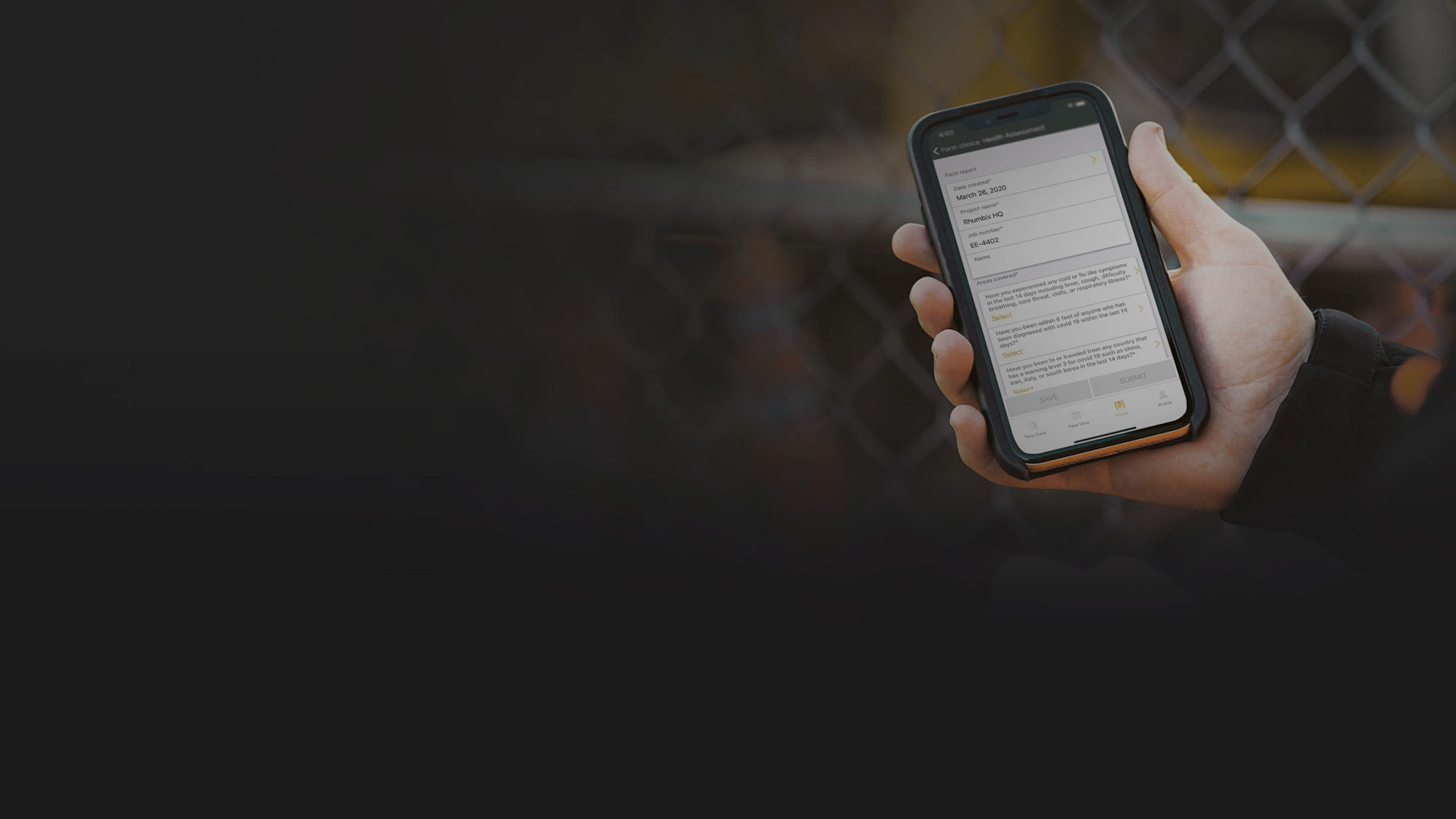
Rhumbix is a field-first workforce management platform for construction. Crews capture time, production, T&M, and daily reports in one mobile app, while project teams get real-time visibility into labor and job costs, so they can act while there is still time to protect budgets, schedules, and margins.
What is Rhumbix?
Rhumbix is a field-first workforce management platform for construction. Crews capture time, production, T&M, and daily reports in one mobile app, while project teams get real-time visibility into labor and job costs, so they can act while there is still time to protect budgets, schedules, and margins.
Timekeeping
Payroll-ready time in a fraction of the time
Labor cost visibility
See labor productivity while there is time to act
T&M and change orders
Capture every dollar of out-of-scope work
Timekeeping
Payroll-ready time in a fraction of the time
Labor cost visibility
See labor productivity while there is time to act
T&M and change orders
Capture every dollar of out-of-scope work
What you can do with Rhumbix

Crew timekeeping
Enter time for a whole crew in minutes, with preloaded cost codes.

Kiosk mode clock-in
Crews clock in and out on a shared device with secure PIN codes.

T&M tracking
Digitize T&M tags with photos, pricing, and approvals.
Daily construction reports
Create daily reports from timekeeping data in minutes, not hours.
Custom forms & workflows
Digitize any field form or workflow, from safety checks to inspections.
Analytics & dashboards
Build and share real-time reports and dashboards, no code required.
Crew timekeeping
Enter time for a whole crew in minutes, with preloaded cost codes.

Kiosk mode clock-in
Crews clock in and out on a shared device with secure PIN codes.
T&M tracking
Digitize T&M tags with photos, pricing, and approvals.
Daily construction reports
Create daily reports from timekeeping data in minutes, not hours.
Custom forms & workflows
Digitize any field form or workflow, from safety checks to inspections.
Analytics & dashboards
Build and share real-time reports and dashboards, no code required.
—Robert Valderrama, Chief Project Delivery Officer, Sprig Electric
Image Courtesy of Sprig Electric—Vedya Boodwa, Payroll Administrator, Stonebridge Steel Erection
Image Courtesy of Stonebridge Steel Erection—Anna Schab, Project Engineer, Suffolk Construction
Image Courtesy of Suffolk Construction—Mallory Gurtz, COO, Gurtz Electric Co.
Image Courtesy of Gurtz Electric Co.Forma Build
Connect the field to the whole project
Connect the field to the whole project
Pair Rhumbix field data with Forma Build to connect labor, cost, and project management workflows from preconstruction through closeout.
Pair Rhumbix field data with Forma Build to connect labor, cost, and project management workflows from preconstruction through closeout.
Forma Build
Connect the field to the whole project
Connect the field to the whole project
Pair Rhumbix field data with Forma Build to connect labor, cost, and project management workflows from preconstruction through closeout.
Pair Rhumbix field data with Forma Build to connect labor, cost, and project management workflows from preconstruction through closeout.
Forma Build
Connect the field to the whole project
Connect the field to the whole project
Pair Rhumbix field data with Forma Build to connect labor, cost, and project management workflows from preconstruction through closeout.
Pair Rhumbix field data with Forma Build to connect labor, cost, and project management workflows from preconstruction through closeout.
Learn more about Rhumbix
Guides, videos, and resources to help you get more from your field data.

Industry report
Field labor time tracking: manual vs digital methods compared
Benchmark data on T&M revenue leakage and what digital capture recovers.

Buyer's guide
Construction software buyer's guide
12 questions to ask before you buy field software for your crews.

Buyer’s guide
How to sell field management software to your CFO
A quick guide to building a CFO-ready business case for field management software.

Video
Rhumbix 101 video library
Short product videos covering every Rhumbix workflow, plus customer stories.
Questions? We have answers.
What is Rhumbix?
Rhumbix is a field-first workforce management platform for construction. It brings timekeeping, production tracking, T&M, daily reports, and custom field forms into one mobile app, with real-time analytics for the office.
Who is Rhumbix for?
Rhumbix is built for trade contractors and general contractors. Foremen report from the field in one easy app, while project managers, payroll teams, and executives get real-time visibility into labor and job costs.
How do I access Rhumbix?
Rhumbix has two access points. Field users work in the Rhumbix mobile app for iOS and Android, downloaded from the App Store or Google Play, which supports offline entry and syncs automatically when the device reconnects. Office users work in the Rhumbix web dashboard at platform.rhumbix.com from a desktop or laptop browser.
Both use the same email and password, so a user set up once can move between the mobile app and the dashboard. The dashboard is not supported in a mobile browser.
Does Rhumbix work offline?
Yes. Rhumbix field workflows, such as daily construction reports, are fully offline capable, so crews can keep reporting without connectivity, and sync when back online.
Can I use Rhumbix on multiple computers?
Yes. Rhumbix is a cloud offering, so there is nothing to install to reach the web dashboard, and a user can sign in with the same account from multiple computers. The Rhumbix mobile app can likewise be installed on more than one phone or tablet using the same account.
Licensing is per user, which means each individual on your team with a login counts as one user license, regardless of how many devices they sign in from. Refer to your subscription agreement for more information.
Can Rhumbix replace paper timecards and spreadsheets?
Yes. Rhumbix is designed to replace paper timecards, handwritten production reports, and spreadsheet-based time and materials tracking while keeping the workflow your crews already follow, so foremen are not learning a new process to capture the same information.
Implementations typically run in days rather than months, and most core workflows can be trained in about two weeks. Your Rhumbix implementation team configures employees, crews, cost codes, forms, and approval routing with you before go-live.
How long does it take to implement Rhumbix?
Days or weeks, not months. Many Rhumbix field forms can be trained and deployed in as little as two weeks.
Can I use my existing labor data in Rhumbix?
Rhumbix does not automatically migrate historical timecard or production records from paper, spreadsheets, or another system. Setup data such as employees, crews, cost codes, and projects is loaded during implementation, most often through your ERP integration.
If you need historical data available for reporting inside Rhumbix, raise it with your Rhumbix representative so it can be scoped before implementation begins.
Which systems does Rhumbix integrate with?
Rhumbix has integrated with leading construction platforms such as Autodesk Forma and ERPs including Sage, Viewpoint, Oracle, SAP, CMiC, COINS, Foundation, and Acumatica, plus project management software such as Procore. Nearly all data is also available through open REST APIs.
Where will my data be stored?
Customer data is stored in Rhumbix’s cloud environment and encrypted both in transit and at rest. If your organization has a specific data residency or data processing requirement, contact your Rhumbix representative to confirm what is available for your account and to request the current data processing agreement.
How does Rhumbix keep my data secure?
Rhumbix is SOC 2 and GDPR compliant and uses advanced encryption. Your data is backed up redundantly across multiple zones, and centralized governance gives you full control over roles and permissions.
How does Rhumbix support data compliance?
Rhumbix maintains SOC 1 Type II and SOC 2 Type II controls and aligns its privacy practices with GDPR and CCPA/CPRA requirements.
On the project side, Rhumbix supports labor compliance reporting for union agreements and complex labor rules. It also captures the signed, time-stamped, photo-supported field records that certified payroll, prevailing wage, and audit requests depend on.
For other questions about trust and data compliance, please refer to the Autodesk Trust Center.
How much does Rhumbix cost?
Rhumbix is licensed per user, and each individual on your team with a login counts as one user license. Contact sales for a quote based on your user count and the workflows you need.
Is Rhumbix available through my Autodesk agreement?
Rhumbix T&M will be available to customers that have purchased the Autodesk Forma for Construction Operations. Rhumbix packages can also be purchased directly. Talk to your Autodesk or Rhumbix representative about which purchase path fits your current agreement.
Products you can trust
From payment flexibility to always-on support, expect excellence.

