 PowerMill
 Autodesk Fusion with PowerMill: Expert CAM software for high-speed and 5-axis CNC machining
Simplify CAM programming of large molds, tools, dies, and other complex 3D parts.

What is Autodesk Fusion with PowerMill?
Autodesk Fusion with PowerMill® CAM software provides expert CNC programming strategies for complex 3- and 5-axis manufacturing, now with access to Fusion and advanced manufacturing capabilities through Fusion extensions.
Enjoy a vast library of machining strategies.
Access powerful 5-axis programming with automated collision avoidance.
Use solutions for industrial robots, hybrid manufacturing, and more.
What is Autodesk Fusion with PowerMill?
Autodesk Fusion with PowerMill® CAM software provides expert CNC programming strategies for complex 3- and 5-axis manufacturing, now with access to Fusion and advanced manufacturing capabilities through Fusion extensions.
Enjoy a vast library of machining strategies.
Access powerful 5-axis programming with automated collision avoidance.
Use solutions for industrial robots, hybrid manufacturing, and more.

Solve complex CNC machining problems

Achieve exceptional levels of quality

Improve consistency with automation
Solve complex CNC machining problems
Achieve exceptional levels of quality
Improve consistency with automation
Features to support your operations
Every CAD support
Import surfaces, solids, or meshes from mainstream CAD systems and produce NC code even if data is poor quality.
High-efficiency roughing
Choose from a range of roughing strategies to remove material quickly and maximize cutter life.
Comprehensive finishing
Access a library of finishing toolpaths to produce precision parts with exceptional surface finish.
Multi-axis machining
Simplify 3+2 and 5-axis machining to produce parts with fewer setups, shorter tools, and faster feeds and speeds.
Toolpath optimization
Make global or localized edits to your toolpaths without the need for lengthy, wasteful recalculations.
Toolpath verification
Check individual toolpaths or entire projects to find and fix problems before they cause expensive mistakes.
Which PowerMill product is right for you?

PowerMill Standard
PowerMill Standard
Rapidly create NC code for high-speed 3-axis machining, 3+2 programming, 2.5D milling, and turning, plus machine simulation and toolpath verification.
Rapidly create NC code for high-speed 3-axis machining, 3+2 programming, 2.5D milling, and turning, plus machine simulation and toolpath verification.

"We put 50% more work through our manufacturing department, thanks to lights-out machining with PowerMill."
"PowerMill is cutting all the implants that we have designed and manufactured."
"We have 100% confidence in our partnership with Autodesk to support our work in the defense industry."
"With Autodesk products, what used to take our engineers three to five days, now takes as little as 20 minutes."
See how PowerMill can be used with other Autodesk products
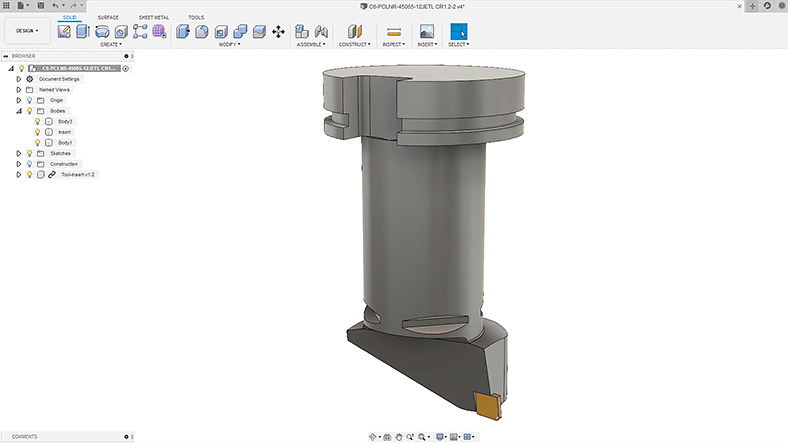
PowerMill + Fusion
Fusion offers 3D modeling, generative design, simulation, electronics, collaboration, and more.
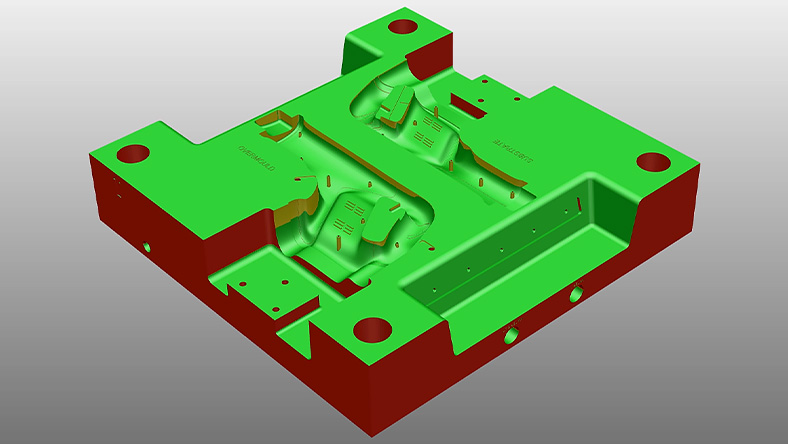
PowerMill + PowerShape
Get modeling for manufacture tools to help prepare complex geometry for better CAM programming.
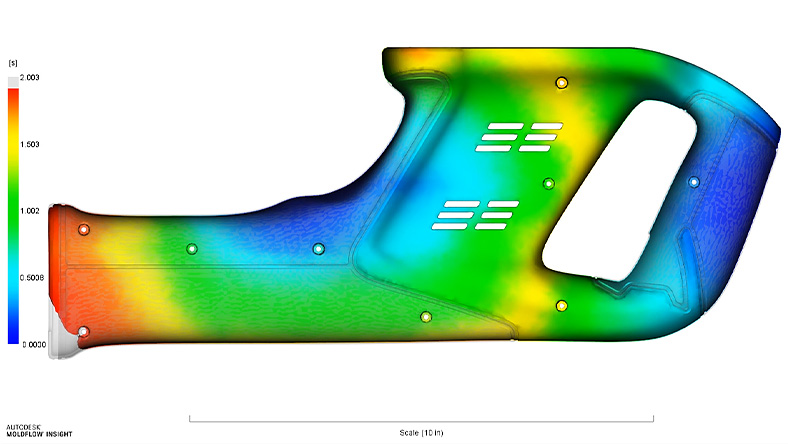
PowerMill + Moldflow
Use simulation tools to improve plastic part designs and optimize the mold tools used to make them.
Questions? We have answers.
Autodesk Fusion with PowerMill is CAM software that specializes in generating high-quality machining code to help manufacture large, complex parts such as molds, tools, and dies.
PowerMill is typically used to drive different types of CNC hardware, including 3- and 5-axis mills, 5-axis mill-turn machines, industrial robots, and hybrid manufacturing machines.
Autodesk Fusion with PowerMill is typically used by CAM programmers and CNC machine operators. It is widely used by manufacturing companies serving different industries such as automotive, aerospace, medical, and consumer goods.
PowerMill is particularly well suited to the production of large, complex components where precision and surface finish are important.
PowerMill Standard provides CAM programming capabilities including 2.5D milling, basic turning, 3-axis, 3+2 programming, as well as the ability to simulate and verify toolpaths using virtual machine simulation.
PowerMill Ultimate builds on this by offering additional capabilities including simultaneous 5-axis machining, offline robot programming, automated electrode production, hybrid manufacturing, and dedicated toolpaths for the production of ports, blades, blisk, and impellers.
Autodesk Fusion with PowerMill runs on Microsoft® Windows® 11. See Autodesk PowerMill system requirements for details.
Contact your local Autodesk sales team to discuss your business needs and review subscription pricing options.
You can download a free 30-day trial of PowerMill using this link. Contact your local Autodesk sales representative to discuss your business needs to see what additional, time-limited versions of Autodesk Fusion with PowerMill may be available for you.
Your PowerMill subscription gives you access to install and use the 3 previous versions. Available downloads are listed in your Autodesk Account after subscribing. See also previous releases available to subscribers.
With a subscription to PowerMill software, you can install it on up to 3 computers or other devices. However, only the named user can sign in and use that software on a single computer at any given time. Please refer to the Software License Agreement for more information.
Products you can trust
From payment flexibility to always-on support, expect excellence.


