This month, Autodesk Construction Cloud introduces over 40+ updates to support more efficient, connected project delivery. Keep an eye out all month long for releases that strengthen how teams manage access, information, and change across projects.
* Autodesk Construction Cloud Platform & BIM 360
Autodesk AI | Autodesk Assistant: Help Content
The Autodesk Assistant now offers quick access to Autodesk Construction Cloud product help content. With the new Help Content agent, users can ask questions and get instant answers—without leaving their workflow or searching the help site.
Autodesk AI | Autodesk Assistant: Project Data [Beta] Enhancement
Meeting Minutes have been added as a Source for the Project Data Agent. When you ask a question via the Project Data agent, meeting minute data will be scanned and relevant information surfaced by the Assistant.
Admin (Account) | Member Management Permission
Account Admins can now allow users to manage project members without granting full Project Administrator access. This makes it easier to delegate resource management as project needs change, without giving away broader project control.
Admin (Account) | More Control Over Role Assignment
Account Admins can now control which roles users are allowed to assign. This makes it easier to delegate member management without granting full Project Administrator access, helping teams reduce risk while keeping projects moving.
Bridge | Bridge Multiple Closed RFIs
Bridge now supports bulk sharing for closed RFIs, allowing users to quickly share multiple RFIs across projects. This helps to reduce the need to share RFIs individually, saving time for teams managing historical data and improving efficiency for projects with high RFI volumes.
Dashboards | Quality KPI dashboard
Track quality KPIs in a dedicated, flexible Project Home dashboard. Project teams can now stay up-to-date on quality-focused metrics for tools like issues and forms.
Data Connector | Delta Data Extraction - API [Beta]
Data Connector now supports delta extraction through an API in beta. Users can request only new, updated, or deleted records within a defined timeframe, reducing the amount of data processed compared to full extraction. Delta extraction currently supports selected services, including Submittals, Markups, Relationships, Transmittals, Meeting Minutes, Locations, IQ, and Activities, with additional services planned for future phases. Users can specify time ranges using relative options such as Today, Yesterday, Past 7 days, Past 31 days, or select a custom range up to 31 days. Scheduled extractions now include an hourly cadence option and support multiple schedules, including “Since last extraction.” These enhancements provide flexibility for ad-hoc and scheduled data refreshes.
Data Connector | Estimate - Power BI Template
A new Power BI template for Autodesk Estimate data gives you a head start on building powerful analytics for your estimates. The template includes pre-built visuals such as total number of estimates, average cost by project type, and cost breakdowns by categories like cost types, packages, classifications, locations, and other data points to help you quickly uncover cost implications and make informed decisions during preconstruction.
Data Transition Tool | PlanGrid Integration [Public BETA]
The Data Transition tool is now available as an opt-in Public Beta, helping Account Admins copy completed or inactive PlanGrid projects into Docs, where they can be viewed in the Files tool. This allows teams to maintain access to documents and key project records such as Tasks, RFIs, Submittals, and Field Reports, while reducing manual closeout work and keeping PlanGrid project information accessible in Autodesk Construction Cloud.
Files | Clearer Naming Standard Import Errors [Excel]
When a Naming Standard import from Excel fails in Autodesk Docs, users now see clear, detailed error message. The updated experience highlights exactly what needs to be fixed so teams can correct templates faster and move forward with their standards.
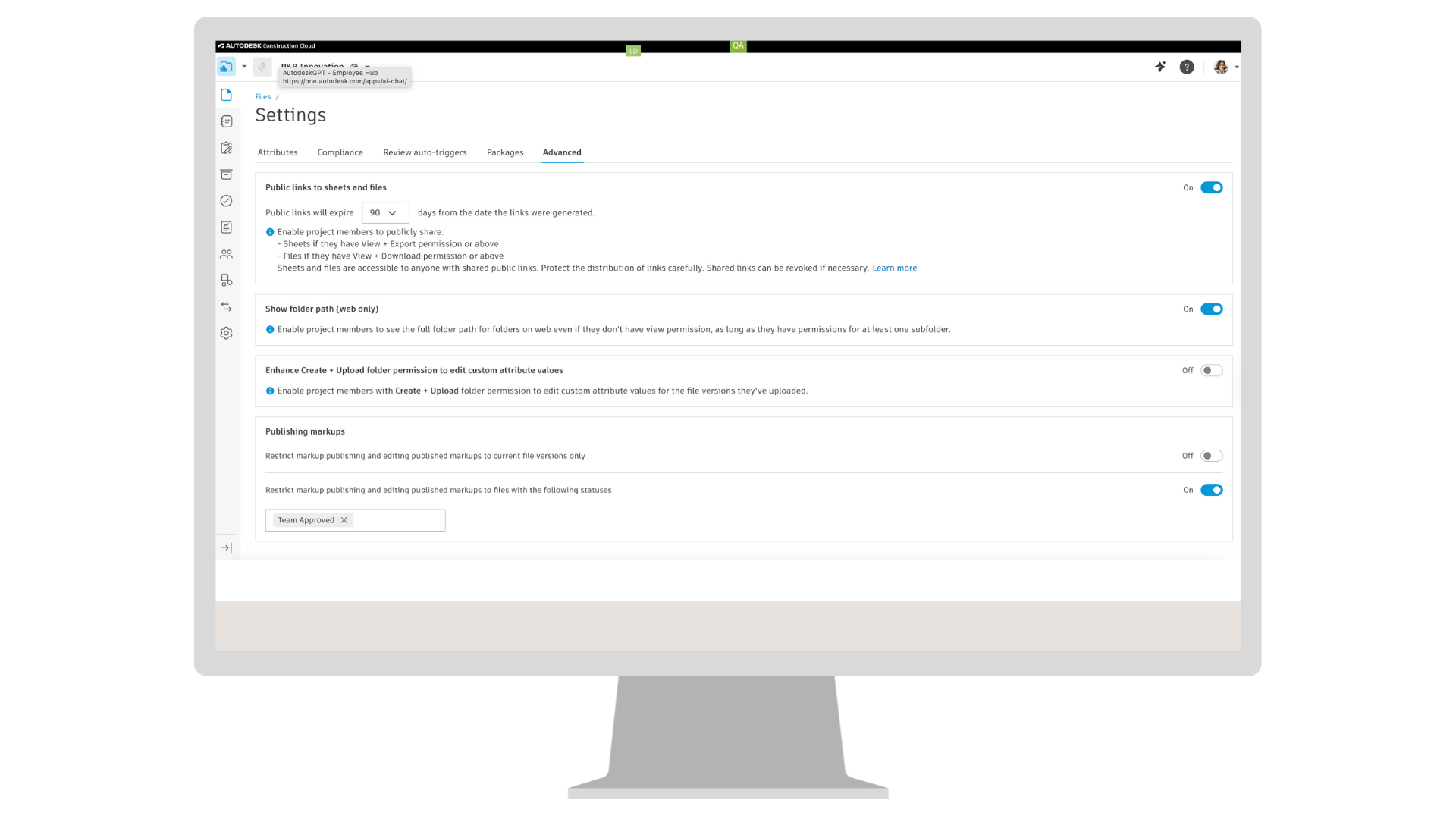
Files | Manage Markup Changes by File Version and Review Status
Project Admins can set up rules to control whether published markups can be edited on previous file versions or on files with selected review statuses. This helps teams protect approved and issued information and reduce accidental changes as files move through the review and approval process.
Issues | Thumbnails for 2D Issues
Thumbnails are now automatically generated for 2D issues. Project team members can now more quickly create issues with snapshots helping to provide more context and clearer reports.
Markups | Auto-Resize Text Boxes
Text boxes and callouts now resize automatically as text is added or removed. Alignment settings remain consistent during resizing, and rotation is supported. When text reaches a maximum width, it wraps to a new line, and the box expands vertically within defined limits. Exported PDFs reflect the adjusted text placement.
Project Home | Shortcuts
Shortcuts in Project Home on mobile are now available. Teams on site can quickly access daily workflows from Project Home. Now, they can utilize new capabilities such as pinning sheets, files, and folders.
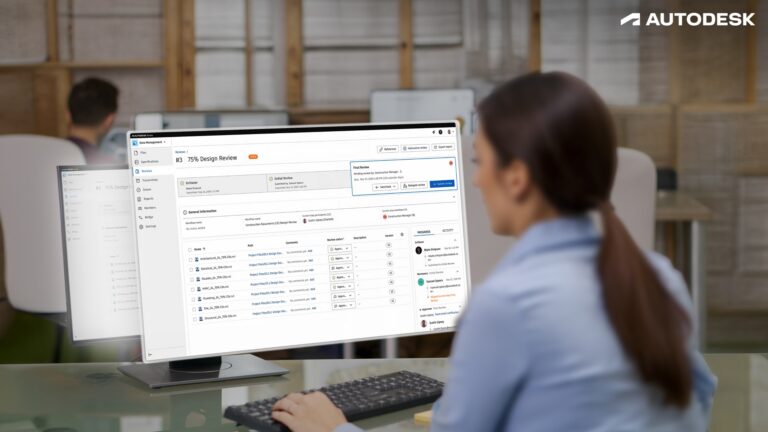
Reviews | Review Reference
Reviews now support references, allowing teams to link related files, forms, and other reviews directly to a review. This makes it easier to understand context and keep related information connected.
Reviews | Review Auto-trigger Condition Improvements
Review auto-triggers now support additional conditions in Autodesk Docs, including review status, file type, and “is / is not empty” logic. This gives teams more control over when reviews start automatically, helping reduce manual effort and keep document workflows consistent.
Reviews | Rename Closed Reviews
Project Admins can now rename Reviews after they are closed in Autodesk Docs. This makes it easier to standardize review titles and keep review data consistent across a project.
Reviews | Allow Initiators to Update Approvers
Project Admins can allow review initiators to update approvers through workflow settings in Autodesk Docs. This gives teams flexibility to keep reviews moving while maintaining control over how workflows are managed.
Reviews | Change Review Target Folder After the Review is Created
Review target folders can now be updated at any time. Project Admins control this through the review workflow and can also allow initiators to make changes, helping teams correct folder destinations without canceling or recreating reviews.
Transmittals | Transmittal Public API GA
The Transmittal Public API is now generally available, allowing teams to retrieve transmittal information from Autodesk Docs through supported APIs in Autodesk Construction Cloud. This includes access to transmittals, related documents, file versions, and recipient details, supporting reporting, compliance, and integrations while keeping Docs as the system of record.
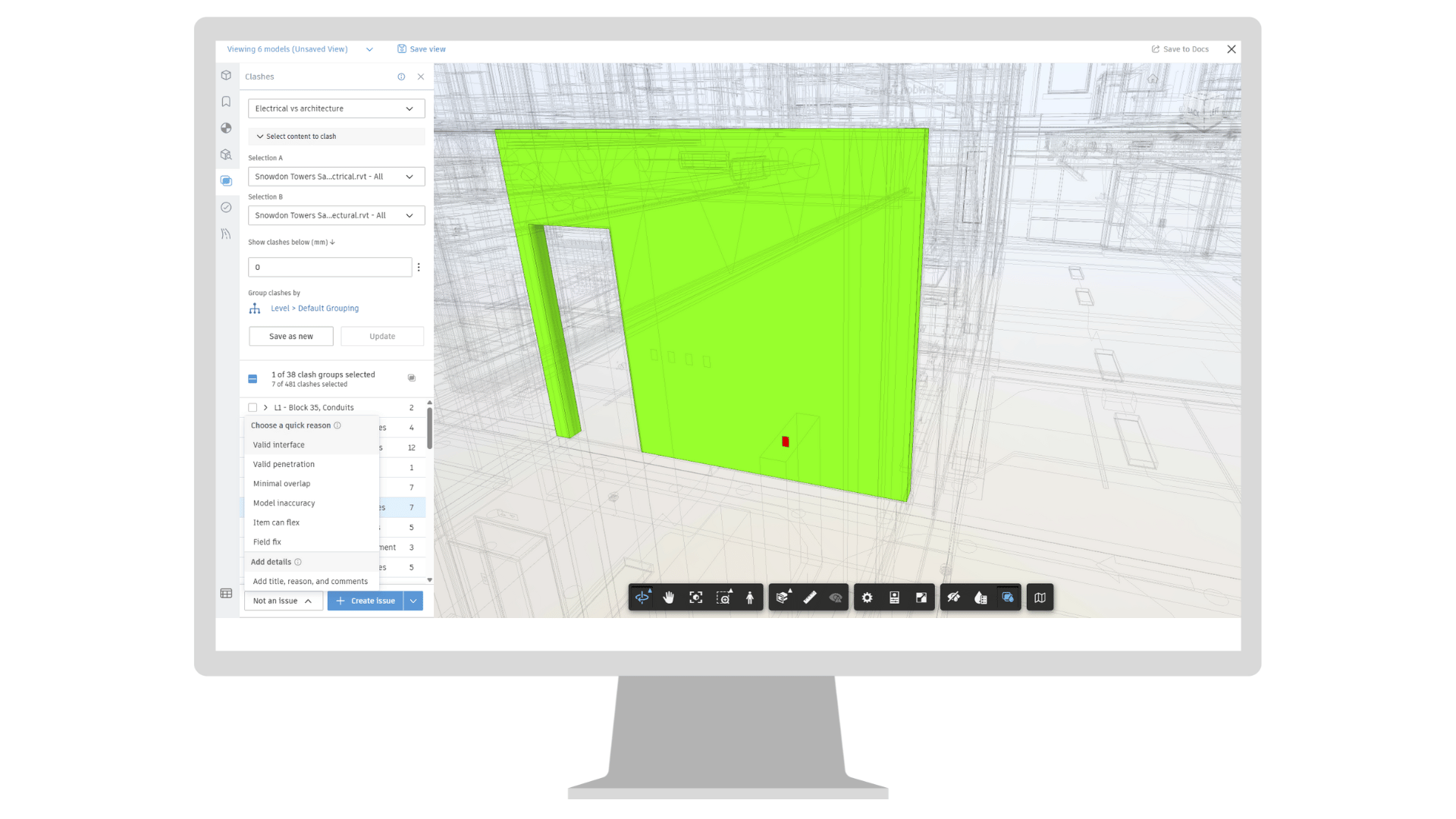
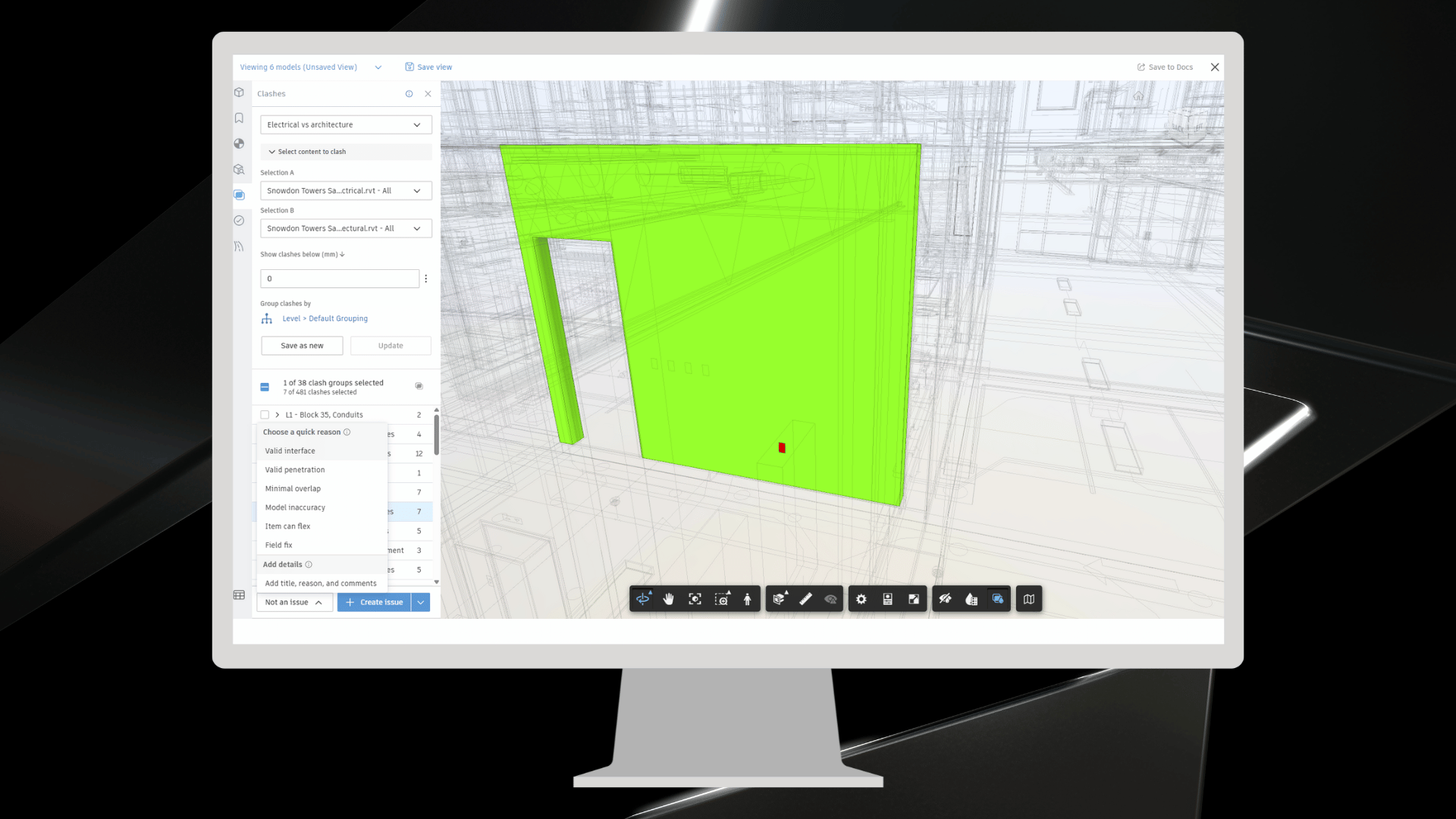
Coordination | Quick Non-Issue Creation
Marking non-issues is now faster and easier. Instead of completing a full form, you can select a reason and apply the default title in just a few clicks. This enhancement helps BIM managers, coordinators, and trade partners quickly classify intentional overlaps or approved conditions during clash reviews. For those who need more detail, the original workflow remains available.
Coordination | Keyboard Shortcuts
Keyboard shortcuts have been added to support faster navigation and selection in coordination workflows:
Correspondence | Reference to Specifications
Add a spec section as a reference from a correspondence. Easily create a direct link from a correspondence to spec sections, making supporting information between tools easier to find.
Meetings | Reference to Specifications
Add a spec section as a reference from a meeting. Easily create a direct link from a meeting to spec sections, making supporting information between tools easier to find.
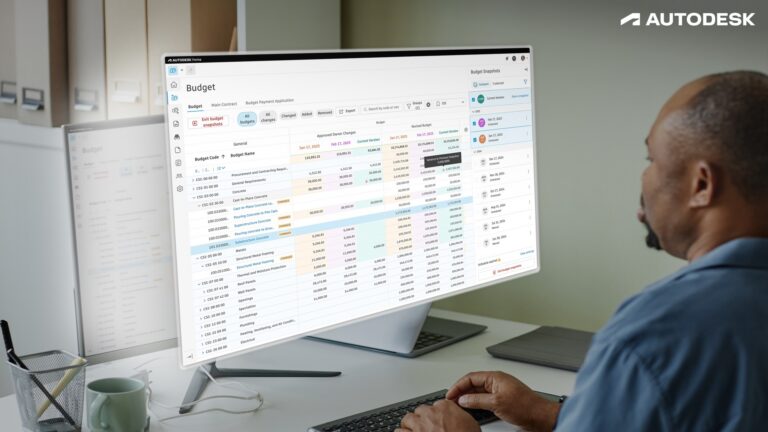
Cost Management | Change Order Bottom Flyout*
A new bottom flyout in the Budget view displays related Change Order numbers with direct links for easy navigation and reference.
Cost Management | Expense Item Summary Report
A new report template is available under Reports/Templates to report on Expense sub-items grouped by budget code, status, and more for better visibility and reporting.
Cost Management | Approval Workflow Enhancement*
Collaborators can now participate as reviewers in downstream approval approvals. As a reviewer they can edit proposed amounts and upload supporting documents, enabling more thorough and informed decision-making.
Cost Management | Simplified OCO and SCO Creation*
Users can now easily create Owner Change Orders (OCO) and Supplier Change Orders (SCO) directly in an approved status without the need to compile or send them. Perfect for cases where you only need to update the system to reflect accurate values.
Correspondence | Reference to Specifications
Add a spec section as a reference from a correspondence. Easily create a direct link from a correspondence to spec sections, making supporting information between tools easier to find.
Dashboards | Quality KPI dashboard
Project teams can now view a centralized Quality KPI dashboard in Project Home. The dashboard displays issue trends and includes interactive filters and drill-down options for deeper analysis. This update provides improved visibility into field quality performance, helping teams monitor progress and identify areas that require attention.
Meetings | Reference to Specifications
Add a spec section as a reference from a meeting. Easily create a direct link from a meeting to spec sections, making supporting information between tools easier to find.
RFIs | Quick Create RFI Enhancements
When using AI to generate an RFI form, AI will be able to populate the Location field when relevant information is provided in the prompt.
RFIs | Form Customization for RFI Types
Improve data collection by customizing the RFI creation form for each type of RFI. Build tailored creation forms, choosing which form fields are included and marking select fields as required.
Submittals | Download all Attachments
A download all attachments option is available for every stakeholder in the Submittal workflow, enabling users to download all attachments from the responsible contractor, manager, or any reviewer as a single ZIP file.
Workplan | Email Notifications
Workplan now provides email notifications for task assignments, updates, commitments, completions, and date changes. Users can choose immediate alerts or digest summaries and control notification types and frequency to avoid inbox overload. These notifications help managers, creators, and assigned members stay aligned and accountable, reducing missed deadlines and improving coordination between field and office teams.
Workplan | Metrics Drilldown
Expand and drill down into task metrics charts to see which tasks contribute to the metric and more easily perform root cause analysis.
Workplan | Bulk Select Subtasks
When bulk selecting tasks using the click and drag functionality, any subtasks that fall within the selection box are also selected. Click and drag your cursor over both summary tasks and subtasks to quickly perform bulk actions such as edit, assign, and delete.
Workplan | Support for Large Plans
Workplan now supports larger plans! Use a single plan for larger projects, with support for up to 35k tasks in a single plan.
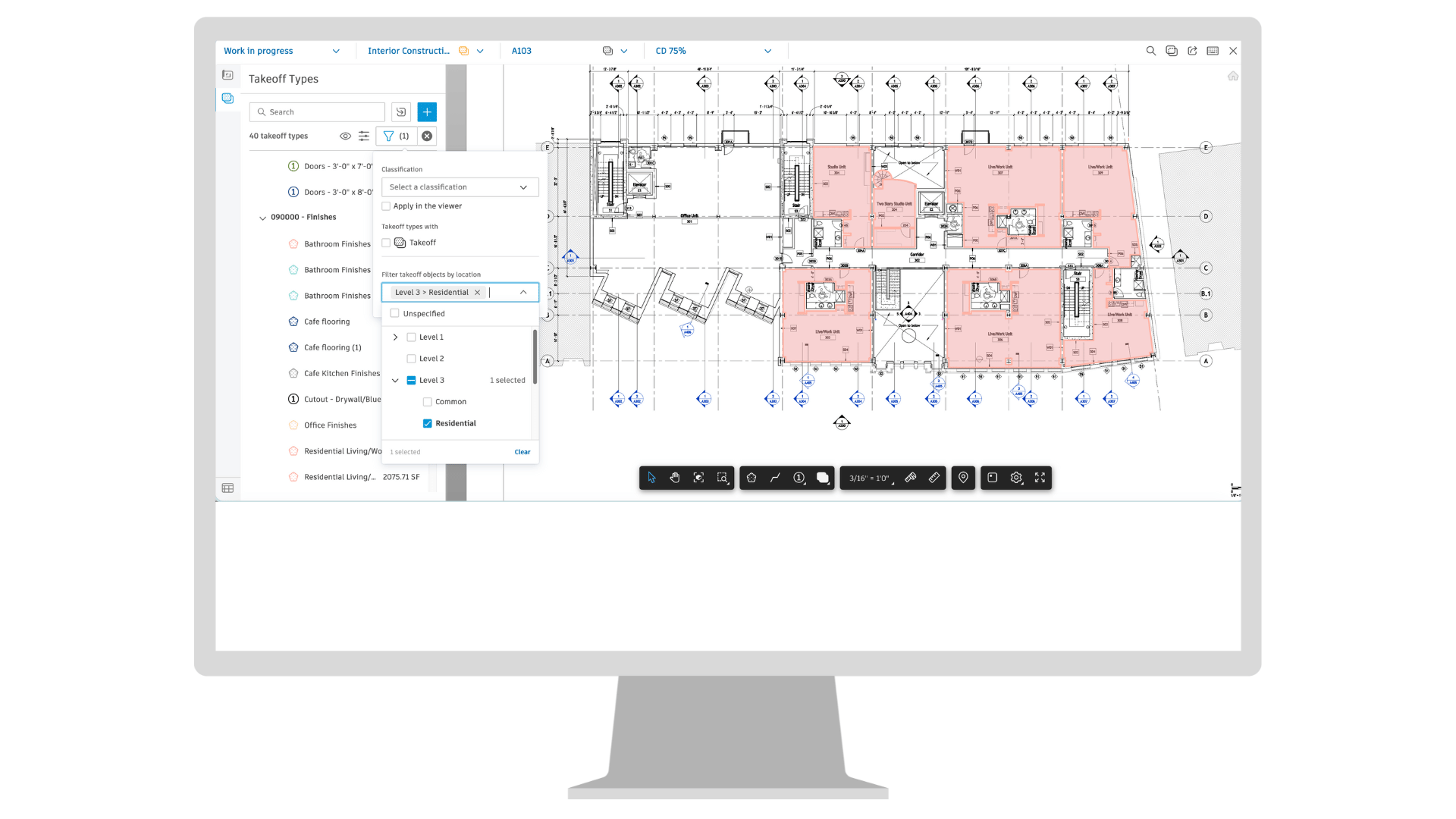
Takeoff | Location Enhancements
Autodesk Takeoff users can now filter the takeoff viewer by location or by takeoffs without a location assignment, making it easier to identify and assign locations to takeoff. A default location banner displays for clarity, and your default location setting persists when switching sheets. Plus, when copying and pasting takeoffs, the location property automatically carries over.
Takeoff | Count Marker Enhancements
Count markers can now be rotated and have a new rectangle shape, allowing placed items with PDF drawing elements to be better aligned for improved legibility and visual accuracy.
Takeoff | Bulk-Sheet Scale Setting
Autodesk Takeoff users can set the scale for multiple sheets at once, helping eliminate some of the repetitive manual tasks of adjusting each drawing scale individually.