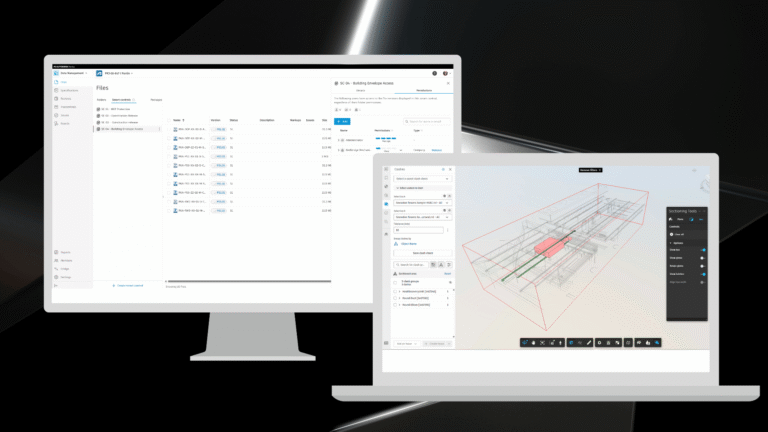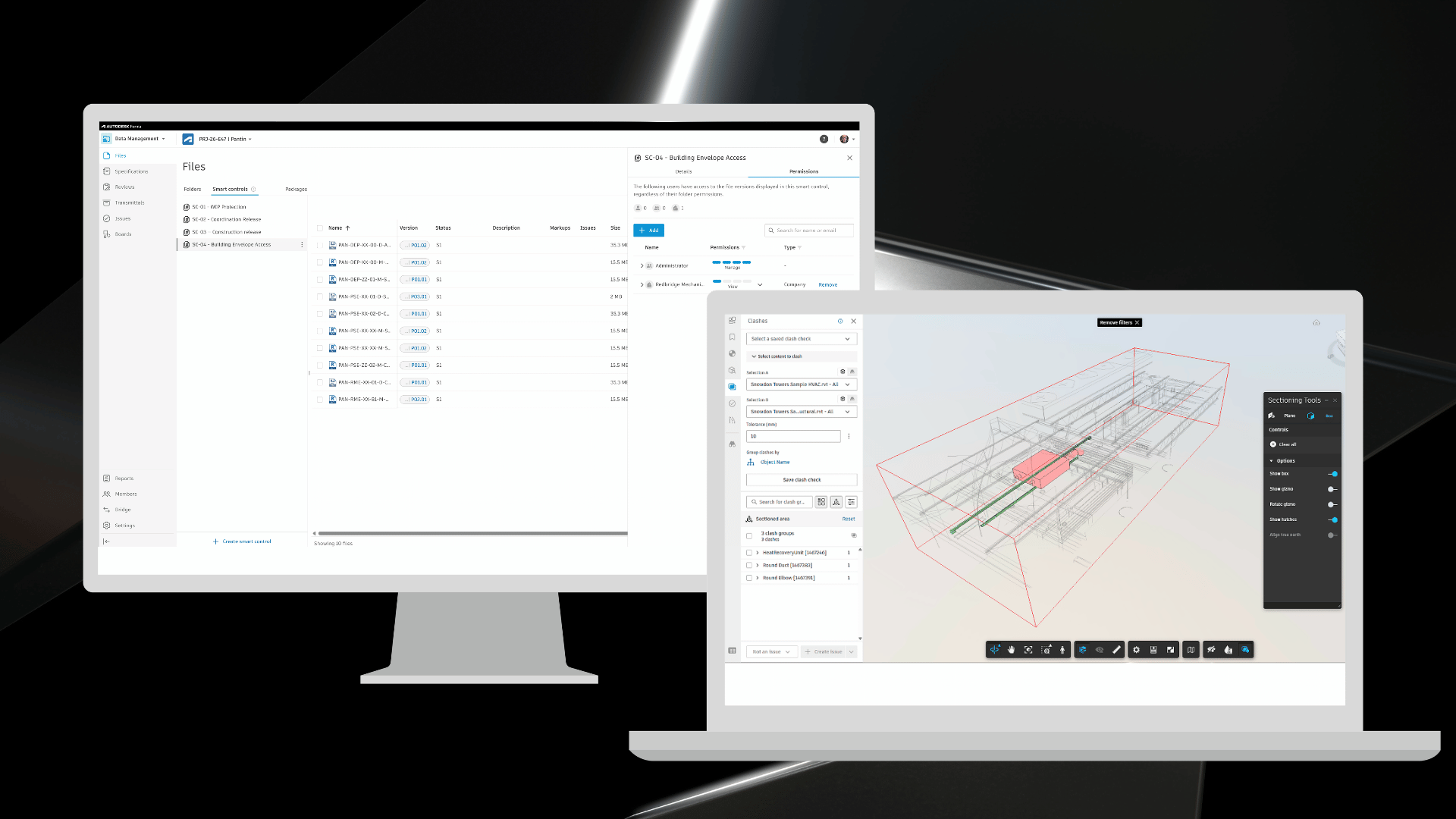
In November, Autodesk Forma introduces over 60 construction product updates to support more efficient, connected project delivery. These releases strengthen how teams manage access, information, and change across projects.
Take a closer look at the releases rolling out across these key areas:
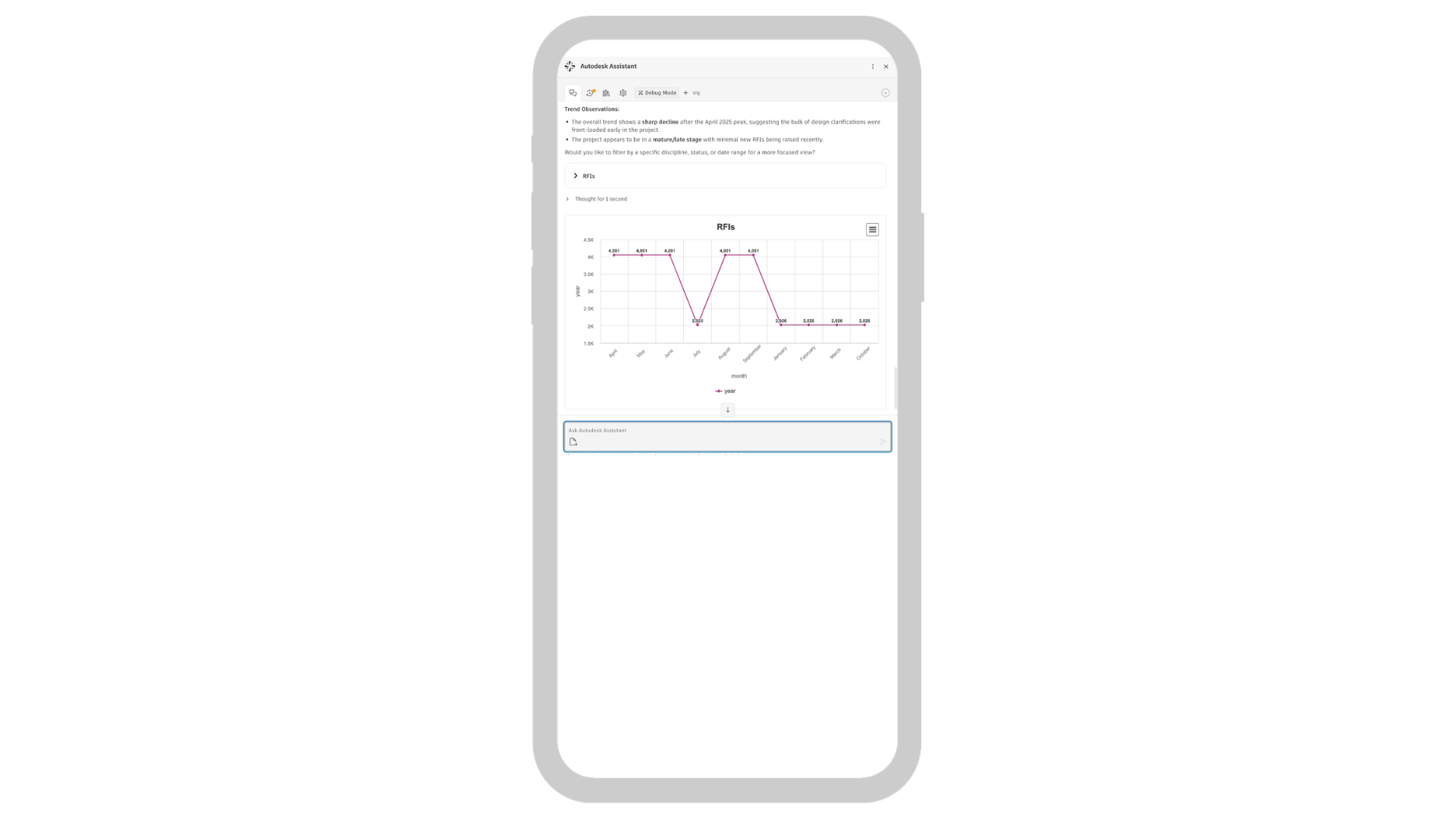
Autodesk AI | Autodesk Assistant: Charts - Autodesk Assistant can now help you visualize project data with bar, line, and pie charts. When prompted it will provide a written summary, a table of counts, and a chart to help you understand the data. Use it to explore issue trends, RFI status, workload distribution, submittal progress, and more to streamline tasks and support project decisions. Product: Forma Platform (Access varies by subscription type)
Autodesk AI | Autodesk Assistant: Files Attachments - Autodesk Assistant now supports PDF attachments in chats. Ask it to summarize the PDF, extract information, check it against requirements, cross-reference documentation, or analyze it alongside your Forma project data. You can ask follow-up questions in the same chat to dig deeper. Upload one PDF at a time, up to 4.5 MB. Attachments stay in the Assistant chat and aren’t saved to the project. Product: Forma Platform (Access varies by subscription type)
Autodesk AI | Add Members to Multiple Projects with Autodesk Assistant
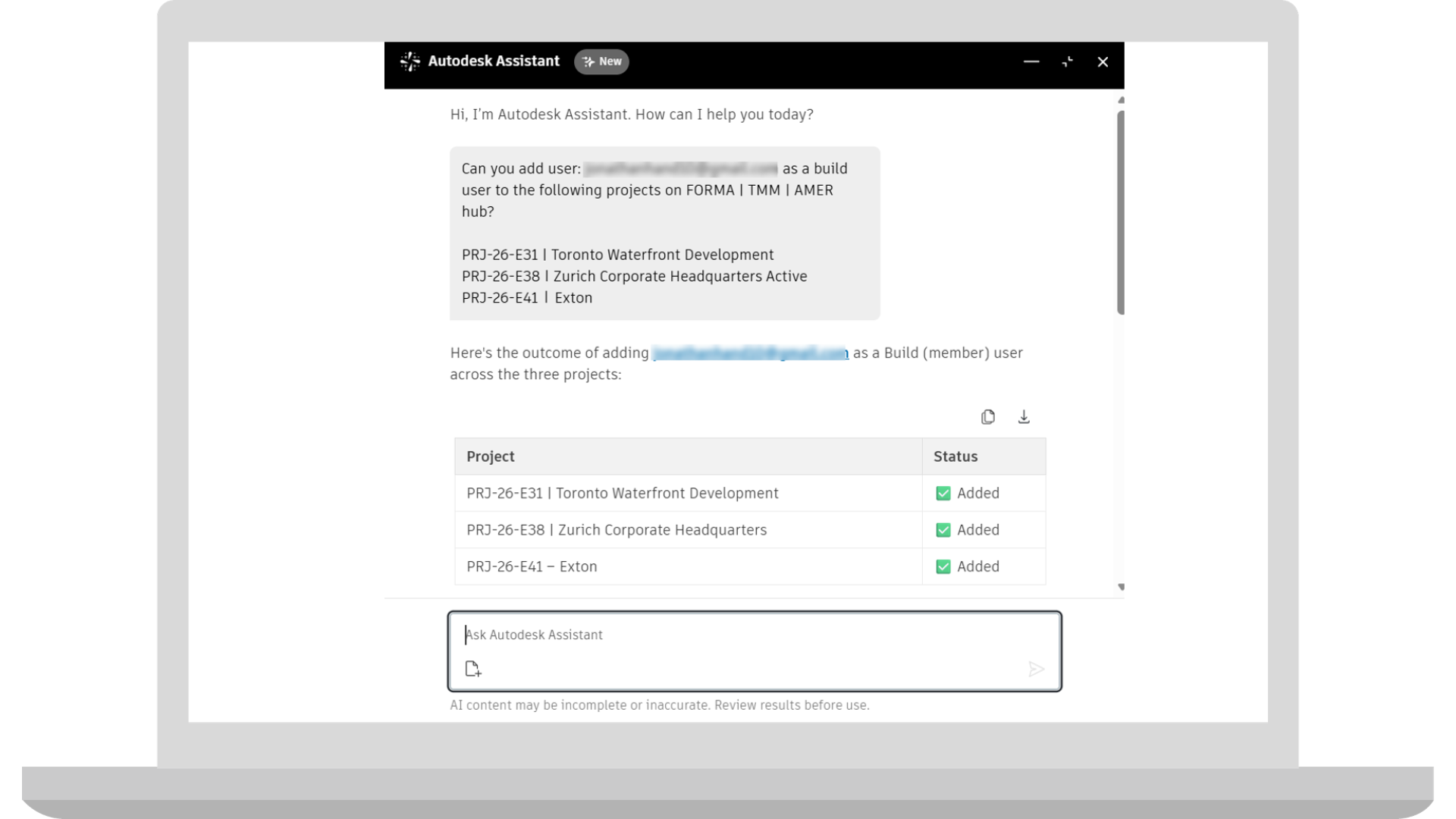
Authorized administrators can now use Autodesk Assistant to add existing hub members to multiple Forma projects on manage.autodesk.com. By describing the people and projects in a natural-language request, administrators can manage recurring project access assignments at manage.autodesk.com and review the results in the Assistant. This is initially available to eligible customers with projects hosted on US servers. Access varies by subscription type
Bridge | Share Photos using Bridge
Project teams can now share photos, videos, and albums between Autodesk Forma projects through Bridge. Shared content becomes available in the destination project's Photos tool, helping teams exchange site documentation and its associated information without manually downloading and re-uploading files. Product: Forma Platform
Dashboards | Build Project Home Customization
Now when entering into Autodesk Build, members are introduced to an improved Project Home with more configurability and partner cards to customize their view. Product: Forma Build
Forma Construction Connect | New AI Tools
Two new AI tools have been added: Copilot, to help write better recipes, and Intelligent Document Processing, which extracts relevant data from content flowing through integration workflows. Product: Forma Construction Connect
Forma Construction Connect | Connector Improvements & Updates
We’ve made several improvements to the connector: Reviews are now available as prebuilt Connector actions, support for streaming large files is coming soon, and the user interface and connector branding have been updated for Forma. Product: Forma Construction Connect
Insight Builder | Closeout Dashboard
Closeout Dashboard is designed to bring important closeout information derived from project Submittals into a single view, supporting teams as they track required closeout documentation and the teams responsible for supplying it. Built around project submittal information, it will help to track closeout progress, overdue items, and responsible contractor participation, with views of submittals by status, type, and contractor. Product: Forma Platform
Issues | New Issues References (Plan Tasks + Reviews)
Teams can now add Plan Tasks and Reviews as Issues references. These additional references will make it easier to connect an issue to the work being planned and to the review process. Product: Forma Platform
Issues | Saved & Quick Filters on Web
Return to relevant issue lists with Saved & Quick Filters - Web. Saved filters are integrated into the Issues tool, providing access to previously defined filtering criteria. Product: Forma Platform
Issues | Quick Filters on Mobile
Quick Filters on Mobile give field teams a more direct way to focus the Issues list on open work, items assigned to them, and items past their due date. Instead of repeatedly opening the full Issues filter panel to find common groups of issues, users can apply frequently needed filters directly from the Issues list. Product: Forma Platform
Issues | Recents Pattern
Quickly find and reselect members, roles, and companies you've recently used in Forma. A new Recents section at the top of the member picker gives you easy access to familiar selections, reducing the need to search or scroll when assigning people and groups across project workflows. Product: Forma Platform
Issues | Saved Filters on Mobile
Saved Filters for Issues in the Forma mobile app allows teams to apply the filters they've created on the web while working in the field. By reusing familiar filter criteria on mobile, users can return to the issues they need without setting up the same filters again. Product: Forma Platform
Library | Auto-Add Meeting Templates to Projects
Hub administrators will be able to choose which Meeting Templates are automatically added to new projects in Forma. By enabling Auto-add to projects for selected templates in the Hub Library, teams can make commonly used meeting formats available when new projects are created, reducing repetitive setup and helping maintain consistent meeting practices across projects. Product: Forma Platform
Location | Automatic Mapping of RVT Files to LBS and Boundaries
Reduce the manual setup involved in creating Locations from Revit information. When an RVT file is imported, its levels and areas can be mapped to the Location Breakdown Structure and matching boundaries created automatically, reducing the need to reproduce that structure by hand. Product: Forma Platform
Location | Copy Paste Area
Reduce repetitive Location setup with Copy Paste Area. Copy existing Location areas from one sheet and paste them onto another, avoiding the need to recreate each area manually. Product: Forma Platform
Handover | Support for Photos 1.0
Projects using the legacy Photos experience in Forma Build can now include photos in Handover exports without first transitioning to the new Photos experience. Teams can export all photos from these projects, while projects using the new Photos experience continue to support exporting all photos or selected albums. Product: Forma Platform
Handover | Add Location Filter to Handover
Admin can now filter Handover exports by Location, making it easier to prepare packages for specific buildings, floors, or areas of a project. By selecting the Locations to include, teams can focus their exports on relevant Assets, Forms, Issues, RFIs, and Photos, helping reduce unnecessary information and organize handover deliverables around owner and stakeholder requirements. Product: Forma Platform
Handover | Limit Handover Requests per Project
Project admin will be able to cancel ongoing Handover exports directly from the Export Log, which will also show more descriptive export statuses. Handover will allow up to three exports to run concurrently per project and alert users when that limit is reached, helping teams manage export requests and prioritize the packages they need. Product: Forma Platform
Templates | Manually Push Updates to Templates Shared Across Hubs
Admin will be able to push updates from a project template to selected hubs where it has already been shared. This provides a way to distribute revised project template standards across hubs while retaining a history of previous shared versions, helping teams manage templates as standards evolve. Product: Forma Platform
Templates | Prevent Duplicate Template Sharing
When sharing a project template across hubs in Forma, hubs that have already received that template will be unavailable as destinations. This will help prevent duplicate shared templates and make it easier to manage template distribution across hubs. Product: Forma Platform
User Administration | Bulk Add Hub Members to Multiple Projects (Beta)
Hub Admins can now bulk add existing members in their hub to multiple projects in one workflow. Admins can select the people who need access, choose the projects they should join, and add them to all selected projects at once, making onboarding and team changes easier to manage across large project portfolios. Product: Forma Platform
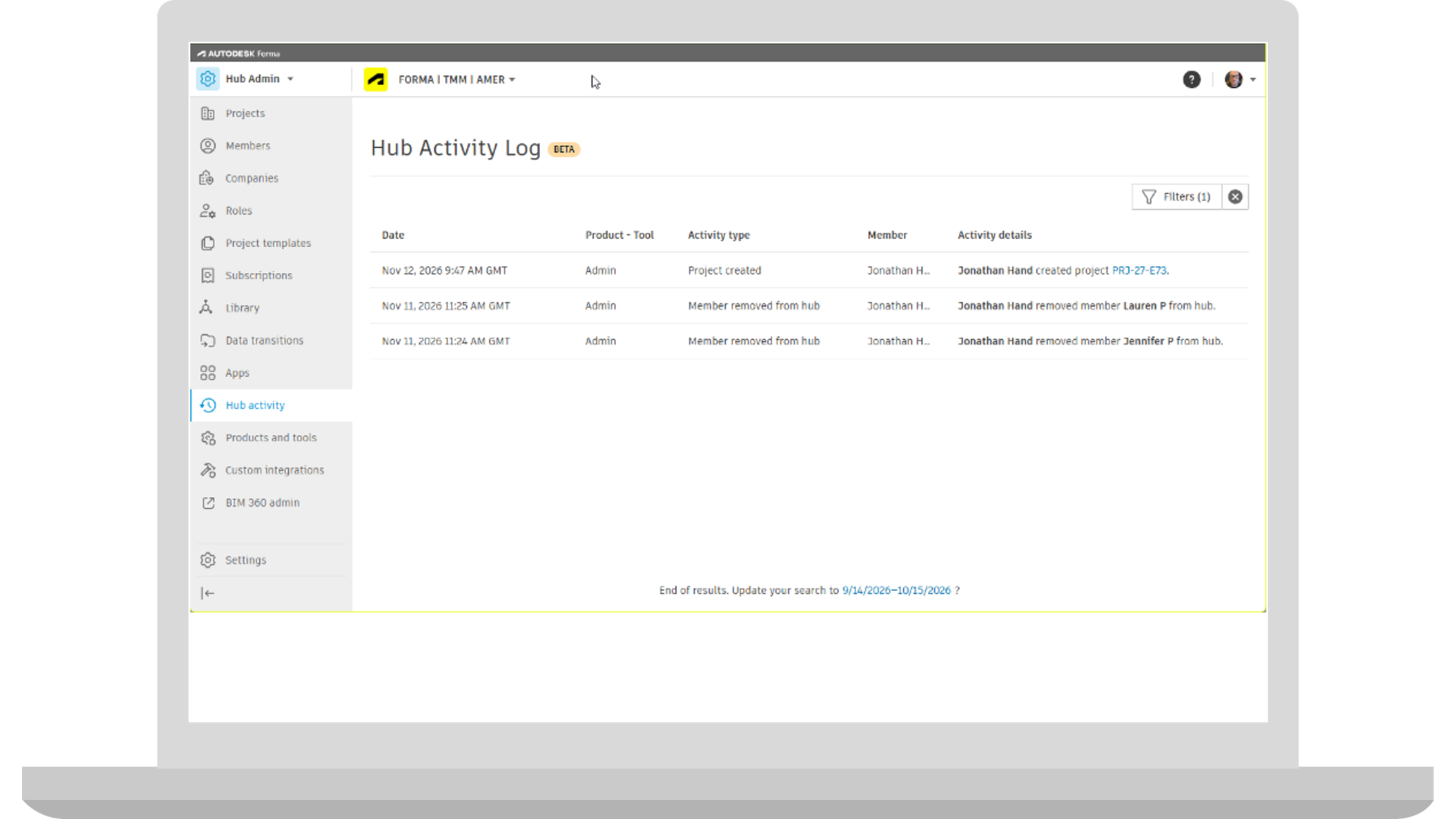
User Administration | Hub Activity Log (Beta)
Hub Admin now includes an Activity Log for selected hub-level actions, such as project creation, adding or removing hub members, assigning or removing Hub Admin permissions. Hub Admins can see who performed each action and when, giving them a clearer record of activity across the hub. Product: Forma Platform
User Administration | Delete Project
Hub admin will be able to delete eligible archived projects in Forma through a guided process with a 30-day window to restore a project if needed. Projects marked for deletion become inaccessible, while Hub admin can review and restore them from a dedicated Pending delete list during that period. After the 30-day recovery window closes, the project will be permanently deleted from your account. Product: Forma Platform
User Administration | Additional Standard Fields for Projects
Project admin can now capture additional project information in Forma with new standard fields for Description, Client, ERP ID, and ERP Integration. These fields help teams maintain consistent project details, associate projects with their clients, and record information used in connections to external business systems. Product: Forma Platform
User Administration | Revit File Versioning Support in Project List
Hub administrators will be able to display a project's Revit version as an optional column in the Forma project list. This provides additional context when reviewing projects across a hub and helps teams identify the Revit version associated with each project. Product: Forma Platform
User Administration | Betas Tab - Project Level
Forma is expanding its self-serve beta experience to support participation at the project level. For eligible betas, hub administrators will be able to choose individual projects in which to evaluate new functionality, giving teams more control over where a beta is introduced. Product: Forma Platform
Viewing | First Person Gyroscope
Mobile users can now activate the gyroscope to control the camera by pointing their device in a direction. Helpful for users that find it difficult to use joysticks to aim the camera in first person settings. Product: Forma Mobile App
Files | Bulk Edit Attribute Values
A new spreadsheet-style Bulk Edit Attribute Values experience will let teams update different attribute values across multiple files in Autodesk Forma Data Management. Users can edit, copy, and paste values in a single table, review their changes, and save the updates together, making it easier to maintain file information across a project. Product: Forma Data Management
Files | Folder Level Activity
Teams will be able to review folder-level activity in Forma Data Management, including when files are uploaded, renamed, moved, or deleted. A dedicated folder activity view, with options to filter and export activity records, will help teams trace changes and investigate missing files without searching through project-wide activity logs. Product: Forma Data Management
Files | Permanent Delete Files
Forma Data Management is introducing a controlled process for permanently deleting eligible project files. Hub administrators can define which projects support permanent deletion, configure an approval workflow, and set a retention period. Authorized teams can then request deletion of files in Deleted Items, with approval required before the files progress toward permanent removal. Product: Forma Data Management
Files | File Detail Panel
Forma Data Management now includes a File Detail Panel that lets teams review information about a selected file while browsing project files. The side panel brings available information such as file versions, attributes, review status, issues, and markups into one place, helping teams understand a file's details without opening it in the viewer. Product: Forma Data Management
Files | Smart Controls
Project admins can use Smart Controls to manage file access in Forma Data Management with system or custom metadata instead of folder location alone. Rules can adjust access as metadata changes without moving or duplicating files. Product: Forma Data Management
Reviews | Batch Void Reviews
Teams will be able to void multiple open reviews from the Reviews list in Autodesk Forma Data Management. Authorized users can select the reviews they need to close out, add a note, and confirm the action together, reducing the need to open and void each review separately. Product: Forma Data Management
Reviews | Next Action By Key Reviewers and Optional Reviewers
The Reviews list in Forma Data Management will now distinguish between key reviewers and optional reviewers in separate "Next action by" columns and filters. Teams can quickly identify whose response is required to move a review forward, with the same distinction added to review summary reporting. Product: Forma Data Management
Reviews | Review Due Date Notification
Forma Data Management is extending due-date reminders to Reviews. Eligible reviewers will be notified when an open review requires their attention near its due date or is overdue, helping teams follow up on pending document review actions. Product: Forma Data Management
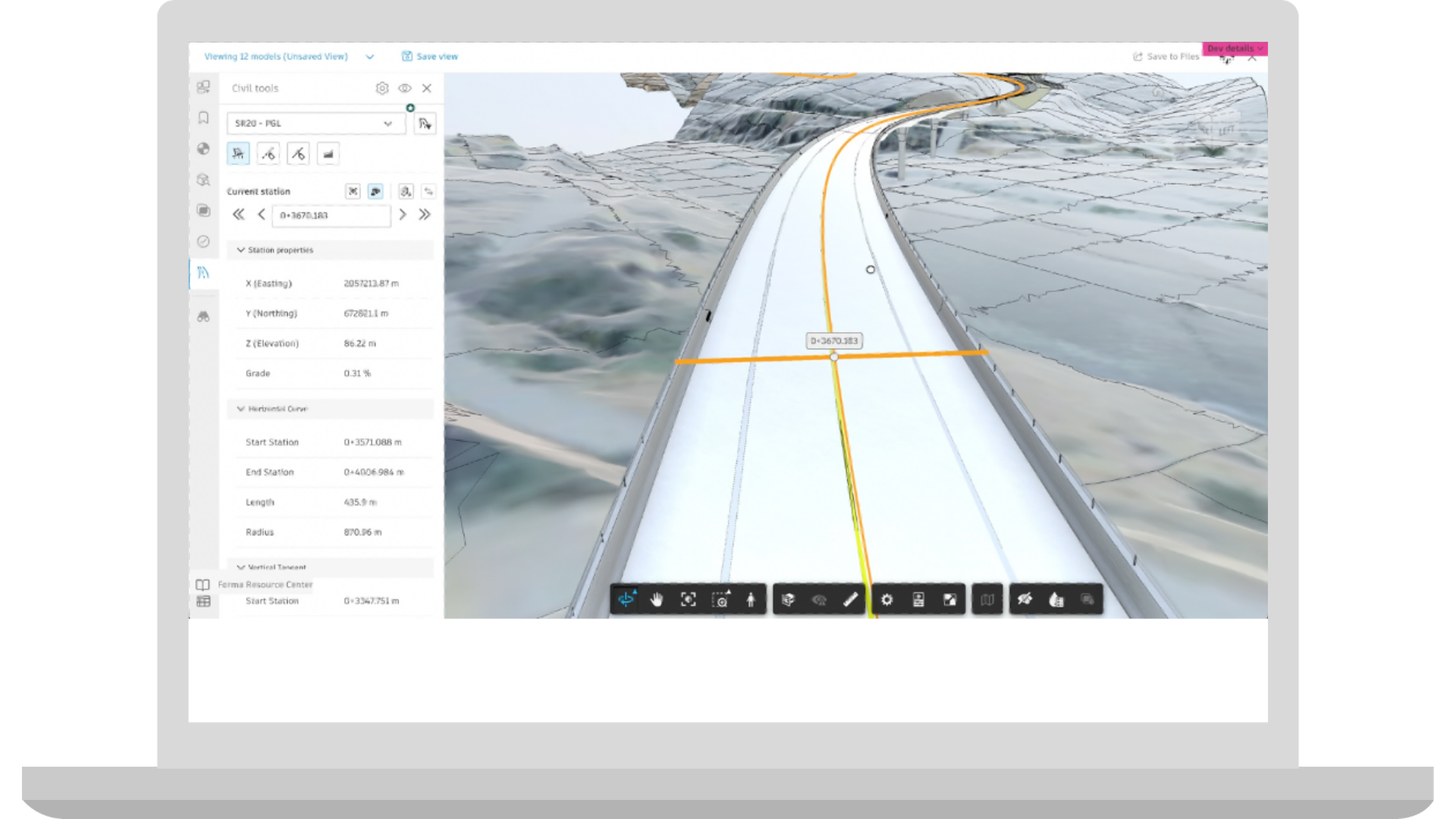
Coordination | Civil Tools Driver View
Civil Tools now includes a camera lock that follows the station tracker as users navigate along an alignment. When enabled, the camera maintains a consistent height, distance, and angle relative to the alignment, reducing the need to manually adjust the view between stations. Users can still orbit, pan, or zoom to change their perspective. The camera then continues following the station tracker from the new position, making it easier to review linear infrastructure while maintaining control over the viewing experience. Product: Model Coordination, Data Management
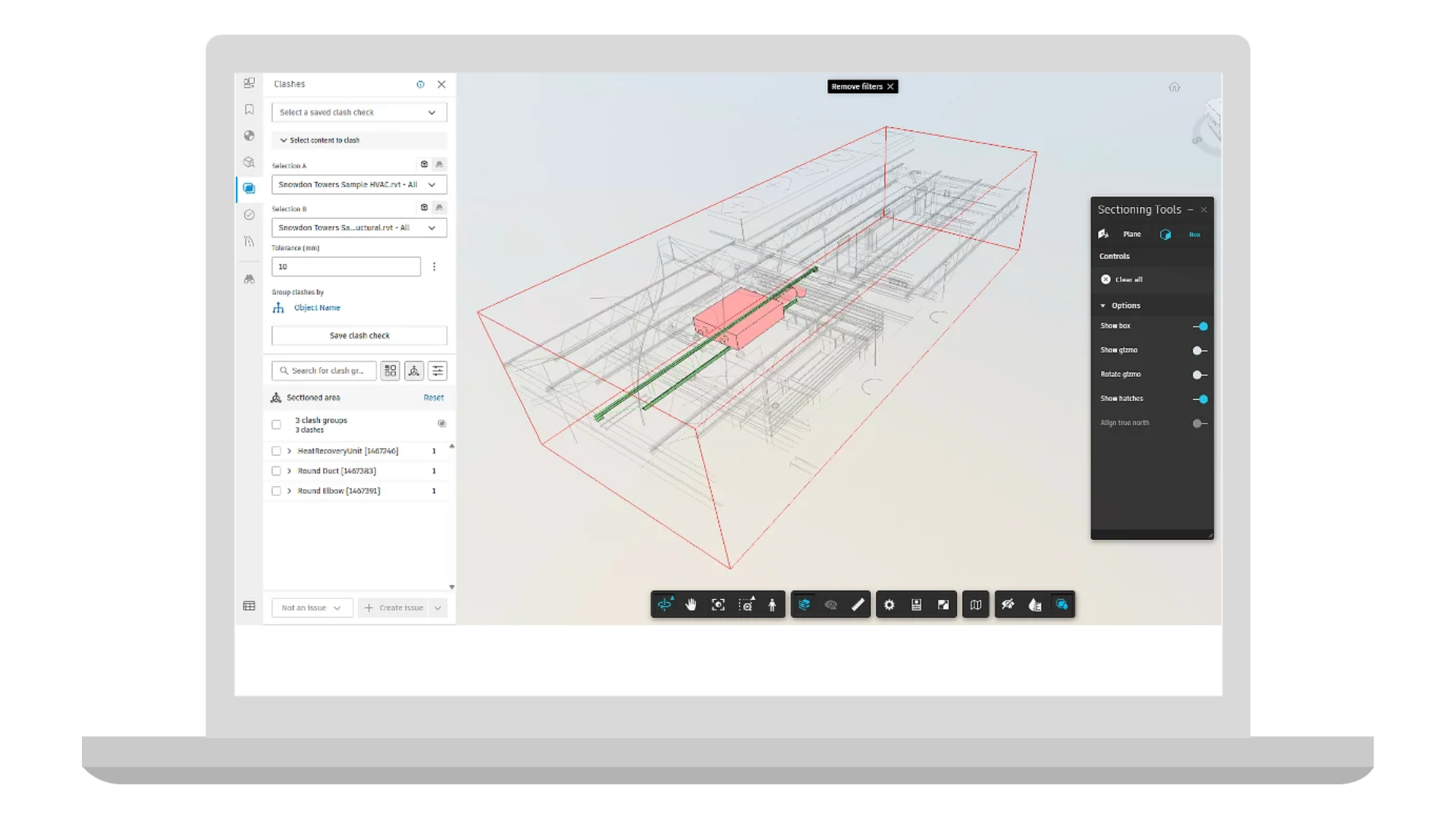
Coordination | Filtering Clashes by Section Box
Filter clash results in Model Coordination by applying a section box in the 3D viewer to focus on specific floors, rooms, or installation zones. Save and share these filtered views as Viewpoints, making it easier to return to the same clash context during coordination meetings and follow-up reviews. Product: Model Coordination
Coordination | Increased Model Limit Extended Properties
Extended Properties in Model Coordination now supports coordination spaces with up to 200 files. Improvements to property loading, updates, and synchronization across multiple viewers help teams review and maintain model information as coordination spaces grow. Product: Model Coordination
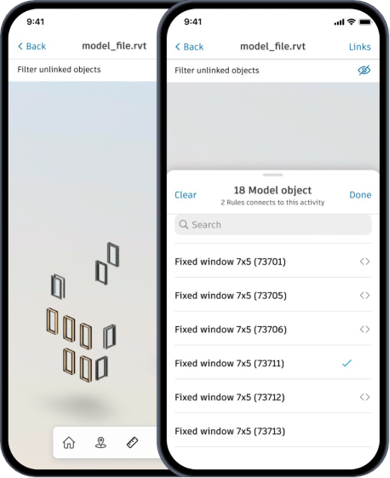
Correspondence | Export Correspondence Log
Correspondence records can now be easily exported to maintain organized records, support compliance and share formal communications outside of Forma. Select multiple correspondence to export a detailed log, complete with attachments, references, and selected metadata. Product: Build, Model Coordination, and Design Collaboration
Cost Management | Classifications for Budget Segment Master Lists
In Hub Admin, you can create and manage classifications directly in the Library. Think of them as shared lists for the organizational details your team needs. You can make each list available across all projects or only the ones you choose.
This release builds on last month’s introduction of classifications for non-budget organizational segments in Cost. Now, you can also use classifications for standard budget code segments. Manage your master lists centrally in the Library, then share them with your projects. From there, use them to set up project budget codes, create Main Contract Schedules of Values, and filter or group cost data. Product: Build
Cost Management | Additional Cost Home Page Charts
Two new charts are available on the Home page: Project Timeline and Owner Contingency. Project Timeline uses a progress bar to show how far the project has advanced through its planned schedule, so you don’t need to check the schedule tool. Owner Contingency shows how much contingency is left, helping you spot when it’s running low without opening the Budget overview table. Product: Build and BIM 360 Cost
Cost Management | Contract Compliance MSA Condition
For users leveraging the Cost Management + TradeTapp integration, you can now use TradeTapp MSA data as a condition for contract compliance. Cost Management checks TradeTapp to verify that an MSA is present and in effect before a contract can be submitted. Product: Build
Cost Management | Notifications Due Digest
Cost Management is now included in the Forma Due Dates Digest, a daily email already used for services like Issues and RFIs. Each user receives a personalized summary of overdue and due-soon items, organized by Cost module and project. The digest now includes items awaiting a response—contracts, change orders, RFQs, and payment applications—as well as pending workflow approvals, helping users keep track of what needs attention before something falls through the cracks. Product: Build
Dashboards | Build Project Home Customization
Now when entering into Forma Build, members are introduced to an improved Project Home with more configurability and partner cards to customize their view. Product: Build
Forms | Pin Forms on Sheets and Files (Beta)
Help crews locate and complete work in context with Pinned forms on sheets and files. Form creators can start and pin forms directly from the markup toolbar, assign them, and display their locations on plans or documents. Products: Build and Build Essentials
RFIs | Roles and Companies as Ball in Court
Roles and companies can now be selected for the ball in court field, allowing reviews and responses to be assigned to certain roles and members of a specific company. Product: Build
RFIs| RFI Sheet Placement
Add a sheet location to an RFI during creation or at any point afterward by placing an RFI pin directly on the drawing. The new Placement field lets you add and view associated sheet locations and navigate directly to the pinned location. This helps teams capture RFIs in context, reduce time spent searching for information, and make it easier to review and resolve issues. Product: Build
RFIs | Inline Edit in List View
Quickly edit RFI fields from the list view, without having to click into individual RFIs. Product: Build
Schedule | 4D Schedule Updates (Beta)
When the model or schedule is updated, a new Version Updates Report identifies which links have changed, showing what was added or removed in a detailed CSV export. This helps teams verify connections as schedules and models evolve, without manually auditing connections.Additionally, 4D schedules are now supported on mobile. Field teams can view the model, select activities and isolate linked elements, making it easier to communicate upcoming work on site. Product: Build
Specifications | Export Specifications Log
Export a structured log of spec sections and key metadata, both as a PDF or Excel file. Share it for project meetings, reporting, and handover to reduce manual list creation and make spec information easier to review and trace. Product: Build, Data Management and Takeoff
Submittals | Skip Responsible Contractor Assignment During Item Creation
Submittal Managers can create and submit items on behalf of subcontractors, including uploading attachments, without assigning the submittal to a responsible contractor first. During item creation, managers can select the “Open - Submitted” status to create an item, add response attachments and assign the submittal directly to a manager to review - skipping unnecessary steps. Product: Build
Submittals | Increase Required Reviewers
Review workflows now support up to 30 required reviewers per step, helping teams manage complex approvals without duplicate submittals or manual workarounds. Product: Build
Workplan | Plan Types
Create customizable plan types that can be used to differentiative varying types of plans, such as Work Plans and Inspection Test Plans (ITPs), with configurable default views. Filter plans by type to quickly find relevant information, standardize planning workflows, and reduce repetitive setup across projects. Product: Build
Workplan | Create & Edit Tasks on Mobile
Create and edit Workplan tasks directly from your mobile device, including titles, descriptions, dates, assignees, and priorities. Capture new work and update task details on site, helping field teams keep information current, improve task visibility, and coordinate work without returning to a desktop. Product: Build
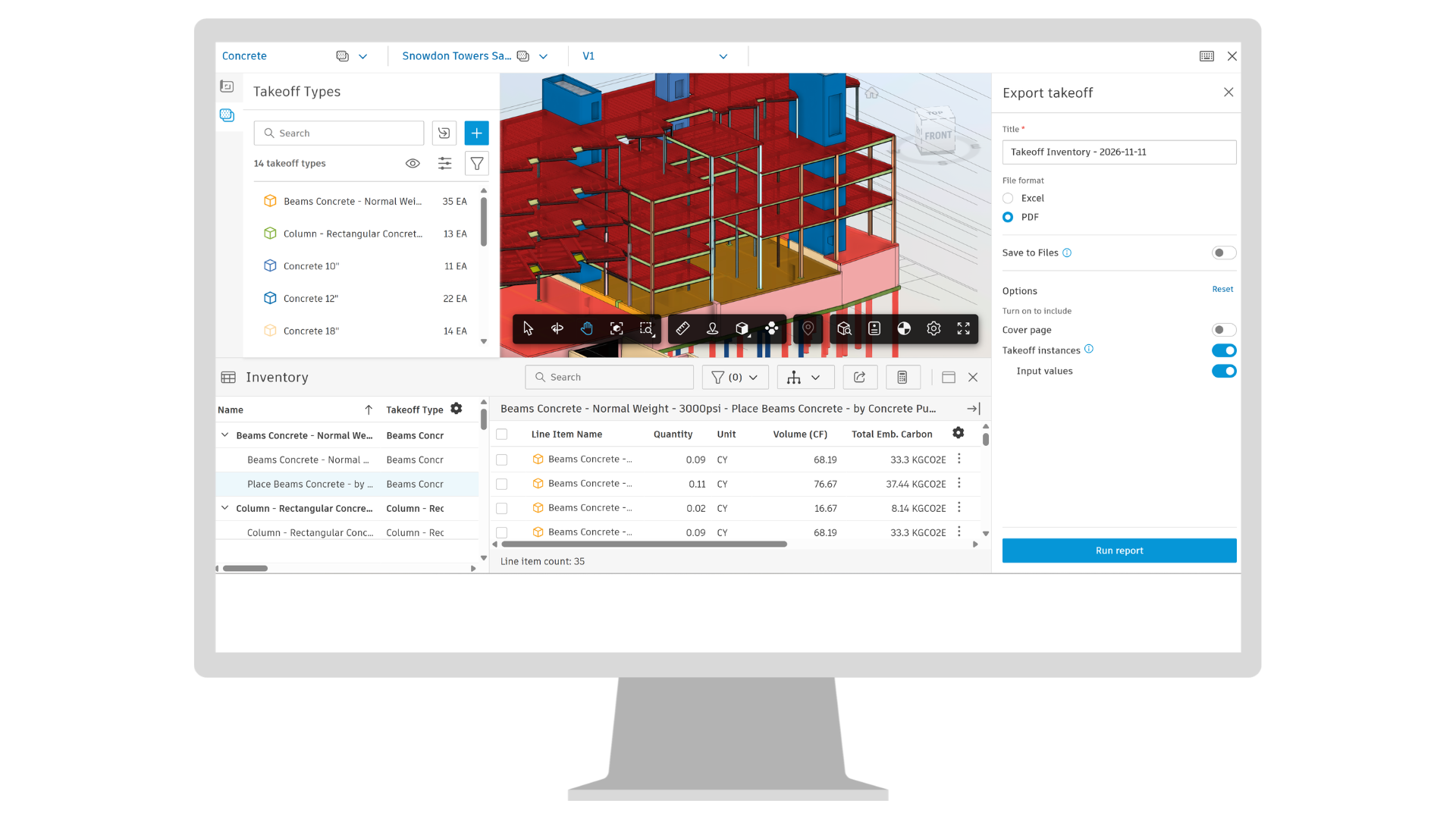
Takeoff | Inventory Enhancements
Work with Takeoff inventory more efficiently with improved search, filtering, and a clearer inventory table. Quickly find the items you need and gain greater flexibility when exporting inventory, with support for both Excel and PDF formats. You can also save exports directly to Files, with additional controls over the content included in the export. Product: Takeoff
Takeoff | Preconstruction Library for Takeoff Users
Standalone Forma Takeoff users with Hub Admin permissions can now access the Preconstruction Library in Hub Admin to centrally create and manage line items across projects. Product: Takeoff
Takeoff | Enhanced Takeoff Keyboard Controls
Hold Shift while drawing to snap takeoff lines to 0°, 45°, or 90° and lock movement to an axis. You can also use the keyboard to nudge selected takeoff objects on 2D sheets into position for more precise placement. Product: Takeoff
Estimate | Saved Views Enhancements
Save and reuse customized Estimate table views within a project, including filters, groupings, and column configurations. Create shared project views for the project team or keep user saved views private, with up to five personal views per project. Saved views can also be imported from another project, with unavailable project-specific filters or classifications automatically removed and clearly flagged before import. Product: Estimate
Estimate | Cost Markup Templates
Teams can save project cost markup structures as reusable templates in the Preconstruction Library, then import a template into another estimate. They can also import a markup structure directly from another project. Importing replaces the estimate’s existing cost markup setup. Product Estimate
Builders Network | Company Office Management
Manage offices directly in Forma Bid (beta), reducing the need to switch between Forma and BuildingConnected. Product: Bid (Beta)
Bid | Bid History
Access historical BuildingConnected bid history directly in Forma Bid (beta). Existing bidders, RFP, and bid history are brought natively into the Forma experience, giving teams access to the historical context they’ve built over time without needing to return to BuildingConnected. Product: Bid (Beta)
Bid | Reorder, Hide, and Pin Proposals in Bid Leveling
The ability to reorder, hide, and pin proposals on the leveling sheet within Forma Bid (beta), giving estimators control over which bids sit side by side as they compare them. Product: Bid (Beta)
Qualification | Tradetapp Documentation Enhancements
More efficiently manage qualification documents with the ability to bulk download and bulk delete, improved file organization, and the ability to open documents directly in the application. Product: TradeTapp
Qualification | Qualification Documentation Automation (OSHA)
Automate OSHA Log processing and validation at the point of data entry, flagging unexpected values so subcontractors can identify and correct potential errors while filling out qualification questionnaire. Product: TradeTapp