In September, Autodesk Forma introduces over 75 construction product updates to support more efficient, connected project delivery. These releases strengthen how teams manage access, information, and change across projects.
Dig in by Topics:
Autodesk AI | Permissions Expansion
Autodesk Assistant extends permission-aware insights to project users while maintaining enterprise governance and existing data access controls.
Product: Forma Platform (Access varies by subscription type)
Bridge | Bridge-Level Watchers
Project Admins can add project members or project roles as watchers on a Bridge connection. The connection creator is added as a watcher by default, and watchers can receive email notifications about supported sharing activity, share failures, automation changes, and connection deletion. This gives teams a targeted way to keep the people who rely on a specific Bridge connection informed.
Product: Forma Platform
Dashboards | My Home - Resizable Cards
My Home becomes more configurable with Resizable Cards. Project members can change card sizes to show more detail where it matters or make cards more compact to fit additional information into the Home view, then arrange the layout around their preferred way of monitoring work.
Product: Forma Platform
Data Transitions | Data Transitions Access Request
Hub Admins can request access to Data Transitions directly from Forma. After submitting a request, they are notified when Data Transitions is available for their hub, providing an in-product path to bring supported project information forward from PlanGrid, BIM 360 Next Gen, and BIM 360 Field.
Product: Forma Platform, PlanGrid, BIM 360 Field, and BIM 360 Next Gen
Data Transitions | BIM 360 Data Transitions
Data Transitions is now generally available for bringing supported information from eligible BIM 360 Next Gen and BIM 360 Field projects into Autodesk Forma. Hub Admins with access can import historical project information for preservation and, when needed, transition the imported copy into Forma Data Management.
Product: Forma Platform, BIM 360 Field, and BIM 360 Next Gen
Handover | Support RFIs, Forms, Issues, and Submittals Attachments in As-Built/Handover
As-Built and Handover exports can now include attachments from RFIs, Forms, and Issues alongside existing Submittal attachment support. When References and Attachments are included, supporting files such as photos, PDFs, and other attachments are added to the export package, with report links updated to point to the files in the package.
Product: Forma Platform
Issues | Project Administrators Will Be Able to View Unpublished Issues
Project administrators gain broader visibility into the work happening across the projects they manage. They will be able to view and edit unpublished issues in areas including the Issues log, sheets, models, and generated reports instead of visibility being limited only to the creator, assignee, and watchers.
Product: Forma Platform
Issues | 2D<>3D Pins for Revit Files Beta
Issues stay in sync between the 3D model and every related 2D view, so one issue can be opened, updated and tracked from anywhere it appears.
Product: Forma Platform
Issues | Shared Issues in Forma Board
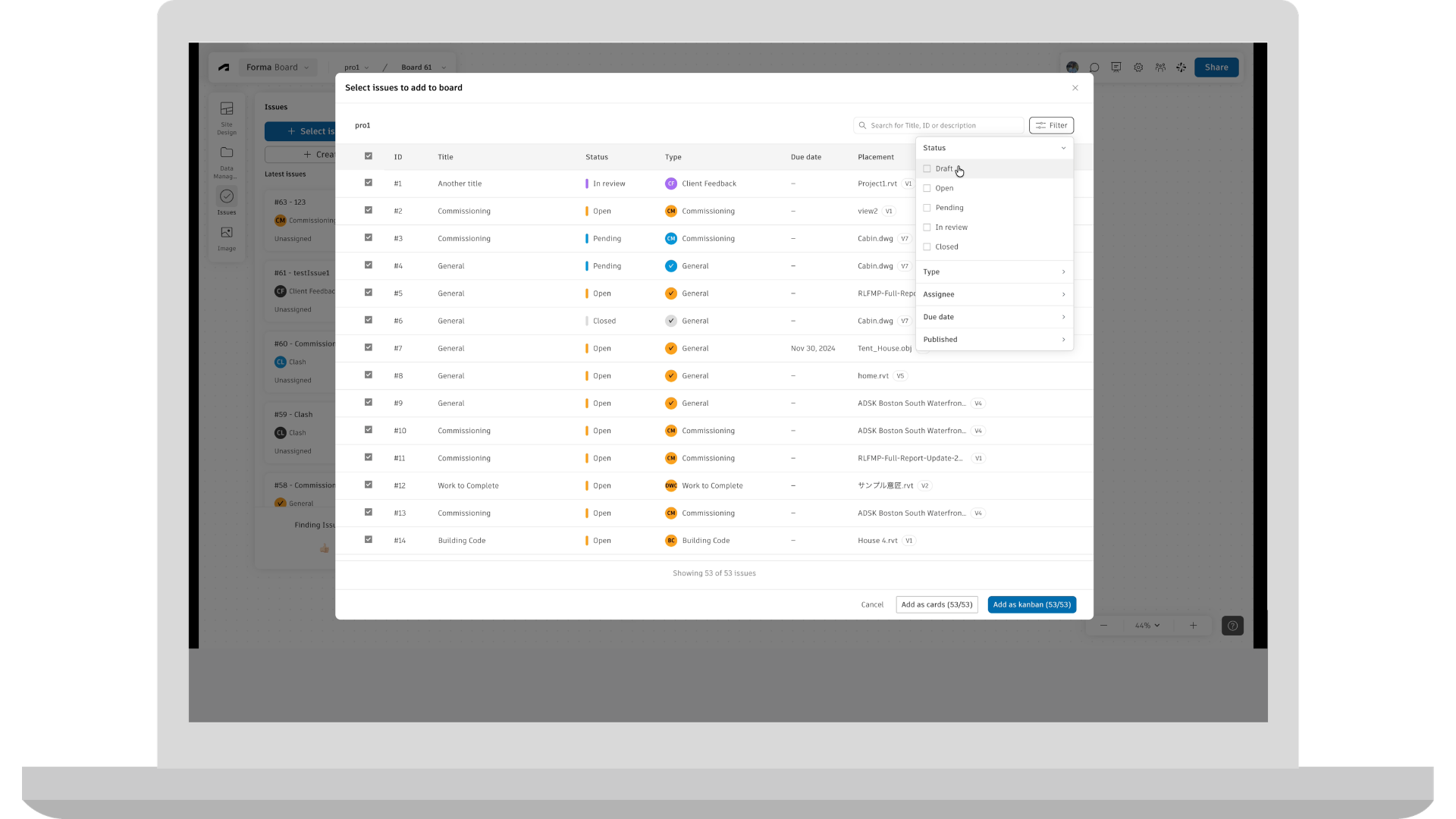
Project teams can now create, view, update, and resolve Issues directly in Forma Board. Issues appear as editable cards that teams can organize visually during collaborative reviews, connecting feedback captured in Board with the project's shared issue-management workflow.
Product: Forma Board
Location | Automatic Mapping of RVT Files to LBS and Boundaries
Reduce the manual setup involved in creating Locations from Revit information. When an RVT file is imported, its levels and areas can be mapped to the Location Breakdown Structure and matching boundaries created automatically, reducing the need to reproduce that structure by hand.
Product: Forma Platform
Reports | Transmittals Data in Insight Builder
Teams can build custom reports on transmittal activity using the Transmittals dataset in Insight Builder. Project-defined fields, filters, and visualizations can be used to analyze the data, with a dashboard template available as a starting point.
Product: Forma Platform
Templates | Require an Account Template for New Projects
Account Admins can require project creators to select a project template when creating a new project. Admins can allow any project template or restrict selection to account-published templates, giving organizations more control over how new projects are set up and helping teams apply project standards from the start.
Product: Forma Platform
User Administration | Restrict Project Admin Invites
Hub Admins can restrict new Project Admin grants so only Hub Admins can assign Project Admin access. When enabled, the restriction applies to invitations, access-level changes, and role assignments that grant Project Admin access. Existing Project Admin assignments remain unchanged, giving organizations more control over future administrative access without removing access already in place.
Product: Forma Platform
User Administration | Roles Page Improvements
Hub administrators can use Roles Page Improvements to review access across roles in a summary view and compare permission differences between multiple roles without opening each role individually.
Product: Forma Platform
User Administration | In-Product Upgrades
Eligible Hub Admins can upgrade supported Forma Build Essentials subscriptions to Forma Build from within Autodesk Forma. The in-product experience presents the available upgrade path based on the subscription and purchasing configuration, supporting self-service checkout for eligible upgrades and alternate guidance when self-service is not available.
Product: Forma Platform
Workflow Studio | Workflow Studio
Automate and standardize your processes with configurable workflows starting with multi-step & branched Form Reviews.
Product: Forma Platform
Files | Folder Permission Report for Project Templates
Admins can export a Folder Permission Report from project templates to review configured folder access before creating new projects. The report provides an offline view of permissions by user, role, and company across the template's folder structure, making it easier to review access settings before the template is reused.
Product: Data Management and Data Management Essentials
Files | Upload Folder of Files
Forma Data Management users can upload a folder or drag and drop it into the Files tool on web while preserving the folder hierarchy. Before the upload starts, the selected folder is checked for supported limits and destination conflicts. Users can monitor upload progress as files and folders are added. This enhancement helps to reduce the manual work of recreating folder structures and uploading files separately.
Product: Data Management and Data Management Essentials
Mobile App | Add Folder Bread Crumb to Files
Files on mobile now displays a breadcrumb for the folder currently being viewed in the Files list and new file picker. The visible folder path stays in view as users browse, making it easier to stay oriented and find information within complex project folder structures.
Product: Data Management
Mobile App | Packages on Mobile
Packages on mobile is now generally available on iOS and Android, giving project members access to package information and the files available to them from the mobile Files experience. Teams can use Packages to access organized project information while working on the jobsite.
Product: Data Management
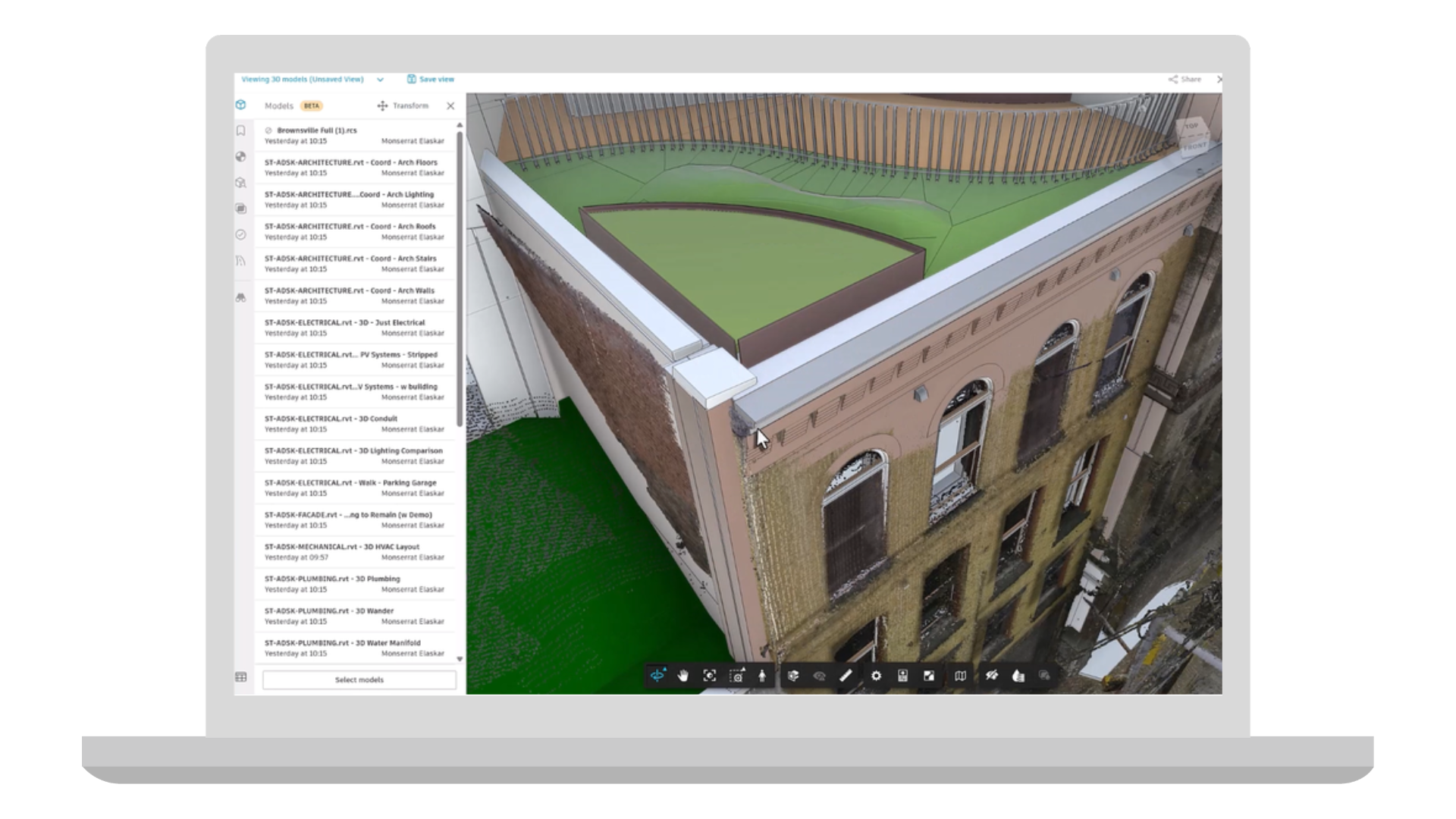
Coordination | Search Sets and Clash Integration
Use Search Sets in Clash Checks to focus coordination on specific groups of model objects, such as ductwork, structural steel, or a subcontractor’s scope. This helps teams reduce unrelated clash results, focus reviews on relevant model content, and keep clash checks aligned as Search Sets are updated.
Product: Forma Design Collaboration and Forma for Model Management
Coordination | Point Clouds in Model Coordination (Beta)
Model Coordination now supports RCS point clouds, allowing teams to view point clouds alongside design models for better context during coordination. This helps validate designs against existing conditions and improve model review workflows.
Product: Forma Design Collaboration and Forma for Model Management
Coordination | Hypermodeling in Model Coordination
Hypermodeling brings your coordinated models and project information together in one connected experience. Instead of switching between 3D models, drawings, and documents, teams can navigate directly between them, making it easier to understand design intent, review coordination issues, and collaborate across disciplines. The result is faster reviews, better communication, and greater confidence that everyone is working from the same project context.
Product: Forma Design Collaboration and Forma for Model Management
Coordination | Search Sets New Capabilities
Search Sets now include new ways to organize, update, and reuse saved queries across project workflows. Teams can group Search Sets into folders and nested folders, import those structures from other Forma projects, and update existing Search Sets in place so connected workflows such as Clash Checks, View filters, and Viewpoint filters stay aligned as project needs evolve.
Product: Forma Design Collaboration, Data Management, and Data Management Essentials
Autodesk AI | Enhancements - Quick Create Issues Powered by Autodesk AI
Expands the current AI-assisted issue creation flow for Issues:
Product: Forma Mobile App (Access varies by subscription type)
Correspondence | Export a Correspondence Log
Export a filtered correspondence log, including metadata and attachments. Download the export to your computer or save it to Data Management for recordkeeping to fulfill compliance, legal and contractual needs.
Product: Build and Forma Design Collaboration
Cost Management | Classification Integration
Classifications can now be used as optional, non-budget organizational segments that let teams group costs in ways that reflect how they work. For example, teams can use Classifications for UniFormat, preferred Main Contract layouts, or other internal methods of organizing and reporting on costs.
Like standard segments, Classifications can be used to create hierarchy, organize information, and slice and dice cost data for reporting. The key difference is that Classifications do not change budget codes or impact integrations, giving teams an additional layer of organization without disrupting existing workflows.
Classifications can be configured and managed in the Library for broader standardization or at the project level to meet project-specific needs.
Product: Build
Cost Management | Email & E-Signature Enhancements
Project Admins can now customize all outgoing Cost Management email subject lines and message content with configurable variables, making communications more recognizable, relevant, and consistent. Using configurable variables, Cost Management will automatically include key project and contract details, such as project number, project name, or contract name, without the user having to manually adding them to each email. This expanded customization applies across all outgoing Cost Management emails, including e-signature communications. By automating the inclusion of important project details, this release helps teams save time, reduce repetitive manual work, and send clearer, more contextual communications.
Product: Build
Forms | Section Assignees in Library and Project Templates
Organizations will be able to save and reuse form templates requiring section assignments from the Hub library and in Project templates. Project teams will not need to rebuild assignment rules from scratch on every project, speeding up new project setup and further enabling standards consistent across a hub.
Product: Build
Issues | Issue-associated Markups on Mobile
Issue-associated Markups in Mobile keeps visual context tied directly to the issue it explains. Teams can create and edit 2D markups associated with an issue, and those markups remain connected throughout the issue lifecycle. They can also be updated or deleted as the issue progresses.
Product: Forma Mobile App
Issues | Enhancements - Quick Create Issues (Standard)
Project members can use now start the photos-first issues in sheets. Consecutive issues can also carry forward previous values to reduce repeated entry when documenting related items and now supports create from issue template.
Product: Forma Mobile App
RFIs | RFI Submission Date
The RFI submission date is now displayed in the RFI record and list, providing clear visibility into when review began and a reliable date for tracking subsequent workflow milestones.
Product: Build
RFIs | RFI Pushpins on Sheets
Create and open RFIs directly from a sheet by placing a pushpin at the relevant drawing location. Connecting each RFI to its visual context helps field and office teams quickly understand where the question applies.
Product: Build
RFIs | Dates in Custom Fields
Create date-type custom fields for RFIs to capture project-specific milestones, deadlines, or other date-based information as structured data, giving teams greater flexibility to configure RFI records around their processes.
Product: Build
RFIs | Excel Summary Reports Columns Control
Choose which RFI fields and columns appear in Excel summary reports, allowing teams to tailor exports to specific audiences and workflows while reducing unnecessary data and manual cleanup after export.
Product: Build
RFIs | Align RFI Dates With Schedule Work Days
Improve timeline accuracy by aligning the RFI calendar with the working days established in the project Schedule. When enabled, RFI due dates and review durations will be calculated using the Schedule’s working calendar instead of standard calendar days, accounting for weekends, holidays, and any project specific non-working days defined in Schedule.
Product: Build
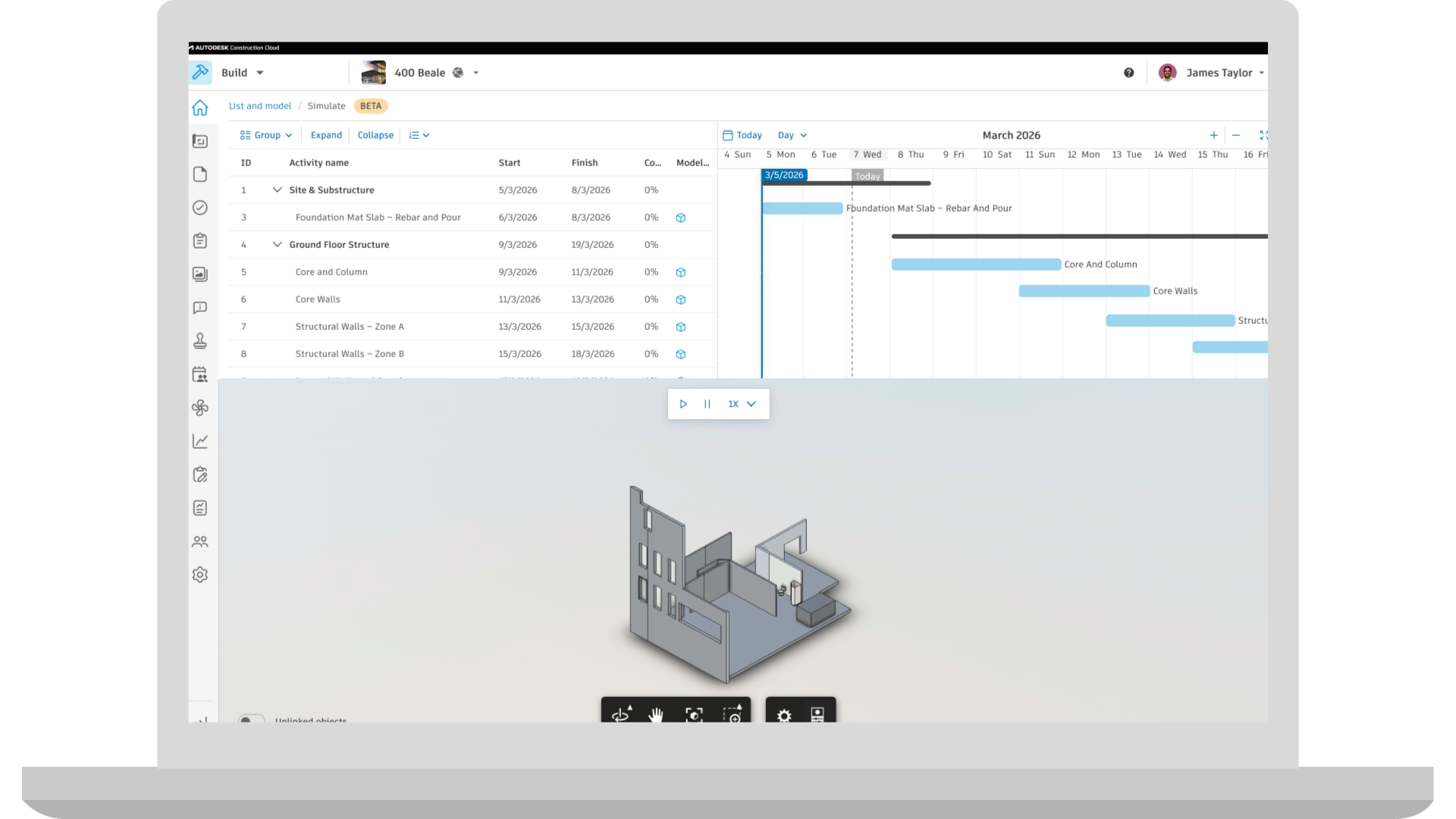
Schedule | 4D Schedules (Public Beta)
Link schedule activities to 3D model elements to visualize where work is happening. Once the schedule and model are connected, simulate the construction sequence to watch the model being built over the schedule timeline. Links stay active when the schedule changes or the model updates.
Product: Build
Specifications | Display Published Submittals on Mobile
Access published submittals within spec details on mobile, giving field teams the latest submittal information alongside relevant specification content. This helps teams verify requirements on-site, avoid relying on outdated information, and keep field work aligned with current project requirements.
Product: Build
Specifications | Export Specifications Log
Export selected spec sections and metadata as a structured, shareable log, including linked references and associated submittals. Teams can tailor the export to their needs, making it easier to support audits, verify compliance, track project decisions, and create consistent handover records.
Product: Build, Data Management and Takeoff
Submittals | Include Previous Revisions in Item Detail Report
When exporting the item detail report, toggle on “Previous revisions” to include workflows history and attachments from all prior revisions in the export.
Product: Build
Submittals | Quick Filters on Mobile
Search through the submittals list faster while on mobile using the quick filter dropdown.
Product: Build
Workplan | Inspection & Test Plans (ITPs)
Manage Inspection and Test Plans (ITPs) using Plans in Build. Standardize ITP planning and creation, track execution, and collect documentation needed for quality assurance and commissioning.
Workplan | Task Required Documentation
Attach forms to tasks as required documentation. The task cannot be marked done until the required forms are completed, helping to maintain quality and compliance records and capture documentation before work moves forward.
Product: Build
Workplan | Saved Filters
Save filters, searches, sorting, and table configurations as reusable task views. Create personal or shared project views to quickly return to important task sets without repeatedly rebuilding the same task list configuration.
Product: Build
Workplan | Task List Customized Sorting
Arrange the task list in the order that best reflects how work will be reviewed or executed. The custom sequence is saved with the plan, allowing teams to organize tasks around the actual construction sequence instead of system-defined sorting.
Product: Build
Workplan | Plan Details
Add attributes to Plans, such as Status, Description, Location, WBS, and Plan Owner. See this information without opening individual tasks, to easily understand each plan’s purpose, ownership, location, and lifecycle stage. Metadata also makes it easier to organize, filter, and report across multiple plans.
Product: Build
Takeoff | Connected Takeoff Sheets and Files
Brings Takeoff Sheets into Forma Data Management > Files tool, making them centrally available in the project and accessible across Autodesk Forma products with unified permissions and expanded workflows beyond Takeoff. Applicable to new projects only. Migration of exiting projects will begin shortly after the initial release.
Product: Takeoff
Takeoff | Enhanced Classification Support
The hub‑level Classification Library serves as a shared source of truth for Preconstruction tools, including Forma Takeoff and Format Estimate. The system will support up to five classification structures per project, with the flexibility to pull classifications from the hub level or manage them directly at the project level. Applicable to new projects only. Applicable to new projects only. Migration of exiting projects will begin shortly after the initial release.
Product: Takeoff and Estimate
Estimating | Import to Estimate
Enables users to import estimate line items with quantities and costs directly into Forma Estimate using a standardized Excel template. This streamlines the transition from spreadsheets and legacy estimating workflows, reducing manual data entry, and helping teams get estimates into Forma Estimate faster.
Product: Estimate
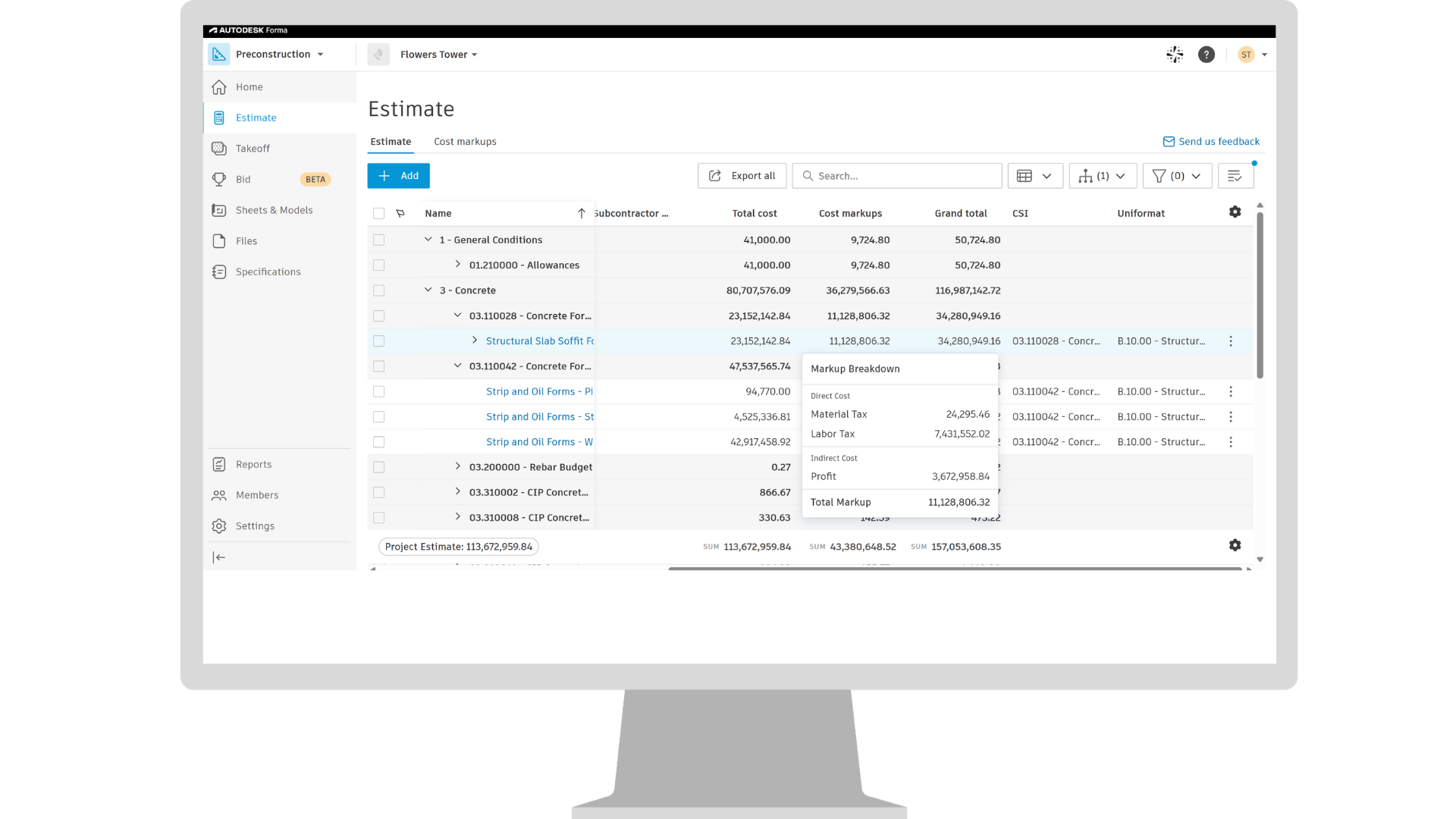
Estimating | Cost Markups Enhancements
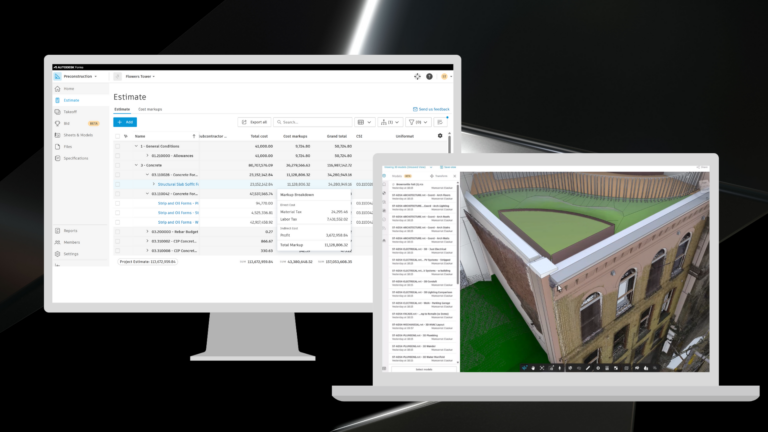
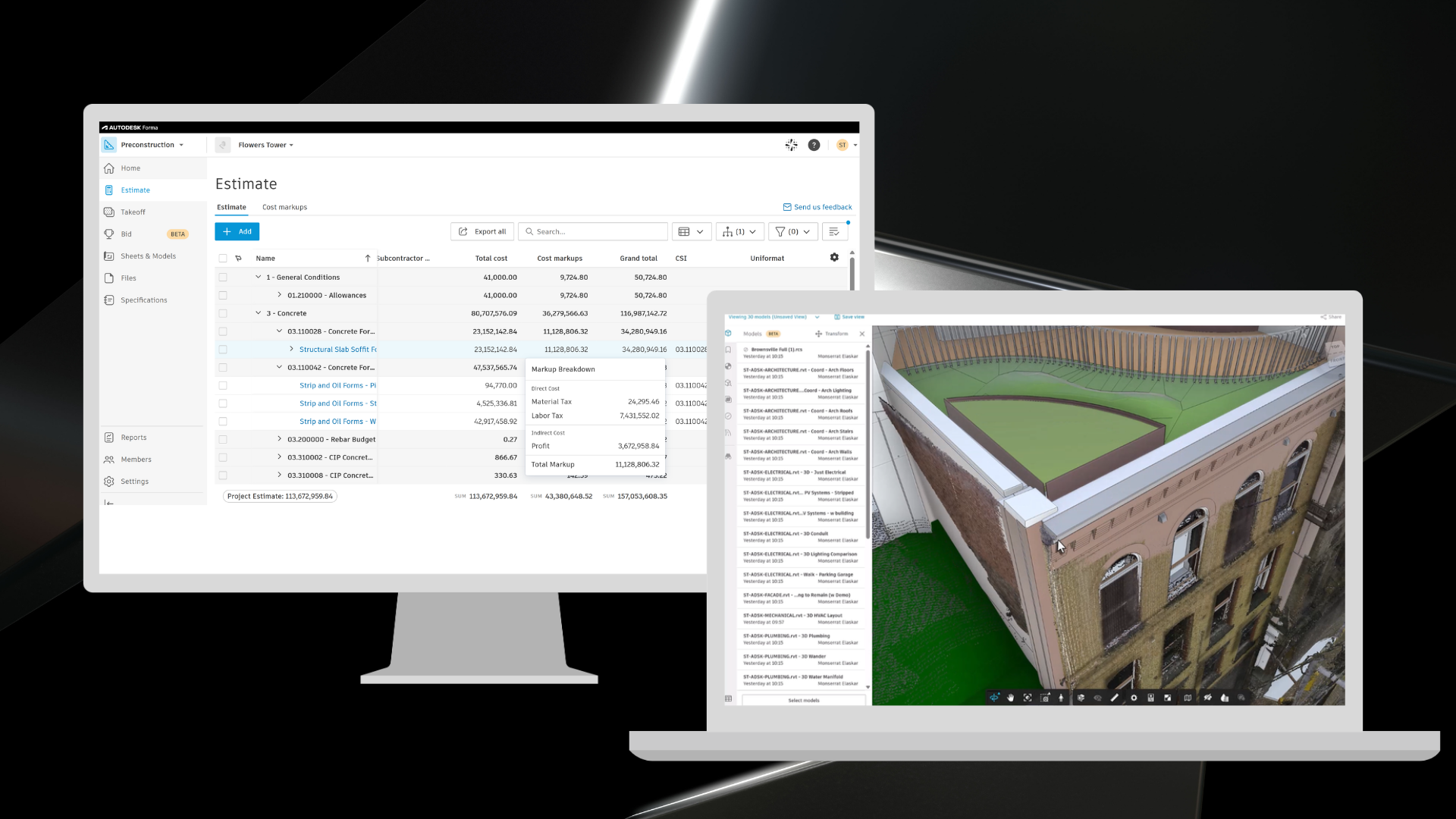
Improves how cost markups are represented, applied, and managed in Forma Estimate by bringing greater visibility into how markups interact with line items and contribute to overall estimate totals directly within the Estimate table. This helps estimators better understand the impact of markups on project costs while reducing the need for workarounds outside the system.
Product: Estimate
Builders Network | Company Profile Data Editing in Forma Bid (Beta)
Enables users to manage and update company profile and office information directly within Forma Bid (Beta), creating a more seamless experience without leaving the bidding workflow in Forma.
Product: Bid (Beta)
Bid Management | Bid Context in Estimate (Beta)
Bring bid context from Forma Bid (Beta) directly into Forma Estimate by displaying the associated RFP and bid package alongside estimate data. This gives estimators greater visibility into how estimate line items align with bidding workflows, helping teams maintain stronger connections between estimating and bid management activities.
Product: Bid (Beta) and Estimate
Bid Management | Connect Estimate Line Items to Bid Packages (Beta)
Connect estimating and bidding workflows by enabling teams to map estimate line items directly to bid packages in Forma Bid (Beta). With estimate values tied to each bid package, teams can compare subcontractor bids against internal estimate values during bid leveling, bringing estimating insight directly into the bid review process.
Product: Bid (Beta) and Estimate
Autodesk AI | Bid Proposal Agent (Beta)
Uses Autodesk AI to transform subcontractor proposal PDFs into structured bid data within Forma Bid (Beta). The agent extracts cost breakdowns, inclusions, and exclusions, and presents the results alongside the source PDF for review and validation. Agent will be available as beta, and must be enabled individually for each RFP.
Product: Bid (Beta, Access varies by subscription type)
Bid Management | Classifications on Bid Packages (Beta)
Extend the same classification systems used in Forma Takeoff and Forma Estimate to bid packages in Forma Bid (Beta). This creates a consistent structure across preconstruction workflows, making it easier to organize, filter, report on, and analyze bidding data using the same classification structure used throughout the project lifecycle.
Product: Bid (Beta)
Qualification | Master Services Agreements in Forma Bid (Beta) - MSA documents are now available to view and download from the bidders screen in Forma Bid (Beta), making it easier to access important subcontractor information while reviewing and managing bidders.
Product: Bid (Beta)
Qualification | Capacity Intelligence - Provides new risk insights within Forma Bid (Beta) in the Qualification information for a company, helping general contractors understand how much work a subcontractor is actively pursuing with their company and when they may be approaching capacity limits. This added visibility helps teams identify potential overcommitment risks earlier in the bidding process and make more informed qualification and award decisions.
Product: Bid (Beta)