Each year, Autodesk University gives us a checkpoint on where construction technology is headed. This year, one thing is clear: the industry is moving from disconnected tools toward a genuinely connected platform, one where AI, data, and workflows reinforce each other across the project lifecycle.
We’ve grouped this year’s construction announcements around the three themes that shaped the AU story: AI in Action, Intelligent Data, and Integrated Workflows.
We’re moving from AI that assists to AI that acts. Three new agentic capabilities, each built around task construction teams do every day, were highlighted in the keynote.
Bid Proposal Agent (Beta)Before bids can be compared against one another, someone has to understand what was actually priced and scoped. Bid Proposal Agent helps estimators spend less time manually reviewing and retyping subcontractor proposals. The agent analyzes proposal PDFs and extracts key details, including cost breakdowns, inclusions, and exclusions, into structured bid data within Forma Bid. Because the source document remains linked to the extracted information, teams can validate results, make corrections where needed, and move more quickly into bid comparison and evaluation.
Document Agent (Beta), solves another familiar problem: knowing the answer is somewhere in the project but not remembering the file name or folder. Ask it a natural-language question — for example, to surface every file a specific teammate uploaded last week — and it uses file content and metadata as context to find and link back to the answer. Follow up to narrow the results, such as everything that’s overdue or was submitted to a specific client, and it refines from there.
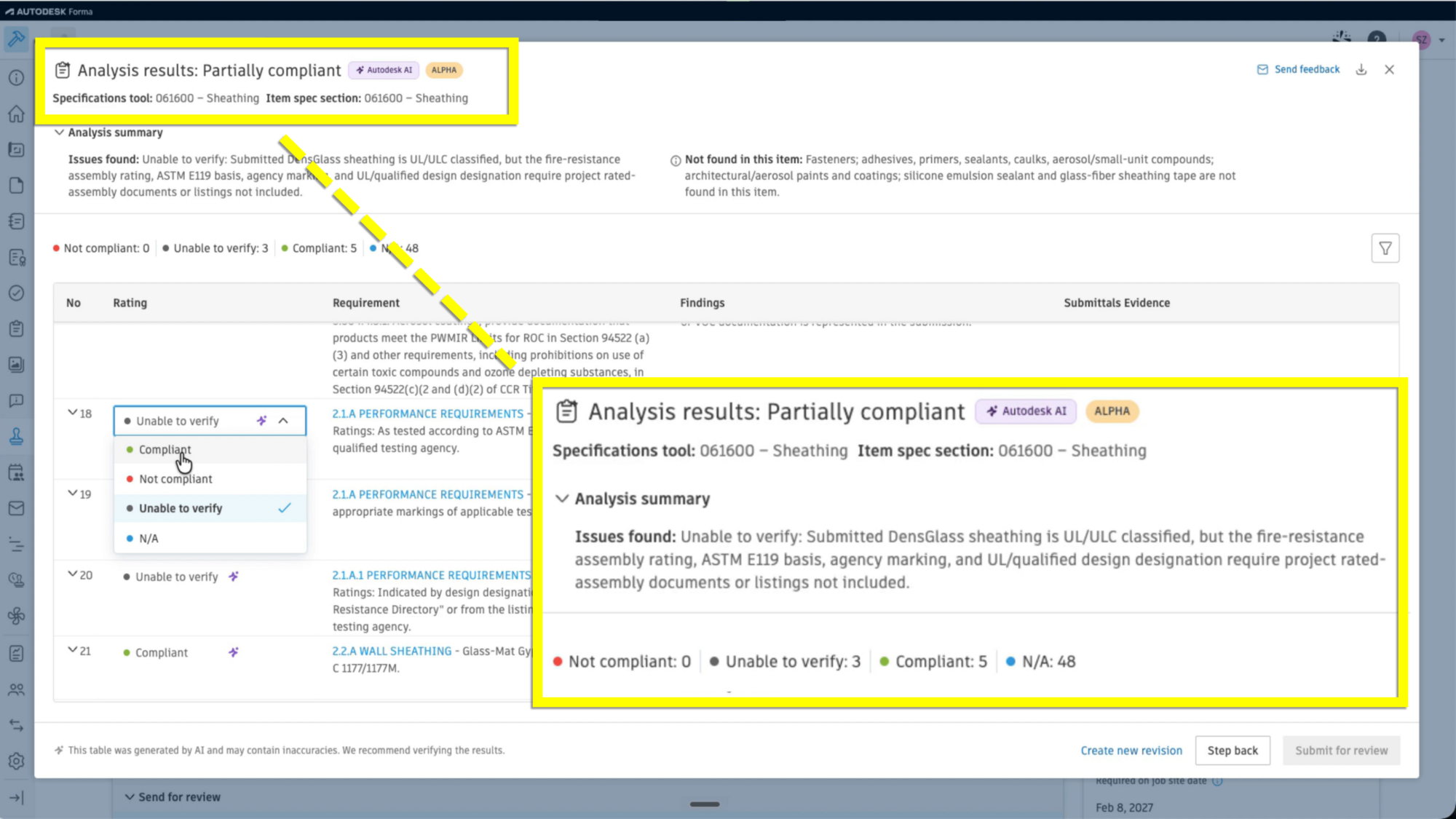
Submittals Evaluation Agent (Beta) targets a process many general contractors and specialty contractors staff entire teams around today: comparing what a subcontractor submitted against what was specified before sending the submittal for architect review. The agent compares submittal attachments against spec requirements and surfaces potential compliance concerns alongside the source evidence, helping submittal managers catch issues earlier.
Across all three, the pattern is the same: Autodesk AI takes on more of the searching, structuring, and first-pass comparison work, while the accountability for the decision stays with the person who has the expertise to make it.
A few more AI capabilities rounded out our AU announcements, aimed at analyzing drawings, identifying project priorities, and performing daily field reporting:
Note: The availability of specific AI capabilities varies by product subscription, and Autodesk AI capabilities are only available to value-based subscription types, including bundles and enterprise business agreements.
AI works best with clean, connected data underneath it, which is where this year’s data management announcements come in. Forma Data Management, the foundation of the Forma industry cloud, is built to move teams toward consistent, structured data management that supports collaboration from project initiation through handover.
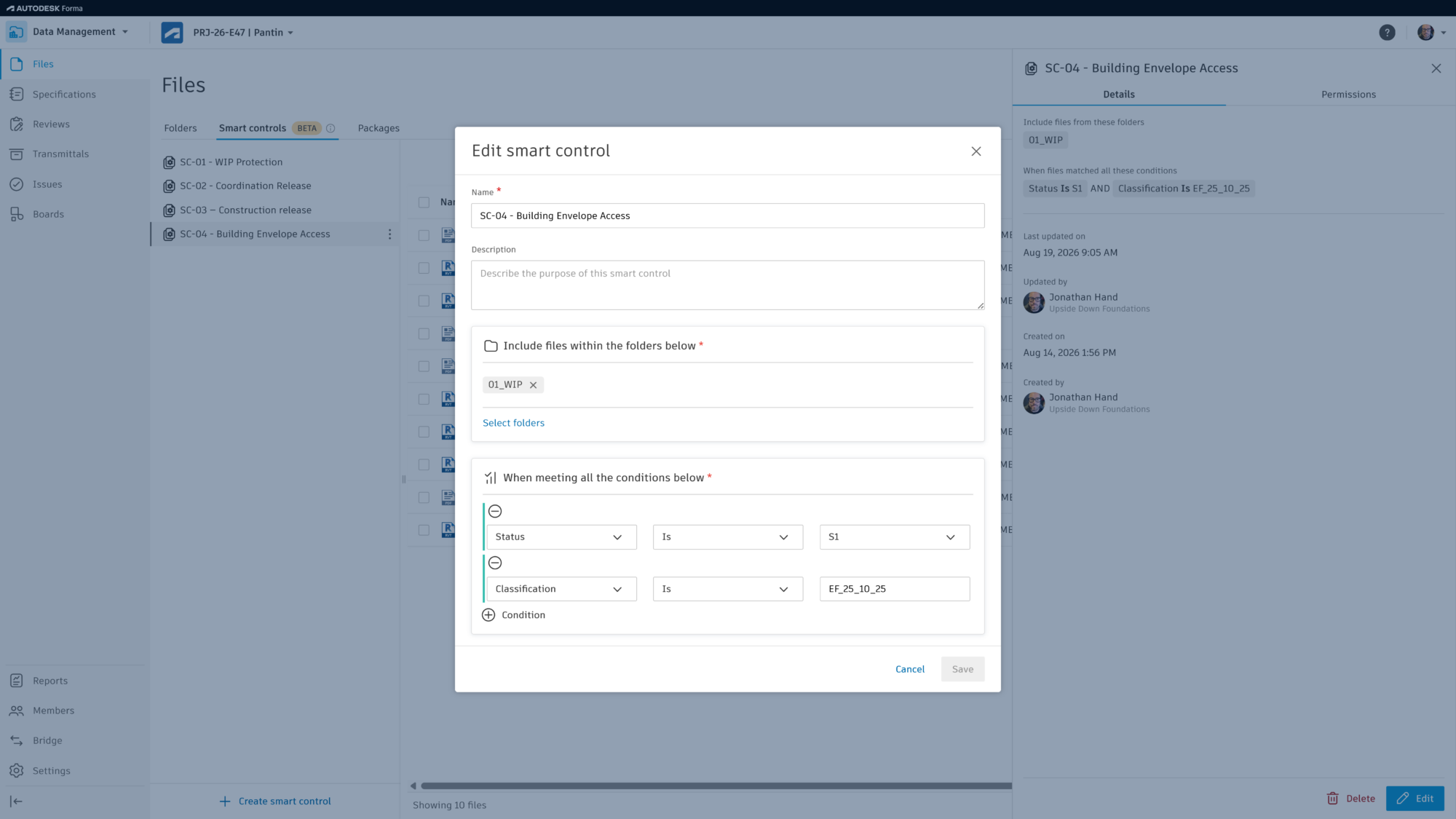
The headline here is Smart Controls, which brings metadata-based access control to Forma Data Management — a capability project teams working to standards such as ISO 19650 have been asking for. Today, controlling who sees a file as it moves through approval often means physically moving it between folders: a general contractor holds a file until it clears a review, then it’s often copied into a new folder, with different permissions, so subcontractors can see it. That process can create duplicate files and manual, error-prone work at every milestone.
With Smart Controls, an administrator sets rules based on metadata like approval status, and access to files updates automatically as that status changes — the file never has to move, and the right people see it the moment they’re supposed to. And because each smart control is tied to its own permission set, administrators define access once and let it apply consistently everywhere that control is used — removing the burden of re-creating permission logic folder by folder, project by project.
A few more quality-of-life improvements centered on intelligent data are coming as well:
Our third theme is about connection — making sure design, coordination, scheduling, and bidding don’t operate as separate systems that require manual hand-offs.
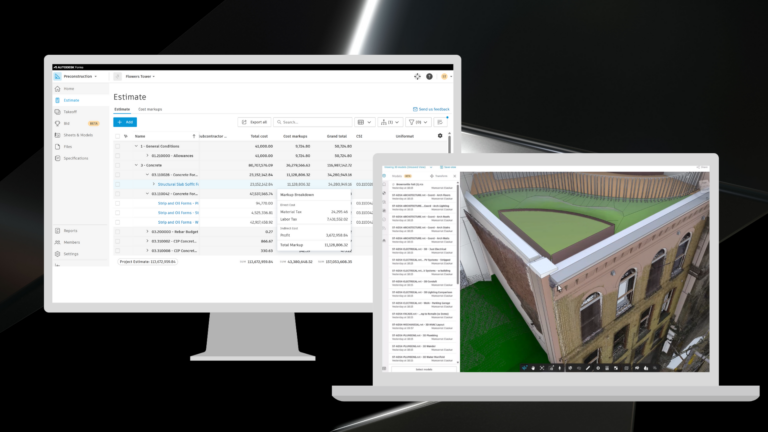
We’ll start in preconstruction. For years, BuildingConnected has helped contractors identify the right partners, manage bids, and make more informed award decisions. At AU, we shared the next step in that journey: expanding beta access to Forma Bid for BuildingConnected customers (on Autodesk licensing), bringing connected bid management workflows into Autodesk Forma.
Forma Bid brings those proven bid management workflows into the Forma preconstruction experience, allowing teams to create and manage bid packages, invite qualified subcontractors, evaluate bids, and collaborate using shared project data.
What makes Forma Bid different is how it connects bidding to the broader preconstruction process. Today, qualification insights from TradeTapp are surfaced directly within the workflow, helping teams evaluate contractor readiness and risk. Looking ahead, teams will soon be able to link estimate line items from Forma Estimate directly to bid packages, making it easier to compare subcontractor pricing against estimated costs, identify scope gaps, and make more informed award decisions.
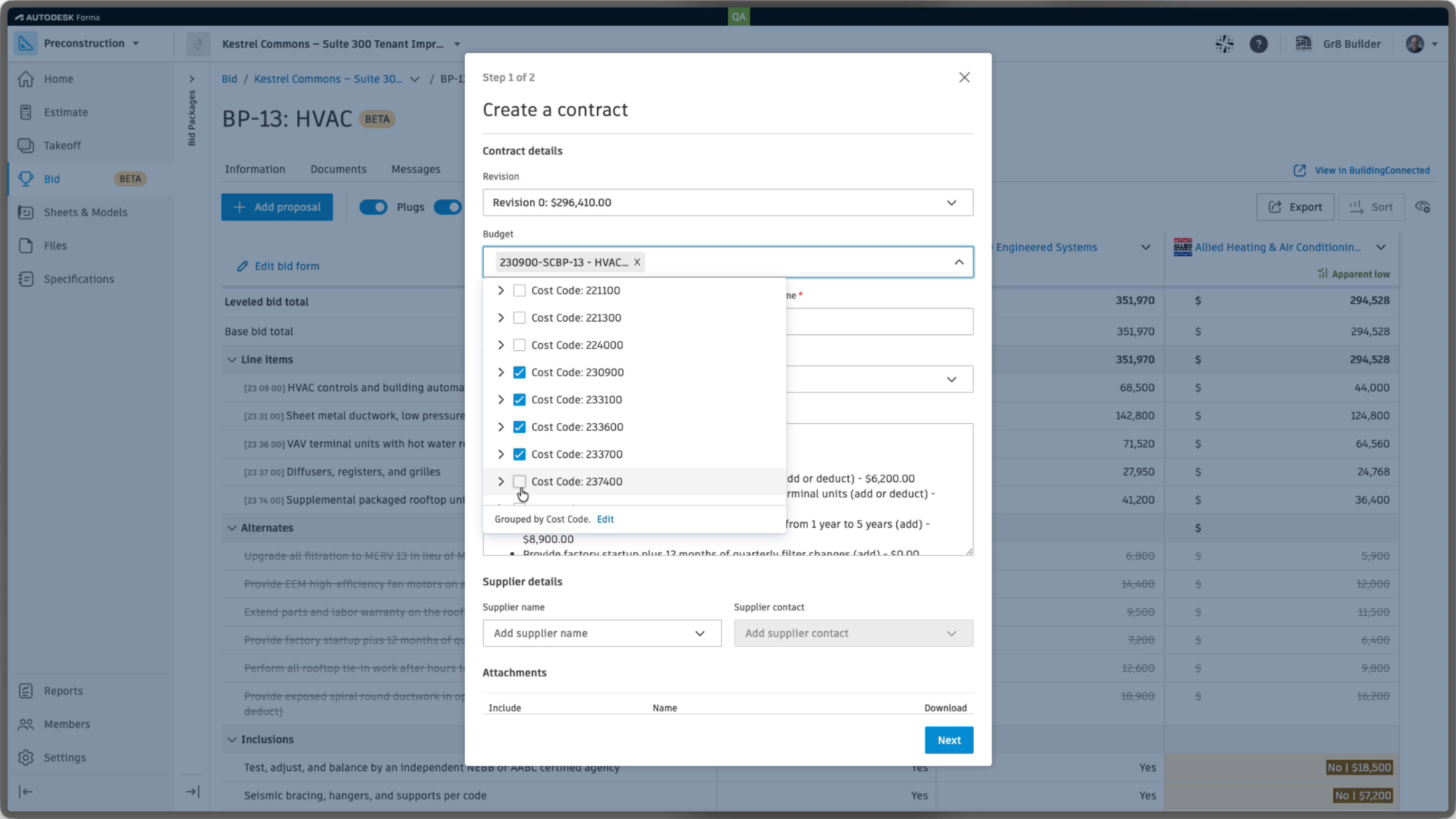
And, we're extending those connections beyond preconstruction. With the ability to create contracts in Cost Management in Forma Build from awarded bids, teams can move from bid award to project execution with less manual effort and greater continuity of data.
Model coordination also gets several enhancements that build toward a more complete picture of the jobsite. Hypermodeling, already in Forma Data Management, is coming to Model Coordination, connecting coordinated models with related drawings, documents, and project information — and letting teams view clashes in that fuller context instead of the model alone. Point Clouds can now be viewed in Model Coordination alongside the federated model, a first step toward a more complete reality-capture workflow. Search Sets gain the ability to run Clash Checks directly against a saved set, so reusable groups of model objects become something teams actively coordinate against, not just organize.
In construction operations, Workflow Studio (beta) moves teams from seeing more of the project to orchestrating what happens next. Take a curtain wall installation: before work begins, the team runs a pre-installation inspection. With Workflow Studio, that process is defined once, visually, ahead of time. When an inspection is submitted, the workflow evaluates the result automatically — a failed inspection routes an issue straight to the superintendent, while a passed inspection creates the next checklist and assigns it to the installer. Teams can test workflows on sample projects before deploying them more broadly, taking repetitive process administration off the people doing the work.
And we’ve introduced the ability to link schedule activities to model elements, giving teams a visual way to understand the scope behind the schedule — and, run a 4D simulation to see the linked schedule play out in the model, end to end. All right within Forma.
From the moment a bid goes out to work on the jobsite, Forma keeps every team working from the same connected picture — so estimators, schedulers, and field crews and the whole team can spend less time re-entering data and more time making earlier, more confident decisions.
Taken individually, these are a lot of advancements to look forward to. Taken together, they show the value of bringing AI, data, and end-to-end workflows together in Forma so they reinforce each other throughout the project lifecycle:
Several of the features announced at AU are in beta and rolling out on different timelines, so track availability in the Forma Product Roadmap, or reach out to your Autodesk account team for a walkthrough of what’s live today and what’s coming in upcoming releases.