Effective September 7, 2024, BIM 360 Plan will no longer be offered for subscription renewals.
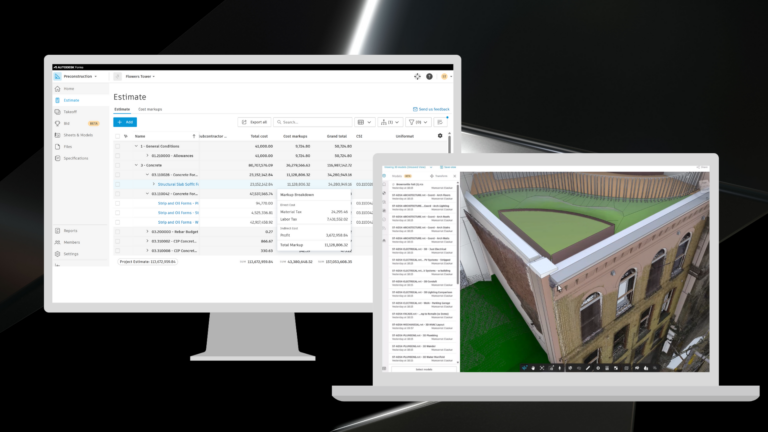
In March 2024, we launched work planning capabilities within the Schedule tool in Autodesk Build, providing customers with an alternative to BIM 360 Plan for building and managing work plans. As part of the Schedule tool, customers can manage both long-term schedules and work plans in an integrated manner, unlike BIM 360 Plan.
Autodesk Build has several additional advantages compared to BIM 360 Plan. Autodesk Build is part of the Autodesk Construction Cloud platform, built on our modern tech stack. It uses Autodesk Docs as its common data environment, connects data between project management, cost, and field management workflows, and includes centralized administration and reporting. We continually evaluate how to best provide our customers with the most outstanding value through our product portfolio. This decision will help us focus resources on developing solutions that will have the greatest impact on your business.
All subscriptions will remain active through the end of your current subscription term. Since there will not be the option to renew, once your current contract ends, you will no longer be able to access project data in BIM 360 Plan.
No. You can continue to use BIM 360 Plan uninterrupted through the end of your subscription term.
No. We recommend that you export any plans/tasks from the system you wish to save. This needs to be done before the end of your current subscription term.
Plans/tasks from BIM 360 Plan can be exported to Excel for your records. We recommend starting all new projects in Autodesk Build. The majority of functionality from BIM 360 Plan is now available in Autodesk Build, along with additional capabilities. Autodesk Build is part of the Autodesk Construction Cloud platform, so it is built on our modern tech stack and uses Autodesk Docs as its common data environment. In addition, the Schedule tool in Autodesk Build allows customers to manage both long-term schedules and work plans in a connected way. Within Autodesk Build, you also get access to additional functionalities such as Progress Tracking in Assets, Issues, cost management and enhanced configuration options for RFIs and Submittals, to name a few. Autodesk Build supports health & safety, quality, cost, and handover workflows as well. If you do not have access to Autodesk Build, please reach out to your account team for subscription options available.
Autodesk and the Autodesk logo are registered trademarks of Autodesk, Inc., and/or its subsidiaries and/or affiliates in the USA and/or other countries. All other brand names, product names, or trademarks belong to their respective holders. Autodesk reserves the right to alter product and services offerings, and specifications and pricing at any time without notice, and is not responsible for typographical or graphical errors that may appear in this document. ©2024 Autodesk, Inc. All rights reserved.