
Mature your digital twin faster with Tandem Connect
Turn your facility’s digital replica into a data-rich hub. Autodesk Tandem Connect unifies building systems to optimise operations.
Mature your digital twin faster with Tandem Connect
Turn your facility’s digital replica into a data-rich hub. Autodesk Tandem Connect unifies building systems to optimise operations.
Design and drafting
Modernise your operations – faster
With 46 plug-ins (and counting), Tandem Connect provides pre-packaged integration solutions for many of the systems you’re likely to use. It covers your coding, testing and cloud hosting needs. Simply choose the plug-ins or adapt our pipelines to suit your criteria. Furthermore, you can complete this using a simple drag-and-drop interface.
Design and drafting
Modernise your operations – faster
With 46 plug-ins (and counting), Tandem Connect provides pre-packaged integration solutions for many of the systems you’re likely to use. It covers your coding, testing and cloud hosting needs. Simply choose the plug-ins or adapt our pipelines to suit your criteria. Furthermore, you can complete this using a simple drag-and-drop interface.
Connect with speed
Faster integration with pre-built connectors
Low-code integrations
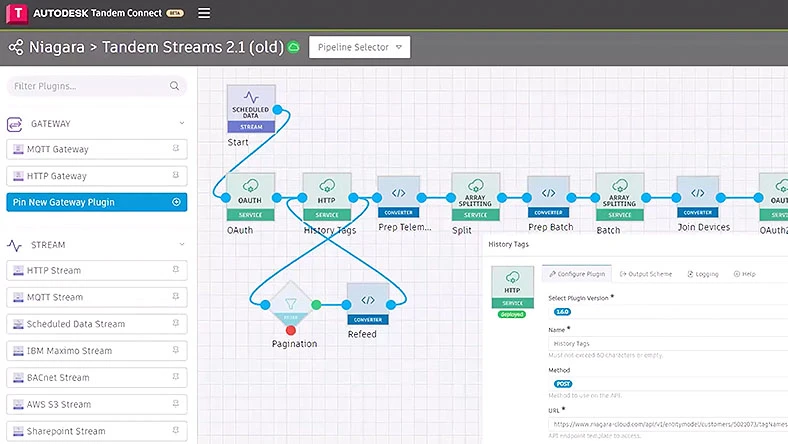
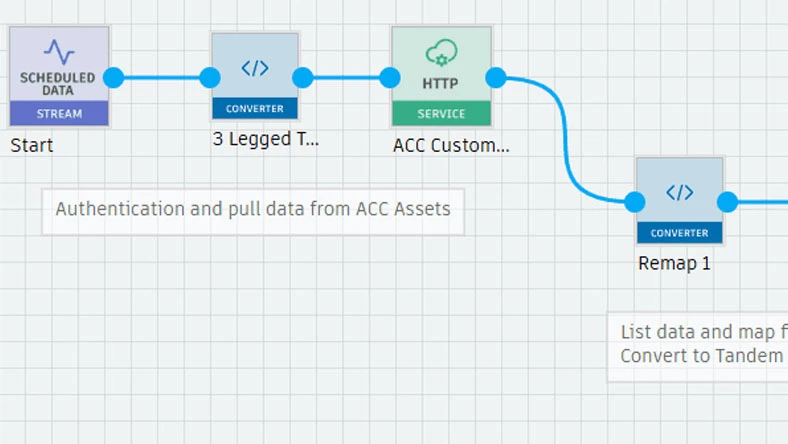
Visual low-code integration builder
Connect with speed
Faster integration with pre-built connectors
Low-code integrations
Visual low-code integration builder
Integrate data with ease
Pre-built plug-ins
The pre-built library of plug-ins and automation offers unparalleled speed of development, enabling users to get up and running in hours rather than days or months. Get up and running in hours rather than days or months.
Low-code pipeline builder
Create integrations visually with drag-and-drop tools – no coding required.
Ready-to-use pipelines
Deploy pre-built pipelines to launch integrations faster.
Near-real-time data sync
Stream live data from connected systems into your digital twin continuously.
Automated workflows
Trigger and schedule data flows to automate processes and reduce manual work.
Cloud deployment
Deploy and manage integrations securely in the cloud or hybrid environments.
Bi-directional data sync
Sync data between systems and Tandem to keep assets, updates and workflows aligned.
Event-driven automation
Trigger actions like alerts or work orders based on real-time data and thresholds.
Low maintenance
The plug-ins and the platform are updated by the Tandem Connect team – meaning that it is maintenance-free for you.
+
Advance your understanding of Tandem Connect
Discover a library of resources tailored to help your team make meaningful integrations.
Link to external resource
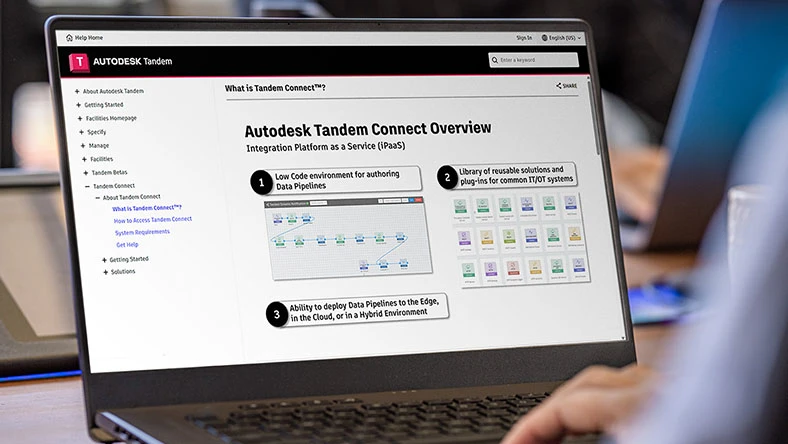
Help content
High-level overview of Tandem Connect and its solutions.
Link to self-guided videos
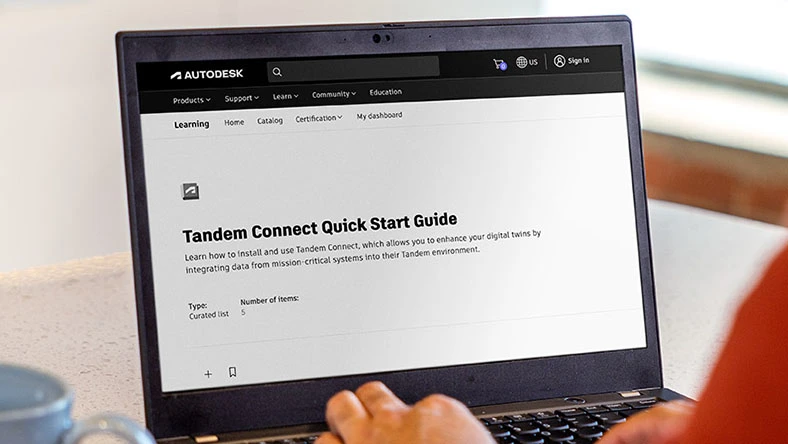
Autodesk Learn
Watch these self-guided videos for a walkthrough of the basics of Tandem Connect.
Link to another website
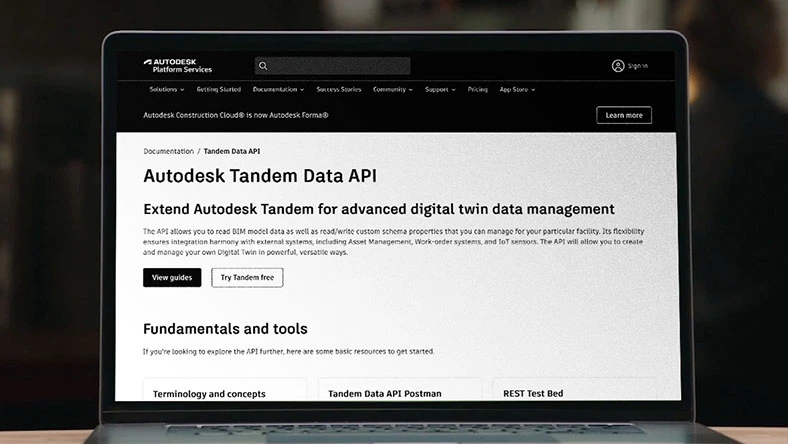
Autodesk Tandem Data API
Want to send data to Tandem? Your way Our data APIs will get you there with a little help from Tandem Connect, too.

External link to Public Forums – Written & Video
Tandem Connect Classroom: A Foundation Series
Review and watch these four videos to get started in Tandem Connect.
Link to recording
October 2024 webinar with P2S
Autodesk webinar on scan-to-BIM twins, featuring Tandem Connect and live BMS data integration.
Link to external resource
PEC transforms delivery with Tandem Connect
How PEC uses Autodesk Tandem Connect to digitise delivery, cut manual work and add owner value
Questions? We have answers.
What is Autodesk Tandem Connect used for?
Autodesk Tandem Connect is used to integrate and stream data from building systems into a centralised digital twin, enabling better visibility, monitoring and operational optimisation.
Who uses Autodesk Tandem Connect?
Autodesk Tandem Connect is used by building owners, operators, AEC firms and systems integrators to manage assets, monitor performance and optimise building operations over time.
What is the difference between Autodesk Tandem and Tandem Connect?
Autodesk Tandem is the digital twin platform for managing building data and operations, while Tandem Connect is the integration service that brings data from various systems into Tandem.
What Autodesk regional offerings are available?
For Tandem, facilities Covered Content can be primarily stored on the EU, Australia or the United States (US) Regional Offerings. Storing Covered Content on the Canada, Germany, India, Japan or the UK Regional Offerings is not currently supported.
If you require further information or guidance regarding where your Covered Content is hosted, please review the detailed Autodesk Regional Offering FAQ.
How is Tandem Connect priced?
Tandem Connect uses a capacity-based pricing model. Customers purchase usage capacity instead of user seats, allowing costs to be scaled based on the size and complexity of their data integrations.
What are the key terminology definitions used in Tandem Connect?
“Pipeline”: an Autodesk or customer-defined solution in Autodesk Tandem Connect for connecting systems, integrating data or automating workflows. Pipelines are required to be created and modified in the cloud but can be deployed either in the Autodesk cloud or to one or more Tandem Connect Outpost devices, if applicable, that are running in a customer environment. Pipelines orchestrate the passing of messages from one plug-in to the next. Pipelines can run either in response to an incoming request or event, or on a set schedule.
“Plug-in” represents either an element of logic or a connector to a specific system and is composed into a pipeline that forms a solution for connecting systems, integrating data or automating workflows. Tandem Connect provides a library of plug-ins that can be used within a pipeline.
“Message”: a single communication between pipelines that contains a structured set of data that is the output of one plug-in and input to the next plug-in.
“Sandbox pipeline”: a pipeline that can be deployed in a sandbox environment, where users can develop and test pipelines without incurring charges.
“Production pipeline”: a pipeline that can be deployed in a production environment, where users can run pipelines for an unlimited period. Pipelines from production need to be manually undeployed by users.
“Tandem Connect Outpost”: downloadable software that must be installed on a device which is connected to your local network. Once installed and connected, Tandem Connect can deploy and manage pipelines that execute on the device running Tandem Connect Outpost.
“MQTT Broker”: a service that receives published messages and dispatches the messages to the subscribing MQTT clients. For more information about the MQTT standard, see https://mqtt.org/.
“User”: any authorised user added to an account with “Read”, “Write” or “Admin” permissions.
Can Tandem Connect be purchased without Tandem?
Yes, Tandem Connect does not require Tandem. It can therefore be purchased as a standalone product.
Can those with Tandem Essentials purchase and use Tandem Connect?
Anyone can purchase Tandem Connect separately regardless of what, if any, Tandem licence they may have.
When you send data to Tandem Connect, do you need to specify the frequency and duration in the payload?
Tandem Connect (TC) will create connections on your behalf using the default settings of a frequency of one minute and a retention period of three years. If Tandem Connect (TC) attempts to create additional connections without sufficient datapoint capacity, the process will fail. Currently, there is no way to change the frequency or retention period of a datapoint in Tandem once it has been created. Additionally, if Tandem Connect (TC) sends more data than the purchased datapoint capacity allows, those pipelines will also fail.
Products you can trust
From payment flexibility to always-on support, expect excellence.

