3D simulation software
3D simulation software
 Image courtesy of Osama Aly
What is 3D simulation?
What is 3D simulation?
 Image courtesy of Osama Aly
3D simulation with Bifrost for Maya
3D simulation with Bifrost for Maya
 Image courtesy of Osama Aly
Using the Media & Entertainment Collection for 3D VFX simulations
Using the Media & Entertainment Collection for 3D VFX simulations

Create FX at scale
Create FX at scale
Add new capabilities
Add new capabilities

Enhance productivity
Enhance productivity

Streamline creativity
Streamline creativity
 Image courtesy of Osama Aly
Tutorials for 3D simulation and VFX professionals
Tutorials for 3D simulation and VFX professionals
What types of VFX simulations are possible with the M&E Collection?
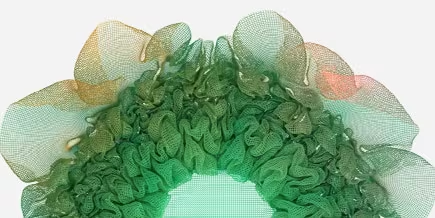
Bifrost in Autodesk’s Media & Entertainment Collection enables artists to quickly and easily create a wide range of effects, including realistic cloth, smoke, fire, explosions, sand, snow, and particle simulations.
How will the M&E Collection improve productivity for technical artists and generalists?
With the Media & Entertainment Collection, studios can run Bifrost for background processing on up to 15 machines, allowing Maya artists to process large-scale VFX simulations on render farms, get simulation previews back faster, and speed up review iterations.
Bifrost's adaptive volume tile-tree system enables artists to control where they want high or low detail in their simulations. This helps reduce RAM usage and cache sizes, and speeds up simulations.
Interactive progressive rendering in the Arnold viewport enables artists to prototype Bifrost effects while viewing final pixels directly in Maya, reducing guesswork and time-consuming iterations later on in production.
Finally, Bifrost makes it possible to publish working effects as portable graphs that can be reused by artists on other productions. TDs are no longer stuck recreating the same fire or smoke effect over and over again each time it’s needed.
How do I access Bifrost in the Media & Entertainment Collection?
Bifrost is included as a native plug-in in Maya. Between Maya releases, artists can download the latest version of Bifrost on AREA as they become available.