 Informed Design for Revit
 Autodesk Informed Design for Revit: Design with known-manufacturable building products
Autodesk Revit 2024 or a more recent version, as well as Autodesk Docs are required to use Informed Design for Revit.
What is Informed Design for Revit?
Empower your designs with customizable, manufacturable building products for unparalleled certainty and quality.
Template Discovery: Explore building product templates for seamlessly incorporating manufacturing-level detail into your design files.
Customization: Tailor building products to align with your building's requirements, ensuring compliance with manufacturers' specifications.
Certainty: Confirm design decisions are accurate and manufacturable to reduce project risk and prevent errors.
What is Informed Design for Revit?
Empower your designs with customizable, manufacturable building products for unparalleled certainty and quality.
Template Discovery: Explore building product templates for seamlessly incorporating manufacturing-level detail into your design files.
Customization: Tailor building products to align with your building's requirements, ensuring compliance with manufacturers' specifications.
Certainty: Confirm design decisions are accurate and manufacturable to reduce project risk and prevent errors.

Browse manufacturer content

Customize with certainty

Insert pre-generated variations

Update and replace
Browse manufacturer content
Customize with certainty
Insert pre-generated variations
Update and replace
"Designing with constraints doesnt curb my creativity it gives me choices I know will all work."
Informed Design for Revit and Inventor workflow
See how Informed Design for Revit and Inventor combine for design certainty.
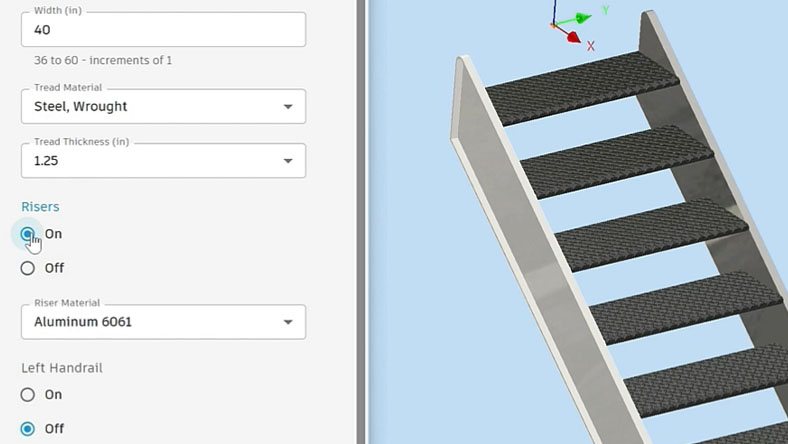
Author and publish building products
Building product manufacturers author and publish customizable, repeatable products using Autodesk Informed Design for Inventor.
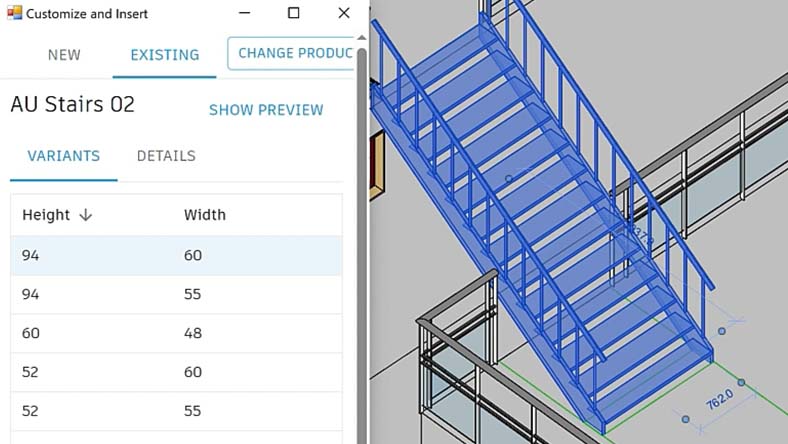
Customize and Place building products in design files
Access, customize, and place building product templates in design files while respecting manufacturers' guardrails.
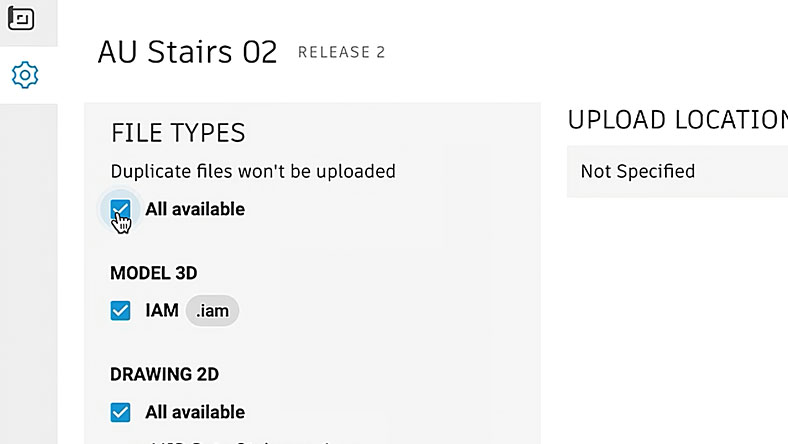
Automatically create output documentation
Using the Informed Design web portal, manufacturers can seamlessly generate all manufacturing documentation automatically.
Questions? We have answers.
Autodesk Informed Design for Revit is a Revit Add-in enabling design professionals to explore building product templates, tailor them, and seamlessly incorporate them into design files, ensuring traceability as a known, manufacturable component.
Autodesk Informed Design for Revit is leveraged by design professionals utilizing Revit to effectively convey design intent for building projects.
Revit is a comprehensive Building Information Modeling (BIM) software that offers tools for architectural design, structural engineering, MEP (mechanical, electrical, and plumbing) systems, and construction. It enables professionals to create, model, and document building projects in a collaborative environment.
Informed Design for Revit is an add-in specifically designed to enhance the functionality of Autodesk Revit. It provides additional capabilities for accessing building product templates, customizing them, and seamlessly integrating them into design files. Informed Design for Revit focuses on optimizing design communication and facilitating the use of manufacturable building components within the Revit workflow.
Products you can trust
From payment flexibility to always-on support, expect excellence.

